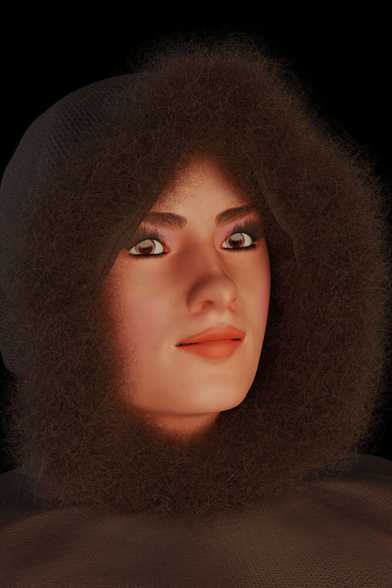
Blender -> Mixamo -> UE4 worked fairly well.
Blender -> Mixamo -> UE5 is not a fun trek.
The Make Human character exported from Blender looks pretty good in Mixamo, being of normal height and translation in the Mixamo animations window.
Once animations are imported into the game, this happens:
The materials mostly have default textures. The textures it is not using are all imported as translucent, necessitating a change to opaque for clothing, hair, and skin. Boots, when changed from translucent to opaque, also changed hue, losing red. Had to correct. It also has a recurring problem importing the base skin color.
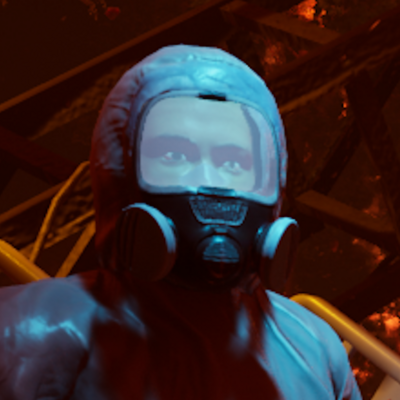
Characters imported into Unreal Engine, which looked normal without animation, turned into 100X taller giants when animation was applied. This caused textures to strobe when resized. I thought it might be a units-based problem. Nothing I tried had better results. There was much texture strobe action.
I decided to stop using animations imported using the reduced Mixamo doll from Blender, and instead export the actual character as the skeleton for getting Mixamo animations, which is merged with the reduced doll. Those came in at the correct height, and without texture strobe effects, but with the character lying flat on its back. I can correct it in the character's blueprint, but it's no fun in the animation editor. Attempts to change its orientation in the import failed.
Then there is the AimWalk 1D blend. It requires 7 animations, some of which are unavailable in the 51 Sword and Shield animations from Mixamo, like Walk Right and Walk Left, ones one would think would take priority over some silly ones, but they are not provided. So I wound up using other animations. Close, but what a pain.
I'm 80% certain I'm 90% of the way there.
#UE5 #Blender #Mixamo #animation #MakeHuman
 Mabolo
 Tomcat
 Arto Koistinen
 Steve's Place
 Terry Hancock (Director/Producer)