So first problem, can't get makehuman to work on #arch

Tried to AUR packages and building from git but none of them worked out. Anyone who has succesfully installed it lately? The AUR package has a comment from last year about the same exact error I get.

#makehuman

Watching TV : Maboulo : Free Download, Borrow, and Streaming : Internet Archive

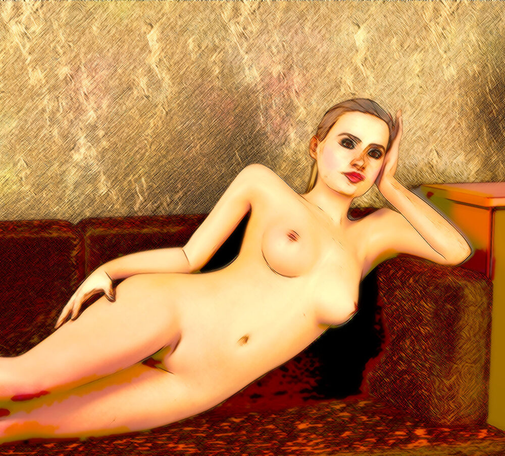
A woman lies naked on a sofa like an odalisque, her head propped up on one hand, staring intently straight ahead.

Internet Archive

When exporting (non-Blender) Makehuman characters to UE5, the Root bone is 10X too big. UE5 does some crazy scaling if you try to change it to 1X. You can fix it inside of the Unreal Engine editor. The solution is:

In Makehuman, use meters as the scale. Use the Uengine (aka U4engine) rig. Export as an FBX.

In the Unreal Engine editor, import using default settings (make sure importing materials and textures is turned on, though). The eyes and teeth came in oddly, but I had ones from previous attempts using Blender's Makehuman plugin to use.

In the character mesh editor, choose Skeleton. Edit Skeleton. DO NOT CLICK ON Accept UNTIL YOU DO ALL OF THIS! On the right side of the screen (in 5.6, anyway) is a list of bones. Do not select any, or the Editor will curse you. Before selecting any bone, click on the + button. Make a new bone (called joint by default, because all old programmers are hippies). Collapse the bones under the Root bone, and move them under the new joint bone. Delete the Root bone. Rename the joint bone to Root.

Now all of the bones are 10X too big, except for the root bone, which defaults to 1X. Go down the tree, changing the bones to the new default (just click on the reset arrow). Do them all.

All of the bones are 1X. Now click on Accept. Then Save it.

Ta-daaaaa.

#UE5 #Makehuman #UnrealEngine

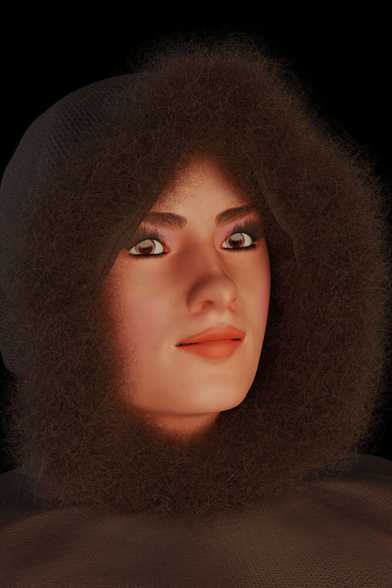
Oh, wow. I DO still have a copy of some of the MakeHuman results. Witness its uncanny horror!

These are, of course, without hair, which would have been added after.

I am so glad I rejected this idea! Daniel Fu's designs were awesome!

MakeHuman is a free software packaged designed to make realistic human models. Mainly for things like architectural rendering.


#LunaticsProject #History #MakeHuman #Characters #UncannyValley #LunaticsProject #History #MakeHuman #Characters #UncannyValley

I found out why I kept getting some skin misbehavior in a character. It wasn't mixamo. It wasn't Blender. It wasn't technically MakeHuman. It wasn't UE5. It wasn't because shapekeys weren't pruned or that there was any welding to be done for the character. The export settings were fine. The import settings were fine. Every setting was fine, very fine.

The character's optional gloves were tearing when it moved, not its skin under the gloves. ๐Ÿ™„

#MakeHuman #UE5 #Blender #animation

To *finally* get an animation out of mixamo, not have problems with rigging, and not be 100X too large, I made the Asian woman, rigged it to mixamo, skinned it, saved it, and exported just that. I chose one animation - the one the reduced doll rigging screwed up. I imported that model into UE5, and just that animation. Perfect, and the model is the right size everywhere. I didn't change the units from meters in MakeHuman or in the scene.

Next magic trick - doing a Save As in Blender, finishing the model in Blender and exporting it/importing it into UE5. The animation should just work. If not, there might be a problem with its morphs.

Then I'll try a bunch of animations.

#GameDev #UE5 #MakeHuman #Blender

Blender -> Mixamo -> UE4 worked fairly well.

Blender -> Mixamo -> UE5 is not a fun trek.

The Make Human character exported from Blender looks pretty good in Mixamo, being of normal height and translation in the Mixamo animations window.

Once animations are imported into the game, this happens:

The materials mostly have default textures. The textures it is not using are all imported as translucent, necessitating a change to opaque for clothing, hair, and skin. Boots, when changed from translucent to opaque, also changed hue, losing red. Had to correct. It also has a recurring problem importing the base skin color.

Characters imported into Unreal Engine, which looked normal without animation, turned into 100X taller giants when animation was applied. This caused textures to strobe when resized. I thought it might be a units-based problem. Nothing I tried had better results. There was much texture strobe action.

I decided to stop using animations imported using the reduced Mixamo doll from Blender, and instead export the actual character as the skeleton for getting Mixamo animations, which is merged with the reduced doll. Those came in at the correct height, and without texture strobe effects, but with the character lying flat on its back. I can correct it in the character's blueprint, but it's no fun in the animation editor. Attempts to change its orientation in the import failed.

Then there is the AimWalk 1D blend. It requires 7 animations, some of which are unavailable in the 51 Sword and Shield animations from Mixamo, like Walk Right and Walk Left, ones one would think would take priority over some silly ones, but they are not provided. So I wound up using other animations. Close, but what a pain.

I'm 80% certain I'm 90% of the way there.

#UE5 #Blender #Mixamo #animation #MakeHuman

I used a reduced doll (MakeHuman MPFB2) export from Blender for getting Mixamo animations. What happened was that, in some situations, the character was normal sized. In others it was 100X normal sized, and textures were flashing like a strobe light, probably because of the sizing problem. I tried sizing it in different ways, without success.

What seems to work is to export the imported Blender character from UE5, and to use it for getting Mixamo animations.

Now, I should note that this character had its Mixamo rig merged with the reduced doll's in Blender, which didn't seem to help before.

The animation I tested came in with the character at its correct size, and apparently without flashing. However, the animated character was rotated 90%, making the character lay flat on its back. In the character blueprint, I rolled it 90 degrees. Looks fine in-game.

That was one idle animation. So far, so good. Now to download and import the rest of them again, using the exported UE5 character.

#UE5 #Mixamo #Blender #MakeHuman

I like the old MakeHuman, which exported rigged characters without making me install a different version of Blender, and worked with send2ue. Being a glutton for punishment, I just *had* to use the mfpb2 Blender extension.

I suppose we don't use the Game engine rig now, but use rigify. What joy, spending a day wrestling with versions, networking, and python errors.

To export I can't seem to use send2ue because, firewall off, it can't find the running Unreal Engine, throwing errors.

What worked for everything (not rigged correctly yet) was to both export as fbx and as glTF. The latter gets the correct materials, but screws up the character's skin. Fbx just gets incorrect materials. The materials from the glTF export work with the fbx export. Gah.

I'm remarkably mellow.

#mpfb2 #MakeHuman #Blender #UE5