https://lp.ca/dlcctA?sharing=true
#immigration #fonctionnaires #quebec #mifi
Weekly output: WiFi hotspots, Android 17 + Gemini Intelligence, earning trust in AI, staying IRL in an AI world, AI image generation, photonics + data centers, Bill Gross on AI
SAN JOSE, Calif.–I’m back on the West Coast only three days after returning from Web Summit Vancouver, and my excuse for yet another transcon flight involves two different events: TechEx North America at the convention center here, where I’m moderating two panels Monday, and then Google I/O a little up the peninsula in Mountain View Tuesday and Wednesday. This is my second year at the first event but will be my 12th in-person I/O.
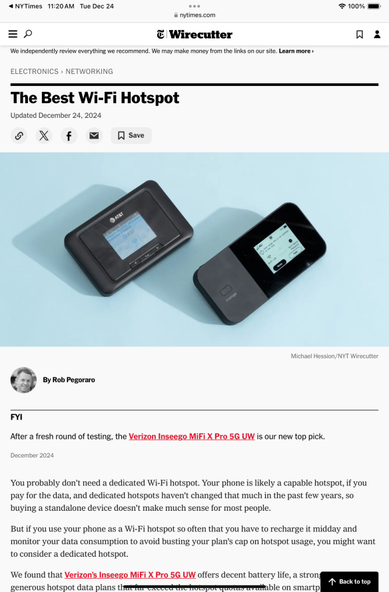
5/11/2026: The Best Wi-Fi Hotspot, Wirecutter
This update to this guide was originally going to review the Franklin A70 hotspot that AT&T introduced last year, but as I was about to file my edits I learned that AT&T was discontinuing that model. So I took out all of the copy assessing the A70 and restored the discussion of older models, which still left plenty of new text covering, among other things, how most high-end smartphone plans now include more data than you get with hotspot-only plans.
5/12/2026: In Android 17, ‘Gemini Intelligence’ Can Automate Tasks Across Apps, PCMag
Google dumped an enormous amount of news one week before I/O, to the point that I needed almost 1,200 words to cover it without even getting into Googlebook laptops, since PCMag’s Michael Kan wrote up that part of Google’s news. I trust that Google left something else to announce onstage at I/O Tuesday.
5/12/2026: Data done right: Earning consumer trust in an AI-first world. Web Summit
This was the second year in a row I had a Web Summit Vancouver panel featuring Pamela Snively, chief data and trust officer with Telus Communications. Knowing my fellow speaker’s conversational style made this panel easy; the topic was also a good one to explore.
5/12/2026: The Analog Renaissance, Why Human Connection and IRL Is the Most Radical Innovation, Frontier Collective
I showed up 5 minutes late to this offsite panel hosted by a local tech group because my floatplane joyride ended almost 30 minutes later than scheduled, a timing failure that in retrospect seems like something I was asking for. I then had a fun discussion with my fellow speakers–Raven White, TED’s director of audience development and community; Heather Odendaal, WNORTH CEO and founder; and Johnny Rodgers, a founding principal engineer at Slack–but I feel bad about inflicting “where is Rob?” uncertainty on the organizers and forcing emcee Theodora Jean to field my position for the first few minutes.
5/13/2026: What it actually takes to train frontier models, Web Summit
This was a late addition to my schedule, leaving no time for a prep call beforehand with Black Forest Labs co-founder Tim Dockhorn. That, in turn, meant I only discovered on stage that he can answer questions exceedingly briefly–which required me to improv a bunch of new questions. This sort of thing has happened on panels before; this time, I didn’t feel like I was flailing around onstage quite so much.
5/14/2026: Can Photonics Make the AI Data Center Boom More Palatable?, PCMag
Since my research for this started at NTT Research’s Upgrade conference in mid April, I was happy I finally got this written–including quotes from my interview of the photonics firm Taara’s CEO at Web Summit Vancouver that helped this post be about more than just the expenses-comped NTT event. I was not so happy to discover that I left two errors into the copy, one about the distances that Taara’s silicon-photonics chipset can send data through the air and another about this firm’s spot in the extended Google corporate universe.
5/15/2026: Bill Gross thinks AI companies are running out of ways to avoid paying creators, Fast Company
This is the first time in a long time–maybe ever, actually–where I wrote a story from an interview as an edited transcript instead of writing a more-structured piece with selected quotes plugged in where I saw fit. I enjoyed the challenge of finding the most enlightening exchanges about the longtime Silicon Valley founder and investor’s new venture ProRata and the state of AI in general out of 6,000-plus words of AI-generated transcript from my phone’s Google Recorder app (which I then checked by playing back the original recording).
#Android17 #BillGross #BlackForestLabs #FrontierCollective #GeminiIntelligence #GoogleIO #IOWN #MiFi #MountainView #NTTResearch #photonics #ProRata #SanJose #Taara #TechEx #Telus #Vancouver #WebSummitVancouver #WiFiHotspot #WirecutterLa FCC amplía la prohibición: Los hotspots Wi-Fi portátiles ahora están en la lista negra
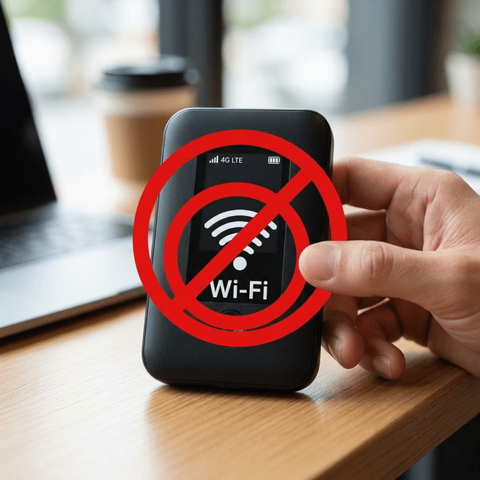
La Comisión Federal de Comunicaciones (FCC) de EE. UU. ha actualizado las restricciones sobre equipos de red fabricados en el extranjero, aclarando que los dispositivos MiFi y hotspots portátiles ahora también están sujetos a la prohibición por motivos de seguridad nacional (Fuente PCMag).
Lo que comenzó como una restricción para routers domésticos ha escalado. La FCC ha actualizado sus directrices para aclarar que los dispositivos de hotspot Wi-Fi portátiles (comúnmente conocidos como MiFi) de origen extranjero están ahora incluidos en la prohibición de importación anunciada el mes pasado. Esta medida responde a la creciente preocupación de que estos dispositivos puedan ser utilizados por gobiernos extranjeros para espionaje o ciberataques. La prohibición también abarca a los equipos CPE de LTE y 5G que los proveedores instalan para el acceso inalámbrico fijo en hogares, ampliando significativamente el alcance del veto tecnológico.
Es importante destacar que esta restricción no afecta a los smartphones con función de punto de acceso (hotspot), ni tampoco a los dispositivos que ya están en manos de los consumidores o en las estanterías de las tiendas. Las nuevas reglas se aplican estrictamente a los nuevos modelos que los fabricantes planeen vender en el futuro. Operadoras como T-Mobile ya han confirmado que trabajarán con la FCC para asegurar que sus futuros equipos cumplan con las normativas, mientras que empresas como Amazon (eero) y Netgear han recibido exenciones temporales de 18 meses para trasladar su producción fuera de los países bajo sospecha.
La actualización de la FCC subraya una postura más agresiva de Estados Unidos en la protección de su infraestructura de comunicaciones. Al incluir dispositivos móviles de red, el gobierno busca cerrar cualquier brecha de seguridad que pudiera ser explotada mediante hardware de consumo masivo. Los fabricantes que deseen vender este tipo de tecnología en suelo estadounidense deberán demostrar que su cadena de suministro es segura y, preferiblemente, trasladar la fabricación a territorios aliados o al propio EE. UU. para obtener la certificación necesaria.
#arielmcorg #ciberseguridad #EEUU #fcc #Hotspot #infosertec #mifi #PORTADA #redes #SeguridadNacional #tecnología #WiFi
Die US-Kommunikationsaufsicht FCC hat jüngst ein Einfuhrverbot für praktisch alle im Ausland gefertigten WLAN-Router erlassen. Erst nach diversen Prüfungen lässt man vereinzelt Geräte bestimmter Hersteller zu. Jetzt wird das Vorgehen weiter verschärft.
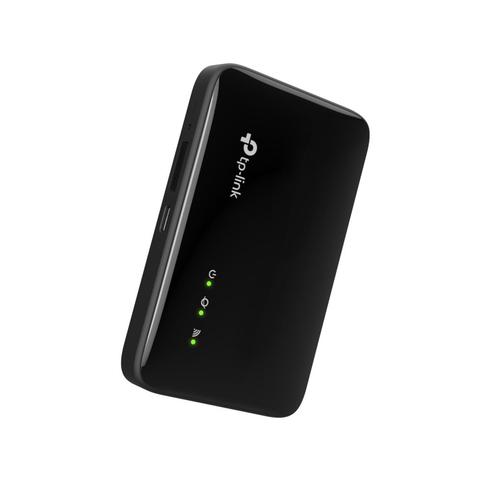
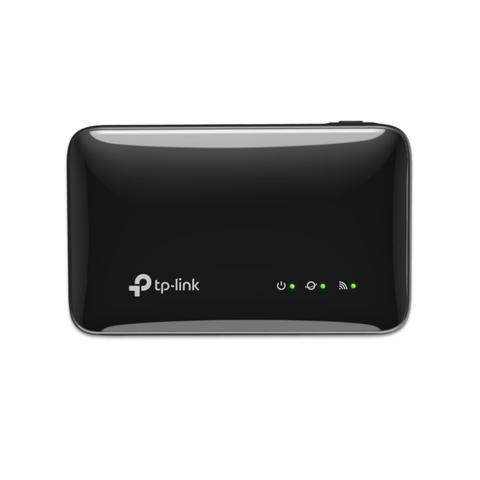
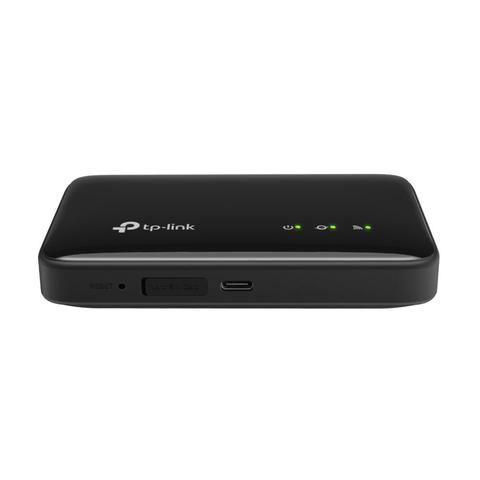
Mobilny internet do kieszeni. TP-Link wprowadza tanie hotspoty LTE z WiFi 6 – M7352 i M7005
TP-Link odświeża swoje portfolio mobilnych routerów (MiFi). Do sprzedaży trafiają dwa budżetowe modele: M7352 oraz M7005.
Najważniejszą zmianą względem starszych generacji jest implementacja standardu WiFi 6, choć w tym przypadku służy on nie tyle biciu rekordów prędkości, co poprawie stabilności połączenia.
Dla wielu użytkowników smartfon z funkcją tetheringu (hotspotu) stał się wystarczającym źródłem internetu w podróży. Jednak dedykowane urządzenia MiFi wciąż mają swoje miejsce na rynku – oszczędzają baterię telefonu i radzą sobie lepiej z obsługą wielu urządzeń jednocześnie. Nowe propozycje TP-Linka celują w półkę ekonomiczną, oferując podstawową łączność LTE w nowoczesnym opakowaniu.
WiFi 6, ale w paśmie 2,4 GHz
Oba urządzenia – droższy M7352 i tańszy M7005 – obsługują standard WiFi 6 (802.11ax). Warto jednak wczytać się w specyfikację: urządzenia pracują w paśmie 2,4 GHz, oferując przepustowość do 287 Mb/s. Nie jest to więc sprzęt do przesyłania gigabajtów danych w sieci lokalnej, ale taka konfiguracja ma sens w terenie.
WiFi 6 w paśmie 2,4 GHz zapewnia lepszy zasięg i sprawniejszą obsługę wielu klientów (do 10 urządzeń jednocześnie) niż starsze standardy, przy zachowaniu niskiego zużycia energii.
TP-Link M7352 – ekran i slot SD
Model pozycjonowany wyżej, czyli M7352, wyróżnia się obecnością wyświetlacza LCD. To przydatny dodatek w terenie – na ekranie widzimy siłę sygnału, stan baterii czy zużycie danych, bez konieczności logowania się do panelu administratora czy aplikacji.
Urządzenie posiada również slot na kartę micro SD (do 2 TB). Funkcja ta pozwala przekształcić hotspot w prosty, przenośny serwer plików – dane z karty mogą być udostępniane wszystkim urządzeniom podłączonym do sieci WiFi routera.
Zasilanie zapewnia akumulator o pojemności 2100 mAh, co według producenta przekłada się na maksymalnie 10 godzin pracy.
TP-Link M7005 – dłuższa praca bez ekranu
Tańszy model, TP-Link M7005, to następca popularnego M7000. Jest to konstrukcja minimalistyczna – zamiast ekranu mamy tu jedynie diody LED informujące o statusie pracy. Co ciekawe, brak wyświetlacza i nieco inna konstrukcja pozwoliły na zastosowanie większego akumulatora.
Ogniwo ma tu pojemność 2400 mAh, co pozwala na pracę do 12 godzin (o 2 godziny dłużej niż w modelu droższym). Jest to urządzenie typu Plug & Play, które nie wymaga skomplikowanej konfiguracji – wystarczy włożyć kartę SIM.
Ceny i dostępność
Oba modele są zarządzane przez aplikację mobilną tpMiFi. Urządzenia debiutują na rynku w bardzo przystępnych cenach, co czyni je ciekawą opcją jako „zapasowy internet” do plecaka czy na działkę:
Wi-Fi 7 wychodzi do ogrodu. TP-Link Deco BE25-Outdoor naprawi zasięg na tarasie
#mifi #mobilnyHotspot #news #routerLTE #TPLinkM7005 #TPLinkM7352 #WiFi6Weekly output: WiFi hotspots
I’ve had a quiet, Christmas-bisected workweek, which means that I’ve spent much of my limited working time getting my CES schedule in order.
12/24/2024: The Best Wi-Fi Hotspot, Wirecutter
We, meaning I, shouldn’t have let this guide get this stale–it had received its last modest update back in May of 2022. But first I had to update Wirecutter’s phone-plans guide, and having that work remind me of how much mobile-hotspot data comes with so many new smartphone plans then enlightened me about how many customers should not feel compelled to spend extra on this class of devices. Hence the lede of this revision, suggesting that the best hotspot for most people would be none of the below: “You probably don’t need a dedicated Wi-Fi hotspot.”
#ATT #Jetpack #MiFi #TMobile #verizon #WiFiHotspot #WiFiHotspot
Segunda parte sobre routers MiFi -> Router MiFi gama media y alta
Probando routers MiFi -> Introducción a los routers MiFi gama de entrada
https://burp.es/introduccion-a-los-routers-mifi-gama-de-entrada/