 Linux Easy
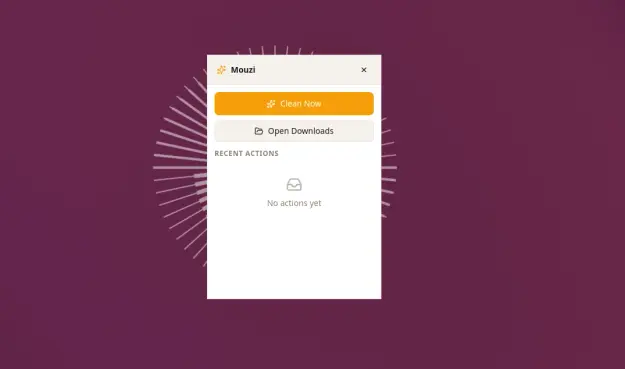
Mouzi organizza automaticamente la cartella Download con regole personalizzabili, cronologia delle azioni e massima attenzione alla privacy.
#Windows #OpenSource #Produttività #FileManager #Mouzi #Privacy #Utility
Mouzi organizza automaticamente la cartella Download con regole personalizzabili, cronologia delle azioni e massima attenzione alla privacy.
#Windows #OpenSource #Produttività #FileManager #Mouzi #Privacy #Utility
Optimal method for Google Drive mirroring (perhaps rclone?) on Ubuntu 26.04 LTS running GNOME 50 #nautilus #sync #filemanager #googledrive #rclone

As https://www.omgubuntu.co.uk/2026/03/google-drive-not-working-nautilus-ubuntu-26-04 mentions, native Google Drive access via the Nautilus file manager was discontinued starting GNOME 50. Which is
File manager: LightTreeFM 1.0714
A major update has been released for the LightTreeFM file manager, which is still under active development. This update focuses on drag-and-drop functionality and virtual browsing.
أطلق تطبيق ForkLift تحديثه 4.6.4، الذي يعزز تجربة التنقل بين الملفات بشكل كبير. أصبح Quick Select يدعم الآن الأحرف المشددة، مما يسهل البحث عن الملفات ذات الأسماء غير الإنجليزية. كما باتت ميزة "الانتقال إلى المجلد" تتعرف على الأسماء المستعارة والروابط الرمزية، موفرةً مرونة أكبر في استكشاف النظام. بالإضافة إلى ذلك، يضيف التحديث تحذيراً قبل حذف سمة في الإعدادات، ويعالج العديد من الأخطاء عبر الواجهة لتحسين الأداء العام.


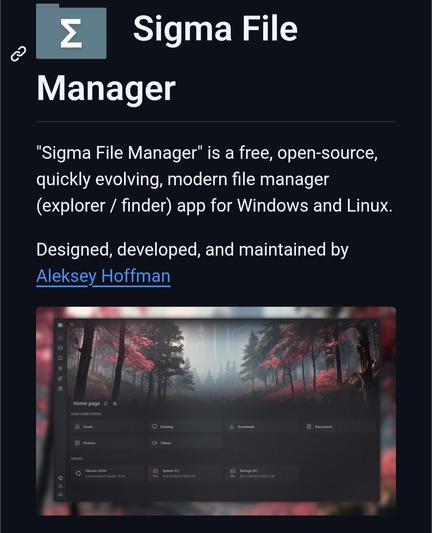
Sigma File Manager is a modern open-source file manager for Windows and Linux built as an alternative to traditional file explorers.
It features tabs, split view, smart search, file tagging, LAN sharing, extension support, and access to network locations like SSHFS, SMB, NFS, and CIFS.
A powerful option for users who want a more customizable and privacy-friendly way to manage files.
👉 https://digitalescapetools.com/tools/tool.html?id=sigma-file-manager
#OpenSource #Linux #Windows #FileManager #Productivity #Privacy #FOSS
RE: https://floss.social/@gcmd/116676361358232158
Gnome Commander 2.0.3 is out, fixing eight annoyances this time. Most importantly, keyboard input focus will no longer be in nirvana after clicking toolbar buttons, and overlong file list contents will be ellipsized rather than cut off. The remaining six issues are evenly split between the Search dialog and the internal viewer.
https://gitlab.gnome.org/GNOME/gnome-commander/-/releases/2.0.3
Frage mich was die Unterschiede zu #yazi sind? #elio
https://elio-fm.github.io/
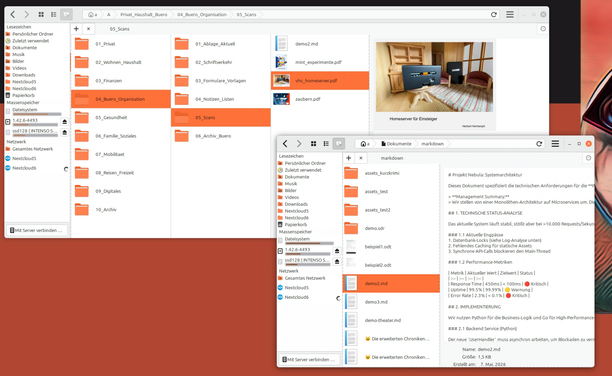
Für das rasche "Umräumen" von Dokumenten z. B. aus dem Download-Ordner usw. ist es recht nützlichen, mit Splitscreen, Tabs oder - wie hier - mit zwei Fenstern zu arbeiten. Damit bleibt die eigentliche Struktur sichtbar, die verstreuten Daten werden aus den diversen Ordnern an die richtige Stelle gezogen.
 AskUbuntu
 Daniel
 بجاد الأثري
 The Oasis BBS
 DigitalEscapeTools
 Gnome Commander
 dei Muddr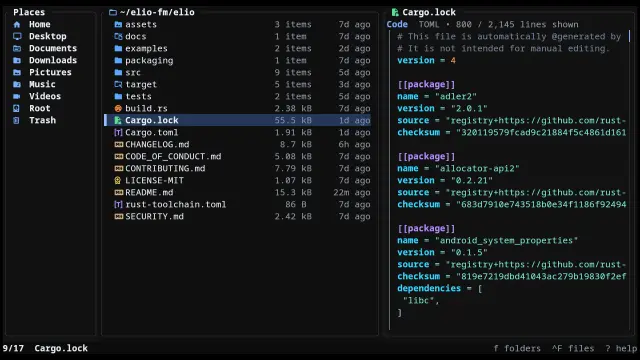
 Herbert Hertramph
 Sikorski Arkadiusz