 WPNEWS.io
#Envato raised its commission – is it time to sell direct? https://wpbiz.dev/growth/envato-commission/
 WE AND THE COLOR
Envato Elements vs. Adobe Stock: Which Is Better for Graphic Designers in 2026?
Every graphic designer eventually faces the same subscription crossroads. You need reliable, licensable creative assets — fast, without legal headaches, and ideally without spending your entire monthly retainer on stock photos. Two platforms dominate this conversation: Envato Elements vs. Adobe Stock. Both are credible. Both are widely used. And yet, they serve fundamentally different creative mindsets.
The stock asset market has matured significantly in recent years. Platforms are no longer just image warehouses. They’re creative ecosystems — bundled with AI tools, template libraries, licensing frameworks, and deep integrations into the software designers actually use every day. So the question isn’t simply which platform has more stuff. The real question is: which platform fits your workflow, your budget, and the kind of designer you are?
This is a comparison built from experience, not a spec sheet. I’ve used both platforms across branding projects, editorial design, motion graphics, and client-facing campaigns. Here’s what I actually think — and what the numbers confirm.
What Exactly Are You Getting with Envato Elements vs. Adobe Stock?
Let’s establish the baseline. Envato Elements is a flat-fee subscription platform. You pay one monthly or annual fee and download as much as you want — unlimited. As of March 2026, the individual plan costs $16.50/month on an annual billing cycle, or $33/month if you prefer the flexibility of month-to-month. That single subscription unlocks a library of over 22 million assets, including stock photos, video footage, fonts, graphic templates, UI kits, audio tracks, 3D files, and Premiere Pro and After Effects templates.
Adobe Stock operates differently. It runs on a credit-based or tiered download model. Their entry plan starts at $29.99/month for 10 standard asset downloads. Mid-tier access (40 assets/month) runs $79.99/month. High-volume plans reach $199.99/month for 750 standard assets. Their library is substantially larger — over 400 million assets, including premium photography, 4K footage, editorial images, and Adobe-exclusive 3D and template content.
Already, a pattern emerges. Envato Elements wins on volume-per-dollar. Adobe Stock wins on sheer library scale and editorial depth. But that binary framing misses what actually matters to working designers — so let’s go further.
The Asset Depth Index: A Framework for Measuring True Library Value
Raw asset counts are misleading. A platform with 400 million images sounds impressive until you realize half of them are duplicates, low-effort filler, or images you’d never use professionally. To solve this, I use what I call the Asset Depth Index (ADI) — a mental model that weighs a library’s usability ratio against its total volume.
The ADI asks three questions: How fast can you find a usable, high-quality asset? How often does the search return results you’d actually license? And how deep does the library go across asset categories beyond photos?
Adobe Stock’s ADI Performance
Adobe Stock scores exceptionally high on photography depth. Their search algorithm is sophisticated, their curated collections are genuinely inspiring, and their editorial library is unmatched for news, documentary-style, and culturally nuanced imagery. Furthermore, the advanced filtering — by mood, color palette, orientation, model release, and contributor — is powerful. Professionals working on brand campaigns or ad materials will find Adobe Stock’s photography ADI nearly perfect.
The vintage-inspired Japanese Catzilla poster layout in A4 by Blackcatstudio for Adobe Photoshop is available for download from Adobe Stock.However, Adobe Stock’s template library is narrower. It skews heavily toward Adobe-native formats: Photoshop PSDs, Illustrator AIs, InDesign files, and Premiere Pro Motion Graphics templates. If your workflow lives entirely inside Creative Cloud, this is seamless. If you use Figma, Canva, DaVinci Resolve, or Affinity Designer, the library’s usefulness drops sharply.
Envato Elements’ ADI Performance
Envato Elements scores lower on photography ADI but significantly higher on template and motion graphics ADI. The platform’s Premiere Pro templates, After Effects presets, and Figma UI kits are consistently excellent. Additionally, Envato actively curates its design assets with community-based quality filtering. Their fonts library is one of the strongest available under any subscription, and their audio collection rivals dedicated music licensing platforms.
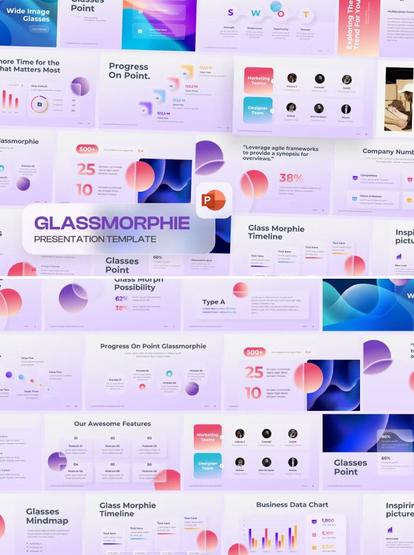
The GlassMorphie Morph PowerPoint template is available for download from Envato Elements.The weakness is stock photography. Envato’s photo library does not match Adobe Stock‘s editorial depth or sheer diversity of professional photography. For a brand shoot or a campaign that demands authentic, world-class imagery, Adobe Stock holds the clear advantage.
Pricing, Value, and the Cost-Per-Creative-Value Framework
Price comparisons between these two platforms are rarely apples-to-apples. Therefore, I use a second framework: Cost-Per-Creative-Value (CPCV). CPCV measures how much tangible, deployable creative output you get per dollar spent — not how many raw files you can theoretically download.
At $16.50/month with unlimited downloads, Envato Elements delivers extraordinary CPCV for high-volume creative work. A freelance designer running ten client projects per month can download 300 assets, templates, fonts, and audio files without worrying about overage fees. The math is simple: more projects, more assets, same price.
Adobe Stock‘s CPCV tells a different story. At $29.99/month, you get 10 downloads. That’s almost $3 per asset — a reasonable rate for premium photography, but punishing if you routinely need large volumes of supporting assets. Moreover, video downloads are handled separately, often requiring credit packs that cost significantly more per file.
When Adobe Stock’s Pricing Makes Sense
Adobe Stock‘s model works best when you download fewer, higher-value assets. A photographer licensing a single hero image for a campaign landing page gets exceptional value. An agency art director choosing five definitive images for a pitch deck can justify the per-asset cost easily. The pricing structure rewards selectivity, not volume.
When Envato Elements Wins on Value
Envato Elements wins decisively when your workflow demands variety and volume. Social media managers, content studios, motion designers, and multi-client freelancers all benefit from the unlimited model. Also, the student plan at roughly $11.50/month (annual billing) makes Envato Elements one of the most accessible professional tools for emerging designers.
Workflow Integration: The Friction Score That Most Comparisons Ignore
Here’s something most platform comparisons skip entirely. The asset quality matters far less than you think if downloading and using that asset creates friction in your daily workflow. I call this the Workflow Friction Score (WFS) — a qualitative measure of how much a platform disrupts creative momentum.
Adobe Stock has a near-zero WFS for Creative Cloud users. The integration is native and frictionless. You can browse, preview watermarked assets directly inside Photoshop, Illustrator, InDesign, and Premiere Pro, and license them without ever leaving the application. This is a genuinely useful feature that saves time and keeps designers in a creative state. The CC Library sync means licensed assets appear instantly across all your Adobe apps.
Envato Elements, by contrast, requires you to download files to your hard drive and import them manually. Their Premiere Pro plugin helps, and integrations with Figma and Canva exist, but none of them match the smoothness of Adobe’s native pipeline. Additionally, Envato uses a per-project licensing model, meaning you must register each downloaded asset against a specific project. This creates an extra administrative step that some designers find annoying, particularly on fast-moving client work.
AI-Powered Search and Creative Discovery
Both platforms have introduced AI-powered search tools that meaningfully reduce the time spent hunting for the right asset. Envato Elements’ AI Labs feature allows natural-language search — you describe what you want, and the system interprets creative intent rather than just keywords. Adobe Stock‘s AI search, backed by Firefly’s generative intelligence, allows visual similarity searches and mood-based filtering that feels genuinely ahead of the competition.
Notably, both platforms now offer some form of AI-generated content. Envato includes an AI image generator and AI icon generator with subscription plans. Adobe Stock integrates Firefly-generated imagery directly into the library, with commercially safe generative content licensed under Adobe’s indemnification policy. This matters enormously for professional designers who need legal clarity on AI-generated assets.
Licensing Clarity: The Framework That Protects Your Business
Licensing is where designers tend to get burned. You use an image for a client campaign, the campaign goes national, and then you discover the license you bought didn’t cover broadcast use or merchandise production. Licensing clarity isn’t a minor detail — it’s a business-critical consideration.
I assess this through the License Clarity Score (LCS) — essentially, how clearly and simply a platform explains what you can and cannot do with a downloaded asset.
Adobe Stock’s Licensing Structure
Adobe Stock offers a Standard License and an Enhanced (Extended) License. The Standard License covers most commercial use cases: websites, social media, presentations, and digital advertising. However, it caps print runs at 500,000 copies and does not permit use on merchandise for resale. The Enhanced License removes those restrictions and is available through credit packs. It costs between $64 and $80 per asset, depending on your credit pack size.
Adobe also offers up to $10,000 in indemnification coverage for licensed assets, which is a meaningful protection for agencies and studios working on large commercial campaigns. This is not a minor point — it’s a professional-grade safety net that Envato Elements does not match at scale.
Envato Elements’ Licensing Structure
Envato Elements uses a single commercial license that covers all downloaded assets. The simplicity is genuinely appealing. You can use assets in commercial projects, client work, and marketing materials without navigating between license tiers. However, the per-project registration requirement means each download ties to one registered project. Furthermore, Envato’s license does not permit resale of assets as standalone products or in template-based resale contexts — a limitation that affects developers and some designers who resell creative templates.
Overall, Envato Elements scores higher on LCS simplicity. Adobe Stock scores higher on LCS coverage depth. For most freelancers and studios, Envato’s simplified approach is genuinely easier. For agencies and enterprise design teams with complex licensing needs, Adobe Stock’s tiered structure offers more protection.
Asset Categories: Where Each Platform Actually Excels
Let’s get specific. Rather than giving you a generic “both are good” verdict, here’s an honest category-by-category breakdown.
Stock Photography
Adobe Stock wins clearly. Their photography collection exceeds 400 million images, with exceptional editorial, lifestyle, architectural, and conceptual photography. The curation quality is noticeably higher, and the diversity of subjects, cultures, and styles is broader. For brand campaigns and advertising work that demands photography with genuine visual authority, Adobe Stock is the professional’s choice.
Design Templates
Envato Elements wins clearly. The template library for Photoshop mockups, InDesign brochures, presentation decks, social media kits, and web UI components is vast and consistently well-crafted. Envato also supports non-Adobe workflows extensively — Affinity Designer, Canva, Figma, and DaVinci Resolve templates give it an edge for designers who don’t operate entirely within Adobe’s ecosystem.
This professional Adobe InDesign magazine layout by Tom Sarraipo is available for download from Adobe Stock.Motion Graphics and Video Templates
Envato Elements wins. The After Effects and Premiere Pro template library is exceptional — arguably the strongest available under any flat-fee subscription. Motion designers routinely cite Envato as their primary source for lower-thirds, title animations, logo reveals, and transition packs.
Stock Video Footage
Adobe Stock edges ahead here. Their stock footage library is broader, and the quality of cinematic footage is consistently high. However, Envato Elements has a strong secondary position, particularly for lifestyle and generalist footage.
Fonts and Typography
Envato Elements wins. Their font library is one of the most underrated features of the subscription. You’ll find display typefaces, editorial serifs, geometric sans-serifs, and experimental letterforms that rival dedicated type foundry subscriptions. Adobe Stock does not compete in this category — Adobe Fonts (via Creative Cloud) is a separate solution for typography.
The Maderon font by Rantautype is available for download from Envato Elements.Audio and Music
Envato Elements wins. The audio library — royalty-free music tracks, sound effects, and ambient recordings — is extensive and commercially licensed. Adobe Stock offers audio, but it’s a secondary category on the platform rather than a core strength.
3D Assets
Adobe Stock is ahead. Their 3D library, including Substance 3D materials and models, is integrated with professional 3D workflows. Envato Elements has 3D assets, but the collection is smaller and less sophisticated for professional rendering pipelines.
Envato Elements vs. Adobe Stock for Freelancers vs. Studios
The platform decision changes significantly depending on where you sit in the industry.
Freelance Graphic Designers
Envato Elements is the stronger choice for most freelancers. The unlimited download model dramatically reduces per-project costs. The template variety accelerates turnaround on branding, social media, and web design work. Additionally, the simple licensing reduces administrative overhead on client projects. At $16.50/month annually, it delivers exceptional value for a solo creative operation.
That said, freelancers working primarily on photography-heavy editorial, advertising, or journalism projects should supplement Envato with an Adobe Stock subscription or, at a minimum, a credit pack, for those campaigns where photographic quality is non-negotiable.
Design Studios and Agencies
Studios with larger budgets and higher quality requirements should lean toward Adobe Stock for photography and video, while potentially maintaining an Envato Elements team subscription for templates and motion graphics work. Adobe Stock’s team licensing, pooled credits, and Creative Cloud integration make it genuinely efficient for multi-person design teams. Envato’s team plans start at roughly $10.75/seat/month (annual billing), which is competitive for smaller agencies.
The dual-subscription strategy — Envato for volume and templates, Adobe Stock for premium photography — is increasingly common among mid-size studios and represents smart resource allocation rather than redundancy.
The Generative AI Factor: How Both Platforms Are Evolving in 2026
Neither platform is standing still. The integration of generative AI into stock asset platforms is reshaping what “licensing a creative asset” even means. Both Envato Elements and Adobe Stock are responding to this shift, but in meaningfully different ways.
Adobe Stock’s approach is ecosystem-native. Adobe Firefly, their generative AI engine, produces commercially safe imagery that enters the Adobe Stock library with full indemnification. This means designers using Firefly-generated images in client work have Adobe’s legal backing — a significant advantage in an era where AI content licensing remains legally murky. Furthermore, Firefly’s integration into Photoshop, Illustrator, and Express means generative AI capabilities and stock assets exist on the same creative canvas.
Envato Elements’ AI Labs initiative takes a different approach, focusing on search enhancement, icon generation, and image generation as workflow accelerators within the subscription. The AI tools are included in all plans, with generation limits depending on plan tier. Their AI-generated content is commercially licensed under Envato’s standard terms, though without the same indemnification depth as Adobe’s offering.
Looking forward, generative AI will likely reduce the dominance of traditional stock photography as a category. However, it will also increase demand for high-quality templates, motion assets, and sound design — areas where Envato Elements already leads. This positions Envato well for the next phase of the creative tools market.
My Honest Verdict: Which Platform Should You Choose?
After years of using both platforms across real client work, my honest position is this: Envato Elements vs. Adobe Stock is not a competition between a winner and a loser. It’s a competition between two distinct creative philosophies.
Envato Elements embodies the philosophy of creative abundance. It bets that designers work better when they can experiment freely without counting download credits. It serves motion designers, web designers, content creators, and template-heavy workflows exceptionally well. At $16.50/month annually, it’s hard to argue with the raw value.
Adobe Stock embodies the philosophy of creative authority. It bets that serious designers need access to world-class photography, deep Creative Cloud integration, and legally robust licensing — and that those professionals will pay for it. The starting price of $29.99/month for just 10 downloads is steep, but for designers who need premium assets and demand workflow integration, it earns its cost.
If I had to choose one, for most independent graphic designers and freelancers in 2026, Envato Elements delivers more value per dollar. But if you work in advertising, editorial media, or a studio environment where photographic quality and CC integration are non-negotiable, Adobe Stock justifies the premium. And if budget allows, running both side by side is the smartest creative investment you can make.
Frequently Asked Questions: Envato Elements vs. Adobe Stock
Is Envato Elements cheaper than Adobe Stock?
Yes, significantly so. Envato Elements costs $16.50/month on an annual plan with unlimited downloads. Adobe Stock starts at $29.99/month for just 10 asset downloads. For high-volume users, Envato Elements offers better cost efficiency dramatically.
Can I use Envato Elements assets for commercial client work?
Yes. Envato Elements includes a commercial license with all downloads. However, each asset must be registered against a specific project. Once assigned, the license remains valid for that project even after your subscription ends.
Does Adobe Stock integrate with Photoshop and Illustrator?
Yes, natively. Adobe Stock is built directly into Photoshop, Illustrator, InDesign, Premiere Pro, and other Creative Cloud applications. You can preview watermarked assets inside your designs and license them without leaving the app.
Which platform has better stock photography?
Adobe Stock has a significantly larger and higher-quality photography library, with over 400 million assets compared to Envato Elements‘ collection. For editorial, advertising, and premium commercial photography, Adobe Stock is the stronger choice.
Which platform is better for motion graphics designers?
Envato Elements leads here. Their After Effects and Premiere Pro template library is one of the best available under any subscription, and unlimited downloads make it cost-effective for motion designers who need a wide variety of assets across multiple projects.
Does Envato Elements include fonts?
Yes. Envato Elements includes an extensive font library as part of the subscription. It covers display typefaces, body text serifs, sans-serifs, and experimental designs — a strong benefit for graphic designers who frequently need access to diverse typography.
What happens to my downloaded assets if I cancel my Envato Elements subscription?
You retain the right to continue using assets you downloaded and assigned to registered projects before cancellation. However, you cannot use assets from your subscription in new projects after cancellation, and you lose access to the download library.
Does Adobe Stock offer AI-generated images?
Yes. Adobe Stock includes AI-generated images created with Adobe Firefly. These are commercially safe and come with indemnification coverage, which means Adobe provides legal protection if a licensed AI-generated asset leads to a copyright dispute — a meaningful advantage over competing platforms.
Which platform is better for small design agencies?
It depends on the agency’s primary workflow. Envato Elements‘ team plans (starting around $10.75/seat/month on annual billing) offer strong value for template-heavy, multi-project studios. Adobe Stock‘s team licensing and Creative Cloud integration are more effective for agencies producing high-quality photography-driven campaigns.
Can I use both Envato Elements and Adobe Stock simultaneously?
Absolutely, and many professional studios do exactly this. Using Envato Elements for templates, fonts, motion graphics, and audio — combined with Adobe Stock for premium photography and video — gives you the best of both platforms. Together, they cost roughly $46/month at the entry level, which is competitive for the creative coverage they provide.
Check out WE AND THE COLOR’s Graphic Design, Templates, and Fonts categories for more.
#AdobeStock #design #envato #EnvatoElements #graphicDesign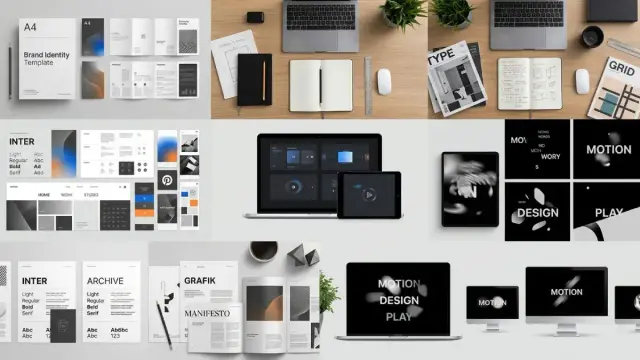

 ThemePure
 KingLand
 Rajiv Chopra
 Fossman
 Micah
Micah David Bisset
 ecomnews