 DW ¯\_(ツ)_/¯
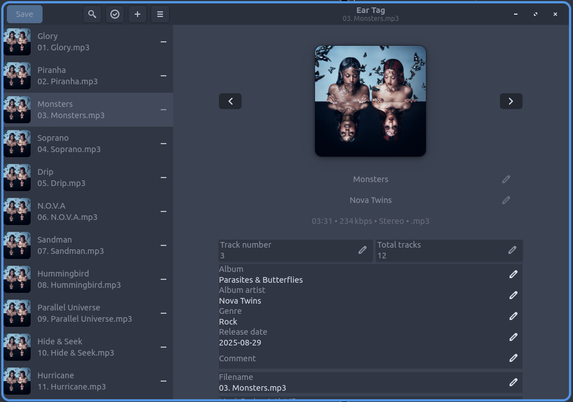
since #easytag sucks now (cddb nannigans), I looked for a replacement. #Eartag
edit id3, pull all metadata, rename files based on tags. job done
#Linux
edit id3, pull all metadata, rename files based on tags. job done
#Linux
#Gnome et applications #flatpak
Des 3 applications modernes installées, je n'en ai gardé qu'une seule :
• #EarTag, parce qu'elle est élégante oui mais fort utile et n'a plus d'équivalent dans les repo
Sinon :
• #Music a viré, je garde #Rhythmbox C'est old school mais au moins il occupe pas 1 Go de ram à chaque fois qu'il se lance
• Exit aussi #Apostrophe qui ne fait pas grand chose de plus que ce qu'on peut faire avec #Gedit
Nouvelle tentative sans doute dans 6 mois
Réflexions sur #Linux et l'installation des applications.
Je n'ai pas encore sauté dans le wagon #flatpak pour un tas de raisons (habitude, lourdeur des dépendances dans flatpak,...)
Je reste avec le système de packages de ma distribution (#Fedora).
Pourtant, beaucoup de nouvelles applications __n'existent plus que__ sur #Flathub . Exemple : #EarTag que j'ai installé via flatpak.
Va sans doute falloir sauter le pas un jour ou l'autre ?!
https://discussion.fedoraproject.org/t/choosing-between-flatpak-and-rpm/91025
https://discussion.fedoraproject.org/t/rpm-or-flatpak/125851/8

I was wondering if someone could be kind enough to enlighten a new Linux user on the practical differences between installing an app as a Flatpak vs. installing as an RPM package. I’ve come across these two types of downloads while browsing apps on Fedora’s Software app, and I’ve seen that what’s offered as download options for any given app there can vary (some just offer just one Flatpak, some offer a Flatpak and an RPM, some offer two Flatpaks and an RPM, etc.) I’ve also noticed that the Soft...
Pour éditer vos fichiers musicaux sous #Gnome, vous pouvez essayer #EarTag (https://apps.gnome.org/fr/EarTag/)
• Interface moderne en #GTK4
• Fonctionnalités de bases indispensables : édition par lot, récupération des infos depuis le nom du fichier
• J'ai pas essayé mais on peut récupérer ces infos aussi depuis des services en ligne
Last year I divested from #spotify to consume music more intentionally and pay directly to artists or via #bandcamp and now I'm taking it a ridiculous step further in my nostalgia for physical media. I merged all the tracks of each album as a single file. No more track skipping. Just play.
#music #linux #foss #opensource #musicplayer #mp3 #tunes #rock #playlist #gnome #universalblue #bluefin #github #eartag #audio #audiophile
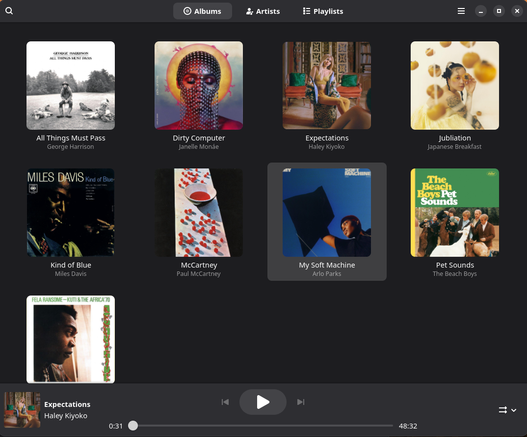
 . Previously I was using #picard (#MusicBrainz), but it is not a gnome app. EarTag can be a suitable replacement for it. Try EarTag:

Use ‘Ear Tag’ to Quickly Edit Audio Tags on Linux
We’re spoilt for choice when it comes to audio tag editors for Linux, but ever heard the expression ‘sometimes less is more’? It sounds silly but hey: it’s a maxim that resonates with me. Take Ear Tag, a new music tag editor for Linux written in Python and using GTK4/libadwaita. Its a simple, straightforward tool that lets you quickly edit audio tags for individual music files. Unlike fully-featured MP3 tag editors like Kid3, Tagger, or MusicBrainz Picard, Ear Tag doesn’t try to manage your entire music library. And though it can edit metadata for multiple audio files at once it’s 
#Apps #AudioApps #EarTag #GtkApps #Libadwaita #Utility
 https://www.omgubuntu.co.uk/2022/12/i-use-ear-tag-to-quickly-edit-audio-tags-on-linux

 Rui Nibau (rnb)
 zahntron
 رضا ☫ Reza
 Matt
Matt 

 OMG! Ubuntu!