Proxmox Server Solutions

Proxmox develops powerful and efficient open-source server solutions like the Proxmox VE platform, Proxmox Backup Server, and Proxmox Mail Gateway.

Proxmox

Install Chrome as the www-data User

After recently rebuilding the 4RoadService web server on Debian 13, Browsershot wasn't working right. It wasn't working at all. We run Laravel on a slightly old-school LAMP setup with PHP-FPM, and run the Laravel workers as the www-data user, the same user that runs the web server, so that user needed to be able to run puppeteer and Chrome, which wasn't possible with each user having its own nvm/node/npm installation. Installing Node & NPM Globally The Node docs now suggest installing […]

https://johnbeales.com/2026/install-chrome-as-the-www-data-user/

Messing around with Waydog Trixie in a VM.

First impressions are positive. I like the initial welcome greeter that asks some questions about start up.

https://github.com/sleekmason/Waydog-Trixie

#Linux #Waydog #WaydogTrixie #Xfce #Labwc #Wayland #Lilidog #Debian #DebianTrixie #Trixie

Proxmox Server Solutions

Proxmox develops powerful and efficient open-source server solutions like the Proxmox VE platform, Proxmox Backup Server, and Proxmox Mail Gateway.

Proxmox
Proxmox Server Solutions

Proxmox develops powerful and efficient open-source server solutions like the Proxmox VE platform, Proxmox Backup Server, and Proxmox Mail Gateway.

Proxmox
Gerade #debiantrixie #gnulinux installiert. "apt update" schlug mit Fehler der #OpenPGP Signatur fΓΌr die Paket Repos fehl.
Problem war, dass die Uhrzeit des Hosts mehrere Stunden zu spΓ€t dran war.

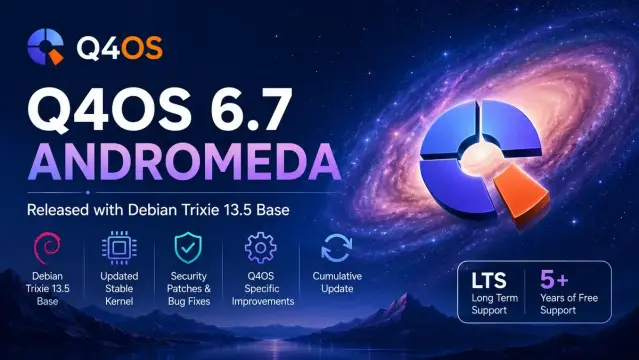
πŸš€ Q4OS 6.7 Andromeda is now available!

This new LTS point release updates the distro to the latest Debian Trixie 13.5 base, bringing:
βœ… 103 security fixes
βœ… 144 bug corrections
βœ… Updated stable kernel
βœ… Q4OS-specific improvements

Q4OS continues to focus on stability, speed, and long-term support β€” especially for both modern and older hardware.

#Q4OS #Debian #Linux #OpenSource #KDE #TrinityDesktop #LinuxDesktop #DebianTrixie #FOSS

First comment:

https://www.opensourcefeed.org/q4os-6-7-andromeda-release/

Debian Trixie 13.5 installation ISOs are now live!

Yesterday, the Debian release team announced that the fifth point release, Debian Trixie 13.5, was released to the general public for upgrades! This point release was said to add security bug fixes…

Aptivi

Debian Trixie 13.5 installation ISOs are now live!

Yesterday, the Debian release team announced that the fifth point release, Debian Trixie 13.5, was released to the general public for upgrades! This point release was said to add security bug fixes, along with other adjustments for serious problems. Today, the release process continued with the availability of the ISO files!

Starting from today, you can finally download Debian Trixie 13.5 ISO files from the official Debian website. You can download the following variants:

  • Network installation
  • DVD installation
  • Live GNOME
  • Live XFCE
  • Live KDE
  • Live Cinnamon
  • Live Debian Junior
  • Live LXDE
  • Live LXQt
  • Live MATE
  • Live Standard

This point release version of Debian Trixie 13 includes the following changes:

  • Various security bug fixes have been integrated to the Linux kernel, which ensures that your computer becomes more secure.
  • Various security bug fixes have been integrated to different packages, such as bubblewrap, freerdp3, harfbuzz, python3.13, sed, systemd, and xorg-server.
  • Various packages have been rebuilt with the updated glibc package, which brings security fixes.
  • RISC64 illegal instruction issues have been fixed in various packages, such as GRUB 2.
  • 7zip has been updated to make upgrades from Bookworm to Trixie easier.

Only one package has been removed from the official Debian 13 repositories, which was dav4tbsync, because Thunderbird 140 replaces this package, which already provides functionality similar to what this obsolete package used to provide.

To upgrade to Debian Trixie 13.5 on your existing Trixie installation, you can perform upgrades to packages with sudo apt update ; sudo apt dist-upgrade. To install Debian Trixie 13.5 as a new installation, you can use one of the above ISO files that are found in the official Debian website.

To download the ISO files, click on the below button:

Download Debian 13.5 Trixie ISO #Debian #Debian135 #DebianLinux #DebianTrixie #Linux #news #Tech #Technology #Trixie #update