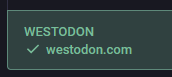
Well, I just got myself "#verified" on my own #Mastodon server, so that was fun - NOT! Here's how I did it, because the default instructions don't work if your main front page to your domain name IS your Mastodon root drive. Because Mastodon does everything dynamically using #RubyOnRails, so there's no "index.html" page to edit to add the required #verification link!

Was it worth it for the little green checkmark on my profile on my server? I dunno. But it was a challenge.

---

1. Went to /home/mastodon/live/app/views/layouts/

and edited the file "application.html.haml" to include the following lines at the bottom:

.ownerContainer
%a{:href => "https://westodon.com/@West", rel: "me", class: "centered-link"} Owner's Profile

What this does is make a link at the bottom of your main Mastodon page (it's okay, it gets replaced later with all sorts of other stuff), that's centered on the page, and contains the URL to my profile. So for you, change that URL of course.

...And then I saved it (required admin password/sudo)

2. Cleared the #Ruby cache. This was actually the most complicated part, because it required multiple additional steps that I wasn't expecting.

To clear the cache, you have to run the following line:

RAILS_ENV=production bundle exec rake tmp:cache:clear

But I got an error. To fix that error, I had to do ALL of the following:

Install Ruby with:
sudo snap install ruby --classic

and then do:
bundle install

and then do:
yarn install

ONLY THEN was I finally able to clear the cache with the part way above on the top of step 2 up there.

3) Then I did this Ruby precompile command:
RAILS_ENV=production bundle exec rails assets:precompile

4) Then I restarted Mastodon services:
sudo systemctl restart mastodon-*

5) Preferences > Public Profile

Under Public Profile's main "tab", I entered the required "Extra field". Label - "Westodon", Content - "https://westodon.com"
> Save Changes

6) Verification "tab" (Still under Preferences > Public Profile), scrolled ALL the way to the bottom, to the section called "Websites allowed to credit you", and put my "westodon.com" on its own line and hit Enter

7) Finally, under Administration > Server Settings > Appearance, I stuck the following lines in the "Custom CSS" Section:

.ownerContainer {
text-align: center; /* Centers inline content within the container */
}

.centered-link {
/* Optional: further styling for the link itself */
display: inline-block; /* Allows margin: auto for block-level centering if desired, but text-align on parent is usually sufficient for links */
margin: 0 auto; /* This would center a block-level element, but works with inline-block too */
padding: 10px 20px;
background-color: lightblue;
text-decoration: none;
color: #333;
}

---

After that, I reloaded my website and BAM! Finally got my verification #checkmark. Now, I'm not sure if ALL of these steps were required, but those are all the steps I did, and when I was done, I was finally verified.

I feel like it should be easier to do this from within the Admin settings directly... /sigh
Getting verified by Bluesky: a surprisingly easy process, no ID upload needed

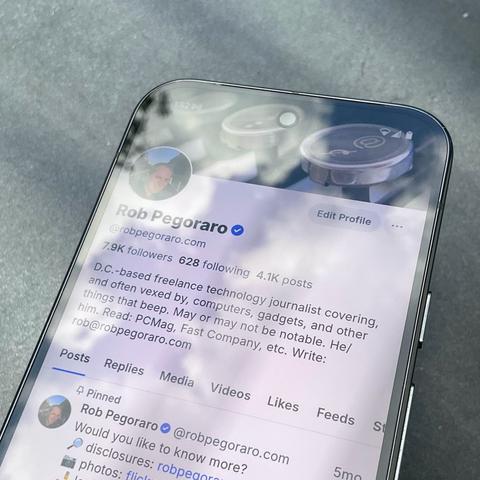
My Bluesky account now has one thing in common with my pre-2023 Twitter account: a white checkmark inside a blue circle. But unlike the social-media status symbol that I’d spent a couple of weeks in 2014 lightly working the refs at Twitter to get, this one required no ongoing effort on my part and probably wasn’t necessary anyway.

That last part is because I had taken advantage of Bluesky’s domain name-based verification two years ago, after figuring out some wonkiness with WordPress.com domain registrations. That was an easy choice, since converting my Bluesky handle to @robpegoraro.com tied my identity there to a site at which I’ve been writing since the spring of 2011.

But I recognized how a domain-rooted verification regime could break in practice. What if an attacker registered a first name-last name domain to try to con a widely-followed journalist? What if somebody registered a domain name through Bluesky’s option to do that and then had that domain name only point to their own Bluesky profile?

So when Bluesky introduced a decentralized verification system in April, including the option of having a “trusted verifier” organization vouch for your account, I had to try it out. And by “had,” I mean I set it aside for the next month and change until my journalist pal Dwight Silverman, the Houston Chronicle’s longstanding tech columnist, got verified about three weeks ago.

That spurred me to fill out the Google Docs form for Bluesky verification. The form noted that Bluesky management reserved the right to require ID-based verification “at a later date” via an unspecified form of document and outlined such requirements as having an account representing “a real person, registered business, organization, or legitimate entity” and being ranked as “notable within your field and geographic region.”

After I selected “Journalist/News Organization” from an opening list of “Verification Categories,” the form requested my role at my publication, the address of that news organization’s site, and links to three recent stories under my byline. (I leaned on my PCMag affiliation for this part.) An essay-question screen invited up to 500 words of self-promotional copy, which I provided with an elevator-pitch version of my LinkedIn profile.

Twenty-two days later, a “Welcome to Bluesky Verification!” e-mail landed in my inbox. That Monday-evening message brought the heartwarming news that “you are notable and that we’ve confirmed you are who you claim to be, helping other users find and trust your account on the Bluesky app.”

It further advised that I should “avoid changing account names or handles,” not let my account go dormant for too long (no risk!), and refrain from violating Bluesky’s community guidelines.

I can live with all that. I also appreciate that this is the first verification badge which I’ve picked up on social media after playing strictly by a platform’s rules: My Twitter verification started with an IRL chat with a Twitter employee at a journalism conference in 2014, while somebody at Facebook verified my now-deprecated public page without me asking.

I got no such favor at Instagram, and seeing that platform ignore my reports of an obvious impostor has left me exceedingly uninterested in paying for “Meta Verification.” Which means my checkmark at Bluesky may be my only official social-media validation for some time to come, and I’m okay with that.

#authentication #bluecheck #Bluesky #BlueskyVerification #bsky #checkmark #domainNameVerification #FacebookVerification #socialMedia #TwitterVerification #validation #verification #verified

Радиобаттон Авито с функцией чекмарка: спорный паттерн или гениальное решение?

Недавно в своём тг-канале я разместил пост о том, что в мобильном приложении Авито в сценарии создания объявления содержится неочевидное решение, которое противоречит ментальной модели пользователя и фактически является дарк-паттерном.

https://habr.com/ru/articles/921948/

#Даркпаттерн #uiпаттерны #авито #мобильное_приложение #radiobutton #checkmark

Радиобаттон Авито с функцией чекмарка: спорный паттерн или гениальное решение?

Перед началом повествования, хочу подчеркнуть, что пост не несёт никакой негативной оценки работы дизайн-команды Авито. Напротив - кейс разбирается исключительно с точки зрения улучшения...

Хабр

Bluesky Social
Version: 1.101 • 62.1 MB

We’re introducing a new layer of verification on Bluesky. Users may now be verified by Bluesky or by “Trusted Verifiers,” adding a checkmark next to their username which confirms their identity.

#Bluesky, #BlueskySocial, #AppUpdate, #IdentityVerification, #TrustedVerifiers, #Checkmark, #SocialMedia.

I'm having no luck with getting link #verification working on my profile. I've got a rel="me" link on my website bengleason.net. The site is https, and the rel link is visible in plain old html. And I've edited and reedited my profile to try to trigger verification. All without any #checkmark on my #profile.

This all worked fine on other instances, so it's a mystery why it won't work on Mastodon.online.

Does anyone have any advice?

Inside Elon Musk’s Chaotic Revamp of Twitter Blue

Twitter Blue, a revamped subscription service that let users buy verified badges, was the first big test for the platform’s new owner. It didn’t go well.

The New York Times

Yo, #MadElon: Could you please board one of your phallic rockets, get a one-way trip to Mars and let mankind live in peace without your erratic and winging style of #bullshit #management?

First you offered #reputation for cash with the #checkmark nonsense, and now that the checkmarks have become fools' indicators, you offer to hide them. Seriously WTF?!

This is beyond laughable. The birdie network is doomed with this narcissist ignoramus at the helm. #socialmedia

New feature on #Twitter: paid "Blue" subscribers can now hide their blue #checkmark...
https://twitter.com/biertester/status/1686673985453400064?t=SZ9J67rdS7NDYssnO85cQg
Lucas 𝕏 on Twitter

“Twitter a sorti pour tt les utilisateurs Blue la fonction pour cacher sa certif”

Twitter

People were complaining about space karen charging 8USD/month for a checkmark..

Let me welcome you to shmeta, where a checkmark is 16.99EUR/month! Hahah

#checkmark #verification

Over at the Nazi bird app, the checkmarks are arguing over some tedious list of top-10-all-time-funniest #comedians somebody posted. Typical engagement-farming stuff.

Anyway, lots of shout-outs to the late Sam Kinison. He used to scream and disparage women a lot. He used to joke about driving drunk being inevitable and a good thing while young guys cheered. He was killed by a young guy drunk driver.

https://archive.seattletimes.com/archive/?date=19920412&slug=1485946

#DWI #Twitter #checkmark #SamKinison

Motorist, 17, Arrested In Death Of Sam Kinison | The Seattle Times