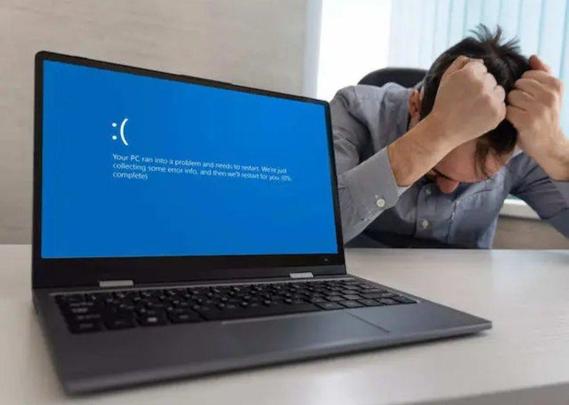
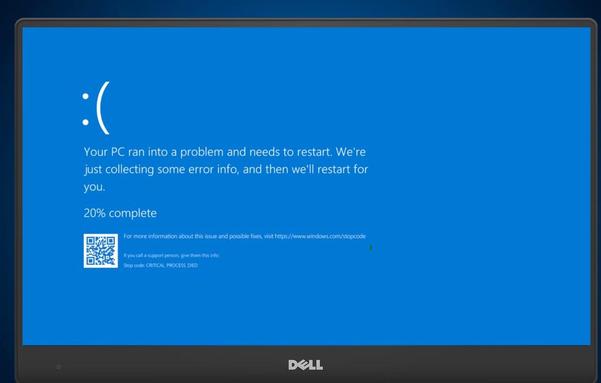
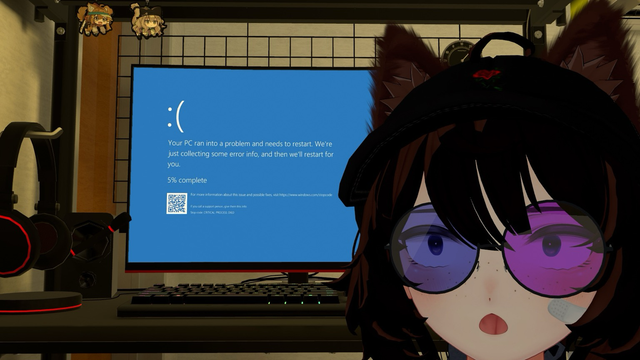
Seeing the blue screen of death is a rite of passage for Windows users. It feels like a disaster, but the system is actually protecting your hardware. You can find a guide at https://gwizit.com/go/akaALZ7 to help. The best move is to snap a photo of the stop code. That code helps you fix the issue yourself.

#WindowsTips #BlueScreenOfDeath #TechSupport

https://gwizit.com/go/UF97frd

Find out more: https://gwizit.com/go/akaALZ7

Oh, Sally McKee, the sage of "the Memory Wall," has finally met the ultimate blue screen of death 💻🔪. A computer science guru who probably left her own memory wall after forgetting to install the latest life updates, she’s now rebooting in the cloud. May the RAM be with her. 🙄💾
https://www.online-tribute.com/SallyMcKee #SallyMcKee #MemoryWall #BlueScreenOfDeath #TechHumor #CloudComputing #HackerNews #ngated
Sally Anne McKee | 1963 - 2025 | Online-Tribute.com

Sally A. McKee, 61, a renowned computer science professor and beloved friend, passed away Feb. 12 in Greenville, S.C., after a short illness. She received her bachelor’s degree from Yale University,…

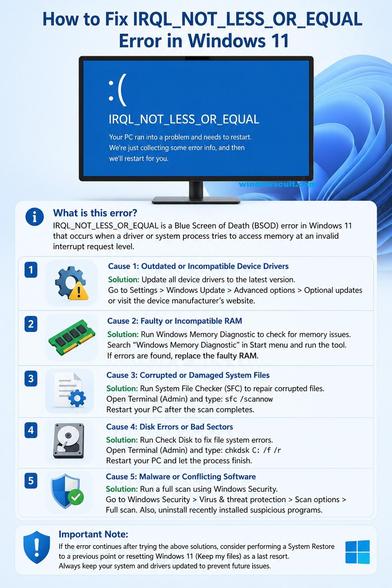
The IRQL_NOT_LESS_OR_EQUAL error occurs when a system process or device driver attempts to access a memory address it does not have permission to access, or accesses paged memory at an interrupt request level (IRQL) that is too high. This issue is usually caused by incompatible or faulty device drivers, particularly for graphics cards (like Nvidia GeForce) or network adapters. Again, it can also stem from corrupt system files, faulty RAM, or hardware conflicts.

Read the Fixes for IRQL_NOT_LESS_OR_EQUAL error https://www.windowscult.com/irql-not-less-or-equal/

Update or Roll Back Drivers: The primary cause is faulty drivers, particularly for network adapters or graphics cards. Use Device Manager to update or "Roll Back" recent driver updates.

Run System File Checker (SFC): Open Command Prompt as administrator and run sfc /scannow to repair corrupted system files.

Run DISM Commands: In CMD, execute dism /online /cleanup-image /restorehealth to fix Windows image issues.

Check Memory (RAM): Type "Windows Memory Diagnostic" in the search bar, select "Restart now," to check for faulty RAM.

Disable Overclocking/XMP: If your CPU or RAM is overclocked, revert to stock speeds in BIOS.

Perform a Clean Boot: Start Windows with minimal drivers and programs to rule out software conflicts.

If these do not work, consider performing a system restore to a point before the errors started.

#BSOD #IRQL_NOT_LESS_OR_EQUAL #bluescreenofdeath #Windows11 #howto #Tech #techarticle

La ce duce digitalizarea: HAOS TOTAL din cauza unei actualizări a unui soft de securitate cibernetică Pană în sistemul informatic global a afectat doar Occidentul și țările cu tehnologii IT occidentale, printre care și Moldova 👉 https://c.aparatorul.md/tvbvh 👈 #Bănci #BlueScreenofDeath #buclă #CompaniiAeriene #CrowdStrike #ecranalbastrualmorții #Eroare #Microsoft #Moldova #Occidentul #OSWindows #SecuritateCibernetică #securitateainformației #serviciilecloud #Supe...
https://c.aparatorul.md/tvbvh

A Blue Screen Error (BSOD) is not just a system crash — it’s a critical warning from the operating system.

🔍 What is the Actual Problem?

The main reason behind most BSOD errors is a driver failure.

Drivers act as a bridge between hardware and the operating system.
When a driver becomes corrupted, outdated, or incompatible, it can crash the system.

⚠️ Which Drivers Usually Cause BSOD?

Some of the most common drivers responsible are:

✔️ Graphics Driver (Display issues)
✔️ Network/Wi-Fi Driver (Connectivity issues)
✔️ Storage / Disk Driver (Hard disk or SSD related)
✔️ Audio Driver
✔️ Antivirus / Security Drivers

📌 How to Identify the Exact Driver?

BSOD often gives a clue in the form of a .sys file name, such as:

▪️nvlddmkm.sys → Graphics Driver
▪️rtwlane.sys → Wi-Fi Driver
▪️ntfs.sys → Disk/File System

👉 This file name helps identify which driver is causing the crash.

💡 Key Takeaway:

A BSOD is not the actual problem it’s the system telling you that something at the driver or hardware level has failed.

In IT, the goal is not just to restart the system, but to find and fix the root cause.

#BSOD #bluescreenofdeath #Windows11 #Windows #Windows10 #technology #tech #howto

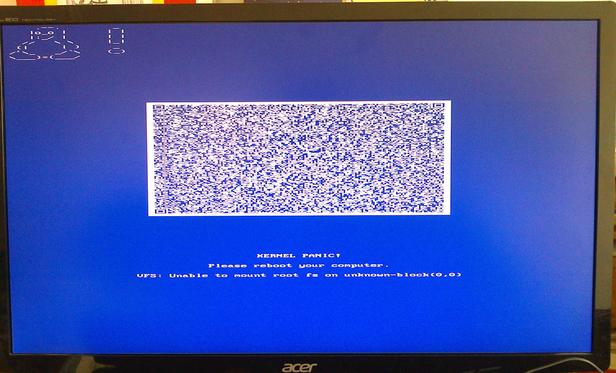
I just discovered that #Linux kernel got a #BlueScreen.

I was to laugh and cry at the same time.

The idea of putting more debug information than would fit in plaintext on the screen is nice, but WHY copy the MS Windows style and make it a blue screen???

(It's a DRM driver feature for a few graphics drivers, https://www.heise.de/en/news/Linux-kernel-gets-blue-screens-with-QR-code-9851774.html. One can set `drm.panic_screen=kmsg`, this shows plain kernel log as known from virtual console, but also blue with white text.)

#BSOD #BlueScreenOfDeath

Bluescreen‘s still alive. At the public transport, bus in a town in Bavaria.
#windows #microsoft #omnibus #bluescreen #bluescreenofdeath #reliability #availability
Found a workaround for the #ParamountPlus #BlueScreenOfDeath -- watch shows via a computer hooked up to hdmi! But yeah, *old* LG TV might need to be replaced (and then will be the upstairs TV, since we don't have one of those).

Well, then... #ParamountPlus #BlueScreenOfDeath is a new one to us. I guess no #STSNW tonight! Chef show instead. Mixing it up. lol

#CrappyApp #StarTrekSNW