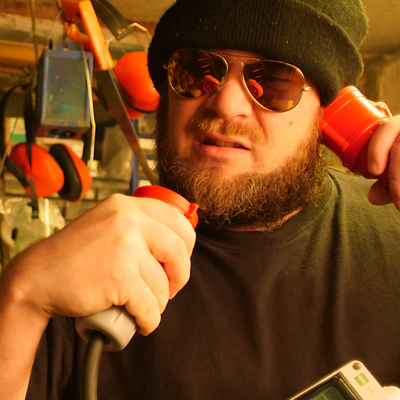
So now that #Lightworks has screwed another video project of mine, I'm trying to install #Blackmagic #DaVinciResolve ono my #UbuntuStudio #Linux system.

I have been using #Resolve a couple of times before and I don't like it.

Lightworks had taken me a while to get used to its strange UI ways, but it actually made a lot of sense and then was quite quick to use.

Yet from beta to beta, Lightworks has gotten worse. More and more features have been re-designed, which eventually means: They are now malfunctioning or crashing the entire program.

The Resolve installer, however, asks for packages that Ubuntu can't have, which means managing dependencies manually…

… which does not help, because I do have the libraries installed that Resolve doesn't find.

Compared to #Windows or #macOS, #NLE manufacturers are completely ridiculing #Linux users here.

The WWW to the rescue!: https://qubitsandbytes.co.uk/fixing-davinci-resolve-undefined-symbol-error/

🧵 So, in order to do further testing with #BlackmagicResolve, I make it want to think it is activated already.

Because the demo version does not even read files from my cameras, so how could I test anything? Should I spend towards 400€ just to find out that the Pro version also doesn't work with my camera data?

(On Windows and OS X, there is no demo limitation on h264 video data. Only on Linux…)

There's a tool written in #Rust that will solve this for Resolve…

Theoretically. Now I cam facing Rust errors. I don't speak Rust. So I have to learn Rust in order to test #Resolve?

So, #NLE manufacturers are fooling #Linux users, and #Linux nerds are fooling Linux users again?

Rust explaines: “Feature attributes are only allowed on the nightly release channel. Stable or beta compilers will not comply.”

https://github.com/unknowntrojan/resolvepatch

Other “patches“ are written in good old Perl and don't have an effect.

I'm glad I don't do video editing for money these days, I'd have to by a Mac after 26 years on Linux.

🧵 20 min of 1-camera video shoot, already over 1hr trying to get a #NLE on #Linux to work.

#Lightworks current beta (I paid for the entire product range)… crashes on displaying RGB parade or vectorscope.

#DavinciResolve: Hard to install, free version does not read h264 video on Linux (only on Windows, Mac), “patch” to enabled Proversion testing without spending almost 400€ requires advanced knowledge of #Rust.

Now #OpenShot offers an #AppImage download, that by nature cannot work with #Pipewire audio. There is a #PPA for #Ubuntu users, though… https://launchpad.net/~openshot.developers/+archive/ubuntu/ppa

… turns out OpenShot cannot do fullscreen video preview. Just not possible. WTF.

Ultimately I must get #Resolve to run and learn to use it, it's an industry standard at least.

After all, this journey started with the desire to make a 3 minute video with the tool I already have and did pay for.

OpenShot: Stable PPA - Official Releases : “OpenShot Developers” team

This PPA contains the official stable releases of libopenshot (OpenShot Video Library), libopenshot-audio (OpenShot Audio Library), and openshot-qt (OpenShot Video Editor). If you are looking for unstable, daily builds of OpenShot 2.x/3.x, please go here: https://launchpad.net/~openshot.developers/+archive/ubuntu/libopenshot-daily If you are looking for older builds of the depreciated OpenShot 1.x, please go here: https://code.launchpad.net/~openshot.developers/+archive/daily

Launchpad

🧵 #Lightworks fails me, #Blackmagic doesn't want me to try their #DaVincieResolve since it can't do h264 on #Linux (except you pay a lot of cash), #OpenShot is too stupid (can't do full screen monitor, and after 5 minutes of not finding out how to mute an audio track, I gave up on it)…

… now back at where it all started with my video editing on 2014 or so: #Kdenlive.

Now that looks familiar still. And it still can't do GPU acceleration. Oh well, it can, but the option is greyed-out even though I have libmovit8 installed.

So while Lightworks has learned to effectively play back even h265 on elderly machines, even without GPU decoding, Kdenlive already struggles playing back 4k h264 with flip and flop effect on that clip. (Lightworks uses OpenCL for FX, as would Resolve)

Actually after now 1,5hrs of trying to get a decent #NLE to run on Linux, after more than 10 years of doing video on Linux, I'm not at all in the mood for doing creative video work any more now.

🧵 So, now that I #Resolve didn't work, #OpenShot was too stupid, #Kdenlive is lacking playback performance, I thought…

… well if that #rgbParade crashes that hole of bugs called #Lightworks I have been using for years, why not just… switch off that scope and use an external analyzer.

Attached this #Lilliput field monitor that can do rgbParade, and from there passing through to my Eizo.

Turns out: The HDMI output of that monitor is not compatible with the DVI input of my old Eizo monitors. No image.

So now that I have explored all ways of failing, which perhaps would be a therapist's description of being clinically manic, the only solution remaining is: Don't do it.

There's a little hope still that Lightworks will not go bankrupt but instead will manage to fix the heap of bugs they introduced lately. This still won't give them really working audio editing,m but still…

#VideoEditing / #NLE on #Linux

🧵 Turns out, after a journey of many hours with #Lightworks… (and hoped-for alternatives)

… they have introduced new video scopes based on #OpenCL which do not always work.

Since I just recently got to work AMD OpenCL on my #Linux box, these new scopes changed #LKWS behavior to constant crashing, yet it enabled to run #DavinciResolve at all.

The Lightworks #NLE people were smart enough to put a switch in the project workspace's menu to deactivate these “advanced scopes”… yet the switch forgets its setting and needs to be flicked on every start.

This is exactly underlining my criticism about Lightworks these days: They have good ideas, they try to tackle them, but they make things worse by not fully managing.

E.g., there's VST3 audio plugin support now which does work – but on export of the video, it introduces an ugly noise in the beginning of your exported clip. So it's perfect but still useless.

Now trying to remember what I was about to do half a day ago.

@nielso
Ever tried Blender? The Video mode is quite advanced and you get 3D-tracking on top.

@phreaknerd

I opened up blender, tried to find anything that looked like basic video editing, got frustrated after 20 minutes of not being able to put a video file into it…

Sorry to say so, but… it doesn't make too much sense.

Tools like Lightworks and Resolve are made the way they are made for a reason. No, not referring to the bugs and incapabilities, but the way how editing, color grading, etc. does work in these.

@nielso
And that is what blender is for. Including color-grading and other pipeline-like-editing.
https://www.blender.org/features/video-editing/
Video Editing — Blender

The Video Editor offers a range of basic yet very efficient tools.

Blender

@phreaknerd

Does Blender do 32bit float colors? Can it deal with CineForm, perhaps also in 444/RGB? How's the h265 decoding performance in 10bit 4k, and the same with ProRes? Does it do color parade and vectorscopes? Can it handle LUT files? Does it combine multiple clips into something like syncs or prints? How about sync'ed multicam bins?

These are nasty questions perhaps, but it's basic stuff I need.

Thing is, Resolve is an industry standard, so from a strategic point of view it would be better to learn Resolve. Because Blender is yet another skill that I would be the very only person in my surroundings using that. A bit like Lightworks, too. Which is part of me going crazy with it.

Most people are using Premiere, followed by DaVinci Resolve.

Most people doing something video on Linux have never edited a 5 takes × 3 cameras music piece. Needs mechanisms to organize footage, especially if you don't have timecode sync.

(Example with 2 cameras and IIRC 17 takes altogether https://www.youtube.com/watch?v=LuvFL_1ByzM)

Trio Hammerschmiede – Tango

YouTube

@nielso
Sorry, you were talking kdenlive and openshot. And compared to them Blender is way more professional. The modular output system is based on the processor of your choice. If there is a linux lib it will work. Color grading, animations, effects, tracking, masking, either timeline or pipe-based.

And I guess you did not master Resolve in 20 minutes either. If you want or have to change the vehicle, don't expect that everything is "industry-standard".

Im doing imaging, audio and video for more than 20 (dammit im old) years on Linux now and it works better and better. Never had the wish to go back to Adobe.

@phreaknerd

I never did video editing and audio production on anything but Linux in my life, with a few exceptions when clients wanted me to use their Resolve or their Logic on their (Apple) machines. (I switched to Linux in 1999.)

Logic is a tool I can use because it is close to what I'd expect from a DAW, and Resolve is close to what I'd expect from a NLE.

I just started up Blender (it is pre-installed on UbuntuStudio) and it's quite a bit different from other NLEs. For example, it doesn't display a playhead, I can't find an audio mixer, video clips do not move together in the scene with their corresponding audio parts, clips don't snap to boundaries so I can't realign audio/video… ok, I guess there is keyboard shortcuts for all of this somehow. It's likely all possible, but none of the standard behaviour seems to be the default.

But it has one thing in common with Kdenlive, it can't play back my footage properly on my machine.

@nielso Note that hardware accelerated decoding/encoding (h264 etc) on Linux needs NVIDIA, even if you get the Studio version. Note that AAC is not supported at all. If you use a supported distro (EL8/EL9) Resolve is easy to install. If you want to know what Resolve supports read this: https://documents.blackmagicdesign.com/SupportNotes/DaVinci_Resolve_20_Supported_Codec_List.pdf

@rodlie

Thanks for the info. Which all cries for cracking the Pro version in order to test it.

I wouldn't have known that today's almost default audio format (unfortunately), AAC is not supported by an almost 400€ professional product on Linux.

@nielso if you used rustup to install rust, try to use `cargo +nightly run` instead (maybe you need to do `rustup toolchain install nightly` first, I don't remember rn)

@kruemmelspalter

I did that, thanks. That solved 1 error.

Now I get another 3 other errors in some code.
https://pastebin.com/Eez5z8XU

cargo run error - Pastebin.com

Pastebin.com is the number one paste tool since 2002. Pastebin is a website where you can store text online for a set period of time.

Pastebin
@nielso Looks like the dependency `pelite` only works on windows, idk if you can do much except use it on windows

@kruemmelspalter

But on Windows I don't need the program because it removes limitations from DaVinci Resolve that only exist on Linux.

Mister Kafka is watching us.

How can I remove all the things that Rust has installed?

@nielso
removing the rustup package, `~/.cargo` and `~/.rustup` should do it afaik
@nielso How did you installed #Rust? If via #rustup, add nightly and run `cargo +nightly run`.