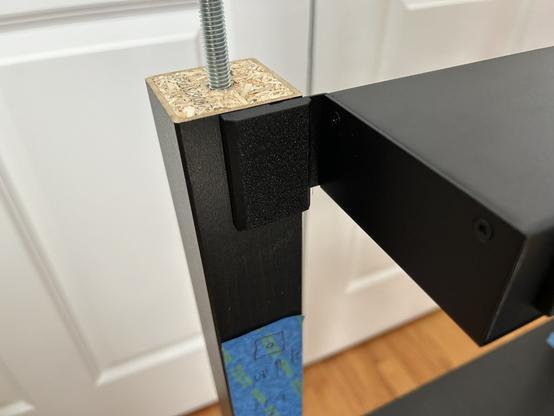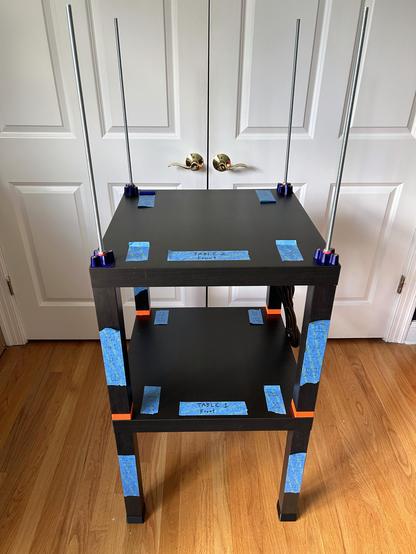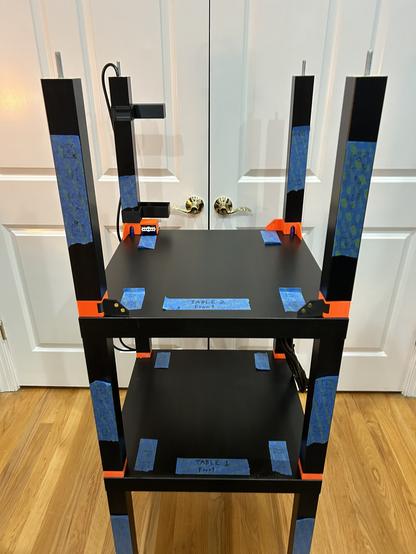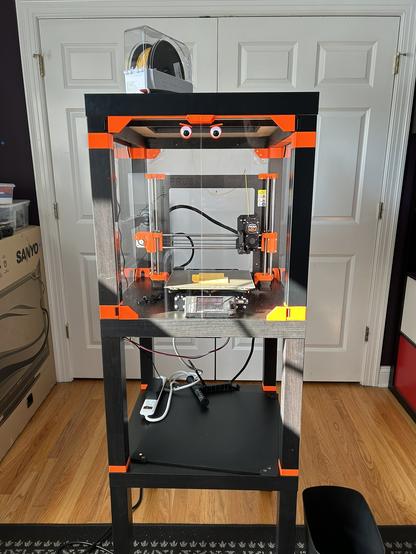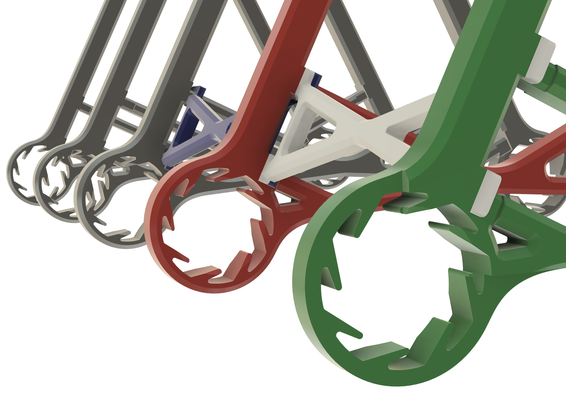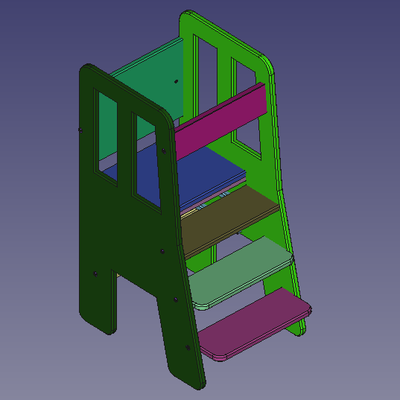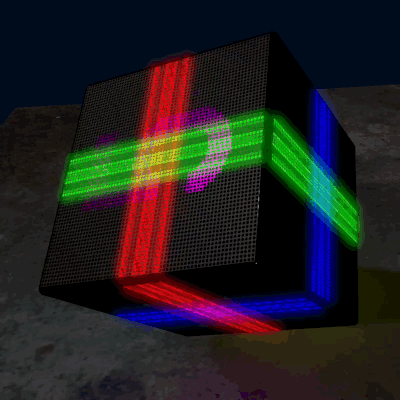
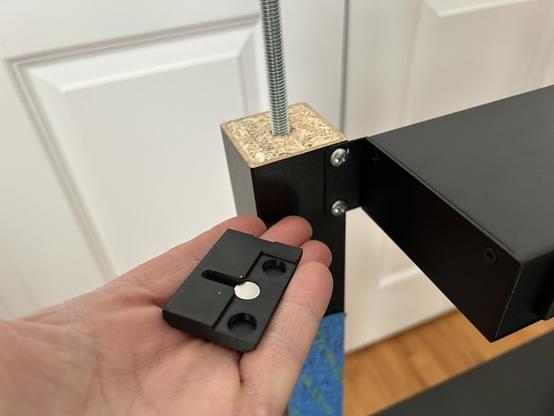
@3dprinting Here's the next layer. At this point, I should stop and do some more design. I want to attach several things to the underside of the next table, and I'm not sure they'll all fit. Nor how to attach them.

- a rackmount power distribution unit in back
- steel sheet storage in front
- a Gridfinity shelf in front
- LED power supply and cabling
- Raspberry Pi or mini PC for Octoprint
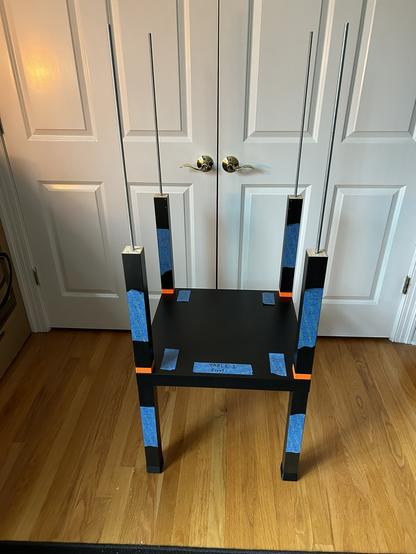
#BlackLackStackHack #Prusa3D #3DPrinting

@3dprinting Stupid Fastener Tricks, Episode 88.

To hide the screws on the power distribution unit, I printed some plastic covers that are held in place with magnets.

This brings the total magnet count in this enclosure to 120, I think. If I put a shelf of Gridfinity slots in front, that'll be another 48 magnets.

#BlackLackStackHack #Prusa3D

@3dprinting One more layer. This is the surface the printer will sit upon.

This is by far the most rigid IKEA furniture I've ever handled. So that validates the steel rod idea.

But the back right rod is not parallel to the others now. I must have torqued it somehow. The rest of the assembly seems square. Not worrying yet.

#BlackLackStackHack #Prusa3D

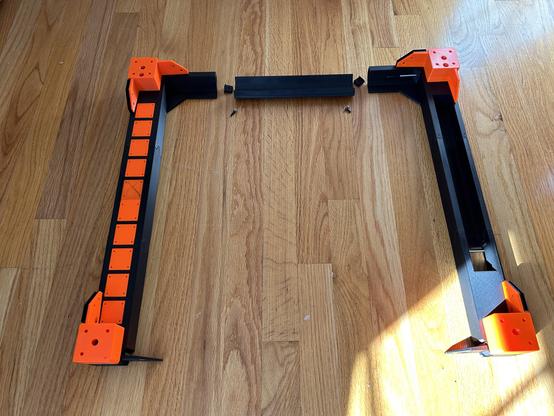
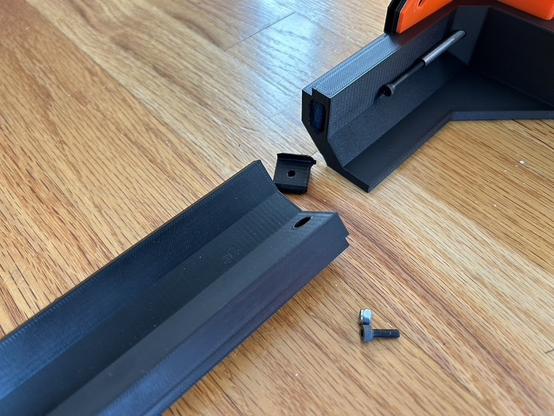
@3dprinting After all the progress I've made on the Black Lack Stack Hack recently, I was due for a setback. I carelessly picked this assembly up by one end to show it to someone, and it cracked under its own weight. When it hit the floor, the opposite joint cracked too.

They were wobbly anyway, so I should design something better.

Edit: two more photos.

#BlackLackStackHack #Prusa3D

@3dprinting I spent yesterday designing a new joint. I ended up using a bigger mortise/tenon plus three dowel pins. (I really love dowel pins.) The pins are 5x50mm and 3x30mm. The screw is M3x10.

I printed these two test pieces to verify fit. They are plenty rigid, and I have to pry them apart with a screwdriver. This is definitely overengineered. (I really love overengineering things.)

#BlackLackStackHack #Prusa3D

@3dprinting The bad news is that the two parts that broke are the two longest-printing parts in the whole enclosure. Reprinting all three parts is about 15 hours. Fortunately, I started last night...

#BlackLackStackHack #Prusa3D

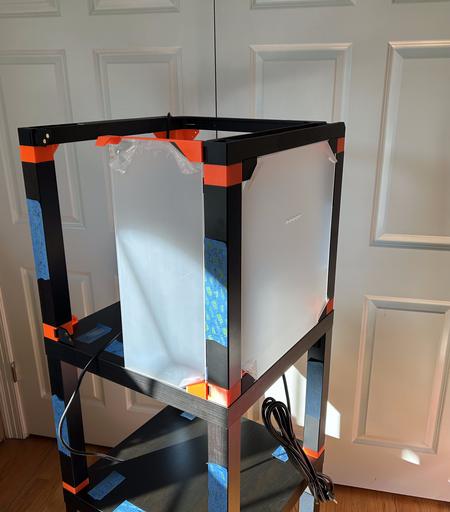
@3dprinting One more layer. The cord at the back left is for the addressible LED strip in the lid. It was a pain to fish through. It is a power cord with the ends snipped off; I'll crimp on some JST SL connectors later.

I've been looking at the CAD drawing for so long that it doesn't even look like a new thing.

#BlackLackStackHack #Prusa3D

@3dprinting One more layer. I test fit one door and one window. Each door is held on by 4 magnets and has another four keeping it closed. Each window is held on by 8. The windows have just the right amount of magnetic glomp (technical term). The door is kind of wobbly but it stays closed.

I have errands for the rest of the day, so the lid will have to wait.

#BlackLackStackHack #Prusa3D

@3dprinting I think if I wanted to improve the door action, I'd make it so the closure magnets are further apart. They are too strong, so the door slams.

@3dprinting I amuse myself.

The precut acrylic pieces came with holes for door handles, but I didn't like the handles they suggested. So I made these.

Note that there's still no printer in this alleged printer enclosure.

#3DPrinting #BlackLackStackHack #Prusa3D

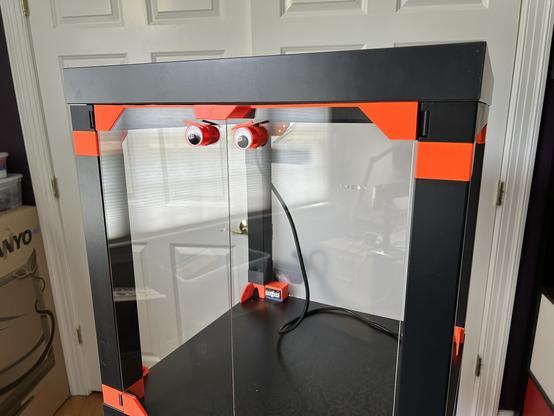
@3dprinting I put the eyes on long, thin stalks and added a machine screw for weight. Hopefully, when the printer starts the cabinet vibrating, they eyes will jiggle. We'll see.

#BlackLackStackHack #Prusa3D #3DPrinting

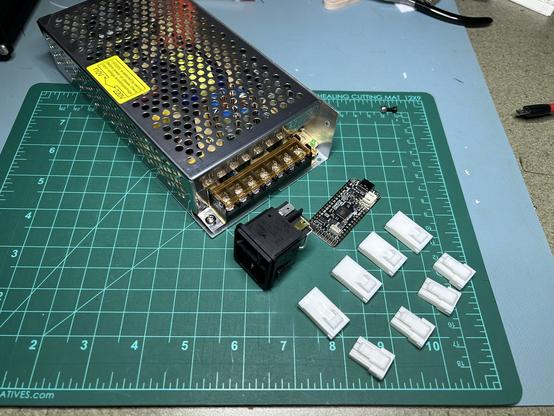
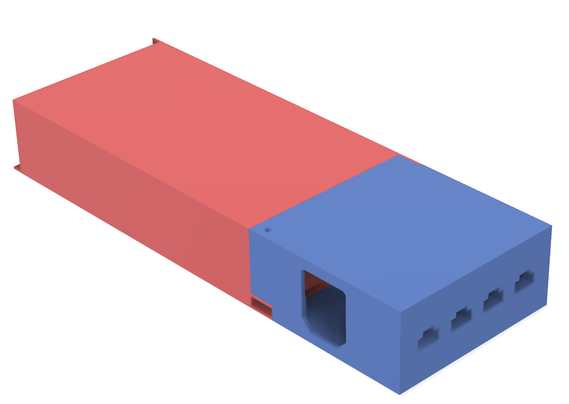
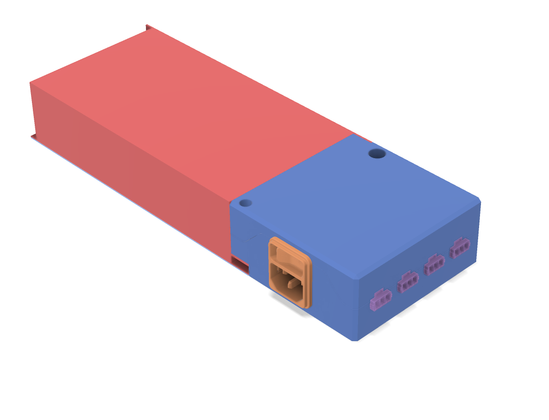
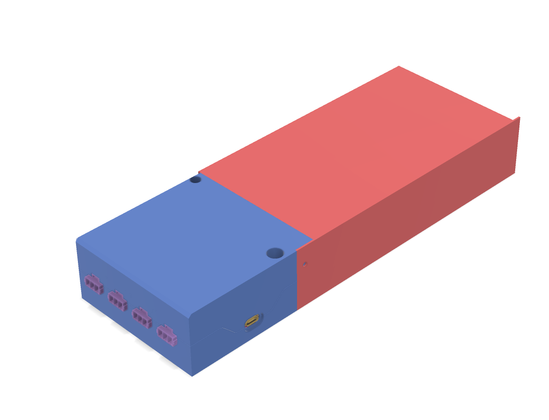
@3dprinting I'm working on the LED strip power supply for my printer enclosure.

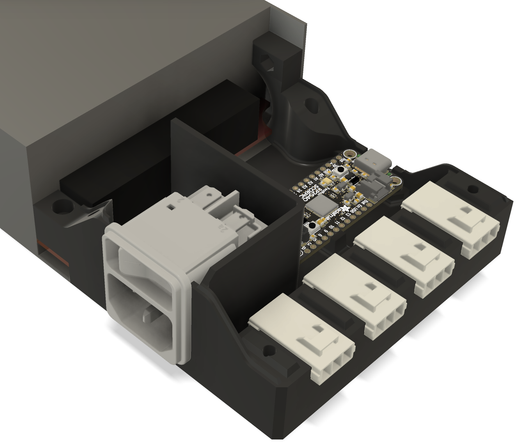
I've been pondering the layout of these parts for a while. Last night I got the power entry units, and I spent the whole day today coming up with this. It's nowhere near done, but it shows the general layout. I'll split the blue part into two halves suitable for printing somehow.

I should have bought a power supply with a power plug integrated.

#BlackLackStackHack #Prusa3D #WS2812

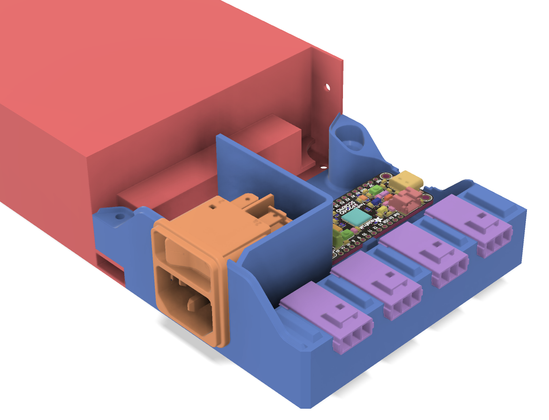
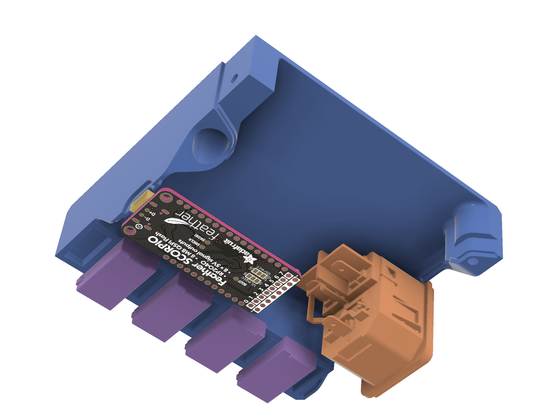
@3dprinting Yeah, so, the Feather SCORPIO. It's based on a RP2040, and it has eight 5V outputs for driving addressable LEDs. I only have 195 LEDs, but it makes the wiring easier to have three short strips instead of one daisy chained strip.

I'm putting in four JST connectors in case I want MOAR LEDS!!!! later.

#BlackLackStackHack #WS2812 #LEDs #RP2040

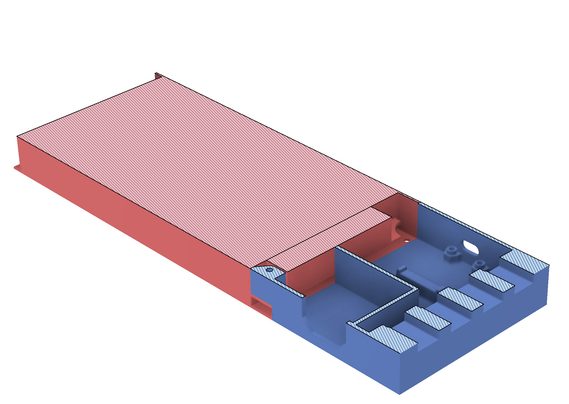
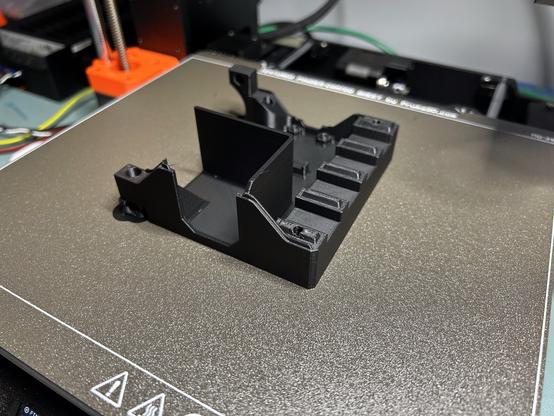
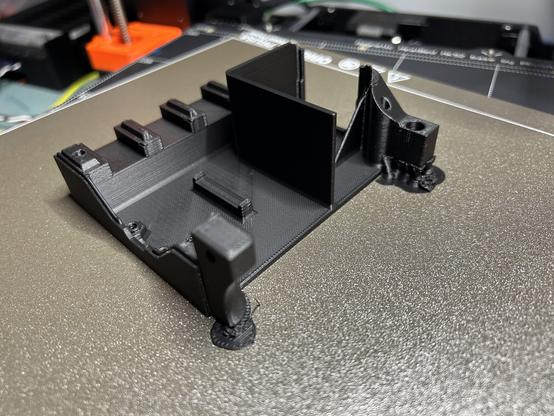
@3dprinting Here's what I came up with. First picture shows the bottom half with components attached. Second pic is the top half.

I just started printing it; I'll see what doesn't fit.

I'm grateful that Adafruit publishes CAD models of their boards.

#BlackLackStackHack #WS2812 #LEDs

@3dprinting I put in a partition to isolate the 120V power from the low voltage stuff. It's not a perfect seal, but it'll probably keep my fingers safe.

#BlackLackStackHack #yikes

@3dprinting I printed three iterations of the bottom half yesterday and one of the top half. Today I spent a solid 16 hours in Fusion360 tweaking the design -- why is F360 so tedious and manual? Every time I changed anything at all, I had to redo the flanges where the case halves meet.

This should be pretty close to finished, so I'm using the good filament.

#BlackLackStackHack #Fusion360 #WS2812 #LEDs

@3dprinting Everything fits perfectly. The top half is printing now.

(Yes, that's a 3D printed stand-in for the controller board. Adafruit published an STL. It has 0402 components, and they came out more 0402-shaped than blob-shaped. But the connectors cracked when I removed the supports.)

I'm running out of ways to procrastinate crimping the cables. I do not enjoy crimping.

#BlackLackStackHack #WS2812 #LEDs #3DPrinted

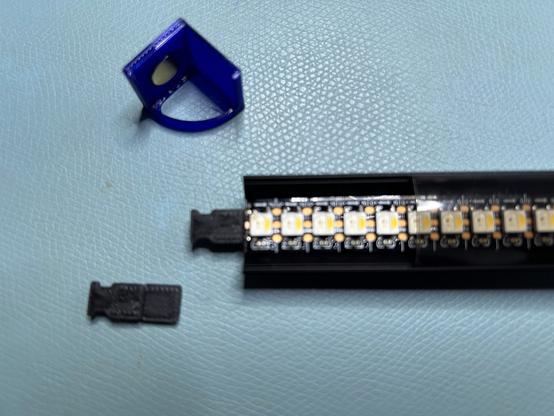
@3dprinting The next challenge was attaching leads to the LED strips. I glued this 144/meter RGBW strip into this aluminum channel. I'd printed end caps with embedded magnets (the aquamarine parts). I'd drilled holes through the table to run the leads down to the power supply (previous post). But the solder tabs on the strip are tiny, and I'd made no provision for strain relief.

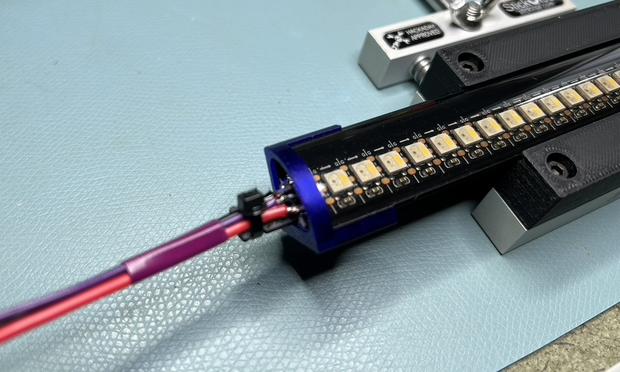
This is what I came up with. I've assembled one, and it seems to be okay.

#BlackLackStackHack #LEDs #WS2812

@3dprinting The cable tie will be inside the hole in the table when this is in place. There's room, because this assembly is smaller than the connector on the cable end.

I printed tall jaws for the StickVise to hold the aluminum channel, of course.

#BlackLackStackHack #LEDs #WS2812 #HackADay

@3dprinting This strip will run vertically up the left side of the cabinet. Another will run up the right side and will be just the same. I don't know what I'm going to do for the strip across the ceiling, because there's no room on either end for anything. I'd assumed I'd run the leads straight up somehow, didn't really start thinking about how to attach the leads until yesterday. I've got 1.5 or 2 mm of space on each end, I think.

#BlackLackStackHack #PlanningIsForOtherPeople

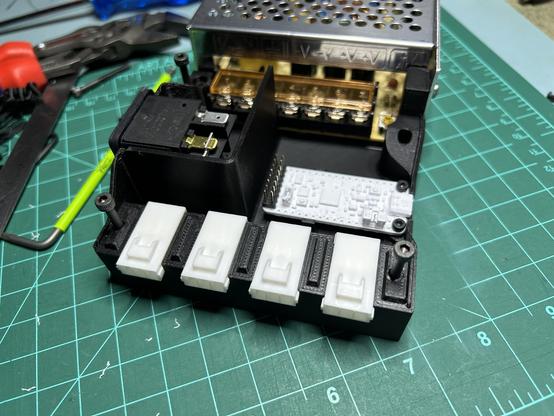
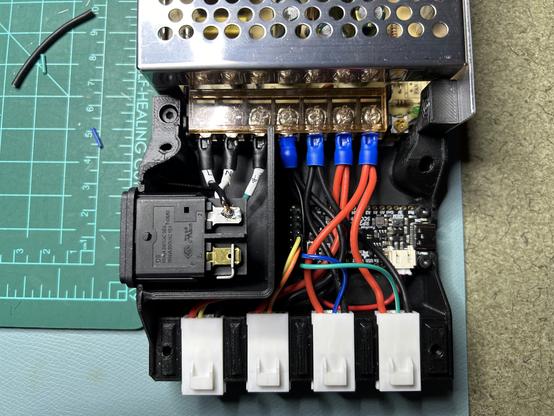
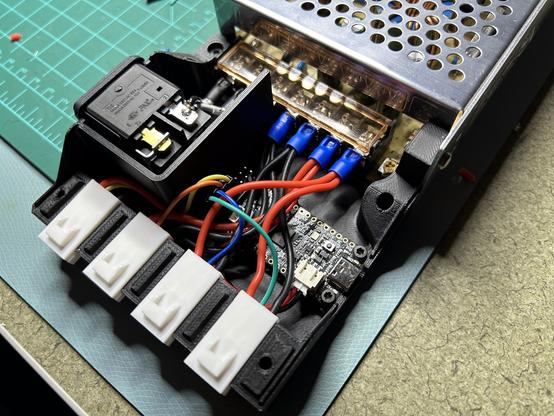
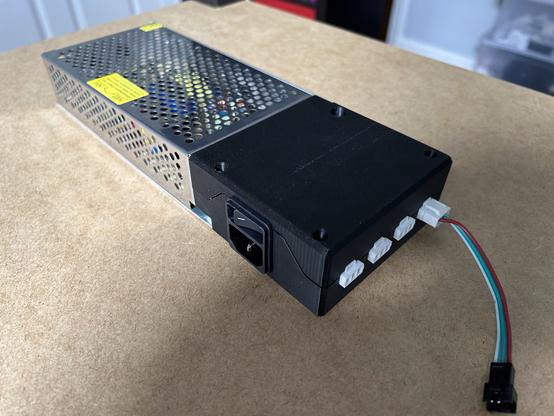
@3dprinting I never posted photos of the LED power supply after wiring. Here are some photos of the LED power supply after wiring.

Everything unplugs or unscrews except the wires on the power inlet module.

#BlackLackStackHack #3DPrinted #LEDs #WS2812

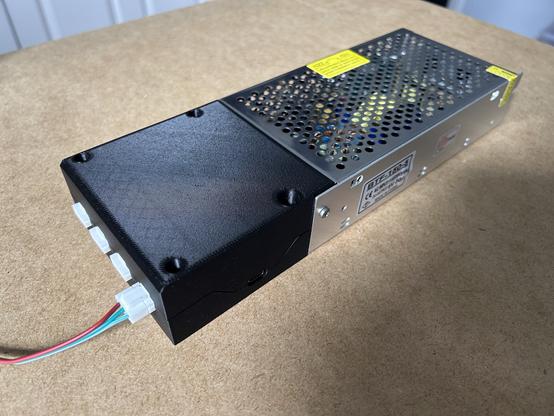
@3dprinting And here it is with the lid on. It looks remarkably unremarkable, just another power supply thing.

#BlackLackStackHack #LEDs #WS2812 #3DPrinted

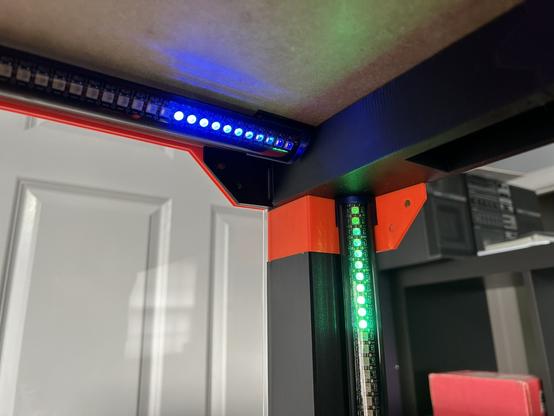
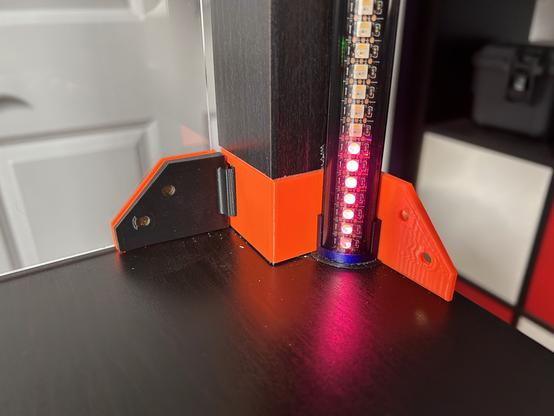
@3dprinting The LED controller and light bars are installed into the enclosure. FInally. Hooray!

I am very pleased with the way they came out, though I worry that the top bar is fragile. There's no strain relief on the cable; it's just hanging on by its solder joints.

I might tack the wires up to the underside of the table later, but for now, they're staying in place just by their own stiffness.

#BlackLackStackHack #LEDs #WS2812

@3dprinting Here's a test pattern, viewed from the back. From the front and sides, you can't see the LEDs directly.

#BlackLackStackHack #LEDs #WS2812

@3dprinting That test pattern uses golden ratio colors to generate apparently random but pleasing color sequences. It's a pretty cool technique which I just re-learned about. This 'blog post describes it pretty well.

https://martin.ankerl.com/2009/12/09/how-to-create-random-colors-programmatically/

#BlackLackStackHack #WS2812 #LEDs

How to Generate Random Colors Programmatically

Creating random colors is actually more difficult than it seems. The randomness itself is easy, but aesthetically pleasing randomness is more difficult. For a little project at work I needed to automatically generate multiple background colors with the following properties: Text over the colored background should be easily readable Colors should be very distinct The number of required colors is not initially known NaΓ―ve Approach The first and simplest approach is to create random colors by simply using a random number between [0, 256[ for the R, G, B values. I have created a little Ruby script to generate sample...

Martin Leitner-Ankerl

@3dprinting The LEDs have firmware now. I made a short video that puts them through their paces -- they have modes that match the LEDs on the MK4's front panel, but with more flair. I have no idea how to sync up with the printer's state yet. I'm assuming Octoprint will make that possible somehow.
https://makertube.net/w/f6QzhDstn7zJ7S2KHP7QWS

#BlackLackStackHack #octoprint #LEDs
LED Demo - Black LACK Stack Hack

PeerTube

@3dprinting Yesterday I _finally_ put the printer into the enclosure. After a few hours debugging a badly assembled power connector, it's up and running.

This enclosure is far from finished, but I was having trouble with air currents in my office ruining prints.

#BlackLackStackHack

@3dprinting I decided it was time to redesign the googly eyes on the printer enclosure. (See upthread at June 19th.)

a) they don't wobble as intended
b) they stick out and get in the way of the door handles
c) they rotate freely in the round holes and the eyebrows are always at weird angles
d) I dropped one of the doors and broke an eye stalk.

🧡 60(?)/∞

#BlackLackStackHack

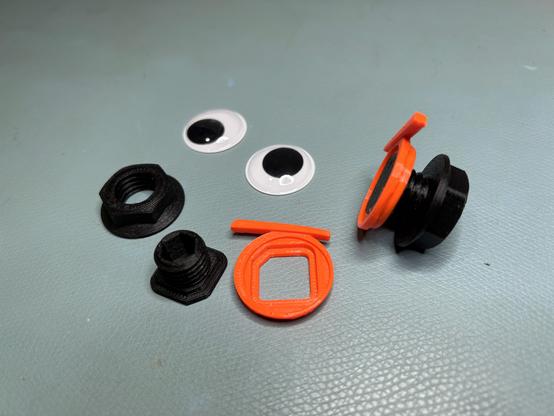
@3dprinting

This time, the googly is a multi piece assembly that screws tightly onto the door. No wobbling, no protrusion, no rotation.

Note the place to insert an 8mm Allen wrench to hold the eye in alignment during assembly. The eye is held onto the orange bit with double sided Scotch tape.

🧡 61/∞

#BlackLackStackHack

@3dprinting I'm adding an (Un)original Prusa Drybox to my printer enclosure's lid, along with auto-rewinders. (Thanks to @GavinCampbell for the tip.)

The drybox uses lots of heat set inserts, so I completed a side quest to build an insert press. Now I'm back.

🧡 62/∞

#BlackLackStackHack

@3dprinting I'm trying to resist the urge to mod the drybox, but I'm putting the drybox on the printer's lid, and the lid tilts past 90Β°. So I need a way to keep the rails from falling out.

The original is in the first photo; my version is the second.

🧡 63/∞

#BlackLackStackHack

@3dprinting

The autorewinder adapter for the (Un)original Prusa Drybox did not fit. The sleeves that surround the rail are too thick, and they keep the bottom cover from going on.

This isn't an issue for other users; they just let the rails ride higher in their slots. But I screwed my rails down.

So I added a shim under each rail. (It's teal in the photo.) It's temporary; I'll eventually redraw the sleeves so they fit.

🧡 64/∞

#BlackLackStackHack

@3dprinting Actually, the sleeve thickness is a problem for other people. The rails and therefore the filament spools, up to 5kg, are resting on the bottom panel, putting high stress on the screw holding it up.

🧡 65/∞

#BlackLackStackHack

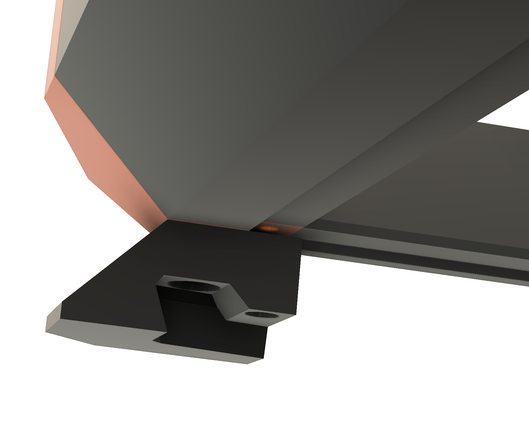
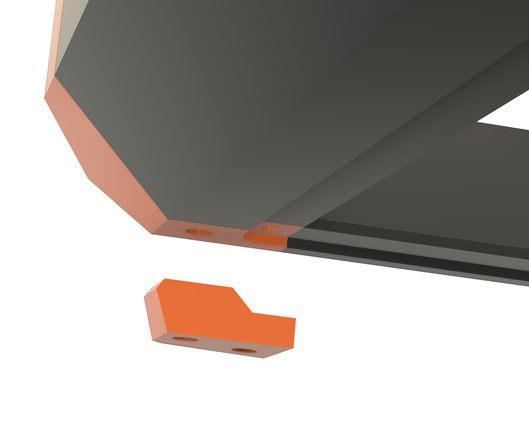
@3dprinting The (Un)original Prusa Drybox is installed. I made feet, and the front feet engage little cleats. They're not exactly French cleats, but they're francophone.

🧡 66/∞

#BlackLackStackHack #UnoriginalPrusaDryBox

@3dprinting The cleats hold the drybox on even when the lid is tilted.

But when I tilted the lid all the way up, just past vertical, the box fell off. So I shouldn't do that. I'd need bigger cleats or a different angle of engagement.

🧡 67/∞

#BlackLackStackHack #UnoriginalPrusaDryBox

@3dprinting Here are some renders of the foot and cleat. The back feet don't have cleats; they just rest on the lid.

🧡 68/∞

#BlackLackStackHack

@3dprinting Now that I have an MMU, I am thinking about how to route the PTFE tubes from the drybox to the MMU. My original plan, before I saw how far back the MMU sits, was to route it through the lid. Something like the green line here.

But that wouldn't work. The cable is kinked way too tightly.

🧡 69/∞

#BlackLackStackHack #MMU3 #Prusa

@3dprinting Prusa's solution looks like this. Five holes in the back window.

I don't like that because the window is no longer removable without unthreading the tubes. My intention is to make it possible to install/remove the windows while printing or remove the printer and drybox, separately, without tools.

But the routing is much cleaner.

(Photo by OndΕ™ej StΕ™Γ­teskΓ½)

🧡 70/∞

#BlackLackStackHack #MMU3 #Prusa

@3dprinting So I'm pondering exactly how to do it. If you have ideas, please let me know.

🧡 71/∞

#BlackLackStackHack #MMU3 #Prusa

@3dprinting @Siff Maybe something like this? (Very rough draft.) The orange part would slide into the slot in the back panel and be glued in place. The green part would snap in, held by magnets, after the tubes were in place in the grooves at the bottom.

🧡 72/∞

#BlackLackStackHack #MMU3 #Prusa

@3dprinting @Siff @esden Here's my idea for passing tubing into the drybox. Once again, the goal is fast easy disassembly so I can remove the printer to the workbench.

(sound on; it's narrated.)

🧡 73/∞

#BlackLackStackHack #Prusa #MMU3

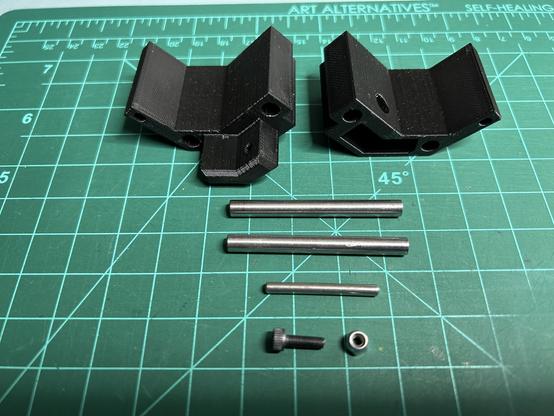
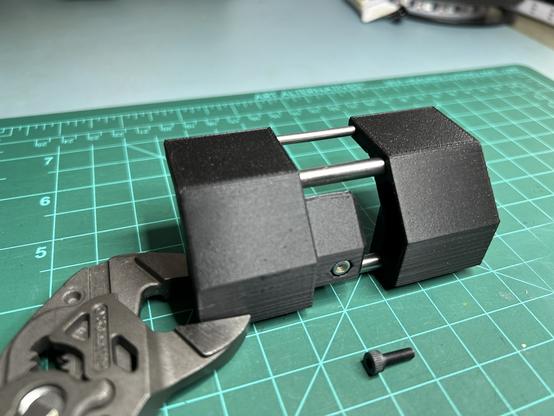
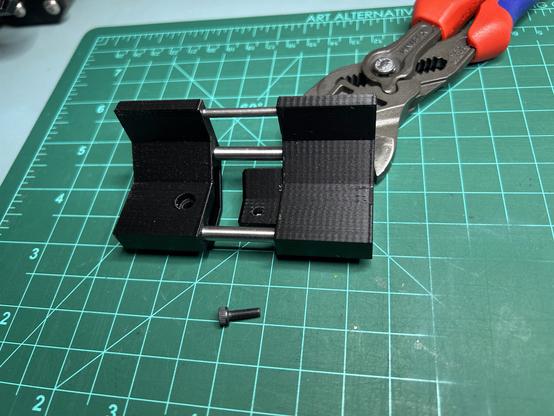
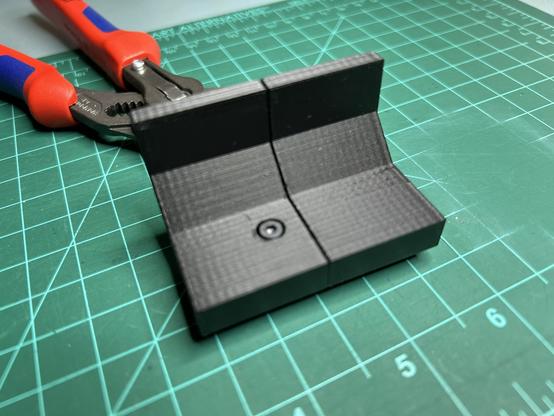
@3dprinting @Siff @esden Here is the new back beam for the drybox, assembled. The tube holes are not parallel -- they will splay out inside the box and group together where they go through the enclosure wall.

I made the beam in three pieces. I used dowel pins as well as screws and inserts. The dowels aren't for strength so much as for straightness.

🧡 74/∞

#BlackLackStackHack #Prusa #MMU3 #UnoriginalDryBox

@3dprinting @Siff @esden I think I could post just this subassembly to Printables as an (Un)original Prusa Drybox remix. It seems generally useful for people with 5 filaments. (Prusa MMU and 5 head XL, for example.)

It's a minor annoyance that the (Un)original Prusa Drybox was made for six spools. Nobody can use six spools in the Prusa world.

🧡 75/∞

#BlackLackStackHack #Prusa #MMU3 #UnoriginalDryBox

@3dprinting @Siff @esden The dowels have a small effect on straightness. The parts were pretty good without them.

🧡 76/∞

#BlackLackStackHack #Prusa #UnoriginalDryBox #MMU3

@3dprinting I've finally started filling the Gridfinity storage in the top of my enclosure. Here are some custom bins for the nozzle change tools and spare nozzles. Thanks to @Ronguest for the nozzle tube model.

I put my bins up on Printables, if you're interested.
https://www.printables.com/model/1070804-gridfinity-bin-for-prusa-mk4-nozzle-replacement-to
https://www.printables.com/model/1071020-gridfinity-bins-for-nextruder-nozzles

🧡 77/∞

#3DPrinting #BlackLackStackHack #Gridfinity #Printables

Gridfinity Bin for Prusa MK4 Nozzle Replacement Tool by kbob | Download free STL model | Printables.com

1x1x4 Gridfinity bin holds a Prusa MK4 nozzle replacement tool. | Download free 3D printable STL models

Printables.com

@3dprinting I continue to work slowly on my printer enclosure. Today I glued magnets into the Gridfinity base plates and modules. I printed new base plates in two colors a few days ago. These will be installed under the enclosure's lid as shown in 🧡 77.

🧡 78/∞

#BlackLackStackHack #3DPrinting #Gridfinity

@3dprinting Here's the current state of my printer enclosure's filament routing. It's good, but it's not quite right yet. I'm going to keep working on it.

The drybox is on top of the enclosure. Filament feeds into tubes at the front. The spools are on auto-rewinders, so there's no buffer for retracted filament.
https://www.printables.com/model/702217-mmu3-mmu2s-5-spools-auto-rewinder-adapter-for-unor

Here's a filament change.

🧡 79/∞

#BlackLackStackHack #3DPrinting #Prusa #MMU3

MMU3 / MMU2S 5 Spools auto rewinder adapter for (un)original Prusa drybox / Repbox by Sanka | Download free STL model | Printables.com

5 Spools rewinder adapter for MMU2S / MMU3 in (un)original Prusa drybox or Repbox. Could be used without drybox | Download free 3D printable STL models

Printables.com

@3dprinting The tubes exit the drybox in the back through the clips I showed upthread in 🧡 74. From there, they're free and floppy until they enter the enclosure through the back wall and immediately into the back of the MMU3.

🧡 80/∞

#BlackLackStackHack #3DPrinting #Prusa #MMU3

@3dprinting Upthread in 🧡 69 through 72, I discussed options for passing through the back wall. @esden and @Siff advised.

The tubes go through a roller that lets them rotate together. The roller is clamped between the black surround and the black/orange panel.

For disassembly, the panel pops off, the roller lifts out and the whole back panel can be pulled away. The roller splits into two halves after the bearings are pulled off.

🧡 81/∞

#BlackLackStackHack #3DPrinting #Prusa #MMU3

@3dprinting Here's how the roller comes apart. (There is voiceover in the audio.)

🧡 82/∞

#BlackLackStackHack #3DPrinting #Prusa #MMU3

@3dprinting

The good:

+ Filament is easy to load. The tube inlets are right up front, no need to reach behind the printer or feed through a buffer.

+ It works fine whether the enclosure lid is closed or tilted up at a 45Β° angle.

+ Everything disassembles pretty easily with no tools required.

🧡 83/∞

#BlackLackStackHack #3DPrinting #Prusa #MMU3

@3dprinting

The bad:

- Full spools have enough angular momentum on retractions that sometimes they pull the tube inlets off. Then the filament wraps around the axle.

- The tubes in the back are free and floppy and not parallel. (aesthetic)

- The back panel is flimsy. It's corrugated plastic, and it bends a lot when removed.

🧡 84/∞

#BlackLackStackHack #3DPrinting #Prusa #MMU3

@3dprinting Tonight I finally put the printer enclosure where it goes, a mere ten months after I started designing it. It's no longer blocking the closet doors. The old Prusa MK3 enclosure is on the right and is inferior in every way.

I really need some LEDs in the drybox.

That's all the further the lid will open now. But the filament tubes look tidy with the lid up.

🧡 85/∞

#BlackLackStackHack #3DPrinting #Prusa

@3dprinting Upthread in 🧡 84 I said that sometimes the filament tube inlets come off. I've addressed that issue by creating bendable clips that hold the inlets in place. Tool-free, of course.

These photos also show the six-to-five adapter. The (Un)original Prusa Drybox is designed for six spools. The MMU3 uses five. So I made an adapter. (It's a refinement of a similar adapter seen here. https://www.printables.com/model/702217-mmu3-mmu2s-5-spools-auto-rewinder-adapter-for-unor/files)

🧡 86/∞

#BlackLackStackHack #3DPrinting #Prusa #MMU3

MMU3 / MMU2S 5 Spools auto rewinder adapter for (un)original Prusa drybox / Repbox by Sanka | Download free STL model | Printables.com

5 Spools rewinder adapter for MMU2S / MMU3 in (un)original Prusa drybox or Repbox. Could be used without drybox | Download free 3D printable STL models

Printables.com

@3dprinting I lifted the drybox up on stilts. While it was feeding filament to the running printer. Now there's 62mm of clearance under the box.

Upthread in 🧡 66 I showed how the drybox is removable. It still is, it's just closer to the stratosphere.

🧡 87/∞

#BlackLackStackHack #3DPrinting #Prusa #MMU3

@3dprinting Now I have storage for various print bed sheets.

This is the Expandable Steel Sheet Holder by Whity, upside down because I'm left handed.
https://www.printables.com/model/51462

And the printer plays on.

🧡 88/∞

#BlackLackStackHack #3DPrinting #Prusa #MMU3

Expandable Steel Sheet Holder (MK & MINI) by Whity | Download free STL model | Printables.com

"Slightly" overengineered flexible steel sheet holder for MK and MINI printers to be screwed to a shelf. | Download free 3D printable STL models

Printables.com

@3dprinting 49 days ago, my printer's hotend fell out. I wrote about it here.

This week I finally repaired it -- travel and procrastination... The repair was straightforward; the hard part was cleaning off my workbench so I had room to work on it. πŸ˜’

https://chaos.social/@kbob/116063218020236097

🧡 89/∞

#BlackLackStackHack #3DPrinting #Prusa #MMU3

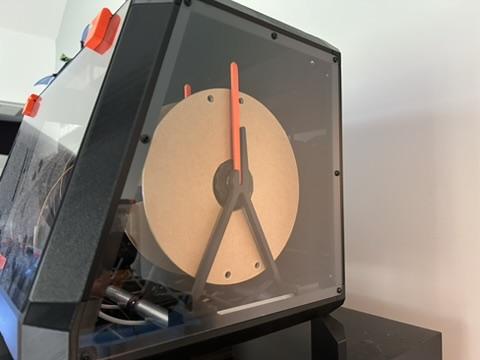
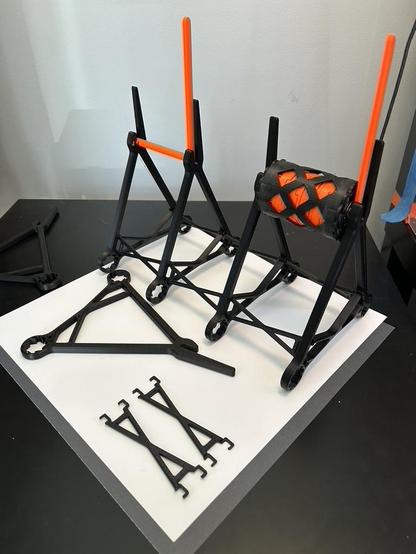
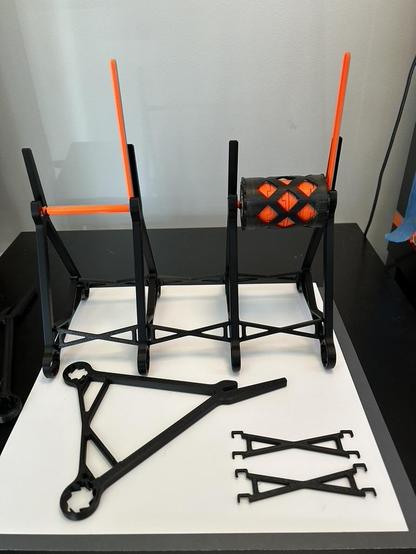
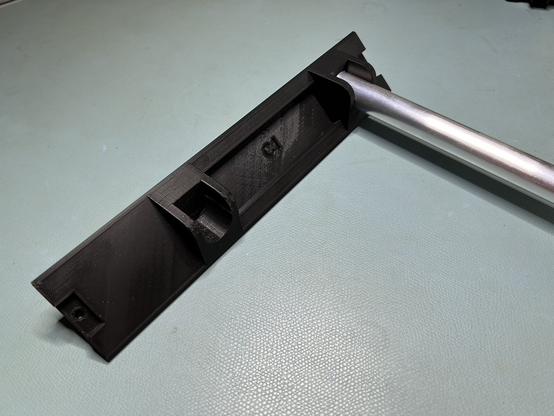
@3dprinting While I was there, I decided to replace one of the auto-rewinder spools that had cracked in the last few months. And then I decided to redesign the spool holders. I'd always thought it should be easier to insert a spool.

So I came up with this design. The tall post behind the spool makes it so you can't (easily) push the spool past the slot. Just push it up against the post, then drop it into the slot.

🧡 90/∞

#BlackLackStackHack #3DPrinting #Prusa #MMU3

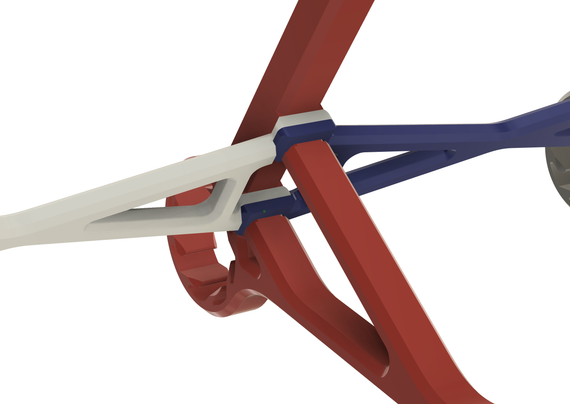
@3dprinting The original took too long to assemble, with 20 screws. This one snaps together.

I made a compliant bushing to hold it onto the aluminum rails inside the drybox. I'm not sure that was an improvement. It does hold snugly, though.
🧡 91/∞

#BlackLackStackHack #3DPrinting #Prusa #MMU3

@3dprinting Finally, I upgraded my MMU3's firmware. Prusa released MMU3 performance improvements last week; that's a nice bonus for a printer that's 4 generations old.

https://blog.prusa3d.com/massive-mmu3-speed-boost-new-fw-slashes-filament-change-times-core-one-l-mmu3-news_132957/

🧡 92/∞

#BlackLackStackHack #3DPrinting #Prusa #MMU3

Massive MMU3 speed boost: New FW slashes filament change times + CORE One L MMU3 news - Original Prusa 3D Printers

The MMU3 has been our workhorse for single-nozzle multi-material printing, and before it hands the baton to the upcoming INDX system, we wanted to give it one last significant upgrade. We usually design our hardware with some headroom, so it can...

Original Prusa 3D Printers
@kbob @3dprinting With color coding - nice

@kbob @3dprinting That looks great  

God, I love Lack tables.

@kbob @3dprinting That is a beauty πŸ‘

Congratulations on finishing it up!

@reconbot Nobody said anything about finishing! πŸ˜† I just said it's in place.

Though I would like to get focused on some other projects...

@kbob are the auto-rewinders sprung or powered?
@amd There is a spring made of PETG inside the hub. It's actually very clever.
@kbob ill have to look at the mechanism. If you’ll humor me, does the spring slip forward when fully wound?
@amd When the spring is tight, the spool slips on the hub. If you want to see the mechanism, go to https://www.printables.com/model/702217 and look at IntegratedRewinder_v5.6_75.stl . The nine coil springs are connected in series inside the hub.
MMU3 / MMU2S 5 Spools auto rewinder adapter for (un)original Prusa drybox / Repbox by Sanka | Download free STL model | Printables.com

5 Spools rewinder adapter for MMU2S / MMU3 in (un)original Prusa drybox or Repbox. Could be used without drybox | Download free 3D printable STL models

Printables.com
@kbob very interesting. It’s not dissimilar in principle to the mainspring and barrel on an automatic watch. Thanks for the pointer.
@kbob @3dprinting @esden It looks like you can go without the dowels - this will make everything easier to install and remove when necessary.
V2 out now - PTFE Quick-Connector to Drybox - Bayonet-Lock by LaserVelociraptor | Download free STL model | Printables.com

Want to connect a PTFE tube to your drybox quick and hassle-free? Try my sealed Quick-Connector with a bayonet-lock :) | Download free 3D printable STL models

Printables.com

@Siff @3dprinting @esden That looks more airtight than my design. My drybox isn't really for drying, it's for holding spools that I'm actively using. I could caulk the windows and seams, but sealing the door would be more challenging. Since the box is for short term storage (duration of a print), I'm not going there.

I should find an excuse to model those quarter turn latches, though. They look useful in many contexts.