I do not understand components and coordinate systems in Fusion 360. Because of that, I may have lost the design I've been drawing all week.

I changed a parameter, and half the things that should have moved did move, and half did not. Curves that had been closed were no longer closed, and things got worse from there.

It looks like parameters used in the Move/Copy command don't update? Do I have to use a rigid joint to fix every component?

Advice welcome.
I also have grouped things into components incorrectly. For example, I made the two halves of a hinge into one component, because the parts have to mate, and they share sketches and dimensions. But to open the door, the moving part has to be a separate component. I feel like I'm missing something basic.

Yeah, so I started over. Now I'm tying components together with rigid joints and tying them to points on sketches whose measurements use parameters. This is the measurement I tweaked that blew my model up last time...

Maybe I should hashtag this thread. #Fusion360 #MCAD

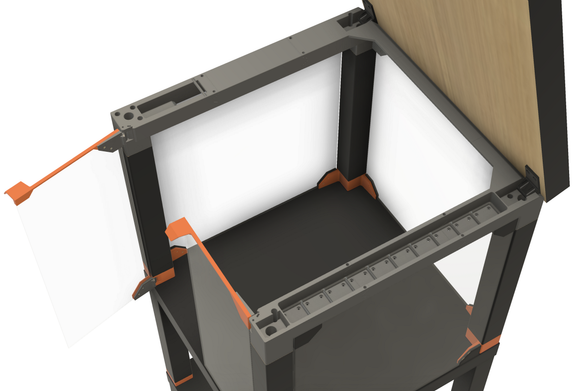
Wheee! Look at me! I figured out how to get two hinges and a door to move in sync. (Revolute joints for each hinge pin, rigid joints between the pieces, then let F360 figure out the rest.) Anyway, the LACK printer enclosure continues slowly.

#Fusion360 #MCAD

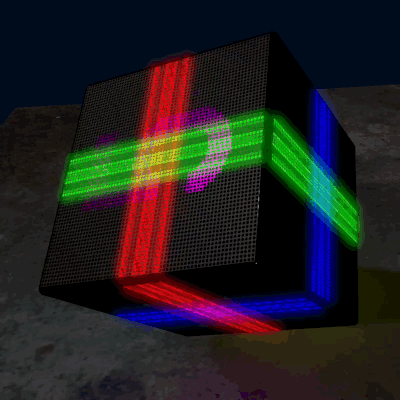
That's darn good graphics too.

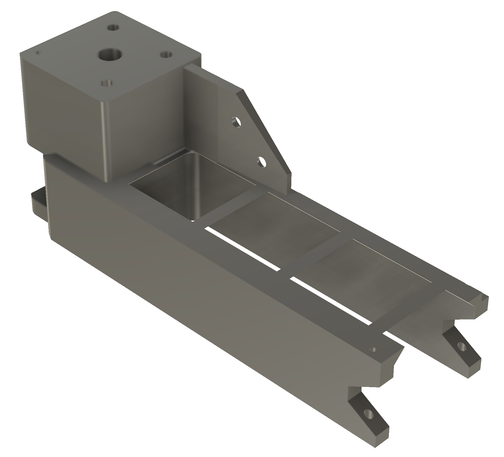
As promised, there's just a little #gridfinity storage under the lid.

It's about time to stop pushing pixels and start melting filament. I think this is at least a week of print time and about three Kg of PETG, if I get everything right on the first try. Which I won't.

@3dprinting #3DPrinting #BlackLackStackHack #IkeaHacks

@3dprinting I'll also have an IKEA MOSSLANDA shelf on the front with another 2x12 #gridfinity slots. My old printer enclosure has that, and I like it a lot.

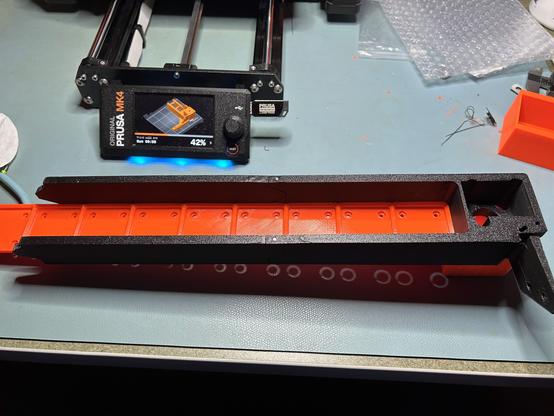
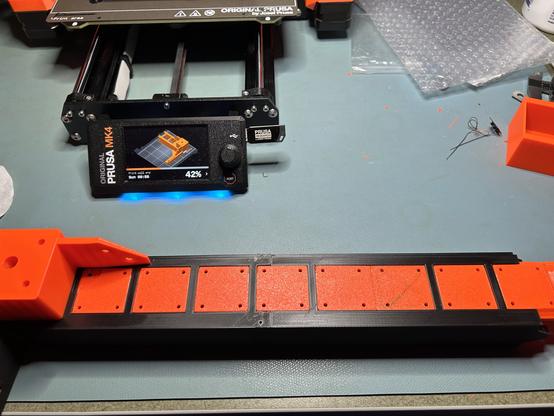
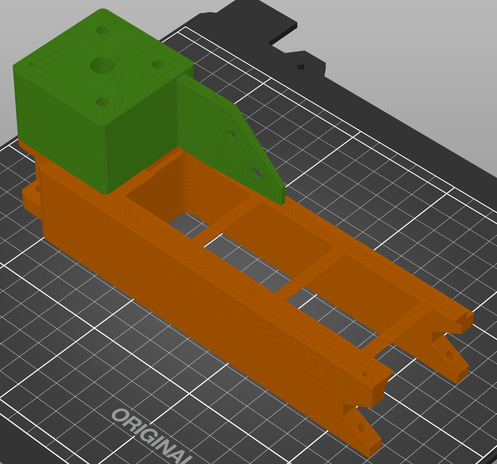
@3dprinting This is part of the top rail where the Gridfinity bins go.

The two rail pieces are held together by dowel pins, and they are tight and rigid. I made the grid floor a separate insert because I couldn't get a good surface finish when it was printed upside down. (And now it's a contrasting color.) The grid floor is also two pieces joined by dowel pins.

The rest of this rail is on the printer now.

@3dprinting #BlackLackStackHack #3DPrinting #GridFinity

@3dprinting The bottom of the slot between the rails is 0.2mm wider than the top, so the gridfinity tray snaps into place and isn't coming out. (I can push it out from the bottom.) I tried 0.8mm on the first iteration, but I couldn't force the tray in.

#BlackLackStackHack #3DPrinting #GridFInity

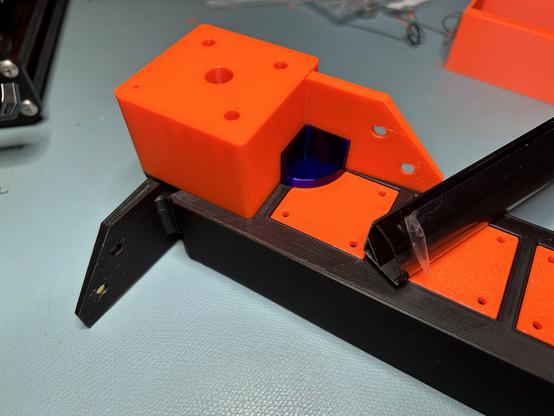
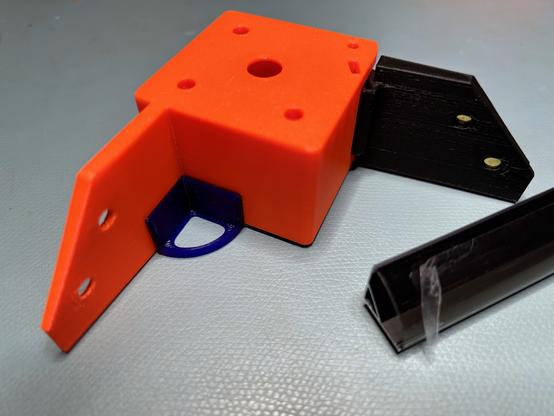
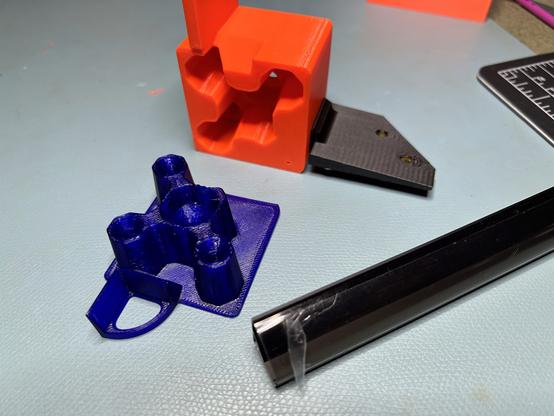
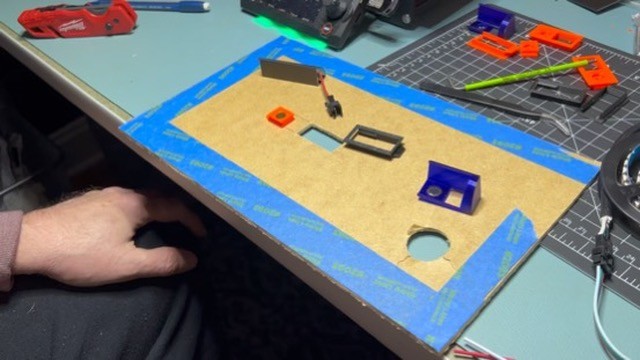
@3dprinting The purple piece is the end cap for the LED channel. It press fits into place. The wires will feed into the channel from the other end. This will probably be one of the trickier bits to assemble when sliding this down onto all four legs at once.

The filament is Prusament Ultramarine Transparent PETG. The other colors are Prusament Prusa Orange and Prusament Matte Black. The ultramarine is outside the gamut of most LCD screens.

#BlackLackStackHack #Prusa3D #3DPrinting

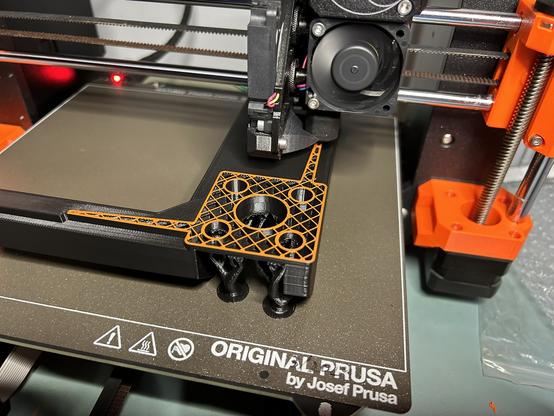
@3dprinting The orange post on top is not a separate piece. I did a layer height color change.

#BlackLackStackHack #Prusa3D #3DPrinting

@3dprinting Here's the other end of the LED channel. It's open on the bottom for wires. I can drill a hole through the table anywhere that is hidden by the square plate and doesn't interfere with the screw holes. I think I'm using JST SM connectors, so the hole needs to be that big.

This is by far the most complex mechanical assembly I've ever designed.

#BlackLackStackHack #Prusa3D #3DPrinting

@3dprinting The hinges have bar magnets to hold them closed. That's from Prusa's design, but I moved them to give them about 60% more mechanical advantage and increase the closing force. They feel very satisfying to operate, but I won't know for sure until the doors are attached.

#BlackLackStackHack #Prusa3D #3DPrinting

@3dprinting Color change! And now I can go to bed.

#BlackLackStackHack

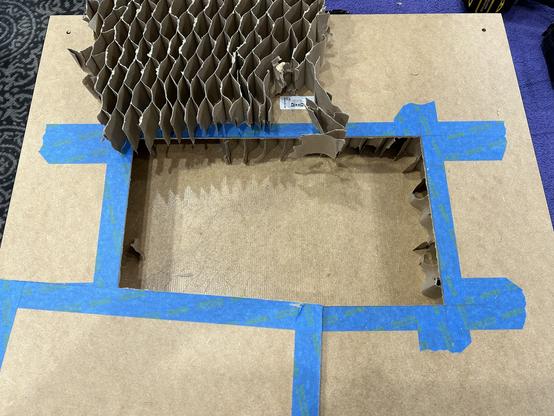
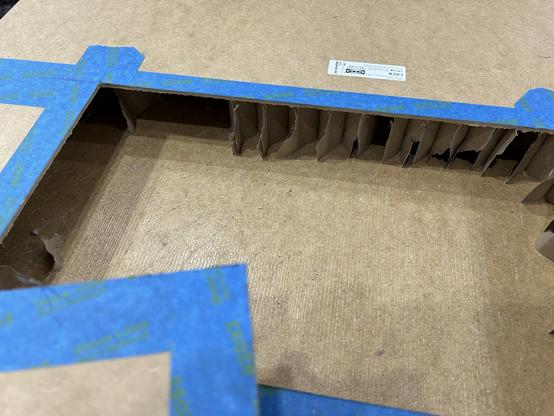
@3dprinting I suspect most of you, like me, get to see the insides of IKEA furniture far too rarely. So here's a LACK table undergoing surgery.

Now I'm trying to excavate out to the corner to find out how much wood is there for the legs. I want to run a cable in next to the leg and hide it inside...

#IkeaHacks

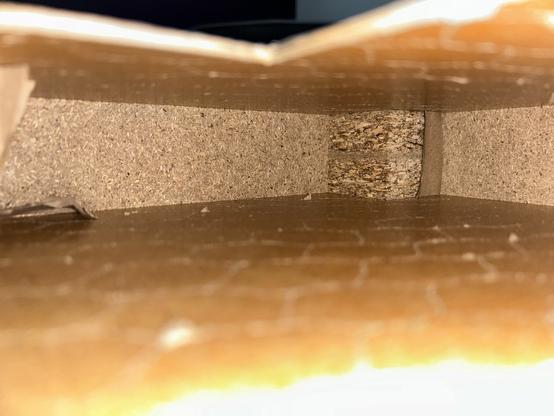
@3dprinting Calling it wood was far too generous. As I expected, there's a block of sawdust-glue porridge in the corner just slightly bigger than the leg. It's hard to measure in there, but it looks like it extends about 60mm from each table edge. When I drill the hole for the cable, I can get a better measurement.

#IkeaHacks

@3dprinting Now that we know where the solid parts are inside the table, we see that most of the screws in Prusa's enclosure design are screwed into air. Hmmm...

(Source: https://blog.prusa3d.com/mmu2s-printer-enclosure_30215/ )

#BlackLackStackHack #Prusa3D #IkeaHacks

Prusa Printer Enclosure V2 - with MMU2S support - Original Prusa 3D Printers

Our first 3D printer enclosure became incredibly popular - and naturally, once we released our new Multi Material Upgrade 2.0 and 2S, people started asking us for an updated enclosure that would accomodate the Original Prusa i3 MK3S (and 2.5S) 3D printer...

Original Prusa 3D Printers

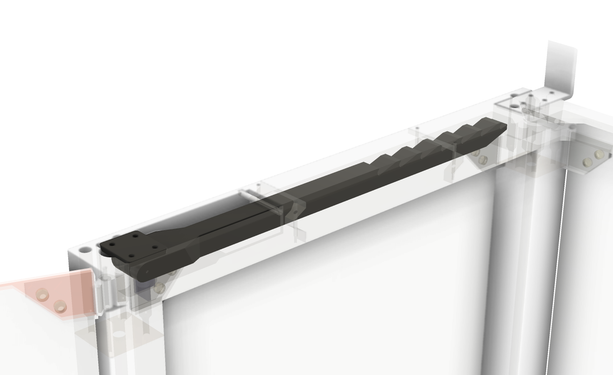
@3dprinting I redrew the prop arm to move the bracket to the corner of the table. Numerous picky little changes later...

#BlackLackStackHack

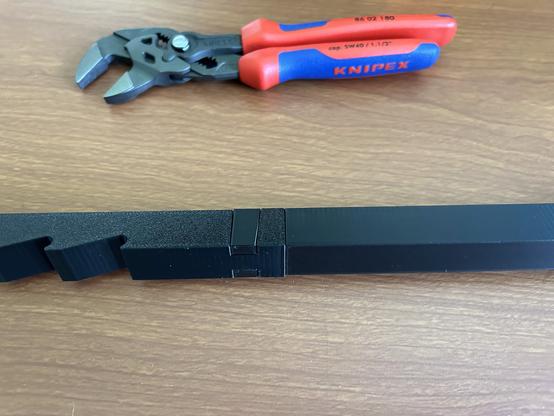
@3dprinting This joint locks two PETG pieces together far better than it has any right to. I had to force the pieces together with Knipexes.

I'm printing the prop arm (previous toot) in two interlocking pieces. Prusa's design used a very loose mortise and tenon with Superglue.

#Prusa3D #BlackLackStackHack

@3dprinting Here's the new prop arm and the tool that squeezed it together. The pieces aligned pretty straight but not perfect.

Note that the two halves of the arm were printed in different orientations. I had to print the left half with support.

#Prusa3D #3DPrinting #BlackLackStackHack

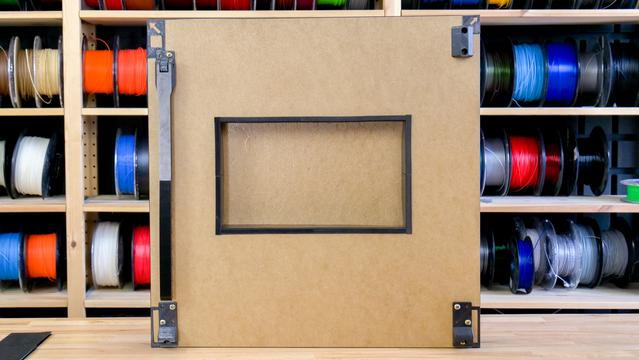
@3dprinting I've solved the problem of mounting LEDs to the underside of the LACK table in my printer enclosure. I'm very happy with the result.

#3DPrinting #IkeaHacks #Prusa3D #BlackLackStackHack

@3dprinting ??? This was supposed to be a video. It looks like I just uploaded a still.

#3DPrinting #IkeaHacks #Prusa3D #BlackLackStackHack

@3dprinting I am still working on the printer enclosure when I'm not traveling. Today I made a test piece that slides along an IKEA LACK leg. I put steel dowel pins on two sides for a tight but low-friction fit. It works better than expected.

#IkeaHacks #BlackLackStackHack #Prusa3D

@kbob This is a great idea!
@chrishuck That's high praise coming from you.
@kbob I think it’s a clever solution that is easy to print. Further proof that everyone has good ideas!