 Sagir Khan ♿
 LibreOffice
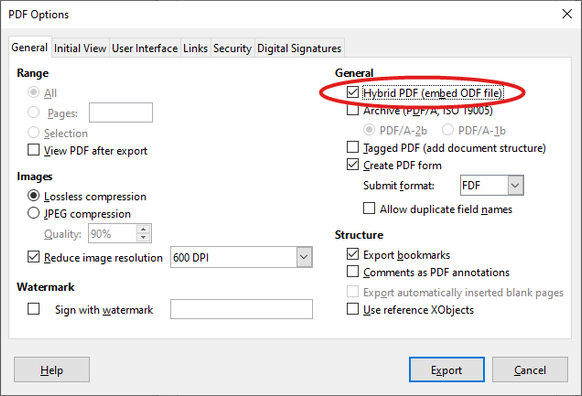
Look! A #LibreOffice feature you may not know about 😉 When exporting a #PDF the "Hybrid PDF" option embeds the original file. Then anyone with a PDF reader can view the file – and LibreOffice users can edit it too: https://wiki.documentfoundation.org/Faq/Writer/PDF_Hybrid#What_is_a_hybrid_PDF_file? #foss #OpenSource
 Edvin Malinovskis
 Blue Ghost
 Karl
Karl Tim Allison
 Zudn
Zudn MadeInDex 📰🌎
 Ball774☭🇵🇸
 Scien
Scien Michael Ossmann
 Ross of Ottawa
 Dale, The Cornflower
 cameronbosch
 Andreas Burger
 Bèr Kessels 🐝 🚐 🏄 🌱
 daisE 🌈
 Maddie (MIGRATING SOON)
 TheBen
 Orangenoel