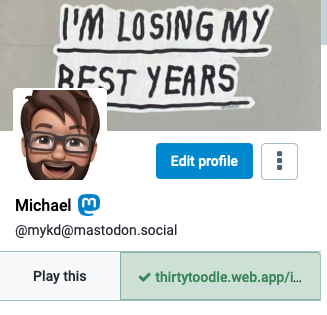

Mastodon has a verification mechanism, though it looks different from Twitter's. We do not ask for your documents. Instead, if you have a website that you are known by, you can verify that you are the owner of that website.

Link to your Mastodon profile from the website, either through a visible link, or through a <link> tag in the head of the document, with a rel=me attribute, and link back to that page from your Mastodon profile. It should then get a green checkmark, like @Mastodon.

@Gargron @Mastodon I love this (feels very small web), but it doesn't appear to be supported in the mobile apps. I'll go check the issue tracker and file it if it's not already there!
Domain verification not displayed · Issue #125 · mastodon/mastodon-android

Domain verification shows on the web as described by @Gargron but it doesn't appear in the app.

GitHub
@cassidyjames @Gargron @Mastodon under Tusky it looks like this
@darckcrystale @Gargron @Mastodon yep, I’m aware, but Mastodon has an official app that should support Mastodon’s features. 😉
@cassidyjames sorry I keep forgetting it exists 
@darckcrystale and to be fair, I said “apps,” referring to the official Android and iOS apps, but I could see how that’d be construed as “apps like Tusky,” too. :)
@cassidyjames @darckcrystale to be fair the android app is like 3 weeks old at this point so full features will probably take a while
@Gargron @Mastodon but ....you don't have a check mark in your profile! WHO ARE YOU AND WHAT DID YOU DO WITH EUGEN???
@Mastodon @Gargron, do you have any plans to add a DNS record lookup option for people that use a third-party service without access to the page source?
@Gargron @Mastodon, that would be nice! ☺️😬
@Gargron @tekphloyd @Mastodon Yes! DNS TXT Records would be a great way to handle this too
@Gargron @[email protected] put the link in the footer of a Wordpress 2020 Theme site using a@custom html block in footer 1.
@Gargron @Mastodon ya I’m also wondering if we can do this from our other socials
@malcolm @Gargron @Mastodon the only one I’m aware of is if you set your Mastodon profile as your URL on GitHub, it adds a `rel="me"`, so it works to verify!
@malcolm @Gargron @Mastodon unfortunately they also override `rel` attribute in links in READMEs so you can't use their magic username/username repo to add a link, it only works on the single profile-wide URL.
@Gargron Heh, doubly verified now 😃
@Gargron hmm an incentive to actally set up a personal website? I might actually do it!
@Gargron I tried that with a link in one of the web pages I am linking to from my profile, but either I don't see my own checkmark or it does not work that way – and I have still missed something.
@atarifrosch I see it on your profile
@Gargron Oh, nice, thank you. Then it just hides before me. ;-)
@Gargron
Is that per node or how does that work?
Can i verify my own node people?
@Mastodon
@jmulein
Per profile page, you could say.
It works by crosslinking: your mastodon profile page contains a tag like <link rel="me" href="https://mywebpage.example/aboutme"/>. Your aboutme page needs to link back, e.g. <a rel="me" href="https://mastodon.instance/@myusername">Mein Mastodon-Profil</a>.
This crosslinking can be checked automatically, and the instance of the viewer does exactly that.
@anathem but is this only on mastodon.social or across federated nodes?
Can i validate people on my node or do they go through this process?

@jmulein
Everyone needs to do that crosslinking for their own profile. That green checkmark is proof of control: By linking back, one provides proof of control over the linked web page.

There is no admin flag for that, because the green checkmark really is validated by the instance of the _visitor_*. That way, you only have to trust the admin of your own instance to not tamper with the validation code.

*(except for anonymous profile views, then it's done by the instance of the profile owner)

@jmulein Oh, and: the verification can be done by any Mastodon instance for any Mastodon user on any instance. It's definitely not limited to the big flagship mastodon.social.
@anathem thank you!!!
@jmulein no problem, have fun in the fediverse! :)

@Gargron

geez! wish I’d found Mastodon a lot sooner. I’ve had howlinhobbit.com for years (nearly decades, plural) but the site is currently hosed and my longtime hosting service has at some point gone from efficient and friendly support to a total mess.

all I’ve got now is a temporary headquarters on a free Wordpress.com site.

If I ever get the mess straightened out I’ll happily and visibly link to my Mastadon profile. (I’ve already done that via my Linktree.)

@Gargron @Mastodon Huh, that didn't work for me. I added that link to my page https://sites.google.com/a/lclark.edu/drake/ (a period at the very bottom of the page), but that link isn't green in my profile. Does it take time to propagate or something?
Peter Drake

Associate Professor of Computer Science Chair, Department of Mathematical Sciences Lewis & Clark College Email: [email protected] Phone: x7539 Office: Bodine 307 GitHub: PeterDrake Mastodon: qoto.org/@peterdrake Except when classes are virtual, I'm usually in my office at least 9-4 M-F outside of

@peterdrake Your web page does too much javascript magic. Your link in question is not delivered in the plain html code, and even after javascripting, it is injected into the HTML as <div data-code="<a rel="me" href="https://qoto.org/@peterdrake">.</a>"> ... thats not parseable by any SGML parser.
I fear you'd have to ask Google on how to deliver some plain HTML on that page.

@Gargron

@anathem @Gargron Yeah, it looks like the "embed code" feature on Google Sites mangles it beyond recognition.
pplupo Pages | Mastodon verification on Google Sites with Cloudflare

How to verify any website you own using Cloudflare

Software Engineering Management Blog
@peterdrake @Gargron @Mastodon I tried exactly this on Google Sites (including the part about the period, ha) and it failed for me as well.
@Gargron @Mastodon Doesn't seem to be working for me.
@FreeRice @Mactoys Hmm… do either of you have a website? 🤔
@Gargron also probably worth mentioning having an account under a vetted, well-trusted URL like social.network.europa.eu is another way to verify, but it doesn't come with a comforting check-mark
@Gargron @Mastodon @vwbusguy yep. Works great. Quick and easy.
@Gargron @Mastodon oooooh
now i get how it works
good thing to know because now i know what else to add into the head of my website
ϺΛDИVTTΛH :fosstodon: (@[email protected])

Attached: 3 images Good morning, here's a pro tip: if you'd like to have your #GitHub profile verified on #mastodon, just add your mastodon url as your homepage to your GitHub profile. I've been told that it wouldn't be possible but it works like a charm. :ablobcatcoffee:

Fosstodon
@Gargron oh neat, i was worried bc my website is via google sites. good to know a link will do
@Gargron i'm having no luck with it - at least on my end, the tick hasn't showed up and it's been maybe 15 mins. I had to add a custom embed because google sites doesn't let me edit html as far as I can tell >.<

@Gargron @Mastodon Does the back-link have to be on the top page? Or is it Ok to have it on a subpage?

(i.e. on a wordpress site, can the link be in a blog post?)

@steinarb The back-link needs to be on the exact same page that you link to from your profile.
@anathem Noted! Thanks for the info!
@Gargron @Mastodon is the checkmark visible on mobile clients?
@Gargron @Mastodon looks like @Tusky shows the ✔️ while the Mastodon app doesn't (or at least I can't see it)
@reed At least Fedilab does show it.
@Gargron @Mastodon : Hi, thanks for the tip. Is it okay to have multiple users associated to the same site (e.g., company website)?
@Gargron Hmm. Does this work for RSS feeds as well? Guess I should just try...
@Gargron
Hm. Someone can create a fake #Website, putting in a rel me, link it to a #fake #Mastodon #Account. Is this a real #verification?
@Mastodon
@Gargron @Mastodon the check marks aren’t in the iOS apps yet?
@cdevroe probably because the """official""" mobile apps are shit

@Gargron @Mastodon Ah, interesting. Doesn't seem to work for me, though.

I have a link from my homepage and just added the link-rel thing 🤔

@__h2__ After looking at your HTML source: Looks right... the only idea I got is a missing trailing slash on the URL to your homepage in your Mastodon profile (which browsers would add automatically). I didn't find the comparison code in mastodon yet, but I would not rule out that it is implemented to check for plain text equality with your <link rel="canonical"> meta tag value.
@anathem I just changed it and it worked. I then changed it back, and it still works. So, I guess the check is only performed when updating the profile 💡