Samsung Galaxy Z Fold/Flip 4 gets the One UI 8 update in Europe!

We are excited to announce that starting from today, users can now download the One UI 8 update to their Galaxy Z Fold4 and Flip4 foldables in Europe as Samsung has finally released this exciting version of One UI. Your Galaxy has now become more powerful as One UI 8 brings more powerful features.

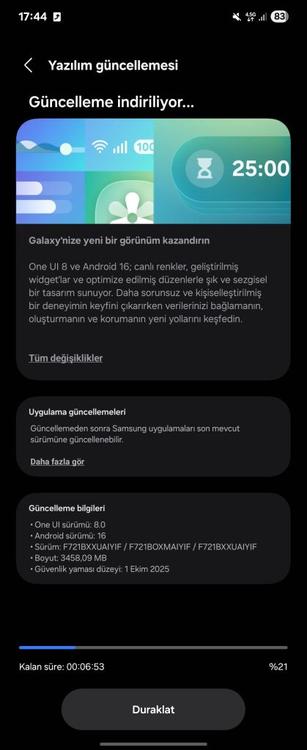
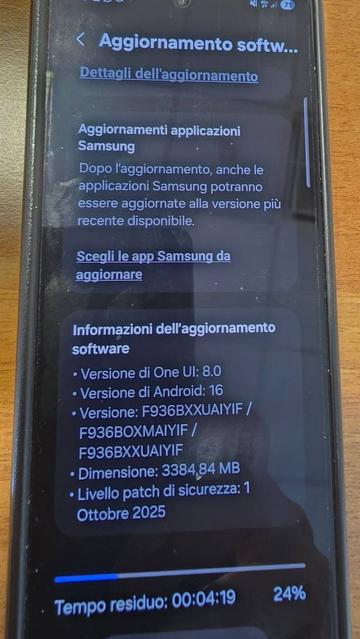
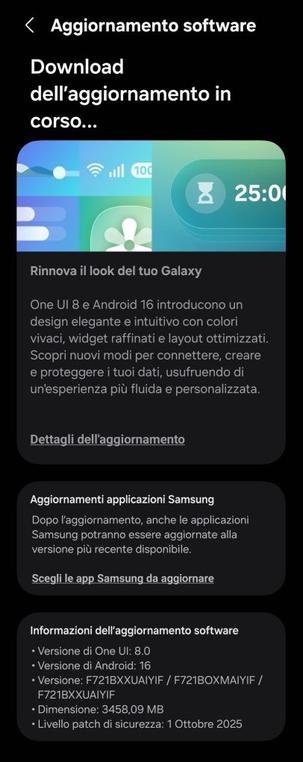
The firmware information states:

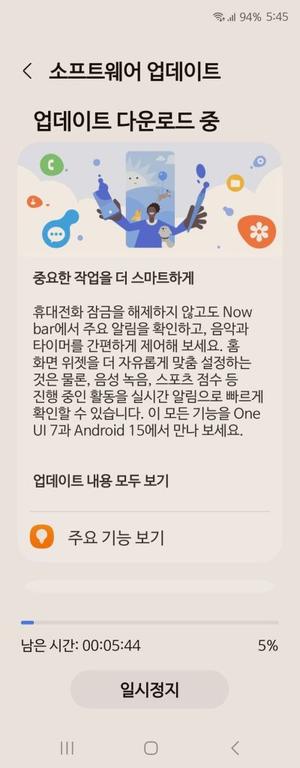
To obtain the update, perform the following steps:

  • Open the Settings app
  • Navigate to Software Updates
  • Tap on Download and Install
  • Wait until you see One UI 8 at the top of the page, then tap on Download
  • Wait for the download to complete, then tap on Install
  • After you perform the above steps, your phone will be running One UI 8 based on Android 16, and you can enjoy its new features and with many improvements on place. This makes sure that your experience gets improved.

    If you still didn’t get the update for your device, wait for a few days or a few weeks, then check for updates again. If you still see “Your software is up to date,” this means that the update didn’t reach your region yet.

    Note that the update process may take 15 to 20 minutes, and this can vary from device to device. The download process may incur extra charges if you’re using the cellular network as the update size is around 5 GB, depending on the device, so we recommend downloading it through Wi-Fi. Never interrupt the update process in any way, or problems may occur. Make sure that your phone gets charged before you initiate the installation process.

    #Android #Android16 #AndroidB #AndroidBaklava #Flip4 #Fold4 #GalaxyZFlip4 #GalaxyZFold4 #news #oneUi #OneUI8 #OneUI80 #Samsung #SamsungGalaxyZFlip4 #SamsungGalaxyZFold4 #smartphone #Tech #Technology #ZFlip4 #ZFold4
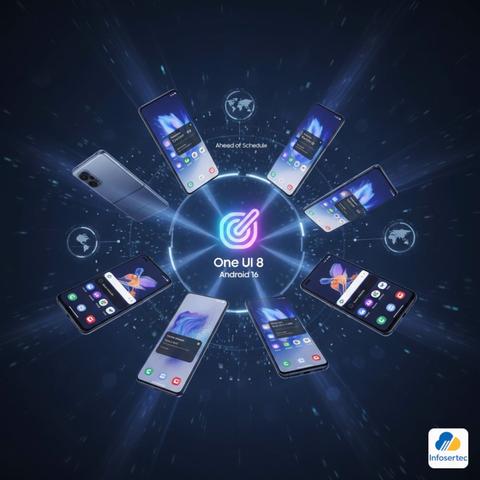
    Samsung acelera el despliegue de One UI 8 (Android 16) a estos Galaxy

    Samsung ha superado todas las expectativas con la velocidad de su despliegue de One UI 8 y Android 16. La actualización, que comenzó en la serie Galaxy S25, ahora llega a generaciones anteriores y se expande globalmente, adelantándose al calendario previsto. Incluso los modelos plegables más antiguos y la serie S23 en EE. UU. ya están recibiéndola.

    El informe destaca que Samsung está muy adelantado a su calendario de actualización de One UI 8, que incorpora la versión Android 16. Si bien se esperaba que el despliegue para dispositivos más antiguos comenzara recién en octubre, la compañía ha pisado el acelerador, distribuyendo la actualización a una amplia gama de dispositivos Galaxy.

    El inicio del proceso se dio el mes pasado con la serie Galaxy S25, pero rápidamente se ha extendido. Los dispositivos plegables más antiguos elegibles para esta versión, el Galaxy Z Fold 4 y el Galaxy Z Flip 4, ahora están recibiendo One UI 8 en regiones como África, Asia y Europa.

    Además, la disponibilidad se ha ampliado significativamente para otros modelos. La serie Galaxy S23 está recibiendo ampliamente la actualización en el mercado estadounidense, al igual que los modelos plegables más recientes, el Galaxy Z Fold 5 y Z Flip 5. También se ha reportado una mayor disponibilidad de One UI 8 para la popular serie Galaxy A en Europa.

    El mensaje es claro: si tienes un dispositivo Galaxy lanzado en los últimos dos años, es muy probable que la actualización ya esté disponible, demostrando la eficiencia de Samsung en su política de soporte de software.

    #Actualizacion #Android16 #arielmcorg #Despliegue #galaxy #infosertec #OneUI8 #PORTADA #Samsung #tecnologia #ZFlip4 #ZFold4

    Samsung Galaxy Z Fold/Flip 4 gets the One UI 8 update!

    We are excited to announce that starting from today, users can now download the One UI 8 update to their Galaxy Z Fold4 and Flip4 foldables as Samsung has finally released this exciting version of One UI. This rollout started in Türkiye, but more countries, including Korea due to Chuseok 2025, will get the update soon. Your Galaxy has now become more powerful as One UI 8 brings more powerful features.

    The firmware information states:

    • Galaxy Fold4: IYIF [TUR]
    • Galaxy Flip4: IYIF [TUR]

    To obtain the update, perform the following steps:

  • Open the Settings app
  • Navigate to Software Updates
  • Tap on Download and Install
  • Wait until you see One UI 8 at the top of the page, then tap on Download
  • Wait for the download to complete, then tap on Install
  • After you perform the above steps, your phone will be running One UI 8 based on Android 16, and you can enjoy its new features and with many improvements on place. This makes sure that your experience gets improved.

    If you still didn’t get the update for your device, wait for a few days or a few weeks, then check for updates again. If you still see “Your software is up to date,” this means that the update didn’t reach your region yet.

    Note that the update process may take 15 to 20 minutes, and this can vary from device to device. The download process may incur extra charges if you’re using the cellular network as the update size is around 5 GB, depending on the device, so we recommend downloading it through Wi-Fi. Never interrupt the update process in any way, or problems may occur. Make sure that your phone gets charged before you initiate the installation process.

    #Android #Android16 #AndroidB #AndroidBaklava #Flip4 #Fold4 #GalaxyZFlip4 #GalaxyZFold4 #news #oneUi #OneUI8 #OneUI80 #Samsung #SamsungGalaxyZFlip4 #SamsungGalaxyZFold4 #smartphone #Tech #Technology #ZFlip4 #ZFold4
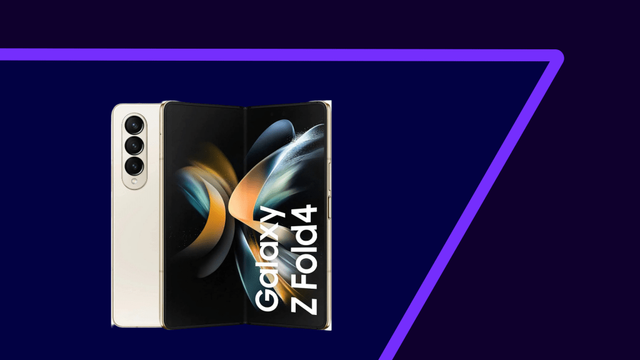
    Samsung Galaxy Z Fold4 gets the One UI 7 update!

    We are excited to announce that starting from today, users can now download the One UI 7 update to their Galaxy Z Fold4 foldables as Samsung has finally released this exciting version of One UI. Your Galaxy has now become more powerful, amazing, and gorgeous as One UI 7 brings more powerful features and a redesigned appearance consisting of a simple, impactful, and emotive design.

    The firmware information states:

    • Galaxy Z Fold4: HYD9

    You can see the overview of what One UI 7 brings in the above linked article at the bottom section. Meanwhile, you can see a two-minute video trailer for One UI 7 highlighting its biggest features here.

    https://youtu.be/P4AEIu3V6F4

    To obtain the update, perform the following steps:

  • Open the Settings app
  • Navigate to Software Updates
  • Tap on Download and Install
  • Wait until you see One UI 7 at the top of the page, then tap on Download
  • Wait for the download to complete, then tap on Install
  • After you perform the above steps, your foldable will be running One UI 7 based on Android 15, and you can enjoy its new features and with many improvements on place. This makes sure that your experience gets improved.

    If you still didn’t get the update for your device, wait for a few days or a few weeks, then check for updates again. If you still see “Your software is up to date,” this means that the update didn’t reach your region yet.

    Note that the update process may take 15 to 20 minutes, and this can vary from device to device. The download process may incur extra charges if you’re using the cellular network as the update size is around 5 GB, depending on the device, so we recommend downloading it through Wi-Fi. Never interrupt the update process in any way, or problems may occur. Make sure that your foldable gets charged before you initiate the installation process.

    #Android #Android15 #AndroidV #Fold4 #Foldable #GalaxyFold #GalaxyZFold4 #news #oneUi #OneUI7 #OneUI70 #Samsung #SamsungGalaxyZFold4 #smartphone #Tech #Technology #update #ZFold4

    One UI 7 | A true AI companion | Samsung

    YouTube

    I bought a #ZFold4 to try to get rid of my pair #iPhone + #iPadMini, but I'm being tortured by the exodus of #Apple's ecosystem.
    Oh my I didn't know I was that much handcuffed!!

    I've been thinking to stop that move and remain as it is.

    Any ideas?
    Anyone has passed through this?
    How did you manage MacOS + Android?

    Testing out "Food Mode" on the #zFold4. Seems to be a mix of macro and portrait post-processing. #BigSouthFork

    Wish I could install #GrapheneOS on the #Zfold4. But only available for #Pixel devices.

    https://grapheneos.org/

    GrapheneOS: the private and secure mobile OS

    GrapheneOS is a security and privacy focused mobile OS with Android app compatibility.

    GrapheneOS

    The weather today was nice for a visit to the #Gyeongbokgung
    and here are a few shots from the
    @samsungmobileus #galaxyzfold4 #ShotOnSnapdragon #bbtg #zfold4 #samsung #foldablesmartphone #tech #android

    I cannot wait to see what the #zfold5 and #zflip5 can do.
    #SamsungUnpacked #JoinTheFlipSide

    The Pixel Fold shows how far ahead Samsung’s folding phones are - The Verge https://www.theverge.com/23773112/google-pixel-fold-vs-samsung-z-fold-4-comparison-head-to-head-foldable-phones

    A really good comparative review of #Samsung vs #Google #foldable phones by @dcseifert in @verge - essential reading if you're considering a #ZFold4 (the #ZFold5 is coming) or a #PixelFold

    The Pixel Fold shows how far ahead Samsung’s folding phones are

    The Google Pixel Fold and the Samsung Galaxy Z Fold 4 are very similar on the surface. But dig into the details and you can see how different they are — and figure out which one is worth your $1,800.

    The Verge