 Indie Tech News
A non-trivial % "died under mysterious circumstances"
#rotational - htop mem usage during compile (#HDD vs #SSD)
#rustlang #arti #tor #rust #MemoryCrisis #ChipsAct
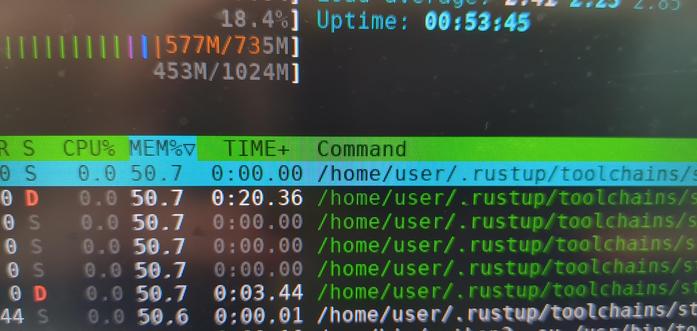
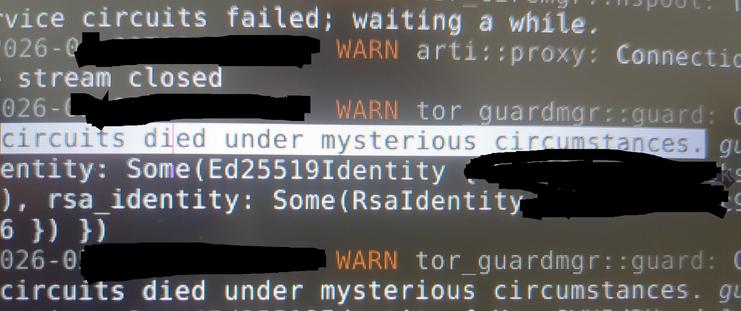
A non-trivial % "died under mysterious circumstances"
#rotational - htop mem usage during compile (#HDD vs #SSD)
#rustlang #arti #tor #rust #MemoryCrisis #ChipsAct
"Rotational Force"
Tooll3 Tutorial on how to create your own HLSL Compute Shader Particle Force:
In this video I show you how to create your own HLSL compute shader particle force in Tooll3 and the complete workflow on how to set up the operator interface, create parameters and dropdowns with defaults and useful input ranges, re-order parameters ( ;-) ), rename inputs, sort out the compute shader input buffer slots, get useful error messages, write documentation, create examples and presets and also guide you through the code and the simple example scene I created.
I talk a bit about GPU threading and [numthreads] and I found this video very helpful to understand the inner workings of GPUs and compute shaders:
https://www.youtube.com/watch?v=eDLilzy2mq0
Tooll3 is open source and ATM available on Windows only (although one user reported having it running on Linux in a Bottle).
You should have a decent GPU for good performance.
Download it here:
https://tooll.io
I did several animations with the force already:
https://youtu.be/HCY5tdhlcMU
https://youtu.be/H41QNp9ghWk
https://youtu.be/v25vCSL967Y
#Tooll3 #realtime #tutorial #operator #force #particle #radial #rotational #generativeart #particles #livingpainting #creativecoding #hlsl #csharp #gpu #nodes #shader #computeshader #generative #procedural #visualart


 Thomas Maria Helzle
 indianflash
 Metal Zealot