 Alun Kirby
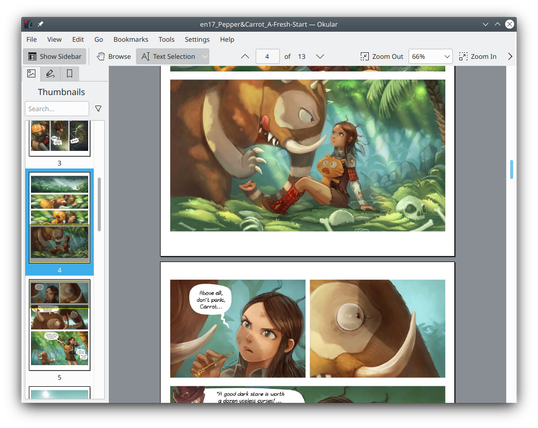
Finally got rid of Ad*be and swapped to #Okular as a PDF reader.
So nice to open a file without being asked if I want an AI overview or to 'upgrade ny experience'.
Finally got rid of Ad*be and swapped to #Okular as a PDF reader.
So nice to open a file without being asked if I want an AI overview or to 'upgrade ny experience'.
@linguistgoneforeign #Okular (KDE) can also do annotation. Similarly Document Viewer (GNOME) - both #Linux and #macOS (at least Okular)
There are also #opensource PDF viewers for Windows, but I am not familiar with this OS
@vfrmedia try #Okular it can look a bit plain, but has a lot of features and supported formats. #opensource #crossplatform
Argh, filling in a #PDF form with #Evince. I accidentally tick a radio button that I shouldn't have ticked. I now cannot untick it. #Okular seems to have the same problem.
(The form has clearly been authored wrong, since it has 2 separate radio button groups where there should be one, leading to the possibility of having 2 buttons ticked at the same time, but really, I don't want to have to re-fill in the entire form just because nothing will let me undo the selection!)
I just accidentally discovered Okular can open epubs. Handy!
#Okular is one of my favorite pieces of software. It does one thing, does it well, and doesn't demand a god damn thing from me. Never once have I asked it to open a PDF and it not just do that (excluding corrupted files, as that's not it's fault). It's one of the few pieces of software I can't think of a complaint about.
 W.E.B. TheBoys
 Secunergy 🐧
 kingfisher
 Zbigniew 'Emill' Pławecki ♿️🎮
 Steve Hill 🏴🇪🇺
 Léonard Urban
 Richard de Waard
 Timjan
 Miakoda