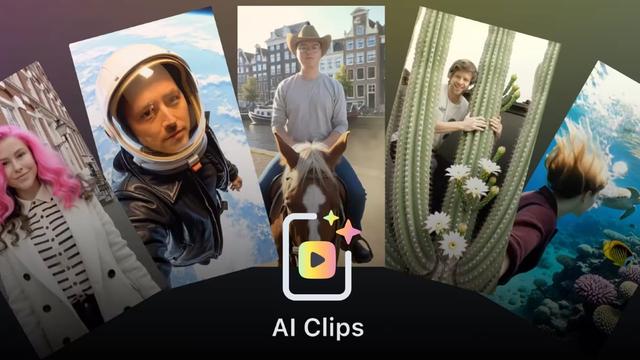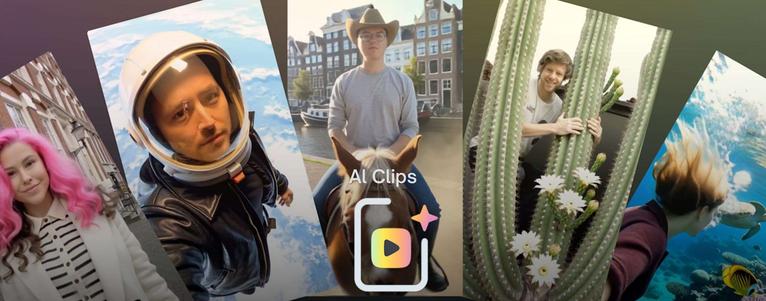
Introducing AI Clips in Lens Studio

Today, we are introducing AI Clips in Lens Studio, a new AI-powered Lens format that transforms a single photo into a five-second video using a closed prompt system.

FYI: Snap's AI Clips let developers monetize photo-to-video lenses on Snapchat: Snap today launches AI Clips in Lens Studio, a closed-prompt format turning photos into 5-second videos for Lens+ subscribers, with direct developer payouts via Lens+ Payouts. https://ppc.land/snaps-ai-clips-let-developers-monetize-photo-to-video-lenses-on-snapchat/ #Snapchat #AIClips #LensStudio #PhotoToVideo #VideoMarketing
Snap's AI Clips let developers monetize photo-to-video lenses on Snapchat

Snap today launches AI Clips in Lens Studio, a closed-prompt format turning photos into 5-second videos for Lens+ subscribers, with direct developer payouts via Lens+ Payouts.

PPC Land
ICYMI: Snap's AI Clips let developers monetize photo-to-video lenses on Snapchat: Snap today launches AI Clips in Lens Studio, a closed-prompt format turning photos into 5-second videos for Lens+ subscribers, with direct developer payouts via Lens+ Payouts. https://ppc.land/snaps-ai-clips-let-developers-monetize-photo-to-video-lenses-on-snapchat/ #Snapchat #AILenses #VideoMarketing #LensStudio #SocialMedia
Snap's AI Clips let developers monetize photo-to-video lenses on Snapchat

Snap today launches AI Clips in Lens Studio, a closed-prompt format turning photos into 5-second videos for Lens+ subscribers, with direct developer payouts via Lens+ Payouts.

PPC Land

Punto Informatico: Snapchat trasforma le foto in video di 5 secondi con AI Clips

Snapchat lancia AI Clips su Lens Studio, un nuovo formato che trasforma una singola foto in un video di cinque secondi.
The post Snapchat trasforma le foto in video di 5 secondi con AI Clips appeared first on Punto Informatico.

Snapchat turns photos into 5-second videos with AI Clips.

Snapchat launches AI Clips on Lens Studio, a new format that transforms a single photo into a five-second video.
The Snapchat post “Transforms photos into 5-second videos with AI Clips” appeared first on Punto Informatico.

#Snapchat #AIClips #LensStudio #five-second #first #PuntoInformatico

https://www.punto-informatico.it/snapchat-trasforma-foto-video-5-secondi-ai-clips/

Snapchat trasforma le foto in video di 5 secondi con AI Clips

Snapchat lancia AI Clips su Lens Studio, un nuovo formato che trasforma una singola foto in un video di cinque secondi.

Punto Informatico
Snap's AI Clips let developers monetize photo-to-video lenses on Snapchat: Snap today launches AI Clips in Lens Studio, a closed-prompt format turning photos into 5-second videos for Lens+ subscribers, with direct developer payouts via Lens+ Payouts. https://ppc.land/snaps-ai-clips-let-developers-monetize-photo-to-video-lenses-on-snapchat/ #Snap #AIClips #LensStudio #Snapchat #Monetization
Snap's AI Clips let developers monetize photo-to-video lenses on Snapchat

Snap today launches AI Clips in Lens Studio, a closed-prompt format turning photos into 5-second videos for Lens+ subscribers, with direct developer payouts via Lens+ Payouts.

PPC Land

Snapchat adds new tools for building Bitmoji games

image via techcrunch.com

Snap is launching new Lens Studio tools that AR creators and developers can use to build Bitmoji games, the company told TechCrunch exclusively. The company is also releasing a Bitmoji Suite as well as new assets for games.

https://techcrunch.com/2025/06/03/snapchat-adds-new-tools-for-building-bitmoji-games/

#ar #bitmoji #creator #lensStudio #snapchat

Snap adds new tools for building Bitmoji games | TechCrunch

Snapchat is launching new Lens Studio tools that AR creators and developers can use to build Bitmoji games.

TechCrunch

If you clone a #LensStudio targeted to Snap Inc. #Spectacles and then open it, you might be greeted by an error that can be confusing if you are pretty new to the environment. Here's why, and how you can simply get past that.

https://localjoost.github.io/Why-a-freshly-cloned-Spectacles-projects-seems-to-contain-errors-in-Lens-Studio/

Why a freshly cloned Spectacles projects seems to contain errors in Lens Studio

Once again I learned that however clear I think I have explained things, there are always little things I apparently stepped over just too quickly and left people confused anyway. Here’s the thing: if you open a freshly cloned Lens Studio project targeted towards Spectacles, you will immediately be greeted by a number of errors

DotNetByExample - The Next Generation
Part 6, The (provisional?) conclusion of my series "#LensStudio for the confused #Unity developer" describes how to add (spatial) sounds to a Lens, and learns you how to prevent a too large number of sounds being played simultaneously crashing the app.
https://localjoost.github.io/Lens-Studio-Cube-Bouncer-for-the-confused-Unity-developer-adding-(spatial)-sounds-without-crashing/
Lens Studio Cube Bouncer for the confused Unity developer: adding (spatial) sounds without crashing

With apologies for the somewhat pedantic title, but of all things, sound has given me quite some headaches. This will be a bit of an unusual blog, as it also shows a few things that did turn out not to work or worked differently than I thought. But of course, I will also show how I solved it.

DotNetByExample - The Next Generation
In part 5 of my series " #LensStudio for the confused #Unity developer" we implement the three actual buttons on the hand menu to re-create the grid, drop cubes on the floor, and move them back to their original position. The last one learns you also how to move and rotate using a lerp without blocking the main thread and keep a smooth display https://localjoost.github.io/Lens-Studio-Cube-Bouncer-for-the-confused-Unity-developer-controlling-the-app-from-the-hand-menu/
Lens Studio Cube Bouncer for the confused Unity developer: controlling the app from the hand menu

In the previous post we created a hand menu to control the app. Pardon, ‘lens’. Now we are actually going to make the hand menu do something. To be precise: Re-create the cube grid from scratch, in front of your camera Drop all the cubes to the floor Move all the cubes back to their start position (in about 1 second)

DotNetByExample - The Next Generation
In part 4 of my series "#LensStudio for the confused #Unity developer" I show how you can implement a #HoloLens/#MRTK style 'hand menu' in your Lens, allow you to control various aspects it https://localjoost.github.io/Lens-Studio-Cube-Bouncer-for-the-confused-Unity-developer-add-a-hand-menu/
Lens Studio Cube Bouncer for the confused Unity developer: add a hand menu

If you have tried the final version of Cube Bouncer already, you might have noticed this hand menu. You pull up a hand, palm towards you, and this menu shows up. Now if you come from MRTK and HoloLens development, this is a very natural interaction method, and I decided to re-create it for Spectacles, if only because I had no idea how I otherwise should get an easy-to-use settings menu.

DotNetByExample - The Next Generation