Snapchat adds new tools for building Bitmoji games

image via techcrunch.com

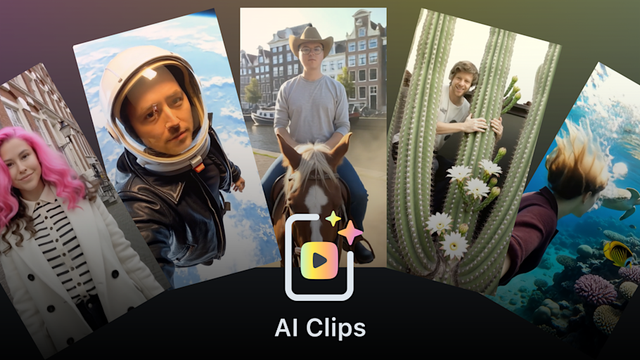
Snap is launching new Lens Studio tools that AR creators and developers can use to build Bitmoji games, the company told TechCrunch exclusively. The company is also releasing a Bitmoji Suite as well as new assets for games.

https://techcrunch.com/2025/06/03/snapchat-adds-new-tools-for-building-bitmoji-games/

#ar #bitmoji #creator #lensStudio #snapchat

Snap adds new tools for building Bitmoji games | TechCrunch

Snapchat is launching new Lens Studio tools that AR creators and developers can use to build Bitmoji games.

TechCrunch

If you clone a #LensStudio targeted to Snap Inc. #Spectacles and then open it, you might be greeted by an error that can be confusing if you are pretty new to the environment. Here's why, and how you can simply get past that.

https://localjoost.github.io/Why-a-freshly-cloned-Spectacles-projects-seems-to-contain-errors-in-Lens-Studio/

Why a freshly cloned Spectacles projects seems to contain errors in Lens Studio

Once again I learned that however clear I think I have explained things, there are always little things I apparently stepped over just too quickly and left people confused anyway. Here’s the thing: if you open a freshly cloned Lens Studio project targeted towards Spectacles, you will immediately be greeted by a number of errors

DotNetByExample - The Next Generation
Part 6, The (provisional?) conclusion of my series "#LensStudio for the confused #Unity developer" describes how to add (spatial) sounds to a Lens, and learns you how to prevent a too large number of sounds being played simultaneously crashing the app.
https://localjoost.github.io/Lens-Studio-Cube-Bouncer-for-the-confused-Unity-developer-adding-(spatial)-sounds-without-crashing/
Lens Studio Cube Bouncer for the confused Unity developer: adding (spatial) sounds without crashing

With apologies for the somewhat pedantic title, but of all things, sound has given me quite some headaches. This will be a bit of an unusual blog, as it also shows a few things that did turn out not to work or worked differently than I thought. But of course, I will also show how I solved it.

DotNetByExample - The Next Generation
In part 5 of my series " #LensStudio for the confused #Unity developer" we implement the three actual buttons on the hand menu to re-create the grid, drop cubes on the floor, and move them back to their original position. The last one learns you also how to move and rotate using a lerp without blocking the main thread and keep a smooth display https://localjoost.github.io/Lens-Studio-Cube-Bouncer-for-the-confused-Unity-developer-controlling-the-app-from-the-hand-menu/
Lens Studio Cube Bouncer for the confused Unity developer: controlling the app from the hand menu

In the previous post we created a hand menu to control the app. Pardon, ‘lens’. Now we are actually going to make the hand menu do something. To be precise: Re-create the cube grid from scratch, in front of your camera Drop all the cubes to the floor Move all the cubes back to their start position (in about 1 second)

DotNetByExample - The Next Generation
In part 4 of my series "#LensStudio for the confused #Unity developer" I show how you can implement a #HoloLens/#MRTK style 'hand menu' in your Lens, allow you to control various aspects it https://localjoost.github.io/Lens-Studio-Cube-Bouncer-for-the-confused-Unity-developer-add-a-hand-menu/
Lens Studio Cube Bouncer for the confused Unity developer: add a hand menu

If you have tried the final version of Cube Bouncer already, you might have noticed this hand menu. You pull up a hand, palm towards you, and this menu shows up. Now if you come from MRTK and HoloLens development, this is a very natural interaction method, and I decided to re-create it for Spectacles, if only because I had no idea how I otherwise should get an easy-to-use settings menu.

DotNetByExample - The Next Generation

In part 3 of my series #LensStudio for the confused #Unity developer", I show code to smash cubes with your hands, and also explain how you can make them bounce off the spatial map (and thus real objects). Includes occlusion as well.

https://localjoost.github.io/Lens-Studio-Cube-Bouncer-for-the-confused-Unity-developer-smash-boxes-with-your-hands-against-the-spatial-map/

Lens Studio Cube Bouncer for the confused Unity developer: smash boxes with your hands against the spatial map

In this blog, I take you, the confused Unity developer trying to understand Lens Studio, by the hand and introduce you to doing hand tracking, sphere casting, smashing things away, and how to let them bounce off the spatial map. This is a continuation of my previous post. If you have not read that, I strongly suggest you do; otherwise, it will make little sense. At the end of this blog, the app will do this:

DotNetByExample - The Next Generation

In part 2 of my series "#LensStudio for the confused #Unity developer", I explain how to set up a project, how to create a prefab equivalent, how to write a Behaviour equivalent, and show things like getting a reference to the main camera, vector math, and more.

https://localjoost.github.io/Lens-Studio-Cube-Bouncer-for-the-confused-Unity-developer-set-up,-create-box,-create-a-grid-of-boxes/

Lens Studio Cube Bouncer for the confused Unity developer: set up, create box, create a grid of boxes

All right, time to build something with Lens Studio. I am going to show you how to build Cube Bouncer for Spectacles: smash cubes with your hand, let them bounce off each other, the walls and floor, let them drop on the floor and come back to the original position. This may sound like a very trivial application - which is true from a functional standpoint - but there’s a lot in it:

DotNetByExample - The Next Generation
If it's worth doing something, it's worth overdoing. My second blog for today, explaining the basics of Snap Inc.'s #LensStudio to develop for #Spectacles 2024 - to the confused Unity developer, aka myself about 4 weeks ago.
https://localjoost.github.io/Starting-Spectacles-development-with-Lens-Studio-for-the-confused-Unity-developer/
Starting Spectacles development with Lens Studio for the confused Unity developer

This blog post is intended for seasoned Unity developers who would like to tinker with Lens Studio to make a Spectacles 2024 app, have read the nice page explaining Lens Studio to Unity developers made by Snap, and are still pretty much confused after that. In other words, exactly where I was. This is typically the kind of blog post that I wish someone else had written before I started toying around, but then again, that goes for most of my blog posts, and what made me get started in 2007(!).

DotNetByExample - The Next Generation

Version 0.0.1 of an AR window into one of the meeting rooms at the office where I work. Made using Lens Studio in just a few hours! It’s amazing how much you can accomplish now in so little time

#augementedreality #LensStudio #ar

Ephemeral AR messaging w/ friends: send and receive AR clones as if you were transmitting objects around you via Wormholes (developed by our HCI Group at Snap Research 👻). Click the link and try it out on Snapchat! #HCI #AR #ARmessaging #LensStudio https://lens.snapchat.com/a3e8fef6019f4659892ad74d3524d584
Wormhole Teleporter by Snapchat

Try out Wormhole Teleporter by Snapchat

Snapchat