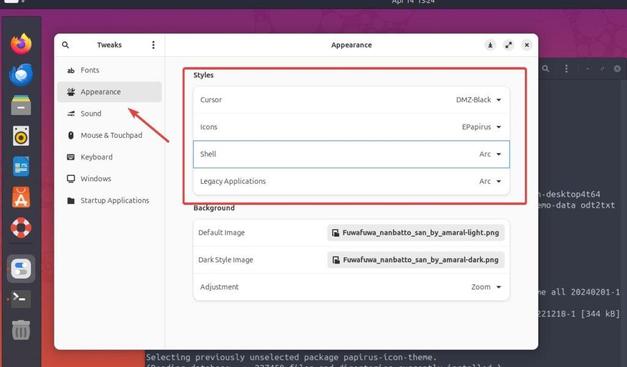
I have been following this guide to try and install a theme on my system: https://linux.how2shout.com/installing-gnome-tweaks-in-ubuntu-24-04-linux-to-customize-it/
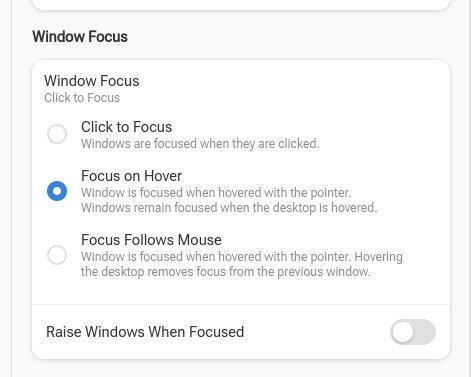
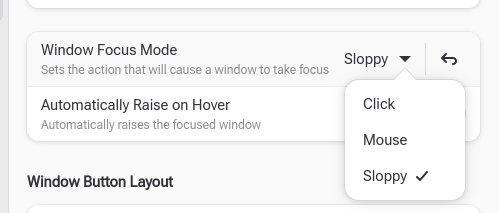
the guide says it is for Ubuntu 24.04, but GNOME Tweaks looks completely different compared to what is shown in the guide (the light mode screenshot)
Has GNOME really changed this much in less than 2 years? All of the relevant settings cannot be found.
I tried installing `gnome-tweaks` `gnome-shell-extension-manager` and `dconf-editor` I am not finding any such setting in GNOME-Tweaks to enable a custom theme.
What am I doing wrong?
#gnome #themes #linux #help #ubuntu #ubuntu24 #gnometweaks #tweaks
@TheEvilSkeleton @CodedOre And there's this Keyboard option on #gnometweaks, it would be nice if you consider it. Then again, I think it mainly caters to power users. So, not a necessity but nice to have.

@TheEvilSkeleton @CodedOre I've to say, if someone enters the #Fedora ecosystem for the first time then, this is the by far the best app to try. It's simple and easy to use. However, the same can also be said about #gnometweaks.

#Refine is almost a complete package. And there's just one thing I would love to get added.
Having a detailed menu rather than a simple popup or you could do a detailed popup.

#GnomeTweaks is great. Me now could have saved Me then much trouble with the CapsLock to control key with Tweaks. For community machines the startup application set-up will be helpful. A discarded Win10 work machine now starts up with gpaste, emacs (how do I get emacs to start with the Japanese Tutorial?) DrRacket and Firefox. Firefox needs a lot of set up too, for the search engines and blockers. The home-page is local racket docs: won't need an interent connection! #GNotes is visible too.
Searching how to remap a key on my keyboard sent me to all these places to install all kinds of crazy programs and all I had to do was open #GNOMETweaks. A few clicks and I was done. It wasn't nearly as complicated as the internet lead me to believe.
How To Enable Minimize And Maximize Buttons In Fedora - OSTechNix

Enable minimize and maximize buttons in application windows using Gnome Tweaks and Dash to Panel extension in Fedora Workstation, Silverblue.

OSTechNix

What's going on with my #fonts in #gnome recently? I have a nice font selected in #gnomeTweaks but it's using *this* ugly thing. Yuk!

#linuxOnTheDesktop #linuxDesktop #openSource

My current go-to gnome tweaks are:
-Dash to Dock
-Alphabetical App Grid
-Arch Linux Updates Indicator
-QSTweak (improves quick settings and gives control)
-Cronomix (pomodoro timer)
-Hanabi Extension (animated wallpapers if you have only one display)
-Always open to additional suggestions 

#linux #gnome #gnometweaks #archlinux

How To Enable Minimize And Maximize Buttons In Fedora - OSTechNix

Enable minimize and maximize buttons in application windows using Gnome Tweaks and Dash to Panel extension in Fedora Workstation, Silverblue.

OSTechNix
There is a reason for sure, and probably well justified, but why #gnometweaks is not installed by default?
#gnome #linux