 Bryan King
The Deadweight of the Digital Treadmill: Quantifying the Cost of Forced Updates
2,548 words, 13 minutes read time.
The cybersecurity industry has spent the last decade selling a singular, unassailable narrative: staying patched is the only thing standing between your business and total annihilation. While the threat of zero-day exploits is undeniably real, this “security-first” mandate has birthed a secondary crisis—a silent, compounding drain on productivity that is becoming a balance-sheet liability. We are currently operating on a digital treadmill where the ground shifts under our feet every few weeks, forced by automated deployment cycles that prioritize vendor roadmaps over user stability. The true cost of these interruptions isn’t just the few minutes spent waiting for a progress bar; it is the deep, systemic disruption of professional workflows and the massive technical debt generated by functional regressions. When we look at the data, the “tax” of staying updated is starting to rival the cost of the threats we are trying to avoid.
The financial scale of this disruption is not a matter of speculation; it is a measurable economic reality. Industry data from ITIC suggests that for midsize and large corporations, IT downtime costs over $300,000 for every single working hour. While a forced software update may not always result in a total system blackout, the partial downtime and the subsequent “ramp-up” period for employees to regain their momentum create a fragmented environment where efficiency is impossible. A 2026 productivity study revealed that even when tools are intended to assist, the friction of constant change can cause a net slowdown—one experiment involving experienced developers showed a 19% increase in task completion time due to the introduction of new, unoptimized tools and processes. This suggests that the “break-fix” cycle inherent in modern software delivery is not just a nuisance; it is a structural drag on global innovation.
The Cognitive Tax of Shifting Interfaces and “Simplified” Workflows
Beyond the raw clock time lost to installers, there is a more insidious “cognitive tax” associated with the modern update cycle. Every time a UI designer decides to relocate a critical setting or hide a powerful feature behind a minimalist submenu, they are effectively conducting an unannounced raid on a professional’s muscle memory. This isn’t just a minor inconvenience for the power user; it is a direct assault on the state of “flow” required for complex technical work. Studies in “brain capital” and cognitive labor highlight the massive difference between following a known recipe and being forced to invent a new one under pressure. When an update changes the geography of a tool you use eight hours a day, it drags you out of a productive “autopilot” and back into a state of conscious effort, where every simple task requires a new search for the right button.
This phenomenon is increasingly visible in the metrics of developer experience. Research into software delivery processes has identified a “Cost to Serve Software” (CTS-SW) metric, which accounts for the friction, quality, and support required for every unit of code delivered. When updates are centralized and forced without regard for the end-user’s specific environment, “toilsome work” increases exponentially. This toil—the manual, repetitive task of relearning an interface or hunting for moved options—is the antithesis of the deep work that senior engineers are hired to perform. When 28% of a generation’s workforce reports searching for new jobs due to frustrations with tech-driven friction and generational gaps in tool adoption, it becomes clear that the “modern” interface is often a barrier rather than a bridge to productivity.
Functional Regression: The Hidden Cleanup Cost of Broken Logic
The most lethal aspect of the forced update, however, lies beneath the surface in the form of functional regression. For a developer, the “security update” is often a Trojan horse for breaking changes that destabilize a functioning codebase. Analysis of over 100,000 contributors reveals a disturbing trend: as the frequency of code changes and daily updates increases through CI/CD pipelines, “rework” has increased by a factor of 2.6. Rework, defined as code that must be changed again within three weeks of its introduction, is a direct result of fragile updates that solve one problem while creating three new ones. This creates a feedback loop where senior talent is diverted from building new value to merely patching the holes left by their own dependencies.
The cleanup costs of these regressions are astronomical and often ignored by the vendors who push them. When a foundational function’s return value changes or a critical API is deprecated without a proper transition period, the resulting cascade can require hundreds of hours of refactoring. This is “brownfield” work at its worst—navigating existing codebases riddled with established constraints that are suddenly violated by an external update. Even with modern AI assistance, high-complexity brownfield tasks often see only single-digit improvements in productivity, as the extra debugging and validation time required to fix “updated” systems cancels out any theoretical speedup. We are paying for the privilege of working harder just to stay in the same place.
The Paradox of Progress: Why Automated Stability is an Oxymoron
The fundamental tension of the modern technical environment lies in the disconnect between the vendor’s definition of “improvement” and the practitioner’s requirement for “predictability.” In the realm of cybersecurity, we have prioritized the speed of deployment over the integrity of the environment, operating under the assumption that a patched system is always superior to a stable one. However, empirical evidence from the DevOps Research and Assessment (DORA) metrics suggests that the highest-performing organizations don’t just move fast; they maintain a low change failure rate. When software providers force updates that haven’t been vetted against a user’s specific, complex environment, they are effectively outsourcing their Quality Assurance (QA) to the customer. This shift has led to a climate where a significant percentage of system failures are not caused by external attackers, but by “friendly fire”—well-intentioned updates that lack the nuance to account for legacy dependencies or custom integrations.
The ripple effect of these failures extends far beyond a single broken machine; it creates a culture of defensive computing that actively hampers innovation. A study into the “Developer Experience” (DevEx) indicates that when engineers lose faith in the stability of their tools, they begin to over-engineer solutions to protect themselves from future updates. This leads to the creation of “wrapper” code, excessive virtualization, and redundant backups that exist solely to mitigate the risk of a tool changing its behavior without warning. This is a massive diversion of intellectual capital. Instead of solving the primary business problem, the most talented minds in a company are forced to build “digital bunkers” to survive the next round of automated patches. The cost of this defensive posture is rarely tracked in a spreadsheet, but it represents a staggering loss of potential output that could have been spent on actual product development or strategic security initiatives.
The Systematic Erosion of Institutional Knowledge through UI Churn
We must also confront the reality that institutional knowledge is often tied directly to the physical and visual layout of our tools. When a major software suite undergoes a “radical redesign” every eighteen months, it effectively resets the clock on the collective expertise of a workforce. Research into human-computer interaction (HCI) has long established that experts rely on “chunking”—the ability to process complex sequences of actions as a single mental unit. A forced update that moves a “Submit” button or changes a hotkey command doesn’t just slow the user down for a second; it breaks the entire mental chunk, forcing the brain back into a “System 2” mode of slow, deliberative thinking. For a large organization, this means that every major update to a core application results in a collective dip in proficiency that can last for weeks as the entire staff recalibrates.
This churn is particularly damaging in high-stakes environments like cybersecurity operations centers or mission-critical development labs. A 2025 analysis of enterprise efficiency found that the most “productive” software tools were not those with the most features, but those with the highest “consistency rating” over a five-year period. Users who didn’t have to fight their interface were able to dedicate their full cognitive capacity to the problem at hand. Conversely, environments plagued by high “interface volatility” saw a marked increase in human error, as users accidentally triggered the wrong commands or failed to find critical alerts buried by a new dashboard layout. We are effectively paying for “modernization” by sacrificing the very accuracy and speed that professional tools are supposed to provide.
The Economic Mirage of “Reduced Security Risk” vs. Actual Downtime
The central justification for the forced-update model is the reduction of the “attack surface,” but we must ask if the cure has become more expensive than the disease for many organizations. While a critical vulnerability might have a 5% chance of being exploited in a given quarter, a forced update that breaks the production environment has a 100% chance of causing an immediate financial loss. The industry lacks a standardized “Risk-Adjusted Productivity” metric that would allow CTOs to compare the theoretical risk of a delayed patch against the certain cost of broken workflows and clean-up. Without this balance, we are operating in a vacuum where security is the only variable that matters, leading to a state of “security maximalism” that is economically unsustainable.
Furthermore, the “clean-up” of these forced updates often requires the intervention of high-cost specialists, further draining the IT budget. When an update breaks a custom API or a specific database connection, it isn’t the junior help desk staff who fixes it; it is the senior architect or the lead developer who must drop their current sprint to perform emergency surgery on the system. This “unplanned work” is the silent killer of project timelines. According to the “State of Software Quality” reports, organizations that suffer from frequent update-related regressions see their “time-to-market” increase by nearly 40% compared to those who have the autonomy to schedule and test their own updates. We have traded the freedom of choice for an automated regime that guarantees we stay up-to-date, but also guarantees we stay behind schedule.
The Mirage of “Zero-Day” Defense in a Fragmented Ecosystem
The prevailing logic in the cybersecurity sector posits that every minute a patch remains unapplied is a minute spent in the crosshairs of an adversary. This mindset, while rooted in the very real threat of automated exploit kits, ignores the structural reality of how enterprise systems actually function. A “critical” patch for an operating system kernel or a web browser is rarely a standalone fix; it is a change introduced into a complex, highly interdependent ecosystem of custom scripts, legacy drivers, and specialized middleware. When we force these updates onto a production machine without a staging phase, we are betting the entire operation on the vendor’s ability to account for every possible edge case. History shows us this is a losing bet. The 2024 global outages caused by a single faulty update from a major security vendor proved that the update mechanism itself is now one of the most significant single points of failure in the global economy.
This “update-at-all-costs” philosophy creates a dangerous monoculture where a single mistake by a software provider can paralyze millions of users simultaneously. From an objective risk-management perspective, the forced update model replaces a distributed set of manageable risks (unpatched vulnerabilities) with a centralized, systemic risk (a broken update). For the developer or the systems engineer, this means that the “cleanup” is no longer a localized task of fixing a specific machine; it is a frantic race to revert changes or find workarounds for a problem they didn’t create and couldn’t prevent. The labor hours spent in these emergency war rooms represent a massive transfer of wealth from productive enterprises to the maintenance of fragile, vendor-controlled software cycles.
Reclaiming the Workstation: The Case for User-Centric Autonomy
The path forward requires a fundamental reassessment of the power dynamic between the software vendor and the professional user. We need to move away from the “nanny state” of computing where the user is treated as a liability to be bypassed, and toward a model of informed autonomy. This doesn’t mean ignoring security; it means providing the tools and the transparency necessary for users to manage their own update cycles in a way that respects their productivity. For a developer, this might look like a “sandbox” update mode where a new IDE version can be tested against a current project in an isolated container before it is allowed to touch the main workflow. For a business, it means demanding “Long-Term Support” (LTS) versions of every critical tool—versions that receive security backports without the constant churn of UI redesigns or functional regressions.
True cybersecurity is not just about having the latest version number; it is about having a resilient, predictable, and understood environment. When we prioritize the “update” over the “user,” we are effectively admitting that we have lost control of our own tools. To break this cycle, we must insist on a “Productivity Bill of Rights” that includes the ability to defer non-critical updates, the requirement for stable APIs, and the preservation of muscle-memory-based interfaces. The “cleanup” costs we currently accept as a cost of doing business are, in fact, a symptom of a broken industry standard. Until we put the professional user back in the driver’s seat, we will continue to pay a heavy price in lost hours, broken code, and the slow, steady erosion of our ability to do deep, meaningful work.
Conclusion: The Architecture of Resilience Over the Culture of Churn
We have reached a point where the friction of the “fix” is starting to outweigh the danger of the “fault.” The cybersecurity industry must evolve past the simplistic “patch-or-perish” mandate and begin to account for the total cost of ownership in a world of forced updates. For the individual developer and the large-scale enterprise alike, the goal is not to be the most “updated” entity in the room, but the most functional and resilient. Resilience is built through stability, deep understanding of one’s tools, and the ability to maintain a consistent workflow despite the chaos of the external threat landscape.
The silent sabotage of the forced update will only end when we stop viewing productivity as a secondary concern to security. In reality, a productive, stable system is a more secure system because it allows for the focused attention and rigorous testing that truly prevents breaches. When we are constantly cleaning up the mess left by the last automated update, we are too distracted to see the real threats on the horizon. It is time to demand a digital environment that works for us, rather than one that forces us to work for it.
Stop Paying the “Progress Tax”
The culture of forced obsolescence and automated instability isn’t going to fix itself. As long as we accept every broken workflow and every buried menu as a “necessary evil” of modern security, software vendors will continue to prioritize their deployment metrics over your professional output. It is time to stop being a passive victim of the update cycle and start demanding a digital environment built for practitioners, not just for statistics.
If you are a leader in your organization, start the conversation about Update Autonomy. Challenge the narrative that immediate, unvetted patching is the only path to safety, and begin accounting for the real-world cleanup costs of functional regressions. If you are a developer or an engineer, protect your deep work by building environments that prioritize stability—use containers to isolate your critical tools, lean on Long-Term Support (LTS) versions, and push back against “visual refreshes” that offer no functional value.
The goal isn’t to live in the past; it’s to ensure that our tools work for us, rather than forcing us to spend our lives working for our tools. Reclaim your workstation. Demand stability. Refuse to let a progress bar dictate the quality of your day.
Does your organization have a policy for vetting updates before they hit production, or are you operating on “friendly fire” luck? Let’s talk about the real cost of downtime in the comments.
SUPPORTSUBSCRIBECONTACT MED. Bryan King
Sources
- ITIC: Hourly Cost of Downtime Reaches Record Levels
- Nielsen Norman Group: Muscle Memory in UI Design
- DORA: 2023 State of DevOps Report
- The Cost of Interrupted Work: More Haste, More Waste
- Gartner: Digital Friction Significantly Reduces Employee Productivity
- Microsoft Research: DevEx – What Is It and Why It Matters
- PwC: The Digital Workforce of the Future and Tool Churn
- IEEE: Impact of Frequent Software Updates on User Experience
- Harvard Business School: Managing Technical Debt in a Fast-Paced World
- ZDNet: The Hidden Cost of the Forced Update Model
- CISA: Analysis of Global Software Update Failures and Systemic Risk
- Forrester: The State Of The Developer Experience 2024
- Computerworld: The Growing Frustration with Forced Updates
- The Economist: Fragility in the Digital Economy and Patch Risks
- Information and Software Technology: Technical Debt and Update Regressions
- Atlassian: The Real Cost of Context Switching and UI Disruption
- Wired: How Forced UI Changes Impact Professional Workflows
- Harvard Business Review: The Productivity Pitfall of New Technology
- Verizon: 2024 Data Breach Investigations Report (DBIR)
- TechRadar: Why Forced Updates Are Hurting Business Productivity
Disclaimer:
The views and opinions expressed in this post are solely those of the author. The information provided is based on personal research, experience, and understanding of the subject matter at the time of writing. Readers should consult relevant experts or authorities for specific guidance related to their unique situations.
#APIDeprecation #automatedPatchingRisks #breakingChangesInAPIs #brownfieldDevelopmentChallenges #cognitiveLabor #cognitiveLoadInProgramming #contextSwitchingCost #cybersecurityAnalysis #cybersecurityProductivityLoss #deepWorkInterruption #developerExperienceDevEx #developerWorkflowDisruption #digitalFriction #DORAMetrics #enterpriseITRisk #enterpriseSoftwareStability #forcedSoftwareUpdates #functionalRegressionCost #highStakesComputing #ITDowntimeCosts #legacySystemCompatibility #longTermSupportVersions #minimalistUICritique #muscleMemoryUIDesign #patchManagementStrategy #professionalWorkflowOptimization #resilienceEngineering #softwareDeliveryFriction #softwareLifecycleManagement #softwareMaintenanceCosts #softwareUpdateROI #softwareVendorAccountability #systemStabilityVsSecurity #technicalDebtCleanup #technicalGhostwriting #technicalRework #UIChurnImpact #updateFailureRate #updateDrivenDowntime #workstationAutonomy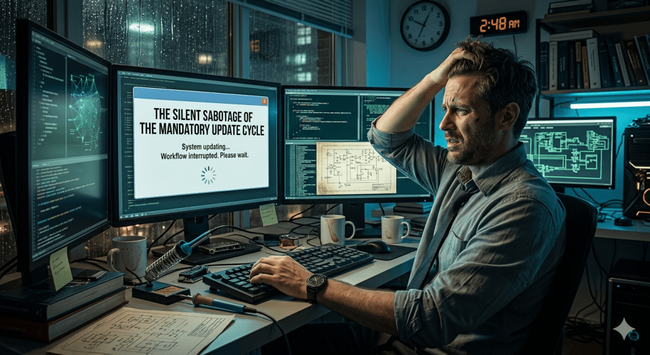

 Nicole Myers