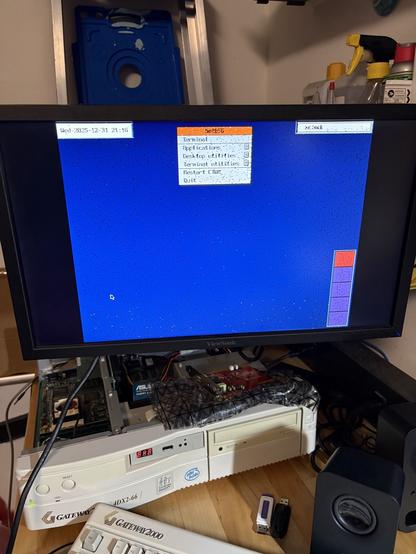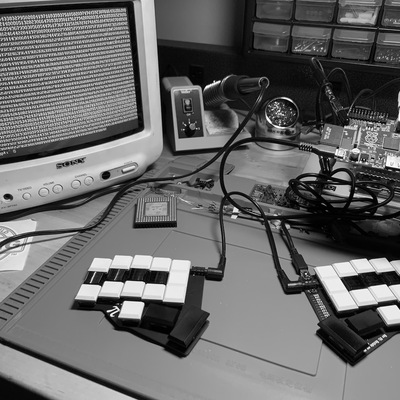
Progress. X and ctwm is running with VESA (not mach64 unfortunately) but has some distortion that needs fixing. Not exactly "snappy" either, but at least it's a GUI.

#netbsd #bsd #ctwm #xorg #x11 #retrocomputing
@midtsveen #AlpineLinux with #WM #openbox. No #DE. But 95% of the time I'm on #NetBSD with #ctwm
Following my #NetBSD 10.1 journey where my #ThinkPad T470s wake up from S3 suspend with dead keyboard and touchpad yet working WiFi, today I tried with the lastest 11.0 snapshot (20251220). All the same as before, unresponsive keyboard and touchpad, with working WiFi. However when I tried with a USB connected keyboard in default #CTWM session, the keyboard seemed to work after a while. At the same time, WiFi got disconnected so I lost ssh access and had to use power button for hard shutdown.

I think I will probably end my NetBSD journey at this point.

#FOSS #Unix #BSD #RunBSD
Since #NetBSD comes with a nicely configured #CTWM. I copied their config files to #FreeBSD and with a few small changes, mainly command path differences between the two, and now CTWM seems much better!

#RunBSD #BSD #Unix #FOSS
I am really enjoying #CTWM it feels like just enough control

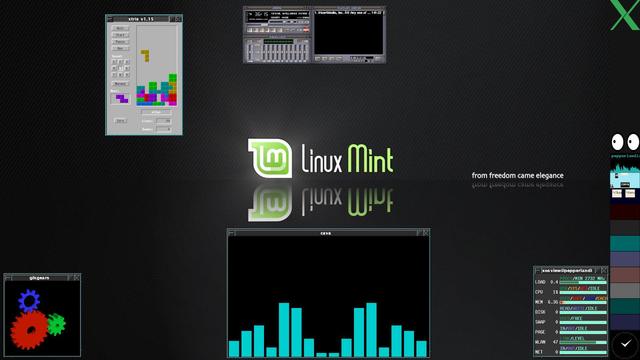
I don't know when I installed the Terminator terminal emulator on #LinuxMintDebianEdition, but it was awhile ago. I was intrigued by its ability to run multiple terminals simultaneously, and while I could figure out how to split my window with new terminals, I couldn't figure out how it would be useful.

This week I decided to investigate that. I learned that the user can define a "layout" with a window configuration, even programs set to launch in each window.

It wasn't exactly intuitive at first -- no, it was downright counter-intuitive -- but I got the hang of it and created a couple of layouts, one for music (shown), one for system tools, one for productivity apps (like Emacs and Alpine).

I added shortcuts to these layouts to my #CTWM menu, so if I want to launch a "package" of programs I can.

And, on semi-related note, Happy Release Day for #Debian13 to all those who celebrate! I'm looking forward to getting there myself in about two months, when LMDE upgrades its #Debian base to #debian13trixie. Patience, young padawan. #DebianDay

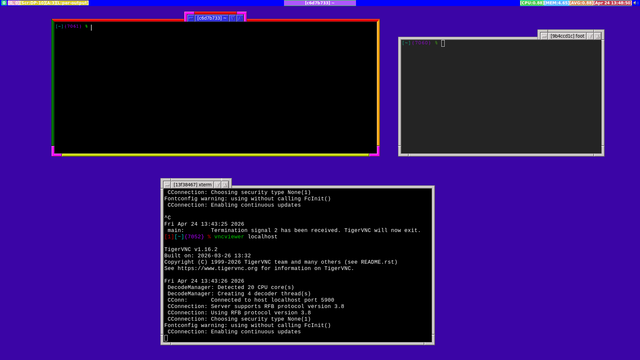
@itsfoss This is my #LMDE6 distraction-free #CTWM set-up, in all of its old school, brutalist motif style
I just installed #NetBSD 10.1 yesterday on my laptop with X sets too. I got #Firefox from #pkgin but it failed to launch with a core dump in a normal #ctwm session. Is this expected? Thanks!
First the good news: I installed #NetBSD on a Raspberry Pi 3. Next the good news: the command `man afterboot` gave me almost everything I needed to complete the setup and I learned a lot along the way. Finally, the good news: The #CTWM window manager is exactly my style and has me singing Prince's "I Would Die 4 U".

I got home from work, then did another hour and a half's worth of work -- deadlines! -- and then I did some tinkering with my #CTWM config for #LinuxMintDebianEdition

Nothing major. I swapped my monitors around this weekend, and my main computer now has my 2560x1440 27-inch monitor, so I'm updating the config to that.

I also added a couple of items to the menus, like Microsoft Teams (run as a #Vivaldi web app), then I had to decide what size to open the window and on which workspace to open it. and all of these things are configured in different places in the file.

The wallpaper, which my remote desktop obscures, is for the forthcoming #TalesOfTheShire game.