@peteorrall @joel @dm @sotolf @thedoctor @pixx @orbitalmartian @adamsdesk @krafter @roguefoam @clayton @giantspacesquid @Twizzay @stfn

Yeah, I wonder if Hombrew is used much at all on Linux.

Oh, I just remembered I was going to include cygwin's SETUP.EXE as a package manager (as it technically IS!) XD

Of course, this #blost was 1 hour's work, not 10, so it's pretty off the cuff and subjective ;)

I did skew heavily towards installation speed, and not just download speed, though. I wouldn't criticize an OS for not being able to afford crazy fast mirrors.

I posted the number of available packages for Debian (#RasPiOS), Arch (#CachyOS), and FreeBSD in this thread: https://polymaths.social/@rl_dane/statuses/01KRDSHN77A1505JP0VRXFC5BR

Package rollbacks would be a filesystem and OS-level feature, no? Like snapper on Linux and the boot environment selector (with ZFS) in #FreeBSD.

R.L. Dane 🍵 (@[email protected])

More thoughts on #CachyOS... - btrfs has some noticeable hesitancy at times, even on a fairly fast (8th gen i5) machine - if you're (understandably) avoiding the AUR, the proper pacman archives feel a bit slim at times: rld@prometheus:~$ pacman -Ss |grep "^[^ ]" |cut -f1 -d' ' |cut -f2 -d/ |sort -u |wc -l 16057 -- compare with #Debian (actually RasPiOS, in this case) -- $ for x in {a..z}; do apt-cache search $x; done |cut -f1 -d' ' |sort -u |wc -l 74416 (Not sure if that's accurate, but #DistroWatch says Debian has over 50,000, and Wikipedia says almost 70,000) - I've had to come up with a couple bespoke "daemons," one to refresh the xrdb every 10 seconds (NO idea why xrdb forgets everything so often on this box), and one to refresh the keyboard brightness (I use symlinks in my home directory for this) every two seconds, so that it retains the setting after resuming from sleep. UID PID PPID C STIME TTY TIME CMD rld 8035 1 0 May11 ? 00:00:00 sh -c while xrdb < ~/.Xdefaults; do sleep 10; done rld 25572 1 0 04:19 ? 00:00:01 sh -c while grep -om1 [0-9] .kbd_backlight |tr -dc 0-9 > ~/.kbd_backlight-sys; do sleep 2; done rld@prometheus:~$ file .kbd* .kbd_backlight: ASCII text .kbd_backlight-sys: symbolic link to /sys/class/leds/tpacpi::kbd_backlight/brightness rld@prometheus:~$ grep . .kbd* .kbd_backlight:2 .kbd_backlight-sys:2 rld@prometheus:~$

polymaths.social

Anyone know of instructions on how to emulate raspios arm64 under qemu/libvirt, that does not require cross compiling a kernel?

#qemu #libvirt #raspberrypi #raspios #arm64

@justine Can't explain your #BSD fascination directly, but I now have a similar relationship with #Debian. I started out on RH9 in the late 1990s, then for some unknown reason tilted to OpenSuse. But their mgmt sw drove me crazy, plus strategy changes, etc. Moved decisively to Debian in 2017/2018, and haven't looked back. It's reliable, runs on multiple hw platforms, and it. just. works. Plus it being the basis for #RasPiOS def helps 👍
@in_sympathy @fedora @kalilinux #RasPiOS is based on Debian Bookworm, which is a very stable OS. In actuality, the #RasPiOS team has moved the kernel forward (6.6) ahead of "standard" Bookworm (6.1). If you want bleeding edge there are other, sometimes less stable distros. The #BeautyOfLinux

#raspberrypi #raspberry #raspios users: Make your new Pi systems come up ready to rock!

https://github.com/gitbls/sdm

sdm enables you to build new fully customized SSD/SD Cards quickly and easily, including customizing pretty much ANYTHING in RasPiOS.

Beyond-basic but easy to use features include: automated rootfs encryption (also works on already-running systems), enabling disk trim (ditto), network config, add additional disk partitions, batch disk burning (think classrooms, etc),

GitHub - gitbls/sdm: Raspberry Pi SD Card Image Manager

Raspberry Pi SD Card Image Manager. Contribute to gitbls/sdm development by creating an account on GitHub.

GitHub

J'installe / utilise des distribs #Linux depuis 2003 (20 ans).

J'ai installé de la #Mandrake (Team vieux 😄 ), de la #Mandriva, de l'#Ubuntu, de la #Debian, de la #elementaryOS, de la #Mint, de la #RaspiOS, de la #Fedora, et quelques autres...

Aujourd'hui, c'est __la première fois en 20 ans__ que j'abandonne une installation : le logiciel m'a tellement mis les nerfs que j'ai lâché l'affaire !

PAS Merci Anaconda 😠 (et c'est pas la première fois qu'il m'enquiquine!)

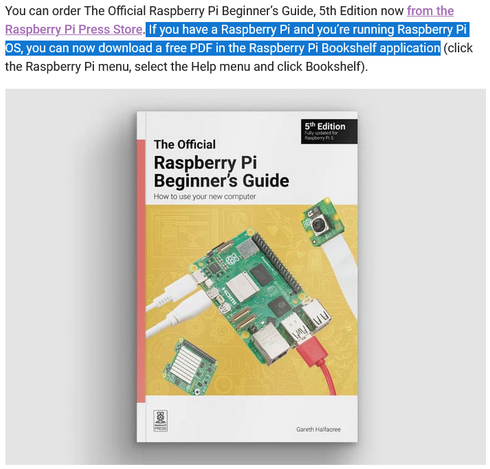
Die gerade erschienene 5. Ausgabe des #RaspberryPi "Beginner's Guide" kann von einem #Raspi mit #RaspiOS kostenfrei heruntergeladen werden:
https://raspberrypi.com/news/available-now-the-official-raspberry-pi-beginners-guide-5th-edition/
#Elektronik #SBC #Linux #hackerspace #MINT #STEM #Rechenkraft
Available now: The Official Raspberry Pi Beginner’s Guide, 5th Edition - Raspberry Pi

We're delighted to announce that we've released the latest edition of The Official Raspberry Pi Beginner’s Guide by Gareth Halfacree.

Raspberry Pi

Was ich heute gelernt habe: Eine WD Elements (externe Festplatte) einfach mal so out of the Box an einen #RaspberryPi anstöpseln, das funktioniert nicht. Das wird frustrierend langsam. Da helfen auch erstmal keine "#Quirks-Hacks" aus dem Netz.

Grund: Die Platte wird NTFS-formatiert ausgeliefert.

Ein Wechsel auf Ext4 via "sudo mkfs.ext4 /dev/[Partition auf der WDE]" wirkt wahre Wunder.

Für Neulinge: Achtung - die Aktion löscht sämtliche Daten auf der Platte!

#Linux #RaspiOS

Vous avez déjà dû le lire, mais il est possible de mettre à jour son raspberry de #debian11 #bullseye à #debian12 #bookworm

Ma configuration 2 Raspberry 4 4 et 8Go de mémoire avec des boitiers Argon M2 et des SSD 1To WD Blue

La méthode de mise à jour est “presque” identique à la mise à jour d’une #debian classique.
En premier, vous éditez le fichier source.list.

sudo nano /etc/apt/sources.list

Il devrait ressembler à ça :

deb http://deb.debian.org/debian bullseye main contrib non-free-
deb http://security.debian.org/debian-security bullseye-security main contrib non-free
deb http://deb.debian.org/debian bullseye-updates main contrib non-free

Vous remplacez bullseye par bookworm et puis non-free par non-free-firmware. Cela devrait donner ça :

deb http://deb.debian.org/debian bookworm main contrib non-free-firmware
deb http://security.debian.org/debian-security bookworm-security main contrib non-free-firmware
deb http://deb.debian.org/debian bookworm-updates main contrib non-free-firmware

Ce qui change avec une debian normale, c’est l’obligation de modifier un deuxième fichier : raspi.list.

sudo nano /etc/apt/sources.list.d/raspi.list

Il devrait ressembler à ça.

deb http://archive.raspberrypi.org/debian/ bullseye main

Comme pour le fichier source list, on change bullseye par bookworm.

deb http://archive.raspberrypi.org/debian/ bookworm main

Et voilà c’est presque terminé. Il suffit de saisir ces dernières commandes :

sudo apt update; sudo apt dist-upgrade

Et quelques minutes plus tard après un reboot cela devrait être bon, vous êtes en debian 12.

https://thierrytalbert.fr/2023/10/13/raspios-de-bullseye-a-bookworm/

#bookworm #bullseye #debian #debian11 #debian12 #raspberry #raspios

Instance Friendica de Thierry Talbert | Search

Instance Friendica de Thierry Talbert | ⚡Thierry Talbert🐧 @ Instance Friendica de Thierry Talbert