 Monoka
 Tommi Nieminen
Ärsyttää, kun joidenkin kaupallisten ohjelmien lisenssiehdoista on vaikea löytää tietoa (ne kerran asennettaessa hyväksyttyään). Nytkin pitäisi saada tietää, monelleko koneelleni saan asentaa ostamani #Qoppa Softwaren #PDFStudioPro-ohjelman. #atkjuttuja
From today, almost all applications that I am using run on pure #Wayland. Today, #RStudio was updated with full Wayland comptability. The only application that still requires #XWayland is #Xodo #PDFStudio (formerly #Qoppa), which runs on #Java. Does anyone know when Java applications finally will support Wayland?
If you mean actual PDF editing (without the need to import from or export to PDF), then there is only one open source project:
#PDF4QT https://flathub.org/apps/io.github.JakubMelka.Pdf4qt
This is an actual PDF editor. For smaller tasks, there are several apps for reading, highlighting, marking, commenting, reshuffling of pages etc.
If you also consider a #PDFEditor which is not open source, then there is #Qoppa #PDFStudio . It is very comprehensive and similarly powerful as Acrobat: https://www.qoppa.com/pdfstudio/

 CubicleNate
I have been running #PDFStudio by #Qoppa for many years and it keeps getting better at each release. Also, when you buy it you own it, no subscription. BEST #PDF Productivity App you can buy. Runs GREAT on #Linux. Especially @openSUSE!
https://cubiclenate.com/2024/07/27/qoppa-pdf-studio-2024-on-linux/

@hoergen Qoppa PDF Studio kann das unter Seitengröße ändern.
Es ist zwar kein open source, aber ein sehr zuverlässiger #PDFEditor. Ich nutze es seit Jahren und bin sehr zufrieden.
@[email protected] To my knowledge there are two real #PDFeditor on #Linux. Both are not #FOSS. I am using #Qoppa #PDFStudio (https://www.qoppa.com/pdfstudio/) which has all the features I need. There is also #MasterPDFEditor (https://code-industry.net/masterpdfeditor/). In terms of #FOSS, no #PDF editor exists. #PDF4QT (https://jakubmelka.github.io/) aims at getting there, but it is not yet there. The other frequently suggested programs are #LibreOffice Draw and #Inkscape, but both don't preserve/edit the PDF, but import/export it.

1st: Have a look at cross-platform applications that are available on the current platform and Linux, and see if they are good for you (e.g. #LibreOffice, #Zotero, #Firefox, #Thunderbird, #Qoppa #PDFStudio, ...)
2nd: Is your computer/notebook and your printer etc. well supported by #Linux? Check the internet for it.
3rd: After switching: Look first for software in the distribution repositories and not on the websites of the projects. Install it from the distribution if available.
@[email protected] Unfortunately, both, #Okular, #PDFSAM, are not suitable for #PDF editing. There is a substantial lack of #opensource #PDFeditor in #Linux. There are two commercial products: #Qoppa #PDFStudio and #MasterPDFEditor. The only open source project is #PDF4QT, but it is not there yet: https://jakubmelka.github.io/

 Heinelo
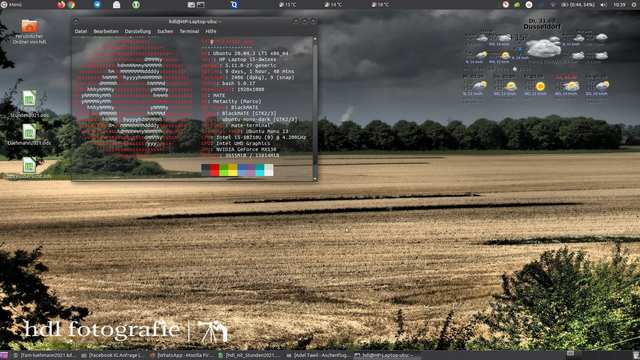
Mal seit langer Zeit wieder ein Desktop Bild
Für alle die eine vernünftige PDF Lösung für Linux suchen kann ich Qoppa PDF Studio Pro empfehlen. Bin damit sehr zufrieden digitale Unterschriften signierte Pdfs kein Problem. Für alle die kein Adobe nutzen wollen.