Terminaux 6.1.x and 7.0.x EOL Reminder

When Terminaux 6.1.x and 7.0.x were released, we gave them the dates that we are expected to stop providing further updates for these version series. Terminaux 6.1.x focused on adding wrapped writers and modern argument parsing from the Nitrocid codebase, which was an improvement over version 6.0.x that added many features. Meanwhile, v7.0.x focused on adding more features while restructuring critical parts of code and improving the writers.

We are, hereby, announcing that every project that uses both Terminaux 6.1.x and 7.0.x needs to be aware that the end of life date is reaching closer. We have assigned the end of life date for both version series to August 5th, 2026.

We recommend that every project migrate from v6.1.x and v7.0.x version series to the v8.x version series for continuous support, because we are now providing long-term support for the latter version series, as we explained here.

After August 5th, 2026, we won’t provide any new security updates and other updates to v6.1.x and v7.0.x.

We have prepared a migration guide in the GitBook docs in the below links. If you are running Terminaux v6.1.x, you’ll have to perform both steps 1 and 2. However, if you are running v7.0, you can just perform step 2.

Migration guide to v7.0 (step 1) Migration guide to v8.x (step 2)

Terminaux 8.0 adds audio cues, global password mask for inputs that are related to passwords and other secrets, support for hidden commands, and more features, as well as improvements and bug fixes. Since then, various incremental versions have been released, with v8.4 being the latest for adding support for FreeBSD systems.

#EndOfLife #EOL #news #OutOfSupport #Tech #Technology #terminaux #Terminaux6 #Terminaux61 #Terminaux7 #Terminaux70 #update

Office 2021 suite will reach EOL on October 13th

Microsoft has set up an end of life date for the Office 2021 office suite. It was released on October 5th, 2021, aligning with the Windows 11 release on the same date to celebrate the new modern era of fluent design. This standalone version of the office suite is purchased under a perpetual license for those who prefer not to use the subscription-based Office 365.

Microsoft will end support for this version of the office suite on October 13th, 2026, as Office 2024 began its life cycle on October 1st, 2024, to provide users with new features and design. This means that no more updates will be made for those who are still running Office 2021 after the mentioned date. The LTSC edition will also become end of life at the same mentioned date.

More specifically, the following Office applications will become EOL:

macOS users will also have their support for Office 2021 ended on the same date for both the standard version and the LTSC version. If you are still running this version of Office and wish to continue receiving official support and updates, you’ll need to consider migrating to Office 2024, if you prefer perpetual licenses, or Office 365, if you prefer subscriptions.

#EndOfLife #EOL #microsoft #MicrosoftWindows #news #office #Office2021 #Office2021LTSC #OutOfSupport #Tech #Technology #update #Windows

Nitrocid 0.1.1 is no longer supported

We are announcing that the end of support for the first minor release after the 0.1.0 version, the 0.1.1 version that was released on July 23rd, 2024, has officially commenced as of today. It added new features, such as The Nitrocid Homepage, while improving existing features to make them more reliable.

The final mod API version for this version series was v3.0.26.60, and the final version of this release series was v0.1.1.36. Starting from today, we will no longer:

  • provide further new versions under that version series
  • provide support for users that continue to use this version series
  • provide any security and features improvements across different components

In addition to that, the warning message will be displayed upon trying to start this version series up, reminding you of this series’ support. In Debian builds, you’ll be notified in the command line that you’re installing the version series that is no longer supported.

In order to continue getting new features and security updates, and to continue receiving support from us, please either use the latest LTS version, which is v0.1.0.x, or use the latest short-term supported version, such as v0.1.2.x.

#EndOfLife #EOL #KernelSimulator #news #nitrocid #NitrocidKS #OutOfSupport #Tech #Technology #update

Old Nitrocid PPA EOL Reminder

The old Nitrocid PPA (kernel-sim) has been officially marked as deprecated as of the 0.1.2.0 release on February 27th, 2025. The reason was that because we wanted to get rid of a PPA that hosted very old versions of Nitrocid KS, such as 0.0.15.8 for Groovy Gorilla uploaded on April 14th, 2021, and because the most recent versions that were released had libc6 issues on Jammy Jellyfish and older.

We have only added the deprecation notice to the old PPA mentioned above, but we’ve recently updated the notice. We will permanently disable the kernel-sim PPA starting July 1st, 2025, as we get closer to the second half of the year.

To disable the kernel-sim PPA and to enable the newer Nitrocid PPA, nitrocid, follow these steps:

  • Uninstalling all Nitrocid-related packages from the old PPA
  • Open the terminal emulator
  • Run sudo apt purge kernel-simulator
  • Replacing the kernel-sim PPA with the nitrocid PPA
  • Run sudo add-apt-repository --remove ppa:eofla/kernel-sim
  • Run sudo add-apt-repository ppa:eofla/nitrocid
  • Installing the newer Nitrocid packages
  • Execute sudo apt update
  • Follow the instructions by running sudo apt install nitrocid
  • Once you follow the above steps, you’re now using the new nitrocid PPA instead of the older one. If you failed to remove the kernel-sim PPA from your system before the abovementioned deadline, the apt update command will fail with error messages about said PPA.

    #EndOfLife #EOL #KernelSimulator #news #nitrocid #NitrocidKS #OutOfSupport #Tech #Technology #update

    Nitrocid 0.1.1 EOL Reminder

    We are approaching the end of support for the first minor release after the 0.1.0 version, the 0.1.1 version that was released on July 23rd, 2024. It added new features, such as The Nitrocid Homepage, while improving existing features to make them more reliable.

    The final mod API version for this version series is v3.0.26.60, and the final version of this release series is v0.1.1.36 that was released today to fix some small bugs.

    The end of support date was assigned as April 23rd, 2025. This means that, starting from that day, we will no longer:

    • provide further new versions under that version series
    • provide support for users that continue to use this version series
    • provide any security and features improvements across different components

    In addition to that, the warning message will be displayed upon trying to start this version series up, reminding you of this series’ support. In Debian builds, you’ll be notified in the command line that you’re installing the version series that is no longer supported.

    In order to continue getting new features and security updates, and to continue receiving support from us, please either use the latest LTS version, which is v0.1.0.x, or use the latest short-term supported version, such as v0.1.2.x.

    In the upcoming service pack for v0.1.0.x, we’ll push all v0.1.1.x features to the long-term version series to make sure that further bugs in those features get fixed across releases.

    #EndOfLife #EOL #KernelSimulator #news #nitrocid #NitrocidKS #OutOfSupport #Tech #Technology #update

    Samsung Galaxy S20 is now out of support

    Samsung has refreshed the security update list for phones, and the Galaxy S20 series has been finally removed from the update plan after having received security updates quarterly. The following phones are affected:

    • Galaxy S20
    • Galaxy S20 5G
    • Galaxy S20+
    • Galaxy S20+ 5G
    • Galaxy S20 Ultra 5G

    This means that users with these phones no longer receive any further security updates as of April 2025. The update cycle was five years, and it’s time to say goodbye to the Galaxy S20 series. It was announced on February 2020 when this flagship phone was still new at the time. It ran Android 10 with One UI 2, then it got updated three times to Android 13 with One UI 5 in 2022 before two more years of security updates.

    However, don’t fret as your Galaxy S20 is still safe to use, because you’re getting at least the Project Mainline features, which are from the Google Play system updates. You can still use it for basic tasks, but if you want to experience the latest features that One UI 7 brings, why not upgrade your phone to the Galaxy S25?

    #Android #EndOfLife #EOL #news #oneUi #OutOfSupport #Samsung #smartphone #Tech #Technology #update

    Samsung Mobile Security

    First Reminder of Windows 10’s Retirement

    Windows 10 was first released on July 29th, 2015, to address the issues that Windows 8 brought and to give you new amazing features. It featured a redesigned start menu, an elegant look, and new functions that simplify your workflow. It was initially thought to be the last version of Windows, as it would provide feature updates every six months in its initial release. Since then, Windows 11 was released on October 5th, 2021, and that’s when everything changed.

    Feature updates have been made to release yearly, with monthly cumulative updates being made as usual. Windows 11 brought to you many new features, such as new, sleek, modern design, new ways to streamline your workflow, and brand new features that allow you to perform everyday tasks like never before. As a result, Windows 10 has been given a final date in which the Home and Pro editions will no longer be supported.

    The retirement date for the operating system is October 14th, 2025, according to the list of end of life dates.

    However, if you’re running LTSC versions of Windows 10, the following dates are decided:

    Your computer will continue to work after the end of life date, but Microsoft recommends that you migrate your installation to Windows 11 to continue receiving software updates, especially the security ones. Additionally, most software manufacturers are expected to take out support of Windows 10, meaning that they’ll now require Windows 11 to run.

    For instance, we are taking steps to take out support for Windows 10 for our applications in the following stages:

    • January 26th, 2025: We’ll start notifying users about the support of Windows 10 in the next servicing versions of Nitrocid KS.
    • February 28th, 2025: We’ll no longer provide support for Nitrocid KS on Windows 10 for all the supported releases (0.1.0.x, 0.1.1.x, and 0.1.2.x).
    • October 14th, 2025: We’ll provide another reminder like this when Windows 10 mainstream support ends.
    • December 17th, 2026: We’ll no longer provide support for all of our applications and libraries on Windows 10 for all the supported releases.

    Upgrade your systems to continue receiving support.

    #EndOfLife #EOL #microsoft #news #OutOfSupport #security #Tech #technology #Unsupported #update #Windows #Windows10

    End of support for Windows 10, Windows 8.1, and Windows 7 | Microsoft Windows

    Make a smooth transition to Windows 11 from your unsupported operating system with help from Microsoft. Enjoy the benefits of upgrading to a Windows 11 PC.

    Windows

    Windows 10 was first released to the public on July 29th, 2015, when it had addressed the raging complaints about the mishaps of Windows 8 and 8.1. It simplified the user experience and made your workflow easier than before. Since then, updates to this version of Windows had been made to bring new features, to conduct performance improvements, and to make the operating system easier to use. Back then, Microsoft had promised in a conference that Windows 10 was going to be the last Windows version ever, and that there would be no Windows 11 or later.

    When we’ve witnessed Windows 11 being released on October 5th, 2021, we realized that Windows 10 wasn’t the last version of Windows. Since then, the last update to Windows 10, 22H2, was released on October 18th, 2022, more than a year after the initial version of Windows 11 was out.

    Today, we are reminding users that the end of support date for Windows 10 will be on October 14th, 2025. This means that you’ll no longer get the following:

    • Security updates
    • Bug fixes
    • New features

    If you’re still running Windows 10 and your computer meets the minimum requirements for Windows 11, upgrade it now to keep getting security updates! Attempting to install Windows 11 on unsupported computers won’t work as Microsoft is trying to block workarounds, and even if it’s successful, you won’t get any updates.

    In addition to that, future applications may not support Windows 10 anymore. Hence, you won’t get any updates for them, too.

    Stay safe!

    https://officialaptivi.wordpress.com/2024/09/13/windows-10-nears-end-of-support/

    #2015 #BugFixes #cybersecurity #EndOfLife #EOL #microsoft #news #OutOfSupport #Patches #security #SecurityPatch #SecurityUpdate #SecurityUpdates #update #Updates #Windows #Windows10 #Windows11

    Windows 11 released!

    You all know that Windows 10 was, according to Microsoft, the last version of Windows that keeps getting updated through feature and quality updates. However, it seems that they have changed their …

    Aptivi

    LineageOS 14.1 on TB3-710F abandoned

    UPDATE: We are continuing development of LineageOS 14.1 using the Resurrection Remix sources, but slower than usual. Download RR Nougat for Lenovo Tab3 7 Essential here!

    We released LineageOS 14.1 on the Lenovo Tab3 7″ Essential WiFi version tablets that hold the model of TB3-710F. This was done to “fill the gap of a dead HovaTek thread that had a broken link to the supposed LineageOS 14.1 build for the same tablet.” Curious? Click here.

    However, there were many concerns of Android 7 being discontinued due to security updates not reaching higher than 2021. As a result, LineageOS had to discontinue 14.1 according to the latest changes.

    Now that we’ve filled in the blanks, we’ve decided to liquidize all our resources to make further LineageOS 14.1 builds for the Lenovo TB3-710F as this device was too old to handle newer Android versions. Also, newer LineageOS versions aren’t going to be built for this device as the MediaTek processor found in this tablet, MT8127, doesn’t support recent versions of Android. This means that it requires some low-level debugging that we don’t have the resources for it.

    However, unlike all the other projects, we promise that we’ll preserve the LineageOS downloads forever on MEGA and on AndroidFileHost.

    What shall I do?

    At this point, you’ll have no option other than the following options:

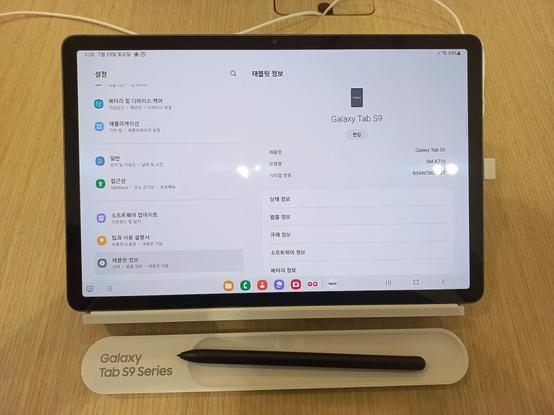
    • Purchase a more capable tablet. We highly recommend that you purchase the Samsung Galaxy Tab S9 series for heavy multitasking and heavy gaming.
    • Stay on TB3-710F with Android Nougat, risking that you won’t be able to receive updates for your favorite apps, including security updates, which may expose your device to security vulnerabilities.

    For your security, we recommend that you go for the first option. Enjoy!

    #abandoned #Android #Android7 #AndroidNougat #EndOfLife #EOL #Lenovo #LenovoTab #Lineage #lineageos #Nougat #OutOfSupport #TB3710F

    GNOME 41 is no longer supported

    GNOME 41 was out in September 22, 2021 to improve performance and give you a new look for its builtin app store. However, as time passes, GNOME 41 kept getting updated with minor bug fixes and general improvements.

    However, the GNOME team decided to end all support of GNOME 41 by making the last point release of this version, GNOME 41.10, at the same time that GNOME 43 getting ready by making its tarballs for the final release, which will be released on September 21th, 2022.

    The GNOME team no longer support GNOME 41, and if the users wanted to get continued support for the future GNOME 4x releases, they need to upgrade to either GNOME 42, which is still supported, or to the upcoming GNOME 43 release.

    Depending on the distribution, if you want to upgrade from GNOME 41 to the latest version, you will need to upgrade your distro to the latest supported version.

    Are you ready for GNOME 43?

    #Desktop #DesktopEnvironment #EndOfLife #GNOME #GNOME40 #Linux #OutOfSupport #update