Supercharge your console application with Terminaux 7.0!

Since the inception of the first ever version of Terminaux that changed how the terminal applications work in terms of user experience, we were working hard to add new exciting features, while constantly improving existing features. Terminaux 1.0 was first released on August 6th, 2023, as a mashup project of several terminal-related libraries that are no longer maintained. Since then, several major versions, such as the latest 6.x version series, went live.

In between versions 1.0 and 6.1, several new features were added, such as the screen feature, the more powerful interactive TUI feature, and the mouse listener feature. However, we felt that the whole framework needed some kind of refresh, such as improving existing features. We also felt the need to make the terminal applications more powerful than before.

We are so thrilled to announce the next-generation version of Terminaux that will change how your terminal applications work. This is…

Terminaux 7.0!

This version of Terminaux brings many improvements and new features that we were working very hard for six months. We will outline the top three features that made it to Terminaux, which made this release so exciting and huge.

Improved mouse support

We have improved the entire input system by introducing an event-based console event listener that allows you to read console input more reliably than never before. It not only supports keyboard input, but it also handles mouse events across all platforms, whether it’s Windows, Linux, or macOS. Of course, Terminaux handles mouse events since version 4.0, but we are talking about the major improvements that affected the input handling.

We have managed to fix outstanding issues with regards to reading mouse input in your interactive terminal applications, including echoing input VT sequences when clocking on an area with your mouse in Linux systems. We’ve also added support for SGR VT sequences to add support for bigger console windows when listening to mouse events, which makes your interactive applications stronger.

For performance reasons, we’ve chosen to utilize the raw mode reading to make those improvements possible. This is necessary to also parse the keyboard input ourselves, while making sure that it’s compatible with Console.ReadKey() in modern .NET applications.

Shell improvements

Earlier, Terminaux 6.0 introduced a minimal version of the shell that was found in the latest Nitrocid versions. That shell was the Mirage Easy SHell (MESH) that allowed building CLI applications, such as the file management shell. However, Nitrocid implemented much more than that, such as file name completions, shell scripting, and process execution.

To unify the codebase from Nitrocid to Terminaux 7.0 as part of the Terminaux preparation stage for Nitrocid 0.2.0, we’ve moved the entire implementation to Terminaux so that all shell console apps can have the same power as Nitrocid’s shell. Additionally, Nitrocid itself uses this shell from Terminaux, since the technical preview beta that we’ll release soon. This is to also integrate bugfixes to the remaining applications all at once.

Your shell has become more powerful, because we’ve not only introduced shell scripting (.mesh files) for task automation, but we’ve also brought several features straight from Nitrocid’s shell implementation, such as filesystem support and process execution.

Localization and RTL

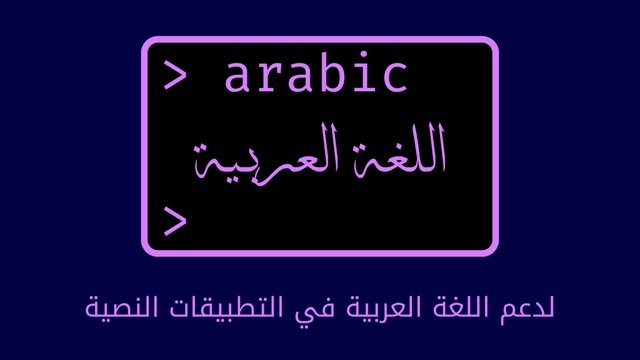
Alongside many features that got added, Terminaux 7.0 also provides improved RTL support, which increases the performance of terminal applications that use right-to-left scripts, such as Arabic letters, alongside the already-existing Chinese, Japanese, and Korean (CJK) language support that we’ve introduced back in the fourth version of Terminaux.

Terminaux 4.0 introduced partial support for right-to-left languages, and we’ve improved this feature in this version of Terminaux to fix some of the issues that resulted from the conversion of RTL characters to visual map. We’ve utilized some parts of an existing library to incorporate further improvements that will be released in future Textify versions.

We are now proud to announce an improved right-to-left language support to make terminal applications able to utilize those languages. Those in Arabic countries and in other RTL-speaking countries can now use Terminaux 7.0 to improve their terminal application’s appearance.

Get Terminaux 7.0!

Terminaux 7.0 is free to obtain, and you can upgrade from whatever version of Terminaux that you have to v7.0 without any extra fees. What are you waiting for? Supercharge your Terminaux application by upgrading to Terminaux 7.0!

Download Terminaux 7.0 Release notes Documentation

#Library #news #Tech #Technology #terminal #terminaux #Terminaux7 #Terminaux70 #update

Terminaux 7.0 Beta 4 Announcement

As we are closer to the final release (that we’ve prepared for you), we’ve released the fourth beta version of Terminaux 7.0 that concludes the beta program that we’ve started almost three months ago. Terminaux 7.0 brought many interesting changes, and this beta version is the latest representation of those improvements. We’ve primed the final version of Terminaux 7.0 for documentation and for testing to find bugs even before release.

We are very excited to announce that Terminaux 7.0 Beta 4 is now available on NuGet as version 7.0.0-beta4, which you can download to your project using the following command:

$ dotnet add package Terminaux --version 7.0.0-beta4

This version of Terminaux 7.0 brings many changes that were done after the third beta version released July 3rd. You can access the source code for the fourth beta version here on GitLab.

We’ve added theme color tools, which allows you to theme your Terminaux applications according to either the pre-defined theme type or the custom theme type that you define in your theme JSON file. This is a 1:1 implementation copied and moved straight from Nitrocid with appropriate modifications done, due to the older template tools being unsuitable for use with Nitrocid. Themes also support accents, which give a dynamic look to your Terminaux applications based on your color accent.

We’ve also added all features from Nitrocid’s shell implementation, effectively removing the implementation from the Nitrocid codebase. This is to make Terminaux applications using the shell features more powerful than never before. With features like MESH scripting, command redirects, and filesystem support, your applications now became more powerful than before! You can now more easily autocomplete the paths, and you can write scripts for your applications to automate the shell operations.

We’ve also added a new feature that most libraries don’t have, but appeals to users that prefer their native language. Starting from the fourth beta, your applications can now be localized! With the new localization feature powered by LocaleStation, you can now make your Terminaux application use your native language supported by our libraries! Common languages like French, Spanish, and Portuguese are available for you to try out, and you can use the existing APIs in the LocaleStation library to make Terminaux applications determine what language to use depending on your system culture settings, such as pt-BR for Portuguese (Brazil).

Of course, we’d improved the performance of your Terminaux applications when it comes to prompting users for a huge list of selections, which is tedious on the processor. We are speaking huge amounts like 700,000 choices! The final release brings more, but Terminaux 7.0 Beta 4 is the start of such improvements!

Are you ready for Terminaux 7.0 Beta 4?

#C_ #dotnet #news #Tech #Technology #terminal #terminaux #Terminaux7 #Terminaux70 #update

Terminaux 7.0 Beta 2 Announcement

Since the first beta, we have done improvements to several Terminaux components that will improve your user and your developer experience to build your Terminaux applications without worry. We are so excited to announce that, today, we will release the second beta version of Terminaux 7.0 that allows you to try out the new improved beta.

You can download the second beta version of Terminaux from NuGet by looking for version v7.0.0-beta2.

The mouse support has been improved, bringing several essential improvements to the mouse event handler to make sure that you will be able to handle those events easier than never before. With the renewed event listener code, you can now use such support to get mouse and keyboard events to process input and execute functions based on it. Whether it’s a left click or a key press, you can easily identify the event using a new class, InputEventInfo.

Also, we have improved mouse positioning on Linux systems by changing the protocol used from the legacy X10 protocol that had a very low limit for mouse cursor position to the modern SGR protocol that supports bigger console sizes. This makes sure that you can use Terminaux applications seamlessly in a large terminal size without having to resize it to a smaller one.

In addition to that, we have employed a better and a more performant reverse RTL code that allows your Arabic and other RTL scripts to be displayed correctly in your console, if it doesn’t reverse such scripts automatically. For RTL users, you can now benefit from those improvements to make sure that your Terminaux applications become usable in RTL systems.

Adding on top of those improvements, we have done some general improvements worth doing in the second beta, while the third beta will feature some more exciting improvements that will make your Terminaux applications stronger than never before.

Why not try out the second beta version of Terminaux 7.0?

#Net #beta #C_ #Console #csharp #dotnet #libraries #Library #news #Programming #Tech #Technology #terminal #terminaux #Terminaux7 #Terminaux70 #update