 Thomas Mathoi
Die populäre Erweiterung #NotebookNavigator für #Obisidian ist seit heute in der dritten Version verfügbar und bringt in Anlehnung an Apss wie #Ulysses und #Scrivener viele praktische Funktionen für das Schreiben mit.
 Elizabeth Tai | 戴秀铃 🇲🇾
I love #ObsidianMD. However, many enthusiasts in the space tend to create 20- to 30-minute tutorials. (Love you guys, but ain't got no time for that! ;P)
I'm a visual learner, so videos are immensely valuable to me. However, I am not convinced that text-based documentation will ever go away.
Here's the documentation I wrote for Notebook Navigator, a very popular Obsidian plug-in that I'm still using.
At first, I found the UI complex, but breaking it down in a document helped me learn-up the plug-in quickly. (The best way to learn is to teach someone else!)
If you use Obsidian, you may find my guide for Notebook Navigator useful: https://elizabethtai.com/2025/11/25/how-to-use-notebook-navigator-obsidian-community-plug-in/
PS: One of my dream pet projects is to create a documentation site from something like #Astro for the various community plug-ins out there. But I'm so busy I don't have time to even start. One day!
 Idle.Hirn
Ach, ich kann mich nicht entscheiden….Obsidian oder Anytype?
Beides gut, beides komplett verschieden
#obsidianmd #anytype #notetaking #pkm
Beides gut, beides komplett verschieden
#obsidianmd #anytype #notetaking #pkm
 Lorenzo Strambi
I've built a plugin for Obsidian that let's you receive reminder and alert about incoming tasks directly on Telegram (more platform to follow).
https://community.obsidian.md/plugins/reminder-telegram
and the new way of managing community plugins by Obsidian Team is great!
 Curtis McHale
Book Search Plus is now installable in Obsidian via the community site: https://community.obsidian.md/plugins/book-search-plus
#Obsidian bringt eine neue Community-Seite an den Start und macht damit den Zugang zu Plugins und Themes einfacher. Außerdem ist die neue Community Seite auch zentraler Hub für Entwickler von Plugins und Themes.
 Magnus Hedemark
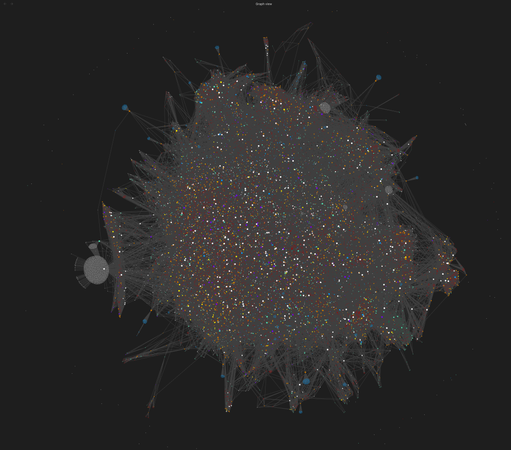
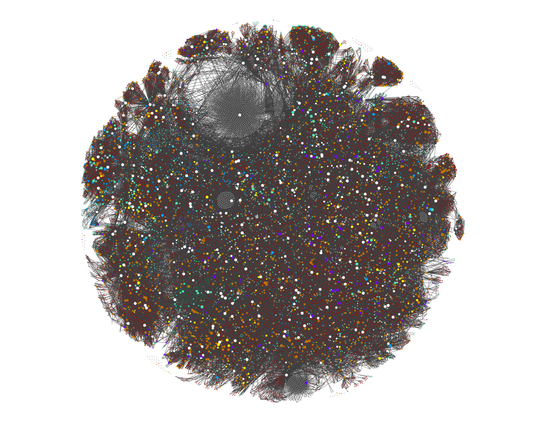
One of the things I love most about #ObsidianMD is the graph view. But now with #AI helping me with my notes, the volume has picked up a bit (as has the value). And now my poor M4 Mac Mini slows to a crawl trying to render the graph view. I kind of have a lot of notes.
This graph view does not show ghost notes & tags. These are all actual notes.
I do use a molecular notes scheme which has a tendency to create a higher volume of notes for a given source material or research session. But the payoff is I get rich cross-pollination of ideas out of it. This is not the Karpathy system. I've been at this awhile and it's more sophisticated than that.
 Hiro
HiroI made a little demo video for Capture⚡-- It's launching next week!
I’ve been enjoying working with #OpenCode as an alternative to #ClaudeCode. I still need to pay for inference because I can’t fit anything useful enough in 16GB VRAM for my main agent #LLM.
My #ObsidianMD use with #Claude has been more sophisticated than the open weight models can reliably keep up with. This is the hardest part of moving: the thought of dumbing down my vault research just to make smaller models work more consistently well.
#HermesAgent is neat but not used much yet.