 Technical Master
Windows Wi-Fi not connecting? Here's a systematic debugging guide.
18 fixes ranked by effectiveness:
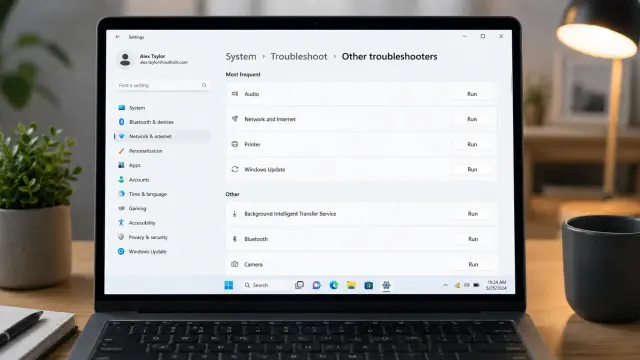
Network troubleshooter (works 30% of time)
Router restart (proper method)
TCP/IP reset
DNS switching
Driver updates
Full network reset
Covers Win10 & Win11 with CLI commands included.
https://thetechnicalmaster.com/how-to-fix-wifi-connection-issues-windows-10-11
#Windows #Networking #TechSupport #OpenSource #SysAdmin #ITHelp #WiFi #Troubleshooting
 Bryley Systems
 fedithom
 Nicklas Johnson 🏳️🌈
 Cosvak
 PeaceNick🇨🇦
 Ethan Black
 James Endicott
 Getzler Lab at KenyonCollege