Current network:
DSL (FTTC) -> ISP Router (Vodafone) -> USG -> LAN

Fibre networking options:
ONT -> Fritz!Box -> USG -> LAN
or
ONT -> Fritz!Box -> LAN
or
Some other setup?

Where the LAN has one subnet, runs on Netgear switches and a Unifi AP-Lite. Having played a little with Fritz!Box it’s quite possible I could get rid of the Unifi bits altogether as its WiFi seems good enough.

#HomeNetwork #HomeNetworking #networking #unifi #fttp #zen #fritzbox #Fritzbox7590AX

7 Ways to Speed Up Your Wi-Fi Without Buying a New Router
https://www.allthethings.best/ways-to-speed-up-your-wi-fi-without-buying-a-new-router
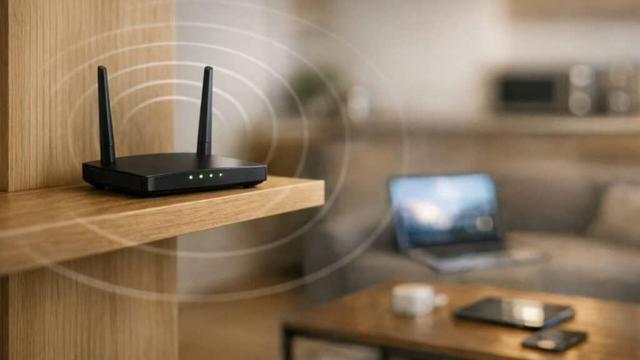
You can speed up your Wi‑Fi without buying a new router by tweaking a few settings and moving your equipment into a better spot. Simple changes like updating firmware or switching to less crowded channels can cut lag and dropped connections in just a few minutes.
#features #beginner #homenetworking #informative #network #wifi

#BurgeonLab #WeekNotes 024 is out (late)!
2026: Week 16/52 (Apr 13 – Apr 19)

➡️ https://burgeonlab.com/weeknotes/2026/w16/

Huge personal win from a #homenetworking / #selfhosting newbie! 🥳 I got #Indiekit running on my Pi now with #Docker, #Caddy and #Tailscale. And some notes about general site updates and the usual link roundup!

This is post 32 of #100DaysToOffload
📈 https://burgeonlab.com/tags/100daystooffload/

#blogging #blogs #smallweb #indieweb #weeknote #personalBlog #weeklynote #linkdump #blog #homelab #raspberryPi

Weeknote 2026-W16: Self-hosting Breakthrough & Site Updates

Revamped Pi homelab was a success, deployed public-facing Indiekit Micropub Node.js server using Docker, Compose, Tailscale and Caddy; with new Kitty terminal!

BurgeonLab

I am just curious for all you folks that run home computer labs. How do y'all handle DNS? I use dnsmasq because it is pretty powerful and does dynamic DNS automagically.

#homenetworking #homelab

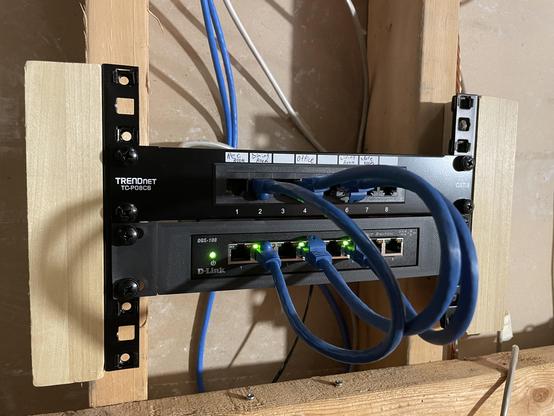
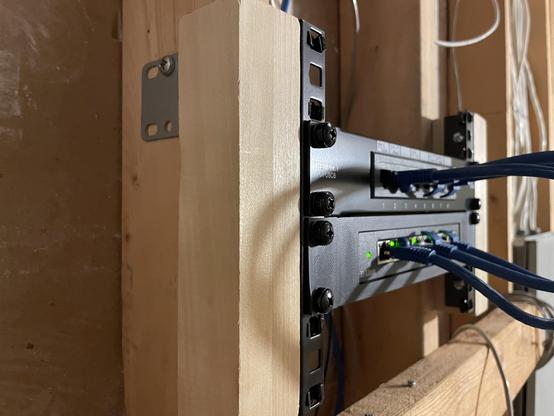
It's still a *little* jank, but I assure you it's much cleaner and professional-looking than before. All it took was some rack rails, 3D-printing, and a little ingenuity. 😁
#homenetworking #10inchrack

NETGEAR routers get FCC security clearance as US government tightens rules on foreign networking gear

https://fed.brid.gy/r/https://nerds.xyz/2026/04/netgear-fcc-router-approval/

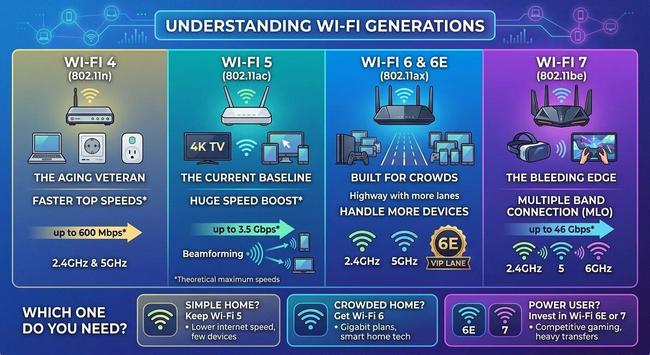
Remember when buying a router felt like deciphering a secret code? All those strings of letters like 802.11ac were just confusing. I am glad the industry finally switched to simple numbers. If you want WiFi versions explained for your home, it helps to know which standard actually matters. Your connection is only as fast as its weakest link.

https://gwizit.com/go/IfNB54a

#WiFiTips #HomeNetworking

So, gestern noch den OPNsense Fehler wegbekommen, dass keine Pakete akzeptiert wurden übers WAN Interface. Notiz an mich: Nicht zwei Stunden debuggen, sondern einfach mal neustarten.

Die Lösung ist trotzdem kacke so. Der mPCIe Intel I220 Adapter, den ich beim NUC nutzen wollte anstatt der WiFi-Karte, funktioniert nicht, weil der Slot da wohl nur WiFi akzeptiert.

Dh. ich hab jetzt RealTek internal NIC für LAN und USB RealTek NIC für WAN, was so die bescheuertste Kombi ist für OPNsense...
Router-on-a-Stick will ich nicht machen, ich hätte das schon gerne physisch separiert.

Irgendjemand eine Idee für nen:
- MiniPC / dedicated FW Kram
- der Suricata schafft im IPS mode
- bei Peak 1G WAN (8C/8GB RAM wahrscheinlich), LAN reicht 2.5G
- Bonuspunkte für SATA SSD Port, wenig Leistungsaufnahme (<=15W) und bezahlbar ~200-300€


Alternativen bisher:
- Komische Chinarechner mit zweifelhafter Firmwareunterstütztung und keine Ahnung was da an Power ausreicht (N350?)
- Lenovo m720q (220€) mit PCIe Riser (20€) und Intel PCIe NIC (55€) (295€ total)

#opnsense #homelab #homenetworking

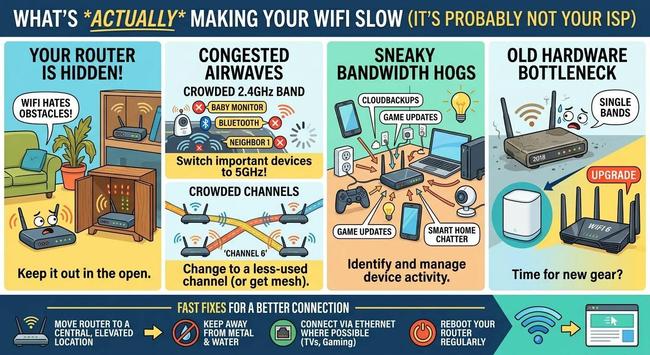
Ever find yourself staring at a buffering wheel despite paying for high speed internet? Often the issue is your router placement or interference. You can usually fix slow WiFi by moving your router or switching to the 5GHz band. Check out these tips: https://gwizit.com/go/f7tUsOR This post was written by a human but with AI assistance.

#HomeNetworking #WiFiTips