 bot
botImageMagick 제로데이: 모든 보안 정책을 우회하는 임의 파일 읽기 및 쓰기 취약점
ImageMagick의 파일 확장자 검증을 무시하고 매직 바이트 탐지 방식을 악용하여 SVG 및 PostScript 페이로드를 실행하는 다수의 제로데이 취약점이 발견되었습니다.
ImageMagick 제로데이: 모든 보안 정책을 우회하는 임의 파일 읽기 및 쓰기 취약점
ImageMagick의 파일 확장자 검증을 무시하고 매직 바이트 탐지 방식을 악용하여 SVG 및 PostScript 페이로드를 실행하는 다수의 제로데이 취약점이 발견되었습니다.
📢 ImageMagick : chaîne de zero-days permettant RCE sur toutes les politiques de sécurité
📝 ## 🔍 Contexte
Publié le 02/04/2026 par Octagon Networks sur pwn.ai, cet article détaille une recherche offensive...
📖 cyberveille : https://cyberveille.ch/posts/2026-02-04-imagemagick-chaine-de-zero-days-permettant-rce-sur-toutes-les-politiques-de-securite/
🌐 source : https://pwn.ai/blog/imagemagick-from-arbitrary-file-read-to-rce-in-every-policy-zeroday
#GhostScript #IOC #Cyberveille
🔍 Contexte Publié le 02/04/2026 par Octagon Networks sur pwn.ai, cet article détaille une recherche offensive autonome menée par l’agent IA pwn.ai pendant près de 5 jours, initiée lors d’un engagement client sur une application web minimaliste dont la seule surface d’attaque était une boîte d’upload traitant les fichiers via ImageMagick. 🎯 Découvertes principales La recherche a abouti à la découverte de multiples zero-days dans ImageMagick affectant toutes les distributions Linux majeures (Ubuntu 22.04, Debian, Fedora, RHEL, Arch, Alpine, Amazon Linux, macOS Homebrew, Docker) ainsi que les installations WordPress.
“Secure #redaction by design and through extensive #testing”
#Censor 0.6.0 comes with many more #security improvements, motivated by extensive testing on more then 1,000 #PDF document samples. You may now redact securely also links, form fields and widgets. In rare cases, when partial image redaction fails, the more secure full image removal is used instead.
But even more important, Censor now warns you, when unsuccessful redaction is detected during postprocessing. This reduces the impact of known issues of unsecure redaction.
Polish is the 11th language you may speak with Censor. Thanks to its translators (among them, @mondstern)!
Thanks a lot also to #pypdf, #qpdf, #pikepdf, #Ghostscript, #MuPDF, #PyMuPDF, and #poppler contributors for the great resource of PDF document samples!
Find it at @flathub: https://flathub.org/apps/page.codeberg.censor.Censor and @Codeberg: https://codeberg.org/censor/Censor
That said and celebrated ;), there are things that #Censor is not yet well redacting.
The upstream library #MuPDF (with its #Python bindings in #PyMuPDF) supports by default only redaction of text, vector graphics and images. Testing on a variety of PDF files (thanks to #pypdf, #qpdf, #ghostscript, and their issue reporters, as well as @pdfarranger for their hint) let me discover that some vector graphics are not properly redacted and an upstream issue has been reported for that.
Also, form fields (widgets), signatures and links may be incompletely redacted.
You can find an updated list of “What is redacted? What not?” here: https://codeberg.org/censor/Censor/issues/120
> **Warning** > The following description is **not** valid for Censor until version 0.4.0. I recommend to update to [version 0.5.0](https://codeberg.org/censor/Censor/releases/tag/v0.5.0) for secure redaction. ## Elements under redaction rectangles - [x] Text: - characters are removed when ...
I fixed my issue. This is incredibly dumb. Ubuntu's Apparmor restricted the file extensions ghostscript was able to read. And, lo and behold, both XML and ICC (Color profiles) were not in that list.
This MUST be a bug, now where to report it to?
I learned a thing or two about postscript and ghostscript on the way. Not sure I needed that but here we are.
I'll turn this into a quick blog post.

 CyberVeille.ch
 Robert Wolff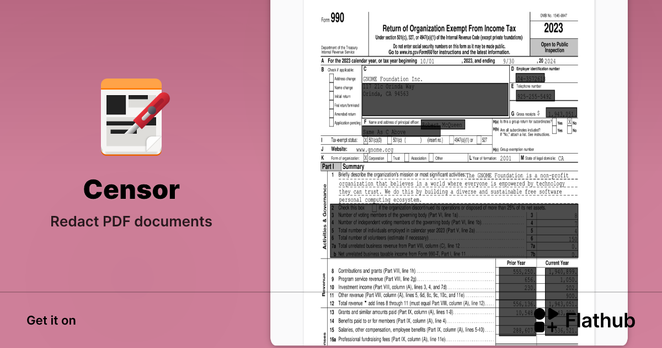
 Patchday Robot
 Patch Notification Robot 🔔
 half/byte
 Andreas Albrecht