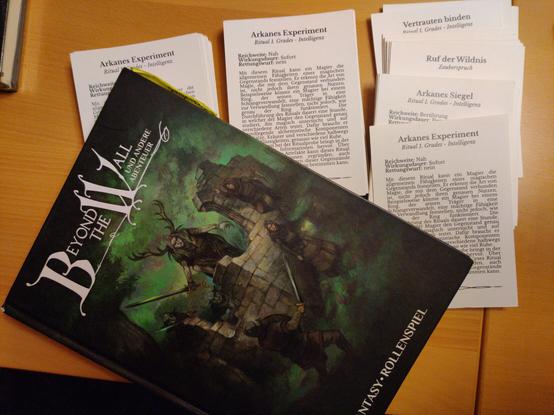
A custom GM screen for Traveller
If you’re running a long term campaign of any RPG, one of the most useful things you can make for yourself is a customized GM screen. Even if the game you’re running already has one, it’s still a good idea. When you’re in the middle of session, the rules and information you find yourself actually needing may not be the same things that the designer thought you’d need.
I’m currently in the middle of a long-term (1.5 years and counting) campaign of Traveller (Mongoose 2E). There are many good Traveller GM screens out there, including an official one, but none of them had the exact items I needed on a regular basis.
So I fired up Affinity and threw together a three-page, landscape GM screen for my own use. It includes the following:
- Basic combat rules along with a short list of the damage from common weapons.
- My players don’t get into a lot of space combat, but I do need to be reminded of some of the basic space operations – landing, docking, jumping, etc.
- Healing rules
- Using skills – Task Chains, Multiple actions, Timeframes, etc.
- The optional experience rules from the Traveller Companion
- All of the various world trade codes, starport types, and a refresher for the UWP code.
- My players don’t trade a lot, but they do take on a lot of passengers. I’ve listed all of the tables I need for that.
This probably isn’t the final version. I’ll probably tweak it more as I go, adding and removing bits as necessary. Here’s the PDF of the current version:
TravMG2E_GMScreenDownload If you wanted to use this as a basis for your own, here’s the Affinity file I created:
https://www.dropbox.com/scl/fi/be4fx6ywyhoc0w8ac3cbf/TravMG2E_GMScreen.afpub?rlkey=4ed47yc1ebmd5khaczwoxirse&st=b0002fhg&dl=0
#FreeStuff #GMScreen #RPG #SciFi #Traveller
 Khairul Hisham
 monniatures
 monniatures


 Polyhedral Nonsense

 Ⓐstropub
 rollspelosofen
 BASHMAN

 Dave McAlister
 Gorobar