Abfahrmonitor:
Ich habe ich ein kleines E-Ink-Display gebaut, das direkt neben meiner Haustür hängt und mir live Bus- und Bahnabfahrten für meinen Weg zur Arbeit anzeigt. Jeden Morgen verlasse ich das Haus, fahre mit dem Bus zum Bahnhof und von dort aus zu immer wechselnden Kundenstandorten. Ich könnte vor dem Losgehen auf mein Handy schauen, aber meistens vergesse ich das – und bin dann überrascht, wenn ein Bus oder Zug verspätet oder ausfällt.
Dieser Monitor löst das Problem für mich: Das Display ist immer sichtbar, wenn ich zur Tür rausgehe, also sehe ich die aktuellen Abfahrtszeiten auf einen Blick. Kein Handy mehr rausholen, keine Anschlussverbindungen verpassen, keine Überraschungen.
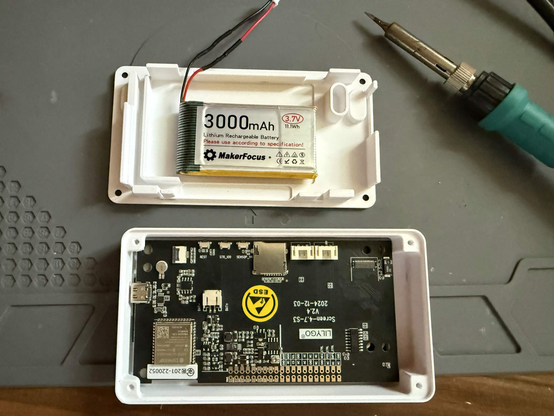
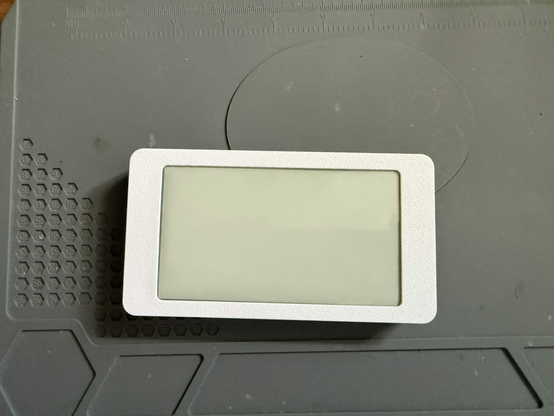
Es ist batteriebetrieben und basiert auf einem Lilygo T5 4,7"-E-Ink-Display mit ESP32-S3, eingebaut in ein 3D-gedrucktes Gehäuse. Die Firmware wurde von Grund auf neu speziell für dieses Projekt entwickelt. Sie verbindet sich mit der lokalen VRR-ÖPNV-API, holt Echtzeit-Abfahrtsdaten für meine Bushaltestelle und den nahegelegenen Bahnhof, aktualisiert tagsüber alle zwei Minuten und schläft nachts, um Strom zu sparen. Das E-Ink-Display verbraucht Energie nur beim Aktualisieren, sodass es mit einer einzigen Akkuladung sehr lange läuft.
Eigentlich sollte das schon letzte Woche fertig sein, aber bei der Hitze war das einfach unmöglich. :D
#Abfahrtsmonitor #DepartureMonitor #EInk #EPaper #LilyGoT5 #ESP32S3 #IoT #Maker #DIY #3DDruck #ÖPNV #VRR #SmartDisplay #BatteryPowered #PlatformIO
Github Repository
 Danny Garside
 Profoundly Nerdy
 Javier Gallén
 Blaze Trends
 artframe_tech

 artframe_flower

 Liliputing
 Brad Linder
 Raroun
 c't Magazin