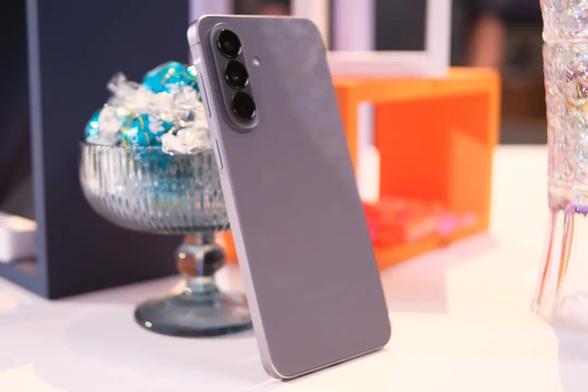
One UI 8.5 Showcase [4/4] – Miscellaneous – Galaxy A57

The last part shows you some of the other changes that were introduced to One UI 8.5, according to the changelogs that we’ve linked in the first part. For the Galaxy A57, One UI 8.5 is already installed since the device was released. This last part focuses on other changes, such as accessibility improvements, early alerts, and more.

We will split the showcase article into four parts, which you can choose here:

Now, let’s explore those changes.

If you have Bluetooth hearing aids, you can now easily manage them from the accessibility settings. We don’t have any hearing aids to showcase the improvements made, so we can only show you the connection screen.

You can now let the magnified area follow the keyboard input as you type, and follow the mouse cursor movement as you drag your mouse to the edge of the screen.

Dwell actions and corner actions are now available when you’re using your phone with your mouse. The following features are:

  • When you stop moving your mouse in a specified location for a few seconds, an action is automatically executed.
  • When you move your mouse to a corner of the screen, an action is automatically executed.

Previously, this was implemented under a single feature called Auto Action After Pointer Stops.

Early alerts for reminders can now be set, so that you can be reminded of an action in advance. You can choose either from a predefined set of minutes, or from a custom time period.

When you open a new tab in Samsung Browser, the page that shows you the speed dial has been rebranded, allowing you to more quickly access the websites and the features you need the most, along with the current security status and tabs open from other devices signed in to the same Samsung account, whether it’s another phone, a tablet, or a PC.

You can now record only a small portion of the screen, ensuring that you don’t have to record the whole screen and then editing later to crop it to a smaller screen. This saves time and effort.

Finally, when you copy a formula to your clipboard, you can open the calculator, and a small button that shows you the copied formula appears. Just tap it, and the calculator will calculate it for you without having to manually type it again. Try copying this formula to your clipboard on your phone running One UI 8.5 and opening your Calculator: 850*(75-25)

Overall, One UI 8.5 brought some of the amazing improvements that were made to the Galaxy A series devices, except for the AI features which didn’t make it to those devices, because they’re made to be exclusive to the latest Galaxy S flagship series, starting from the Galaxy S25.

One UI 9.0 is already eligible for the Galaxy A57 as the first Android OS upgrades, which will elevate your experience to the next level with even more customization options for the Quick Panel.

#A57 #Android #GalaxyA57 #news #oneUi #OneUI85 #Samsung #SamsungGalaxyA57 #smartphone #Tech #Technology #update
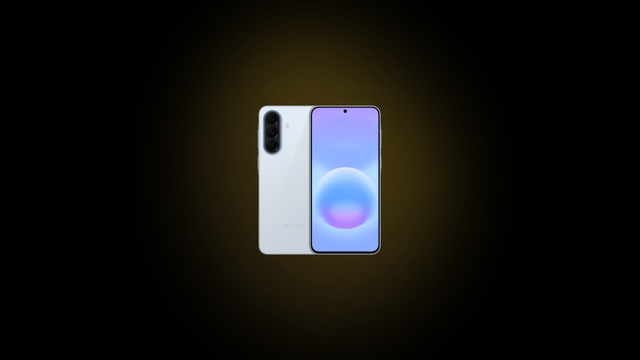
One UI 8.5 Showcase [3/4] – Power and Security – Galaxy A57

We are now moving to the third part where we talk about what was mentioned in the changelogs about power and security settings for your Galaxy device running One UI 8.5. This showcase was done on a Galaxy A57, which came with this version of One UI out of the box.

We will split the showcase article into four parts, which you can choose here:

Now, let’s explore those changes.

Battery usage information has become clearer than before. The battery stats redesign has been done, which makes it easier to check the remaining time, charging status, and daily usage over the past week.

When it comes to power saving, you can now customize the power saving presets, with Standard and Maximum presets being the default. You can change how they work, such as limiting CPU performance to 70%, reducing refresh rate, and more.

Theft protection makes your phone more secure by allowing you to turn on several locks, such as failed authentication locks in cases where a thief tried to verify your identity too many times.

Auto Blocker can now turn itself on after 30 minutes if you’ve turned it off temporarily so that your phone automatically becomes more secure. This is useful in cases where you need to temporarily turn it off to do something.

Knox Matrix control panel now shows you devices that needed updating to the latest security patch when it’s available. Since all our devices are up to date, we can only showcase the current status as in the below picture.

To go to the fourth part of the showcase, either press a link below “Next Article”, or press the Part 4 link at the top of this article.

#A57 #Android #GalaxyA57 #news #oneUi #OneUI85 #Samsung #SamsungGalaxyA57 #smartphone #Tech #Technology #update

One UI 8.5 Showcase [2/4] – Weather, Clock, and Connectivity – Galaxy A57

We are continuing with the set of articles that showcase the new features and changes that were mentioned in the One UI 8.5 changelogs. This part focuses on weather, clock, and connectivity-related changes that were made.

We will split the showcase article into four parts, which you can choose here:

Now, let’s explore those changes.

The weather widget has been improved so that it shows a graph when a precipitation is expected in a few hours. As there is currently no precipitation, we can’t showcase it here at this time.

Meanwhile, the pollen index has been added, and it consists of:

  • Trees
  • Grass
  • Ragweed

Weather alarm backgrounds allow you to set an alarm wallpaper that shows you the current state of the weather, based on your current location.

The time zone converter has been added, with the new slider making it easier for you to check the timezone differences between different places. Cards have also been added, with the current time for each city being shown, shifted according to the timezone offset.

One UI 8.5 introduces a new feature, called Storage Share, that allows you to access your files anywhere from a different Samsung device running One UI 8.5 or higher. Since the Galaxy Tab S8 won’t receive One UI 8.5, and we have no other devices that support Storage Share, we can’t showcase it properly.

Once you connect to your preferred display, you can open the Smart View menu at the top right corner of the screen to add the current display shortcut to the home screen. After that, if you want to connect to it later, just tap on your display’s name to connect to it instantly, like below:

When it comes to Auracast, options for both broadcasting music and listening to music can now be found in the Audio Broadcast menu from the Settings app. In order to use Auracast, you’ll have to connect to a device that supports it.

Quick Share allows you to choose whether to allow only your devices signed in to the same Samsung Account to send and/or receive files or not. Open Quick Share settings and set thr sharing visibility settings to Your Devices.

To go to the third part of the showcase, either press a link below “Next Article”, or press the Part 3 link at the top of this article.

#A57 #Android #GalaxyA57 #news #oneUi #OneUI85 #Samsung #SamsungGalaxyA57 #smartphone #Tech #Technology #update
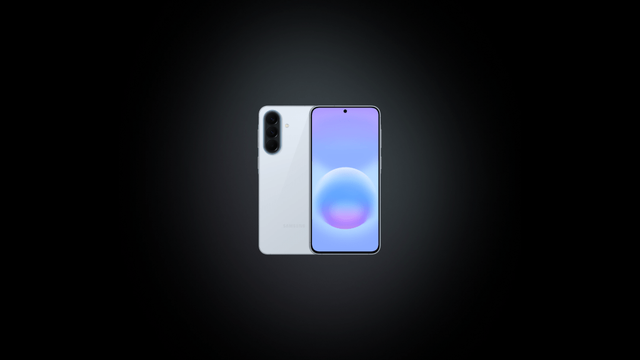
One UI 8.5 Showcase [1/4] – Personalization – Galaxy A57

This set of articles showcases the changes that were made to One UI 8.5 as part of the stable rollout for the Galaxy A series devices. As we now have the Galaxy A57, which came with One UI 8.5 out of the box, we will showcase those changes on the A57, based on the changelogs that were made for the Galaxy A56, which you can find here.

We will split the showcase article into four parts, which you can choose here:

Now, let’s explore the personalization changes.

One UI 8.5 brings a redefined design language, which makes your phone look more attractive than before. Starting with this version of One UI, more blur effects have been applied, along with floating elements that react organically to your workflow. The design has become more refined and sophisticated.

The quick panel has also become more customizable, with the elements being more resizable and adaptive than before. Vertical sound and brightness controls can be implemented in your quick panel, along with circular icons for actions, resizable music player, and much more.

Interactive wallpapers are also implemented in One UI 8.5, with the existing graphical wallpapers now being interactive, along with two new wallpapers that you can use on your phone for a fun experience.

Clock fonts in the lock screen have become more customizable, with even the animated clocks (that are static in all Galaxy A series devices) becoming more customizable by making it thick or thin. The adaptive clock, which was added to One UI 8.0 that only worked with pictures of people or animals, now work with objects, too.

According to your current settings for the lock screen clock, wallpapers with pictures of people or animals now automatically adjust themselves to make it suitable with the position of the lock screen clock and its widgets.

To go to the second part of the showcase, either press a link below “Next Article”, or press the Part 2 link at the top of this article.

#A57 #Android #GalaxyA57 #news #oneUi #OneUI85 #Samsung #SamsungGalaxyA57 #smartphone #Tech #Technology #update

June 2026 security patch becomes global for Galaxy A57 and A56

Samsung have revealed what vulnerabilities the June 2026 security patch has fixed earlier, as you can see here. This kind of update ensures that your phone, your tablet, and other devices become more secure as updates come along. Those updates are rolled out staggered, depending on your region and your device model. For instance, while the Galaxy S26 gets monthly updates, the Galaxy Tab S11 gets quarterly security updates.

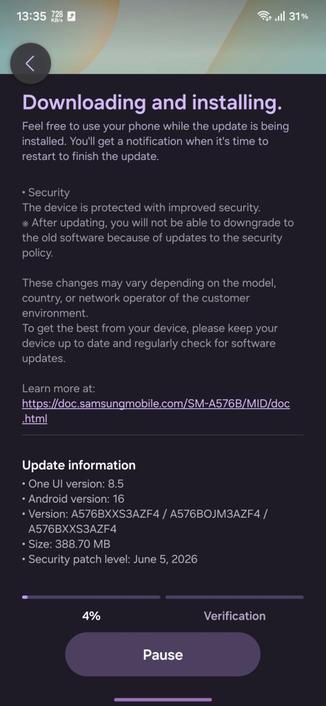
Samsung has started rolling out the June 2026 security patch to the Galaxy A57 and A56 phones to more countries, as part of the monthly security update rollout, starting from European countries. You can see the below details of the update for more info. Please note that the update may not have reached your country yet, so you’ll have to please wait.

Source: Tarun Vats

This security patch brings the June 5th, 2026 security patch that you can see in the update info. This contains all fixes to vulnerabilities discovered since the last security patch released for these phones.

The following firmware information is found: (Source: SammyGuru)

  • SM-A576B: A576BXXS3AZF4 [EUX, INS]
  • SM-A566B: A566BXXSBCZF5 [EUX]

To update your Galaxy to this security update, follow these steps:

  • Open Settings, and navigate to System Update
  • Tap on Check for Updates
  • Press Download Now
  • Wait until the download is complete, then press Install Now
  • Wait until the phone installs the update successfully
  • Make sure that you’re connected to a stable and fast Wi-Fi network to avoid high mobile data fees. Never interrupt the update in any way, or problems could occur later. Make sure that you apply all available updates once you update your phone for maximum stability. An update might take 5 to 10 minutes to apply, depending on the device and the type of the update being applied.

    If you’re seeing “Your software is up to date,” this means that the update hasn’t reached your device yet. Keep checking for updates, as Samsung rolls it out gradually to all devices from country to country, usually starting from Korea.

    #A56 #A57 #Android #Android16 #AndroidB #AndroidBaklava #GalaxyA56 #GalaxyA57 #news #oneUi #Samsung #SamsungGalaxyA56 #SamsungGalaxyA57 #smartphone #Tech #Technology #update

    Galaxy A57 is getting ready for the Korean release as “Quantum7”

    The successor of the last year’s Quantum6 phone in Korea is getting itself ready for the official release, which is a rebranded Galaxy A57 as Quantum7. Earlier, the Galaxy A57 was released to the general public on April of this year, with both the Galaxy A37 and the A57 being released together.

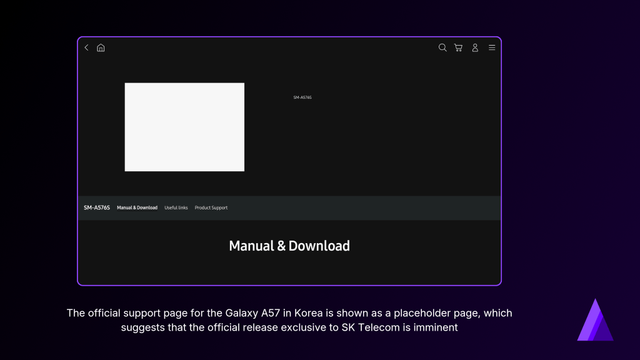
    Now, it looks like that the existence of the Galaxy Quantum7 in Korea is solidifying slowly, as the model number SM-A576S has appeared in the official support page, with SK Telecom as the only supported carrier.

    This suggests that the Galaxy Quantum7 is going to be available exclusively to the SK Telecom carrier, once the official release happens in the next few days or weeks.

    Galaxy Quantum7 provides the same features as the Galaxy A57, including the Awesome Intelligence features that increase your productivity, such as Voice Transcription, AI Select, Object Eraser, Best Face, and Auto Trim. A versatile three-camera system contains the 50 MP main sensor as the leading factor, with ultrawide lens to capture more.

    The Quantum7 sports a high performance with the upgraded CPU, GPU, and NPU, which provides improved performance for smooth streaming, scrolling, content creation, and much more. A larger vapor chamber allows your phone to stay cold for longer for sustained performance during extended heavy sessions.

    On top of all that, the Quantum7 will feature a QRNG security chip, which generates pure random numbers based on quantum states. It will also come with a quantum indicator that informs the user that an application is using quantum-secured service, such as in-app security for financial apps.

    #A57 #Android #GalaxyA57 #GalaxyQuantum7 #news #oneUi #Quantum7 #Samsung #SamsungGalaxyA57 #SamsungGalaxyQuantum7 #smartphone #Tech #Technology #update

    A57 between Hollow Meadows and Crosspool is now open again to motor traffic.
    The wall repairs are continuing 'under lights' (pardon the jargon).

    There is traffic back on the road, but last night was a lovely evening for a cycle in the peaks.

    #Sheffield #Cycling #BikeTooter #A57

    Die A57 bei Sonsbeck war seit dem Morgen in Richtung Krefeld gesperrt. Ein Gefahrguttransporter verlor eine geladene Flüssigkeit.#WDR #Sonsbeck #Uedem #Gefahrguttransporter #A57 #Feuerwehr #Polizei #NRW
    A57 Richtung Krefeld war wegen eines Gefahrguttransporters bei Sonsbeck gesperrt
    Sperrung auf A57 bei Sonsbeck | Brennbare Flüssigkeit war auf Lkw ausgelaufen

    Die A57 bei Sonsbeck war seit dem Morgen in Richtung Krefeld gesperrt. Ein Gefahrguttransporter verlor eine geladene Flüssigkeit.

    WDR

    Galaxy A57 enters One UI 9.0 testing!

    Not too long after the Galaxy A57 was released worldwide, the middle-ranger device has entered testing of One UI 9.0, which is based on Android 17 Cinnamon Bun. This version of One UI brings improved Samsung Notes that has more pen styles and other tools, improved Creative Studio that allows you to create personalized profile cards for your contacts effortlessly, and flexible Quick Panel that allows further customization.

    The test build of One UI 9.0 has been spotted on test servers, with SM-A576B as the model and EUX as the CSC. According to Tarun Vats, official internal testing of One UI 9.0 for the Galaxy A57 has started.

    The following information is available:

    • SM-A576B: A576BXXU3BZF3

    If the expansion of the beta program of One UI 9.0 happened, the Galaxy A57 might enter the beta program. If this happened, you’ll be able to join the beta program in eligible countries. Currently, there is no information as to when the expansion actually happens.

    Meanwhile, the Galaxy A57 is already receiving monthly security updates since the initial launch, and Samsung is expected to roll out this month’s security patch for this phone somewhere during June. This builds confidence for users who care about their phone being secure.

    To update your Galaxy A57 to the latest monthly security patch, follow these steps:

  • Open Settings, and navigate to System Update
  • Tap on Check for Updates
  • Press Download and Install
  • Wait until the download and the installation is complete, then press Reboot Now
  • Wait until the phone reboots successfully
  • Make sure that you’re connected to a stable and fast Wi-Fi network to avoid high mobile data fees. Never interrupt the update in any way, or problems could occur later. Make sure that you apply all available updates once you update your phone for maximum stability. An update might take 2 to 5 minutes to apply, depending on the device and the type of the update being applied.

    If you’re seeing “Your software is up to date,” this means that the update hasn’t reached your device yet. Keep checking for updates, as Samsung rolls it out gradually to all devices from country to country, usually starting from Korea.

    #A57 #Android #Android17 #AndroidC #AndroidCinnamonBun #GalaxyA57 #news #oneUi #Samsung #SamsungGalaxyA57 #smartphone #Tech #Technology #update
    Die A57 bei Sonsbeck ist seit dem Morgen Richtung Krefeld gesperrt. Ein Gefahrguttransporter verliert eine brennbare Flüssigkeit.#WDR #Sonsbeck #Uedem #Gefahrguttransporter #A57 #Feuerwehr #Polizei #NRW
    A57 Richtung Krefeld gesperrt wegen eines Gefahrguttransporters
    A57 bei Sonsbeck gesperrt | Gefahrgutttransporter verliert Flüssigkeit

    Die A57 bei Sonsbeck ist seit dem Morgen Richtung Krefeld gesperrt. Ein Gefahrguttransporter verliert eine brennbare Flüssigkeit.

    WDR