RaspberryConnect

@raspberryconnect
37 Followers
12 Following
58 Posts

I am interested using Raspberry Pi computers and other micro computers and microcontrollers.

Generally working through a list of projects that I would like to do that only ever seems to get longer, while my time to do them seems to get shorter.

I program in python and post the results of my projects on my website for anybody who may be interested. It's good to share.

Websitewww.raspberryconnect.com
Can you tell AI wasn't used?
I'm working on some anim guides for my Access Point script.
Its satisfying creating something yourself regardless of how simple it looks.
Web App guide next.
#linux #raspberrypi #sbc #cyberdeck #debian #PIOS #ubuntu #fedora #arch #robot https://www.raspberryconnect.com/projects/65-raspberrypi-hotspot-accesspoints/203-automated-switching-accesspoint-wifi-network
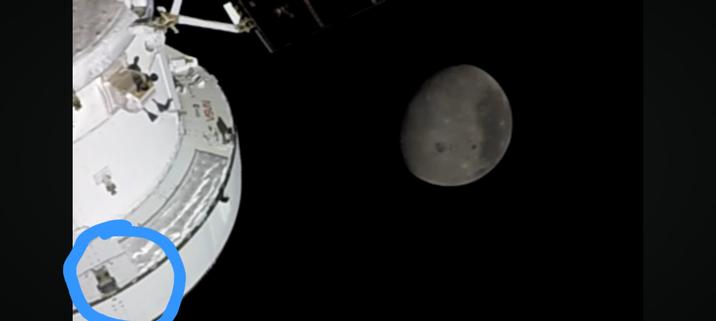
The Artemis space craft seems to have a smiling hippo painted on it! #artemis #orion #nasa #moon

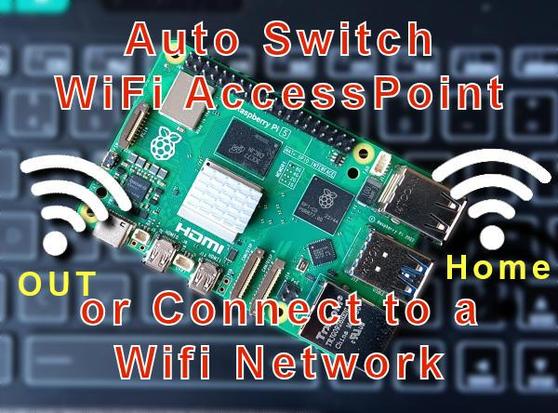
My Automated Access Point script, good for headerless linux devices.

Auto switches between a wifi Network when the signal is weak and then disconnects to an AccessPoint + more features.

Also has an optional Web App so you can connect to new wifi networks or activate the access point without using ssh

#debian #fedora #arch #raspberrypi #PiOS #Ubuntu #linux
On github via https://www.raspberryconnect.com/projects/65-raspberrypi-hotspot-accesspoints/203-automated-switching-accesspoint-wifi-network

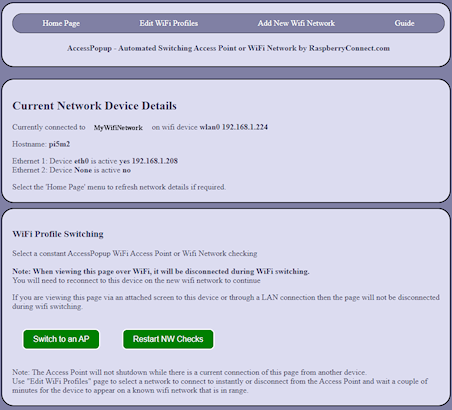
I have a little solar powered #raspberrypi Pico sensor project that's been running for a couple of years. It has a UV light sensor, amongst others. At some point, the plastic cover has come off and amazingly, it is still working even though we have had a lot of rain. Putting a temporary plastic bag over it has made it more sensitive. Not such a temporary bag now.

#RaspberryPiPico #maker

Iv'e expanded my #raspberrypi Automated Access Point script using Network Manager to work on other Linux devices. It makes sure Wifi is always available. Good for headerless devices.
Auto switches between an AP or wifi Network when the signal is weak and disconnects + more. #debian #fedora #arch #PiOS #Ubuntu #linux
On github via https://www.raspberryconnect.com/projects/65-raspberrypi-hotspot-accesspoints/203-automated-switching-accesspoint-wifi-network
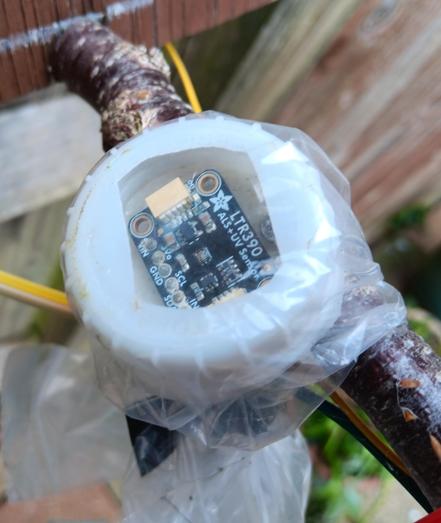
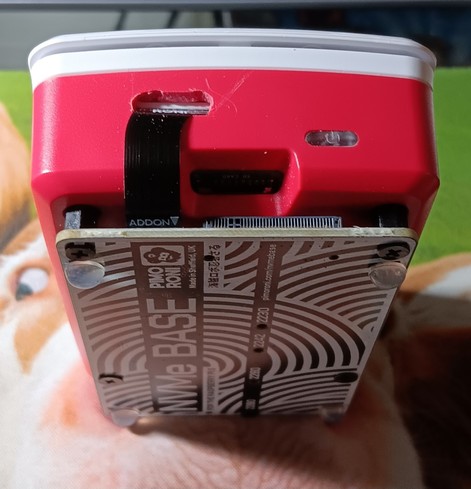
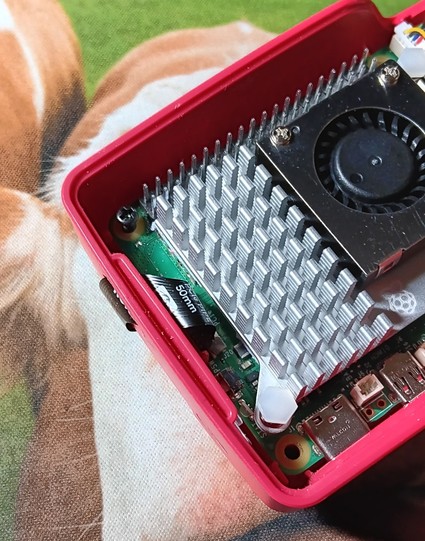
#pimoroni brought out a longer pcie cable for their NVMe Base. So i brought the setup hopeing it can be used with a #raspberrypi 5 case. It didn't fit. So i have modified the case instead. All setup and running with a 256gb SSD drive now.
https://www.raspberryconnect.com/projects/42-hardware-addons/205-raspberry-pi-5-case-with-the-pimoroni-nvme-ssd-base-pcie-add-on
Raspberry Connect - Raspberry Pi 5 Case with the Pimoroni NVMe SSD Base PCIe add-on

Modding an official Pi5 case to use with the Pimoroni NVMe Base add-on

From sprites to Raytraced cars. These are some of the #F1 games I have enjoyed the most since following the F1 championship. Starting in the arcade as a kid, to playing on the #c64 and #amiga #retrogames.
I have also played PC F1 games in the past but this is the first time i can play a modern F1 game in full quality or in VR, which is far more enjoyable. Games have come along way in 40 years. Looking forward to playing F1 2043.

I thought I would compare the #raspberrypi 5 to my PC generating some Fractal Graphics in #Mandelbulber 2 (basically images from complex mathematical calculations) . Activated; ambient occlusion, anti alias, glow, fog so it has do some extra calculations.

1113 Frames:
Rpi5: 28 hours (cpu only)
PC AMD Ryzen7 3700 8 cores: 10hr 36 mins. (cpu only)
I think that makes the Pi5 quite respectable in comparison.

Then I activated the PC's GPU. Nvidia RTX 3060: 18 mins

Oh!

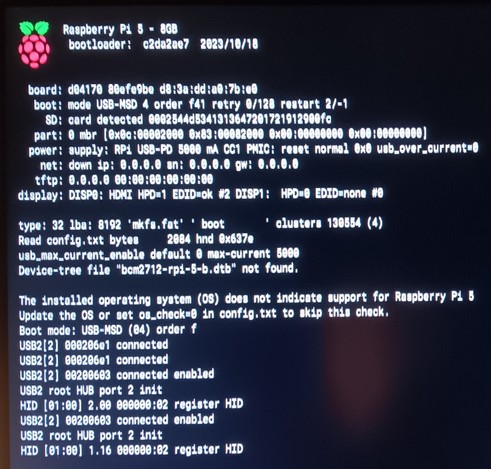
If you have plans to use #PiOS Bullseye on the #raspberrypi #rpi5 you will be greeted with this message. If os_check=0 is added to the config.txt as suggested in the message it still won't boot.
So you will need to migrate any existing projects to Bookworm before using them with the RPi5.
I have just been trying out #TigerVNC on the #RaspberryPi5 Had an issue with the viewer on Windows 11 of invalid Pixel format. To fix this go into the viewers options and change Compression Encoding to Hextile. Worked fine after that. Guide at https://www.raspberryconnect.com/projects/41-tutorials-and-guides-1/201-vnc-on-the-raspberrypi-5-with-pios-bookworm
Raspberry Connect - VNC on the RaspberryPi 5 with PiOS Bookworm

With the release of the Raspberry Pi 5 VNC now uses TigerVNC and not RealVNC