After doing a couple of private workshops on how to use #Mastodon, I've decided I could just record a series of tutorials and have everyone benefit from it. Mastodon has a lot of features, and sometimes even long time users aren't aware of all of them! The first episode is about making posts on Mastodon--going over every aspect.
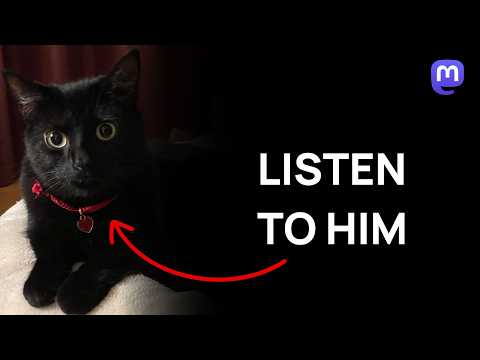

https://www.youtube.com/watch?v=fNBKHTa3Irk

Mastodon - How To Make Posts

YouTube
If you learned something you didn't know from the video, please comment!
I've reuploaded with fixed audio and updated the link in the post.
@Gargron thanks for fixing the audio, was thinking about commenting on it ^^"
also thanks for making it, that will be helpful for newcomers
@Gargron Huzzah! Thank you.

@Gargron

That's a wonderful cat. How could I not watch it???

(Oops. I've got to go off to get my shingles looked at. I'll try to watch it through the pain later today. As a medium term user, I don't know squat about the details of Mastodoning, so thanks!!!)

@Gargron learned:
- videos without sound are treated like images
- cw without cw text just blurs image/video
@Gargron I learnt that Jiji is a good boy. (And why it is useful to capitalize hashtags)

@Gargron I live in a batman cave so I was not aware of the Quote. Thanks 😺

Maybe interesting to mention footer hashtags in next editions. I've discovered these recently and I enjoyed so much. That is exactly something not self-documented and easy

I wonder if you plan to mirror the video in Mastodon itself, or PeerTube
@Gargron Apologies for being *that* person straight out the gate, don't want to be an audio-snob, but did you know the audio was completely on the left? I can fix it in-post on my end, and I have to or I get ear-strain but if you could rectify that for the next tutorial it would be wonderful.
Thanks.
@FreakyFwoof Don't apologize, and thanks for pointing it out. I'm surprised that neither me nor my wife noticed it on our PCs. It's my Focusrite, the mic is plugged into the first input.
@Gargron Of course, that makes a lot of sense. I do audio for a living (and I'm blind so particularly susceptible to things like that) and therefore I can't unhear it. 😊
@Gargron Could I suggest uploading those to a PeerTube server as well? I know most people we need to "free" of corporate social media are on YouTube but handing out a link to a federated system feels more appropriate IMHO.
@Gargron Also a little bug: Audio is only on the left channel which is weird when using headphones
@Gargron
Chnge it to "How to toot" right now! 
@Gargron Seconding the request for a PeerTube link please? Let's highlight all the capabilities of the Fediverse!

@Gargron

Überzeugte Mastodon-User sollten auch überrzeugte Fediverse- "Bewohner" sein!

Warum nicht Peertube!

Vor allem hinein einladen, aber nicht hinaus locken! (How to use Mastodon!)

#unplugbigtech

@Gargron I've heard something about videos on Fediverse. And also watching those interesting videos clips in the others tube channels. And it can be put there for watching. 
@Gargron
Could you post the peertube link as well, please?
@Gargron you can upload to peertube too :)

@lizzard

Hey @Gargron nice to see this! 👍

Any chance of mirroring these to a PeerTube account too?

@Gargron Peertube pls ….. Thx

@Gargron Thanks! I must ask 😺 can the video has "Creative Commons Attribution" license?
It's the only Libre license available in YouTube. The default is "YT standard license" which impede legal download.
Thanks! so we can easily import the video in PeerTube 🤩

Edited: I mean, is a video option

@Gargron Useful video, thank you. New Mastodon user - I'm looking foward to the next one.

@Gargron I didn't know that not writing a CW text simply just sets the media as spoiler / sensitive.

I assumed the post simply doesn't get a CW at all (the same you don't get any when you don't have any media present), since the CW placeholder text says "Optional".

It does feel like a hidden feature, and I wonder if we can get a setting in the alt text / image edit modal, to be able to mark each media piece as sensitive instead.

Pic unrelated.

@Gargron May be rename the video to something like "All the features around posting in Mastodon". A video named "How to make posts" being more than 25min could easily become a meme, because the expectation is that it should be way shorter.

@Gargron thank you. I learned a couple of things (most comments here mentioned them already).

May I suggest using a screen recorder that zooms in a little on what you are doing on the screen. Watching the video on a mobile screen isn't very clear when the whole browser window is visible. Or may be lower the screen resolution?

I think a large percentage of people watch YouTube videos on their mobile phones.

@Gargron I still see people elsewhere saying figuring out getting on Mastodon was too hard for them. A video making it stepwise simple to explore different servers and choose one and get set up would be great. That would include discussion of the differences between server options or forks, for instance I chose my current instance for several features including the extra long character count on posts.
@Gargron Thx. Please make this post a thread with any future tutorials.
@Gargron would you mind if I download the video and upload it on a PeerTube instance?
@Gargron for those interested, I have uploaded the video on Peertube https://peertube.uno/w/d4mqRpcewFz5pfYUxCW684

@Gargron thanks this is useful and I will certainly share with new users.

I picked up a number of subtle features that I don’t often use myself: quiet public, purpose of language setting, CW nuances, char count heuristics etc.

BTW this is very useful and if you do decide to make more of these I would suggest creating a channel dedicated to the series so people can easily subscribe and of course also having them on peertube would be nice for those who wish to avoid YT.

@Gargron

I didn't know the find included ALT text searches.
Useful video and explanation.
Thank you.

@Gargron I learnt about the searching of alt text. That was neat to learn about.
@Gargron Maybe I'll email this to myself:)