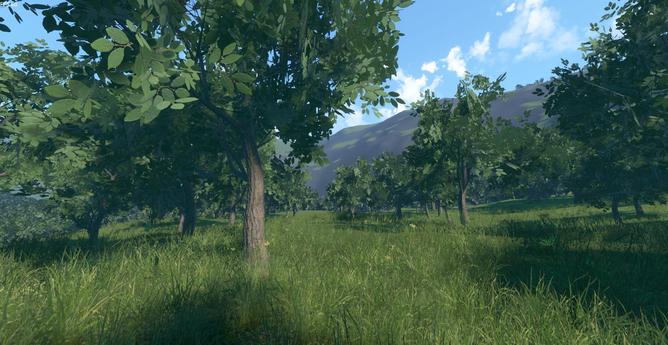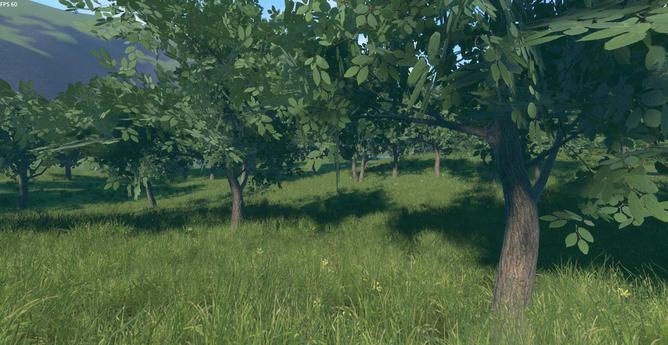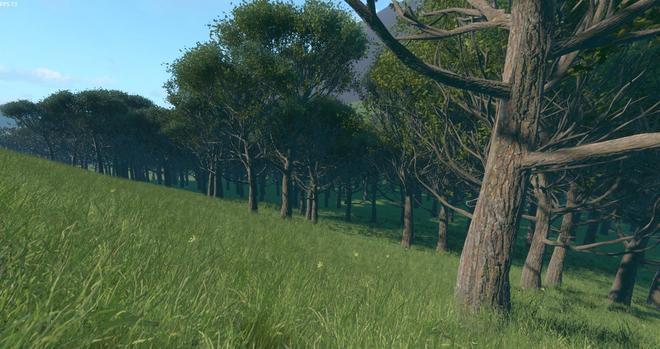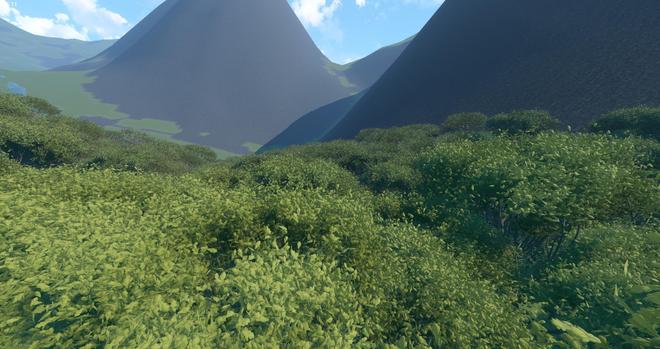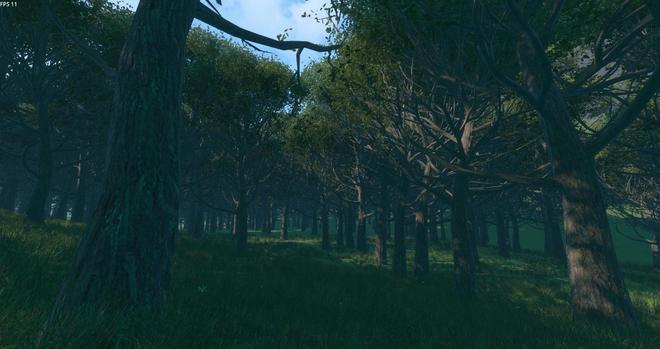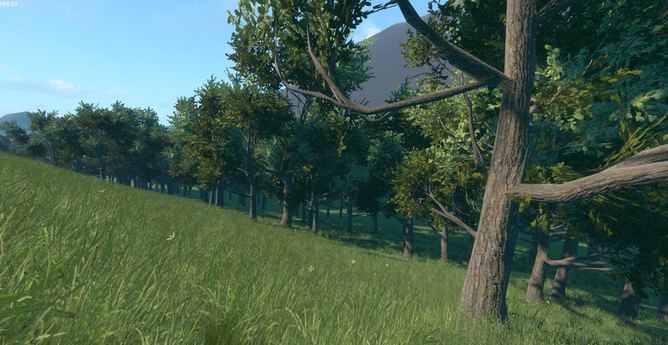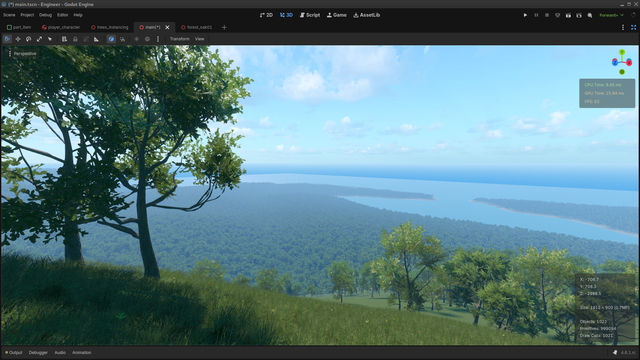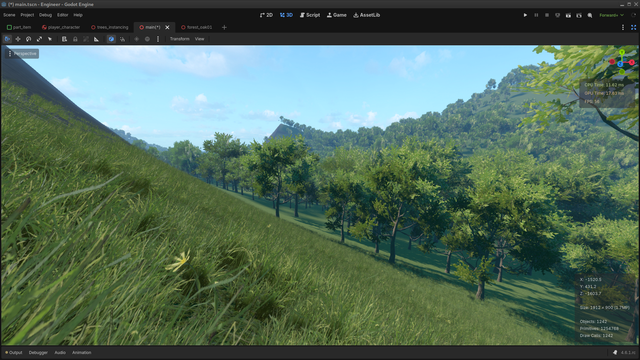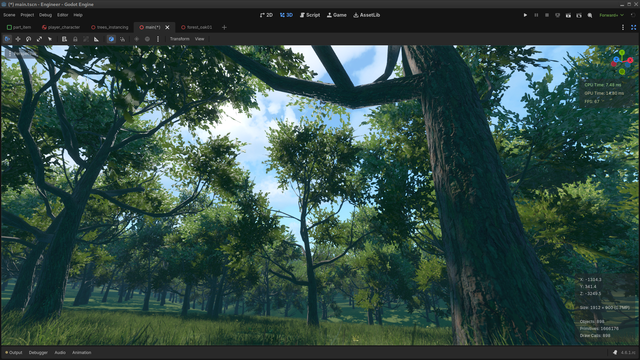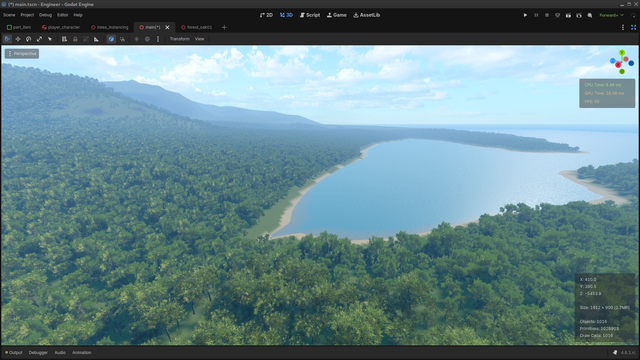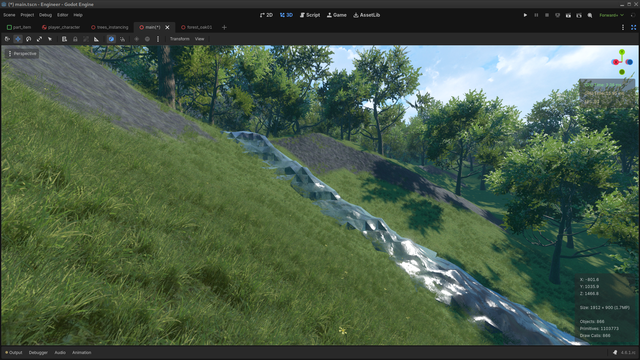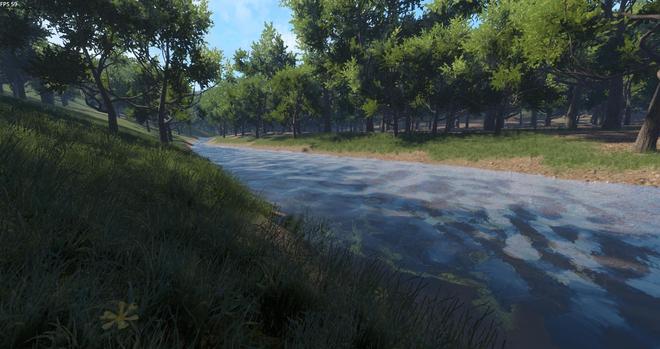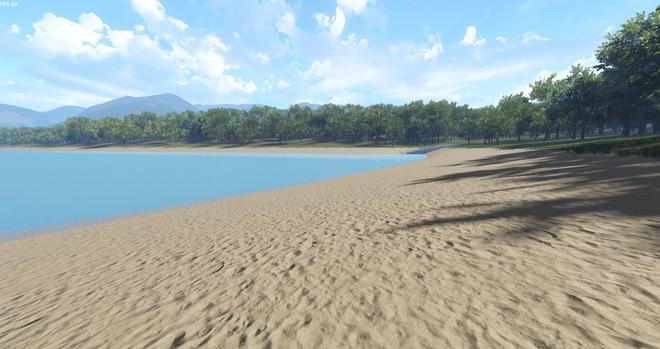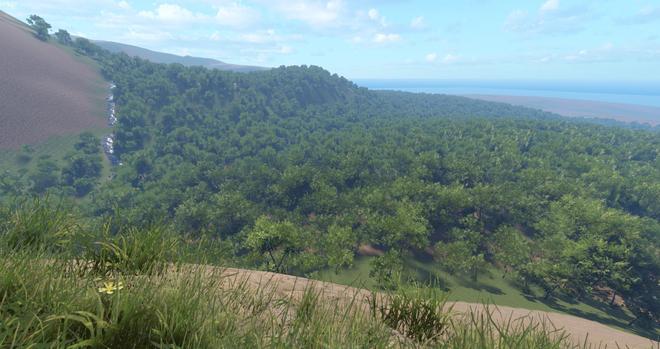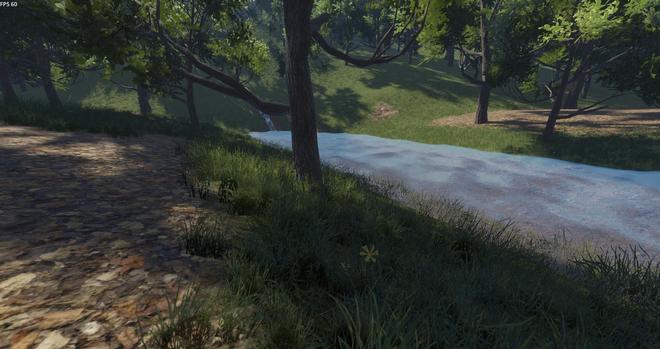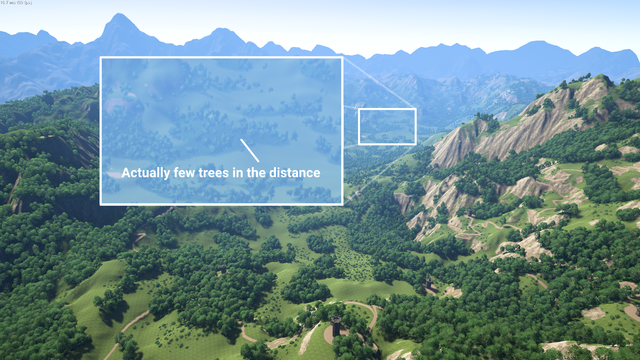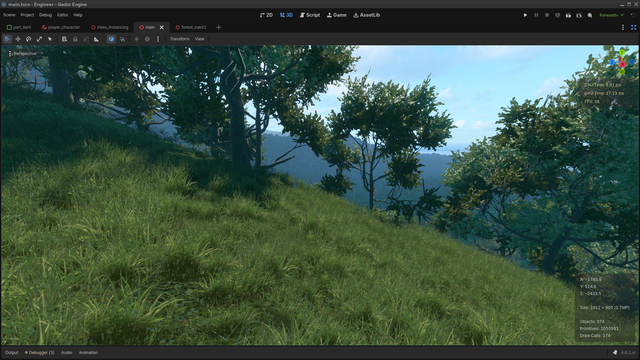
Still a few "details" to fix 😅

#GameDev #Godot

I hesitated posting this video because of the low framerate. Hope nobody will believe this has to do with Godot.

The main problem here, by far, is that the tree mesh I've found models each leave with multiple triangles (which is fine for some use cases, but not adapted for this). There are 170000 triangles per tree.

Once I manage to reduce the triangle count it should run at 60fps. And hopefully I will also be able to increase the tree density (and add variations and bushes etc.)
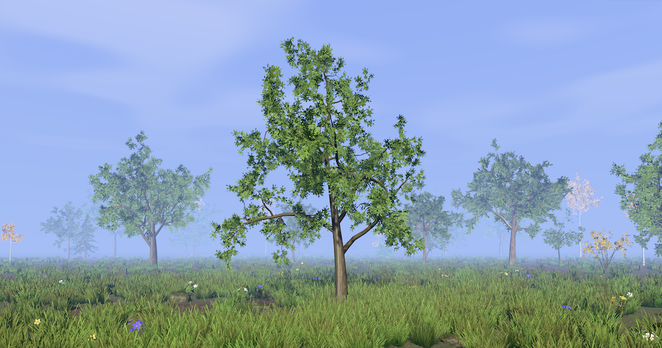
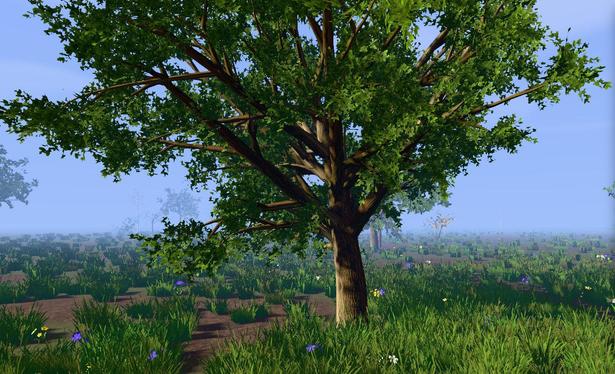
I wonder is there are good free (preferably open source) tools to generate trees.

I've quickly looked at https://www.eztree.dev/ which is really cool, but I think even with different material styles it's a bit too "cartoon" in the shape as well for what I have in mind.

EZ-Tree | Procedural Tree Generator

EZ-Tree is a procedural tree generator that allows you to create realistic 3D tree models with ease.

I think it would be better with a parameter to make the tree and/or branches zigzag. It's very straight and I haven't found a parameter to tweak that (it can be bended on one side, but not zigzag). Though, since it's open source, maybe I can actually add one 🤔

While I really like trees, I realize I have never studied them 🫣 I can only recognize and name a few, and don't know the english names.

Looking at photos, I see that sometimes a branch changes direction at the point where a smaller branch comes out. I think it's what can cause a zigzag look. Angle variations are smaller on the trunk, but thickness can have a brutal reduction at the point where a big branch comes out.

Also, sometimes the low branches are bent towards the ground.

Another thing is that the shape of the junction, when a branch comes out of the trunk, may need a bit more work to look better.

I need to be wary that photos online are often iconic trees that stand out. But I don't want to make a forest of very special trees, actually since I'll repeat a few model of trees everywhere, it will look better if they don't have particular features that attract the eye.

After some more thoughts about this, I wonder if it wouldn't make more sense to generate trees in #Blender, instead of using an external program.

A node-based approach would probably give more customization freedom, and instant feedback. Unless I'm idealizing it (never did that kind of thing in Blender).

I suppose this has already been done. Countless times. Actually the difficulty might be to pick one among the sea of available addons... Or start from scratch 😅

I'm making some experiments with the Modular Tree plugin for #Blender3D.

For now I only test in-game performances. There is still work to get a better visual quality.

What I did is that I make a branch (a very small tree actually) that I bake in a texture, and then use it as "leaf". I'm more or less back at 60fps, even when increasing trees view distance. I still need LODs and impostors for the farthest ones.

Trees already give a better sense of scale for the mountains 🙂

#GameDev #Godot

It's reasonably efficient, but visually the foliage doesn't really work 🫤

That's a lot of trees. But still not enough to look like a forest. Or maybe I just need bigger trees. So far I feel like I just made a big orchard. Also struggling to keep good performances. Nature is tough 😅

#GameDev #Godot

I'm surprised I can't find existing solutions to generate tree LODs in Blender. The decimate modifier does not work very well on foliage (starting with a quad for each leaf in my case, generated by the Modular Tree addon)

I'm considering to implement something based on ideas from a few papers I've read, but it feels odd since I would have thought this is a recurring task for any game with outdoor scenes 🤔

#GameDev #Blender #Blender3D

I think it's slowly taking shape and starting to look like a forest.

Now I have to find ways to simplify foliage geometry and reduce overdraw because 10fps is not enough 😅

#GameDev

I've been working on a python script in #Blender to decimate foliage while keeping the best quality as possible.

This is based on ideas presented in this paper: https://www.mdpi.com/1099-4300/20/4/213

I make renders of the tree from several view points, to serve as reference. Then I hide one leaf, render again, and compare with the reference. I do this for all leaves (a single one is hidden each time). I choose the leaf that has the least influence, and actually remove it.

Then repeat the whole process.

In this example, the tree has initially 800 "leaves" (actually, they are already groups of leaves baked in a texture).

Both decimated trees in the video have 400 leaves remaining, so half of the initial amount of leaves. The "Random decimation" tree looks like it has less leaves, but it's just because they have been randomly chosen, it actually has exactly the same number of leaves as the "Viewpoint-dependent decimation" tree.

There are remaining possibilities to improve results, in particular I'll need to continue removing more leaves for more distant LODs. At some point it will become visible, but I can scale remaining leaves bigger, and/or use different textures to make the tree appear similar, until the simplest model that would be a single rectangle with a texture of the whole tree (usually called "impostor").
I must say that I'm not especially impressed by the Blender python API and its documentation, this has been tedious 😅 But, well, it works. Blender is a great tool of course, but holds up to its reputation of being difficult to learn. Apparently this also applies to scripting (at least that's my feeling so far)
It's still a bit clunky, for example, it appears it's not possible to read a rendered image without saving it to disk and loading again 🫣 On my computer the thing can make 14 renders per second, I have 9 view points and 800 leaves, so it takes about 10min to compute initial influences of each leaf, at which point I can... remove one leaf
Since it's quite slow, I speed up next leaves removal: I pick the next least influence leaf (using the influences I computed for the first step), and only re-render for that leaf, to double check if its influence changed. If I get a similar influence, then I just remove the leaf. If however the leaf influence is much higher (maybe it's the last leaf of a stack), I update the stored influence but don't remove the leaf, I pick another instead, and so on. The total time is about 30min.

I have an idea to speed it up: render the tree with a different color for each leaf (with 24bits this can handle 16 million leaves). Then I can count how many pixels are visible for each leaf. I could also use a channel to accumulate the number of superposed leaves on that pixel. This would give an influence for each leaf (more leaf pixels visible mean the leaf has more influence, and even more if no other leaf is behind). With a single render per viewpoint.

Easier said than done though.

I'm not sure I like these new trees, but at least performance-wise it's really better. Back at 60fps (but I still need to add impostors for distant trees).

Having the game run at 60fps is not really in my objectives, but I want it to run on "old" hardware, so on my powerful 5-years-old dev machine it should definitely run at more than 60fps otherwise it means I have an issue I need to fix.

#GameDev

One thing that really adds to the final result is to fake self-shadowing. I use this both for tree foliage and grass.

For trees, a configurable virtual sphere shape adds shadow to leaves inside the sphere.

For grass, I just add more shadow near the ground.

This adds a lot to the lighting, both in direct light and in actually shadowed areas (in which case the effect is similar to ambient occlusion)

It's implemented in shaders and has almost no perf cost.

#GameDev #Godot

So far I've been using the VoxelInstancer system, of the transvoxel library I use for the terrain (https://github.com/Zylann/godot_voxel), to spawn trees, and also grass. But I think I'll need to implement my own system instead.

I will need different models of trees, which is possible with VoxelInstancer, but then they would be fully independent from each other which means some instances could overlap. Also, it's not adapted for very distant objects (impostor trees) since it uses the terrain mesh geometry.

GitHub - Zylann/godot_voxel: Voxel module for Godot Engine

Voxel module for Godot Engine. Contribute to Zylann/godot_voxel development by creating an account on GitHub.

GitHub

I need a system that generates trees with varying density (depending on biome, slope, etc.), with guaranteed minimal distance between trees, and then chooses which 3D model to use for each tree. All this can be done statically (at world generation) as long as I can remove some trees (when cutting them down). And I need to access very distant instances, even if terrain is not generated at that place.

Then I need fine granularity for managing LODs of close trees, but also very distant impostors.

Some progress with my system to instantiate trees to render forests.

Using primitive shapes for debugging (each shape reprensents a different tree LOD)

There is still a bit of work for this to look like a forest 😅

#GameDev #Godot

Remaining work:
- randomize tree locations
- use actual tree models (multiple models, each with multiple LODs)
- project trees to the terrain heightmap
- varying tree density (depending on slope, biome, etc.)
- colliders on nearby trees
- possibility to cut down trees (replace by a physics model, and remember which are missing in the instancing system)

And probably more I haven't thought about yet...

Still a lot of things to fix and improve, but it's slowly taking shape.

#GameDev #Graphics #Godot

I've spent much more time on this than I thought it would need, but the tree impostors lighting is starting to work more decently. I've also improved the trees distribution (but so far there is still a single repeated tree model).

There is still a lot of popping, but I expect it would be less visible during normal gameplay (players are not supposed to fly above the forest at high speed).

#GameDev #Godot

A few screenshots of forested areas. It lacks variety, but I think for now the global visual quality level will have to do (it's not the interesting part of the game, I can't spend too much time on this). Maybe I'll improve the ground below trees, add a few tree variations and bushes, but then I'll try to focus again on actual gameplay...

#GameDev

Also, now that there are more clues to gauge terrain scales and shape, the dynamic water simulation doesn't look so good 😆 The rest of the environment improved while this didn't change. I'm not sure I can make it look better though.

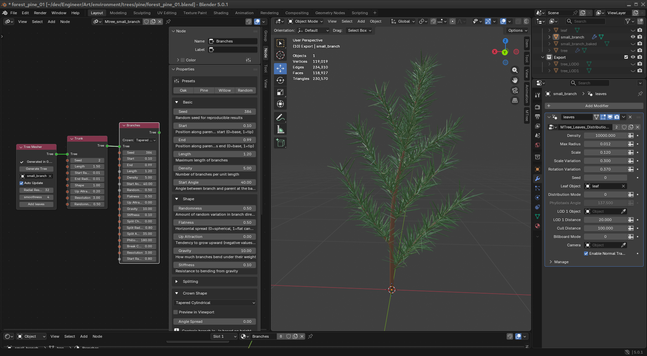
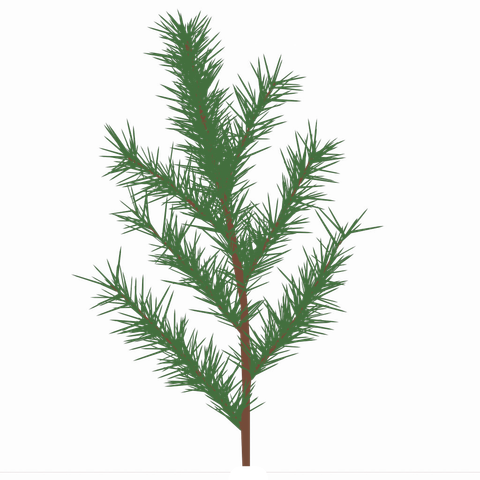
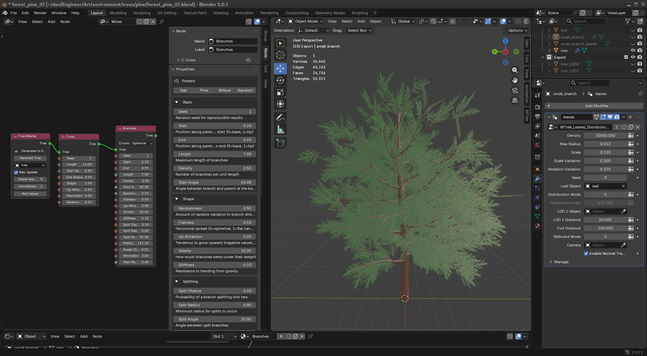
I've created a pine tree this morning, didn't take too long, which shows my process works reasonably well 🙂 I'm using the MTree plugin for #Blender

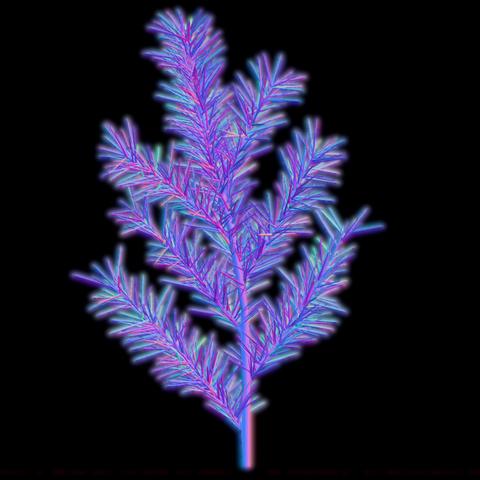
First I create a very small "tree" which will actually be used as a branch. For the needles, I've used a cylinder that I made pointy, and colored green (no texture).

Then I bake this small tree into a two textures (color and normals).

#GameDev

Then I use these "small branch" textures as leaves for the actual tree, again using the MTree plugin in #Blender.

I'm not really satisfied with the global shape here. It's neither a fir tree or a pine, I'll need to rework this, but I wanted to first test the whole process.

Finally, I run my script that decimates "leaves" (each leaf is a small branch) by making lot of renders with/without each leaf to find the ones that contribute the least to the final result. This generates two LODs.

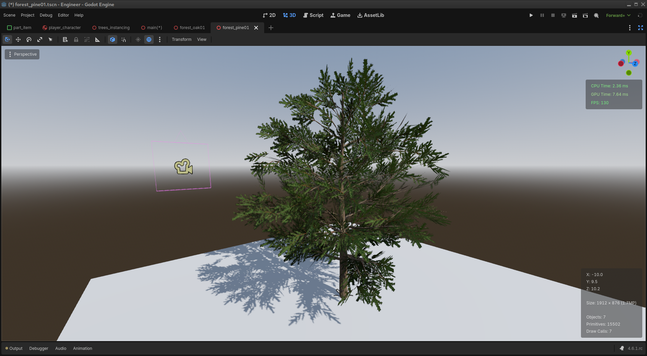
After this I can render the tree in #Godot. This is where I work on the actual lighting (I don't really care to have good materials in Blender).

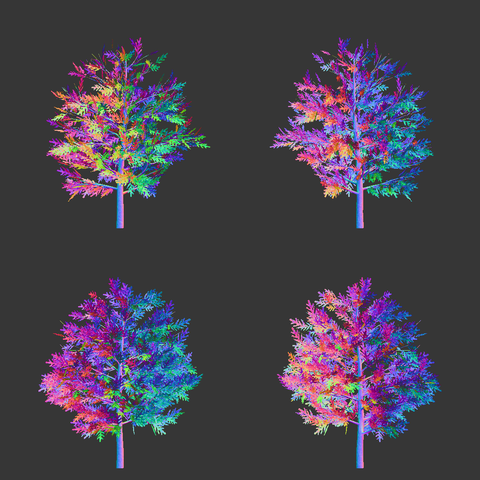
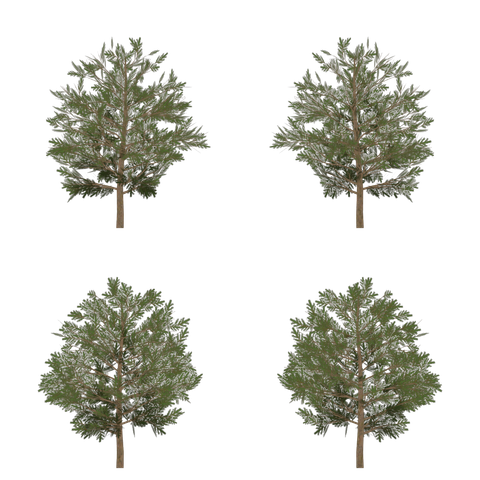
Next I have a Godot script that will render the tree from 4 directions, generating albedo and normal textures. This is similar to the way I baked the small branches in Blender, excepted now it's in Godot and for the whole tree.

This will be used to display "impostors", which are used for distant trees (it's an image of the tree instead of the 3D tree itself). My impostors still perform most of the material lighting, so that they look similar to 3D trees in all lighting conditions.

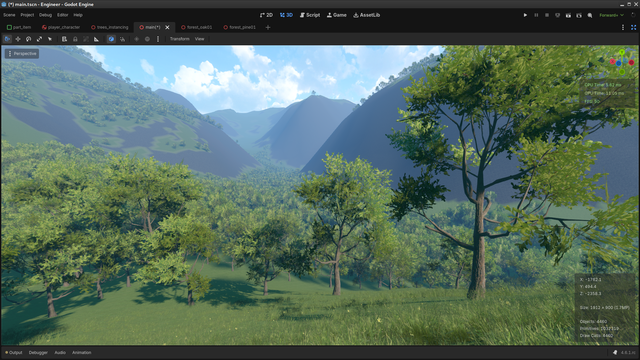
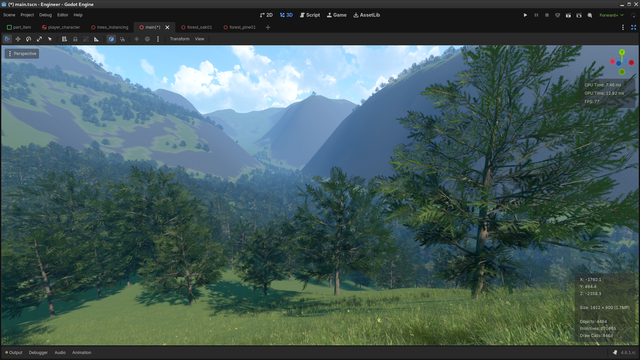
And finally I can test in the main game scene.

So far I've just tried to replace my oak model by the pine model. Next step will be to mix both in the same scene.

#GameDev #Godot

I've integrated a new "river bed" voxel material (based on https://ambientcg.com/view?id=Ground021) and added a basic biome system. Trees and grass don't grow in the middle of rivers anymore. Also, the terrain is lowered one meter in the river bed (like if water eroded it). This is still not very realistic rivers, but much better already!

The video shows a comparison before/after for two different viewpoints.

#GameDev

Trying to make things a bit more varied. I've changed so many little things I'm not sure I can sum it up anymore 😅

One thing I'll need to rework is how I generate forest ground and trees. As of now, I generate forest ground areas, and then I spawn trees. These areas *could* spawn trees, but by chance sometimes no tree spawns there, and I end up with dead leaves without trees.

#Engineer #GameDev #Godot

@youen This post just popped up in my feed and my first thought was "Why is someone posting nature photos under the #Godot hashtag?" It wasn't until I clicked on the images that I realised they weren't photos!

So well done on making these look so realistic. Not just the quality of the graphics, but the distribution of different grasses, trees, the shadowing, clouds, etc. Looks great!

What game is this for?

@ConditionalCoder thanks! I think a lot of the "realism" comes from the textures, some of which have been created through photogrammetry (didn't make them myself, I'm using textures freely available under CC0 license).

This is the environment for the game I'm making https://engineer-game.org/ Though I really need to update the website, basically everything has changed since then, I even switched from Unreal Engine to Godot.

Engineer

Engineer is a free and open-source game where players create machines and buildings. Your survival depends on your engineering skills!

Engineer
@ConditionalCoder it's a survival/construction game with a focus on engineering, as opposed to games where you build large ready-made/single-purpose blocks, here I want to allow players to design their own functional machines, mechanisms, vehicles, free-shape buildings, etc. The game has a dynamic terrain (players can dig and move terrain), water simulation (all rivers and lakes are dynamic), and a basic construction system. No playable version yet, but I'm working on it.
@youen oh, first I thought the video shows a flooding before I read the post

@uint8_t actually, it's typically what will happen in the game if the player modifies the terrain and causes a flooding. My change only create river beds for initial rivers at world generation.

At some point I think I'll add a system that converts grass to river bed and vice versa over time (in the case a river is diverted somewhere else, or a lake emptied, or whatever)

@youen I’m intrigued!
@uint8_t I'll try to make a video showing how a river can be diverted to another valley (though for now it's only possible with in-game debug tools ; final digging tools and drill machine parts are not implemented yet)
@youen Ohhh that's really cool. Are the distant trees all impostors, or do you transition to some sort of covering mesh?
@lisyarus all the distant trees are individual impostors. I also thought about a covering mesh, or maybe just fading to a specific ground shader, but the added complexity doesn't seem necessary so far, maybe later to improve performances if it turns out to be a bottleneck. For these screenshots I've increased the trees rendering distance, which is why performances are not so great, but I think the game can work with lower rendering distances.
@youen I see, thank you! Out of curiosity, what's the number of impostors on the first shot (with distant blueish view), the FPS, and what GPU that runs on?

@lisyarus I have no idea how many trees 😅 I should implement a statistics system.

Godot editor reports about 60fps and a total of 1 million triangles (stats visible on the screenshot), and it's displayed at almost 1920x1080. It runs on a GeForce RTX 2070.

@youen @lisyarus In my game I use a simple trick for both grass and trees in the distance.

For grass, the ground texture is tweaked to look like low, flat grass that's more in shadow than the top of the grass. It blends nicely with the grass quads close to the camera. But at a distance I change the brightness and saturation to be seamless with the grass quads seen at a distance, where the tops dominate and the bottoms are occluded. 1/2

@youen @lisyarus For trees, it's the same. First of all, I use a forest ground texture where there's trees, not the grass ground texture. Close by it looks like forest ground. But far away I tint it to make it have the same overall color as the tree (canopies) seen at a distance. So when I have less tree coverage at a distance and eventually no tree impostors at all, it blends (somewhat) seamlessly with the ground texture, giving the appearance of forest. 2/2
@youen The grass looks so good here; nice tufts

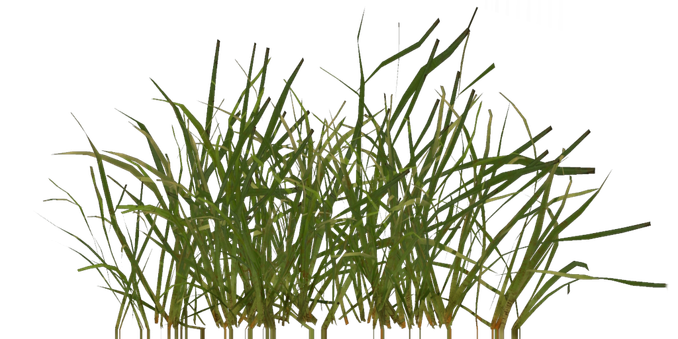
@runevision thanks ! It's a quite straightforward technique: two quads crossed 90 degrees for each instance, and then multiple instances of it (with random rotation and scale)

The shader darkens fragments near the ground to fake self-shadowing (big contribution to the final look), and that could probably be baked in the texture actually.

I use this texture, which is extracted from this CC0 asset: https://polyhaven.com/a/grass_medium_01

@youen Thanks for sharing! I tried using it on my terrain (including darkening) but it didn't look as good as my current grass. Is it the only texture you use for the grass, or do you use a mix of few different ones? The video is somewhat compressed, I'd be curious to see a few PNG screenshots.

@runevision I'm only using one texture, but now that you mention it, there is of course the associated normal map https://git.engineer-game.org/Engineer/Engineer/src/branch/master/Engineer/content/art/environment/grass/grass_medium_01_normal.jpg

For the terrain (whose color should reasonably match the base of the grass), I use this texture: https://git.engineer-game.org/Engineer/Engineer/src/branch/master/Engineer/content/world/terrain/terrain_albedo.jpg (associated normal map and AO map are in the same folder)

Then the shader is here, using standard Godot lighting: https://git.engineer-game.org/Engineer/Engineer/src/branch/master/Engineer/content/art/environment/grass/grass.tres (darkening near the ground, and also enables the standard Godot back-lighting system)

@runevision actually, there *should* be everything needed to build and run the game (and editor) in the linked repository. But there is no documented procedure, and I haven't tested, excepted on my two computers which run similar Debian systems. So It may be actually difficult to get the thing running, I don't know.

For the mesh instances, I use a mesh with a few tufts (each is made of two crossed planes), which is instanced with random position, rotation, and scale (following ground slope)

@youen oh my god this looks amazing i would love to have something like elders scrolls in that
@youen @eniko so many trees! I am gonna use them to build an ark or something.
@hardpenguin13 my idea so far is that you'll be able to cut down as many as you want, but they won't grow back (wouldn't be the good time scale since the game is not meant to span many years of game time). Hopefully you'll have enough to build an ark! And much more.
@eniko

@youen This looks amazing. I've been enjoying watching this take shape.

One detail that might emphasize more of the forest-ness would be if the forest ground was covered with brown leaves, rather than grass. I think the "orchard" feel you described earlier comes from having grass among the trees, even the dense trees. Not sure how hard that would be, since I haven't worked with Godot much.

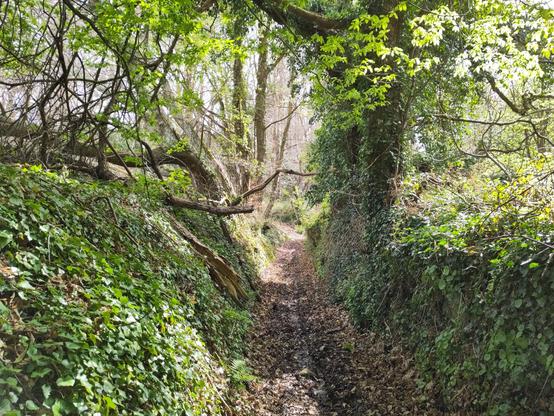
@csilverman thanks! Dead leaves would indeed make things more realistic. I have a few other ideas to both vary and make more realistic forest ground, actually I take photos to have references sometimes. And then I don't have nearly enough time to implement any of it 😅

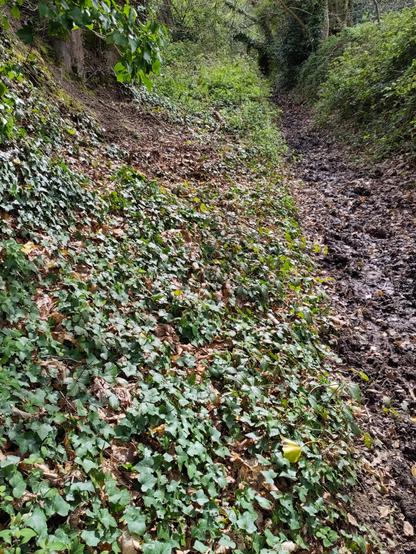
#Nature #Forest #Photo

@youen Boy, I hear you on that last one. Looking forward to seeing how you do this!
@youen looks like the perfect scenario for imposter sprites to replace distant trees 🌳