 Steve Troughton-Smith
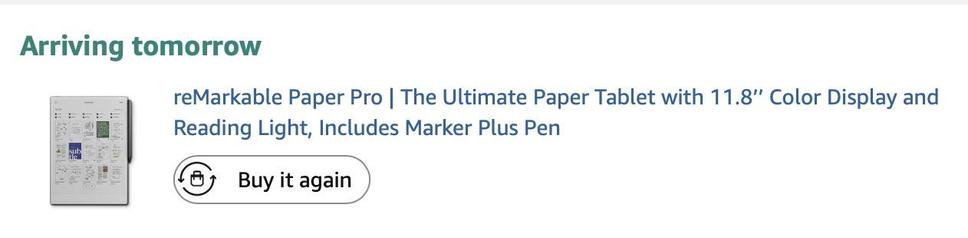
My finger has been hovering over the buy button on the reMarkable Paper Pro page all day 😫
Nothing quite matches the kind of digital paper device I yearn for, but it gets pretty darn close. I wish I could build my own…
My finger has been hovering over the buy button on the reMarkable Paper Pro page all day 😫
Nothing quite matches the kind of digital paper device I yearn for, but it gets pretty darn close. I wish I could build my own…
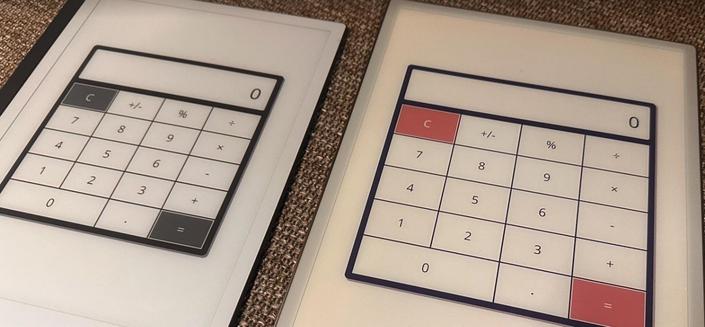
I knew the reMarkable had a developer mode with SSH, but I wasn't aware it had an actual official Qt Quick SDK and cross-compiler toolchain
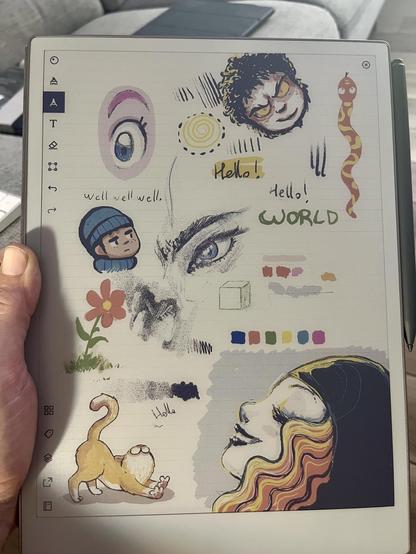
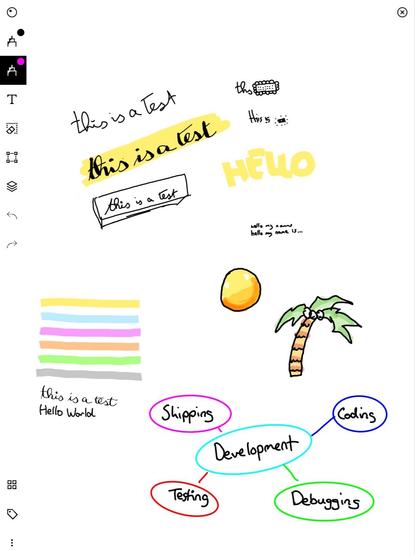
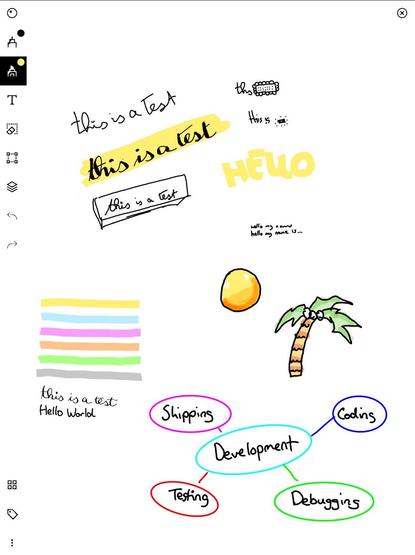
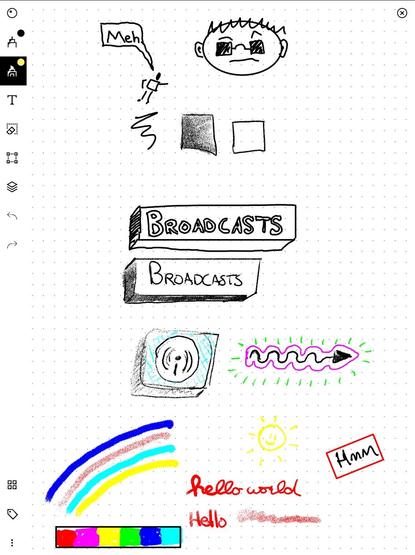
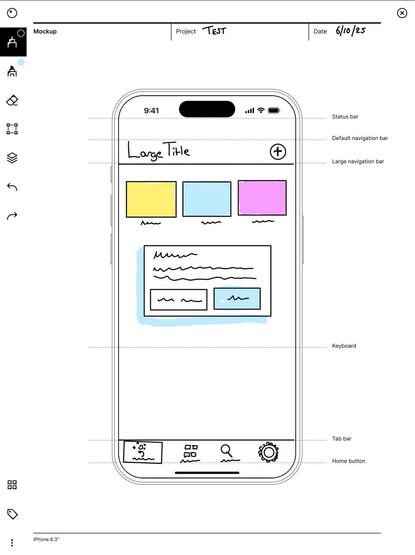
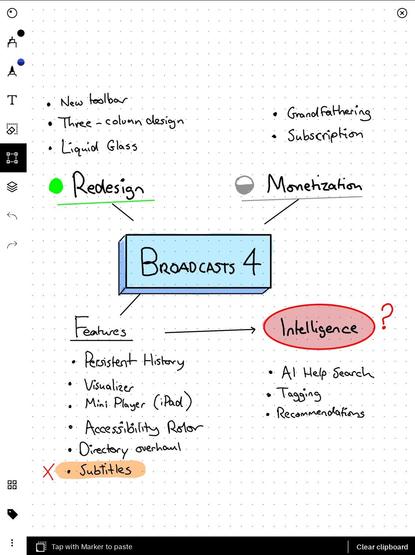
A cute little official guide to sketchnoting on the reMarkable. Sketchnoting is one of those things I really wish I'd learned to do, because every time somebody posts their sketchnotes — usually after conference talks or WWDC sessions — I'm in awe

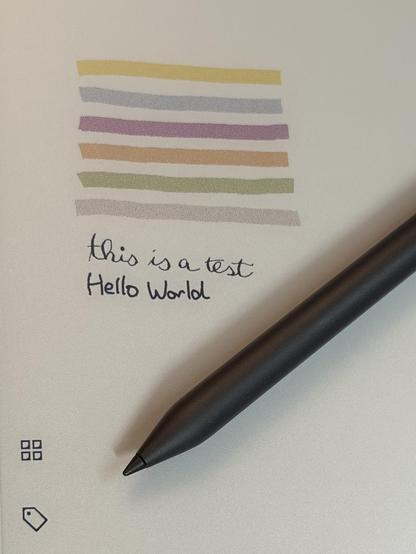
I appreciate the YouTuber economy, but writing 'This is a test' and drawing some colored highlights on a page doesn't really constitute a valuable review of a drawing tablet, eink or otherwise 😂
Give it to people like this Redditor a month ahead of embargo, perhaps, or mind-mapping/sketchnoting pros
/via https://www.reddit.com/r/RemarkableTablet/comments/1fidzm9/my_2_cents_about_the_paper_pro/
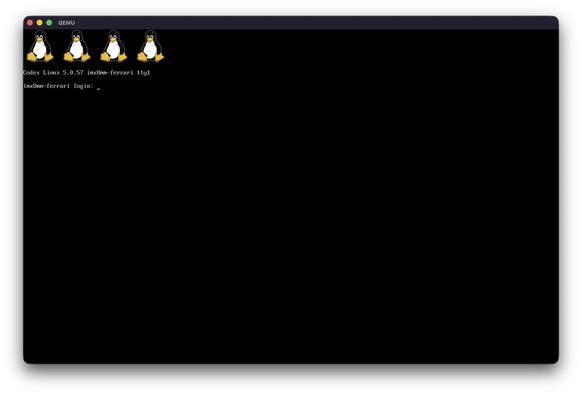
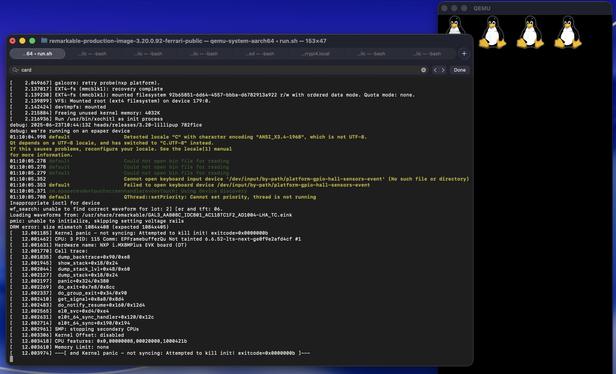
I think I'm giving up here; xochitl has a long try/catch block on init for setting up the hardware, like the epaper controller, and there's only so much I can nop by hand before I'm deep in the weeds and causing higher-level crashes.
It would be nice if reMarkable provided a qemu environment for their OS, because it wasn't hard at all for me, an idiot, to get the basics booting on a generic target with a random kernel I found lying around
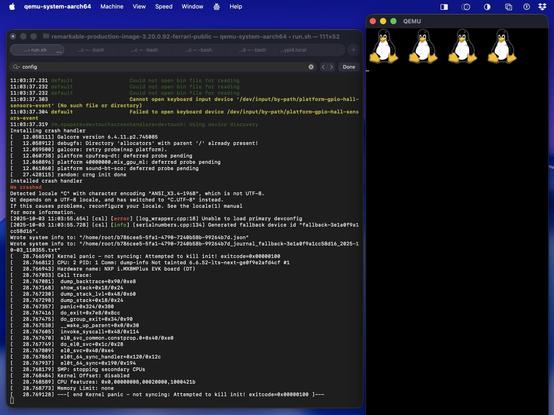
I don't think there's value in trying to document what I did to get this booting, it was a mess.
I grabbed and ungziped the reMarkable ferrari firmware from https://archive.org/download/rm110/RM110/
I stole a kernel Image and device tree (imx8mp-evk.dtb) from https://yocto.dave.eu/desk-mx8m-l-6.0.0-rc0/image/imx8mp-lpddr4-evk/
I masked out a bunch of system services including remarkable's emergency recovery through the boot args in my mess of a qemu script, with a lot of guidance from ChatGPT: https://gist.github.com/steventroughtonsmith/a6c8c6b2c776dc10cc0fa31169ea0db5
And after that byte-patched xochitl
Somebody with a lot more time on their hands could recompile the reMarkable kernel instead of the one I used, and use the actual ferrari-rev-c.dtb device tree from the rootfs. And even better, with patches to qemu to stub in any of the hardware reMarkable OS is looking for.
I ain't that guy 😅
And here's boot console output, just for kicks
https://gist.github.com/steventroughtonsmith/ffb3cffae607fe8d2576800bd523645e
You know you've made it when your products are being used in space

They sell a €250 keyboard accessory for this reMarkable tablet, which I'm totally fine with — I didn't buy one, but it seems like a nice addon for writers.
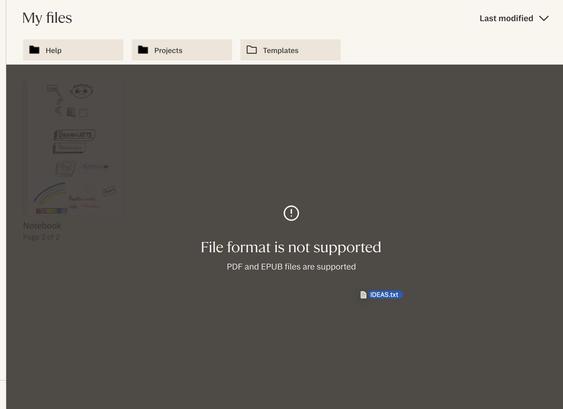
Except the OS doesn't support text files, never mind something like markdown. You can only type into documents you can draw on. It's a bizarre corner to back yourself into, especially /when you sell a keyboard/
While the reMarkable Paper Pro is thin, at 5.1mm, I would still halve the thickness if I could, and dramatically decrease the weight. There is a line between technology and magic that it doesn't quite cross, today
The screen light, too, is not for me. Personally, I want my ePaper without a light shining in my face. And while the reMarkable's feels a lot less like a cheap, nasty LED light than my Kindle, it still looks awful
@Mutesplash Well, I think they focus on note taking and writing (i.e. better response time for pens than other pen eink tablets etc).
You’re not wrong, it *does* make it worse for books and documents, I just don’t think that’s their focus either. Remarkable isn’t good for those things.
They’re almost maniaically focused on eink pen writing at the expense of… well.. everything else. But also: has a better pen experience than everybody. It’s IMO *really* good if that’s what you care about (as I do).
stop it
@stroughtonsmith 100% agree. Love the look of this device and having colour is nice but I a little large for my taste.
The actual pen-to-tablet experience is a key aspect, so I ended up ordering the Supernote Manta.
Hasn't arrived yet but I managed to find a real artists/writers impression and it really convinced me.
Till now I've used my iPad mini for note taking, sketching out ideas and drawing. But I really miss the feeling of paper. Hopefully the manta lives up to expectations.
@stroughtonsmith oooooh!
(…loses 20 minutes digging into docs and then starts checking prices…)
I keep buying the larger iPad Pro every few iterations, hoping that this might finally be the one (in particular, to build things for), but maybe it's time to get on a different track.
@stroughtonsmith You won’t regret it.
The reMarkable UI and sync (to iOS and Mac!) is miles ahead of everything else in the e-note space.
It’s the idealized “Apple-like” experience. And nobody else is remotely close.
They also have, by a mile, the best cases and pen-attachment mechanics, which makes a huge difference in everyday convenience and niceness.
@marcoarment what I've always wanted: 'Adobe Ideas', but as digital paper. We're not fully there yet, but it's very clear reMarkable is made by the kinds of people who care about what I care about, where most others absolutely are not.
I wish Apple did one, with iBooks and Freeform support…
@stroughtonsmith The only downside about falling into the rM cult is that, like Apple, they move very slowly on certain things and leave huge features and markets completely unaddressed.
So every rM user has a few requests that we feel like we’re waiting an ETERNITY for, and they may never come.
But it’s so much better than the competitors in general that we accept that tradeoff.
@stroughtonsmith My list:
- interlinking, Supernote-style
- a proper successor to the reMarkable 2: 10-inch class, monochrome, 300 ppi, front-light, with the modern pen attachment and folio flap.
@marcoarment
For me, the no-brainer feature that I don’t understand why it’s missing:
rM has a screen lock feature, so it’s all or nothing.
What about an in-between? Don’t use screen lock (it’s inconvenient) but be able to lock certain notebooks.
@stroughtonsmith I did an ATP segment on it a few months back when I made this https://youtu.be/sAFaMwulbIw
My usage has expanded since then, and it's a moving target. I've since gotten both the Pro and the Pro Move (the setup is kinda in flux).
I like to take notes during in-person meetings, therapy, and phone calls. And I like it for certain kinds of personal notes, like goals/accomplishments.
I still use it whiteboard-style like that video, but shorter timescale, like “these five things today”.

@marcoarment @stroughtonsmith If you just want to read and already have some apps you want to use (like Readwise), just get Boox and the hardware is fine.
Writing is a different workflow to optimise for. Even so, the competition offered by Viwoods or Supernote is looking good.
@t_var_s @stroughtonsmith I tried both Supernote and Viwoods.
Both have their strengths.
Neither is anywhere close to reMarkable’s UI responsiveness, pen/case practicality and niceness, or sync speed/reliability.
Like, NOWHERE close.
(And that's a shame, because they both have strong advantages.)
@stroughtonsmith heh. I played with that a little and I’m not sure it resonated with me either. (Or maybe I only tried the earliest versions).
Like I said, I feel like I can’t even define what I’m looking for, which is frustrating.

 Joachim Bondo
 Dagaloni
 Mutesplash
 Torb
Torb Paul-Vincent Roll (he/him)
 Kyle Hughes
 Adam Bell
 Steve
Steve Jon Carlestam
 ran mak
 Marco Arment
 shaps
shaps Brendan Thompson
 Collin Allen
 Ben Fry
 enMTW
enMTW Jason Madden
 Nirawit
 Ricardo Tavares
 David Schuetz ** looking for work **
 Emory Dunn
 Gabriel N
 Ben Goertz