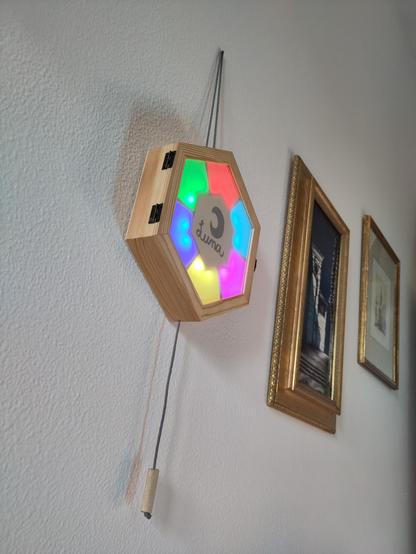
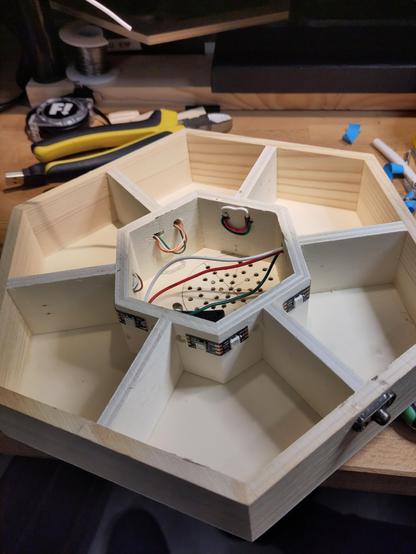
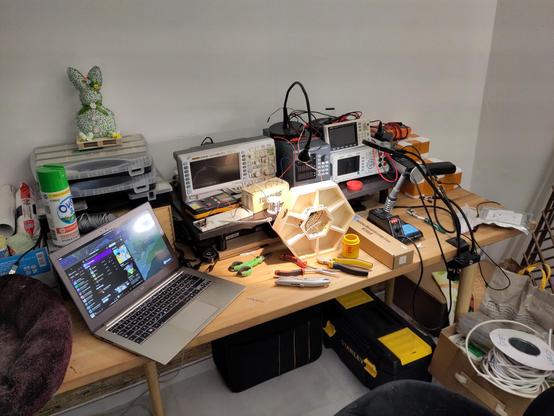
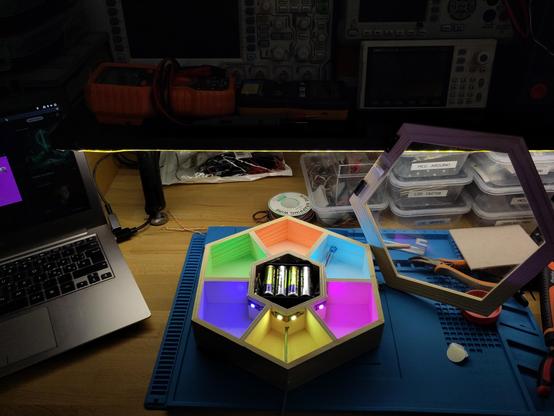
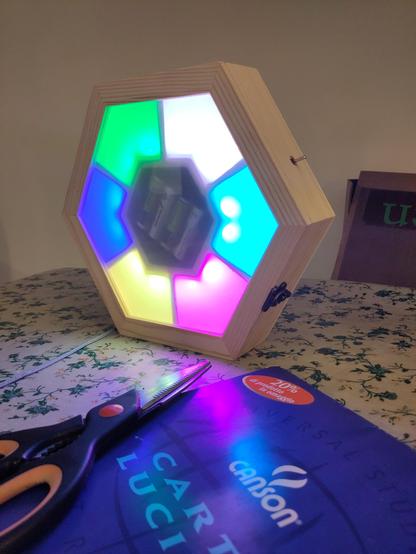
I built this hexagonal #sounds and #lights #electronic #toy for my 9mo #daughter using #esphome, an #esp8266 mcu, an old pc speaker, a limit switch and some #neopixel (-compatible) #leds . It integrates with #homeassistant and can be used both as a #game and as #rgb night #lamp .
🧡
At this age, my daughter interacts with objects grabbing and pulling, so I decided to make the #toy controllable via a cord knotted to a limit #switch. She can pull briefly to advance to the next #song or keep pulled to make it spin. I added an initial colorful animation. Also, it can be used as night light controlling it via #homeassistant or any web browser in local network. Here's how it works (video):
🧡
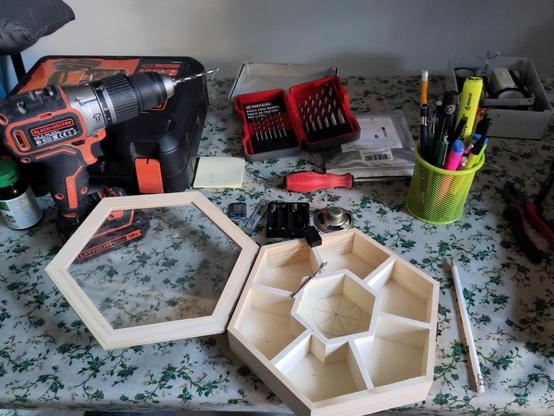
To build it, I started with an hexagonal wooden box, already divided in 7 compartments. I needed one compartment for the #esp8266, #speaker, #batteries and #switch, the central one. The external 6 compartment will be illuminated by #rgb leds.
🧡
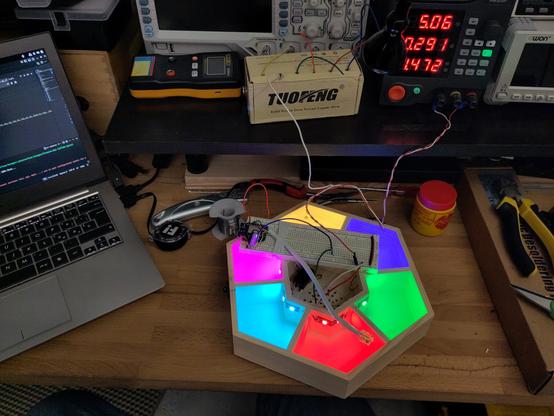
I realized that I'd need a lot of wires, gpio pins and solder joints to control 6 #rgb #leds, so I decided to use #addressable leds, so I bought a #neopixel -compatible #led #strip. I then placed them, two per compartment, and soldered them one piece after another, so they can be all controlled shifting data out of a single GPIO pin.
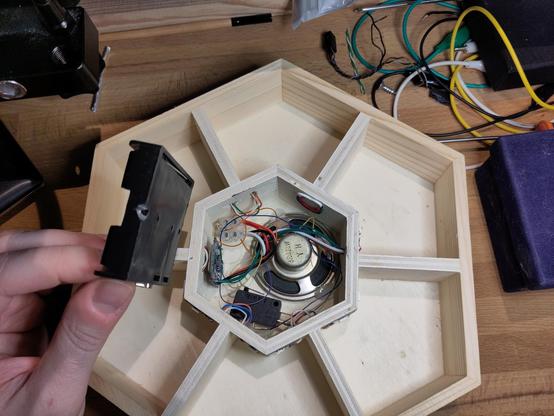
I also made some holes for the #speaker. Here you can see a test with the #lab bench #powersupply .
🧡
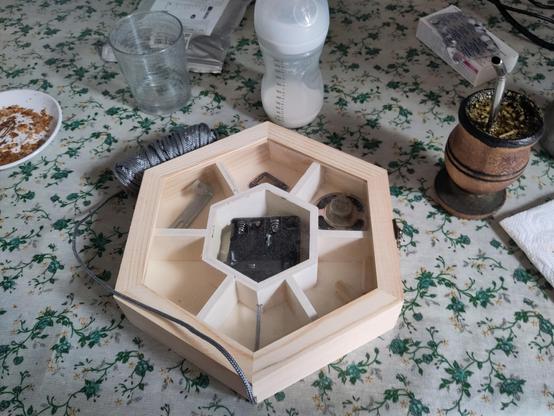
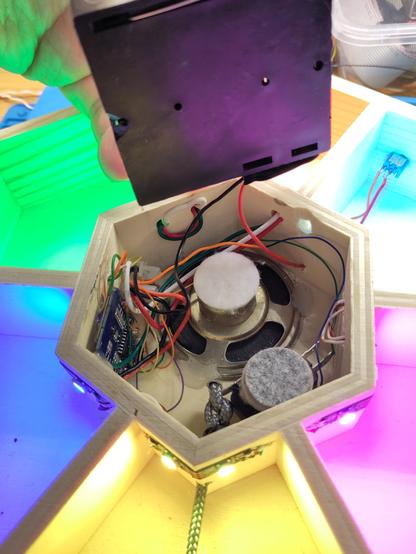
For the #batteries, I went very low-tech. Due to the few time available (you know, I've got a newborn daughter πŸ˜…), I just tossed in a 4xAA battery holder, that fitted nicely after removing a little wood near the connector, and called it a day. It happens that using 4 NI-MH batteries I have exactly 4,8v nominal voltage. Yes, I know, it's not a stable voltage source, I shouldn't be doing this, I'm a very bad person and all the people at #Expressif are very angry to me... But, you know, it have been working for a couple of monts at this point, and you still haven't seen how I villainously connected a 4Ξ© #speaker directly to a GPIO pin! 😈
🧡
Look mum! No cables!!!1!1!! πŸ˜‚
🧡
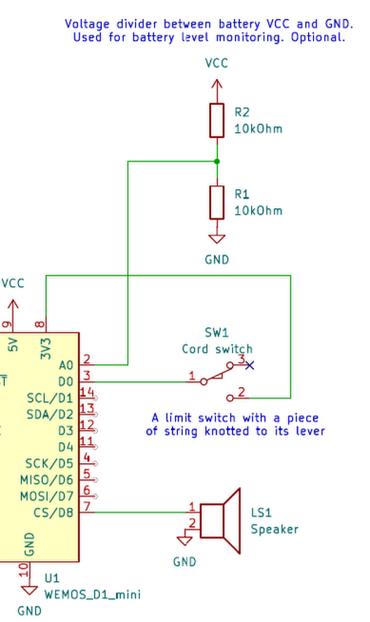
I then #testfitted all the #electronics in the box and had a lot of fun #soldering all the connections. I added a #limit #switch modified bending its metal tab and knotting a piece of #rope to it. This is the rope the baby will pull to interact with the toy.
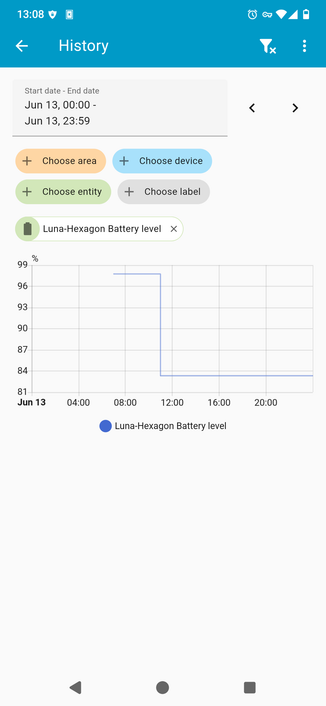
I also added a #voltagedivider (two 10k resistances betwen VCC and ground, with the middle connected to the #esp8266 #analog #gpio pin) to measure the battery level, but it seems that the measurement flucuates a lot when the leds are turned on or off, due to the non-trascurable battery internal resistance 🀦
Oh, well... I made it, so it will stay 🀷
🧡
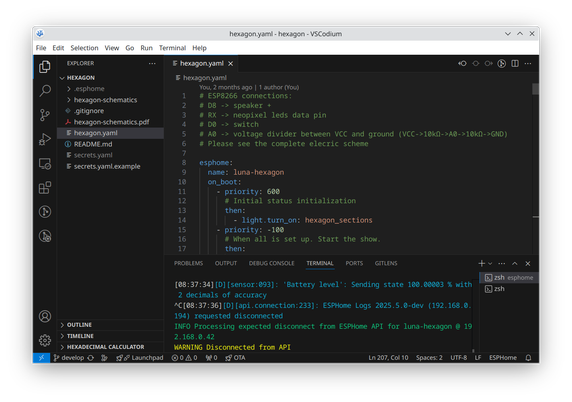
I had a lot of "fun" writing the #yaml definition for #esphome . A LOT of "fun". πŸ™„
Esphome isn't really meant to write complex behaviours like a #child #toy 's program. It's meant for IoT devices: lightbulbs, covers, sensors, devices with very simple behaviors. But it's very convenient as it manages on its own all the wifi stack and libraries stuff, and it provides some functionalities for free (in this case, the possibility to use the whole led strip as a single #RGB #light seamlessly integrated in #homeassistant ).
Is this an #hack ? Sure it is. But does it work? Hell, yeah! 😎
🧡
(Also, I must confess the whole "night light" functionality wasn't really planned. I just saw the light pop up in #homeassistant auto discovery on its own and I was AMAZED. I LOVE #ESPhome!).
🧡
The funniest part, howewer, is how I made it #play #music. I know I can toggle a pin to produce a square wave with a certain frequency, but I don't know anything about music and correspondence between notes and frequencies, and I surely didn't want to reinvent the wheel.
The recommended way to play music with a #microcontroller is to use a #DAC meant for that, or some sort of polyphonic chip, but I needed a simpler and hackier way.
And i found it in the awesome #esphome documentation: https://esphome.io/components/rtttl.html
ESPHome supports #RTTTL. What's RTTTL? Do you remember painstakingly typing letters on your #Nokia gummy keyboard, copying it from some #90s magazine, to have the last and greatest #ringtones? Yes, that format was called RTTTL, and is supported by ESPHome! What a trip in the past!
I'm deadly serious, just look at the relevant wikipedia page! https://en.wikipedia.org/wiki/Ring_Tone_Text_Transfer_Language
🧡
Rtttl Buzzer

Instructions for setting up a buzzer to play tones and rtttl songs with ESPHome. **NEW:** Or play the song using the I2S speaker.

ESPHome
You can find a whole lot of huge zip files containing wagonloads of #RTTTL #ringtones in the form of text files. There's some baby songs, but the vast majority it's stuff you would have had as ringtone at that time. That's why one of the songs I chose is #moonlightshadow πŸͺ©
That's SO 80s!
Also, I couldn't miss #supermario and #monkeyisland themes.
🧡
With the #firmware part sorted out, I had to reassemble the box, and decided to add a copy paper sheet to diffuse the light.
It's starting to come together! 🀩
Finally, I added a piece of cardboard to cover the battery compartment, and decorated it.
It's time for beta testing!
I noticed some light leak from the back, and decided to add some aluminium thin foil as a reflector.
Because we moved for some months to the ⛰️ #mountain house to have some family time with my parents, the toy must work as well without access to our home's (local-only) #homeassistant instance, so I enabled the internal #httpserver and bookmarked the (static) ip address in my and wife's phones. Now we can control it also via the mountain house's wifi πŸ›œ
🧡
This whole project has been made easy by a lot of #opensource code, like #esphome, all the libraries it uses for #neopixel #leds, #rtttl, the wifi stack etc, so I feel I had to return something. That's why i took some time to draw the schematics and publish it, along with the yaml config file, in this repository: https://git.ichibi.eu/penguin86/luna-hexagon
If you want to build your own, or you are just curious, take a look at it!
(End of 🧡!)
luna-hexagon

A simple lights and sounds game for babies between 6 and 12 months old

Gitea: Git with a cup of tea
@penguin86 that's for sure is a very fun project
@penguin86 Moonlight Shadow and the Monkey Island are two of my all-time favourites! Neat project btw!

@penguin86 I did something rather less sophisticated for a baby of similar age. This one liked sitting on my lap and thumping the keyboard.

So I wrote a couple of lines of Basic which, when any key was pressed, turned the whole screen a random colour and played a random note.

@TimWardCam it's a nice idea! I noticed as well that the screens are very attractive to her, but I'm trying to keep her away from them until she grows up a bit... I noticed she loves all the blinking lights, so I tought that something interactive with lights and colours would have been fun for her