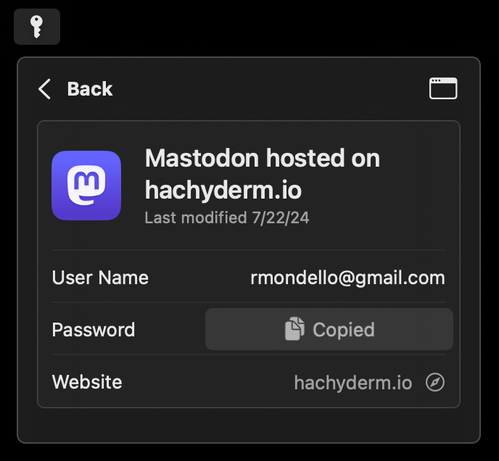

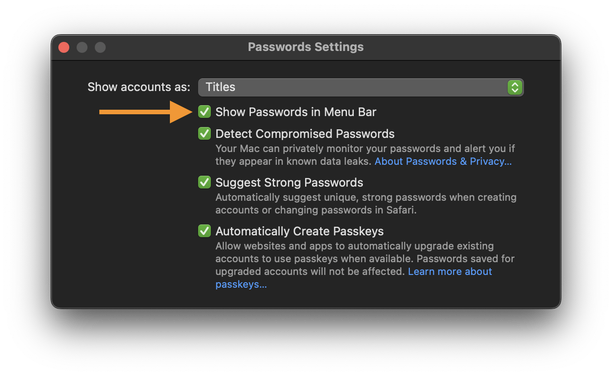
Passwords app for macOS: In the app’s settings, enable “Show Passwords in Menu Bar” to give yourself even easier access to your passwords.

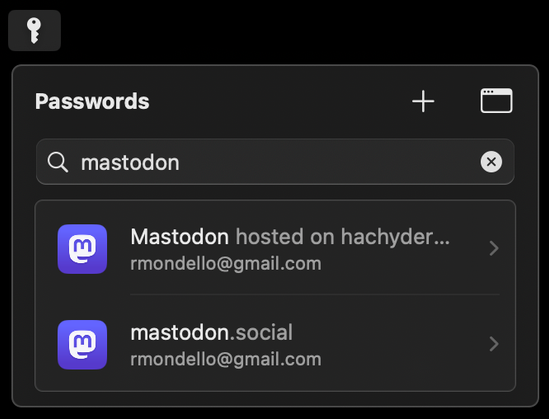
It shows recently-created accounts by default with smart suggestions for the currently open app. Has search, + (New Password), and one-click copy for user names, passwords, and one-time codes.

(Please do spread the word about this! Write about it! And there’s no need to credit me; in fact, please don’t! 🙃)
@rmondello Nice! Any chance there’s a way to bring this up with a keyboard shortcut? It would be great to be able to search/fill a password without needing to leave the keyboard.

@matt @rmondello You can use Keyboard Maestro’s Find Image to „click“ the menu bar icon.

(Yeah there should be a shortcut)

@rmondello I just saw this in a Sequoia video on YouTube https://youtu.be/980hdxCXUP8?si=_p1eqG-o44z4SjX0 - nice feature!
- YouTube

Enjoy the videos and music you love, upload original content, and share it all with friends, family, and the world on YouTube.

@rmondello Hey Ricky! Any chance of solving the issue where apps/websites don't properly annotate OTP fields as such? It's the only thing that prevents me from migrating from 1Password onto the built in one! 🙏 Read more here: https://mastodon.social/@xmollv/113171083366271260
@rmondello nice! I’d argue that this should be the default behavior.
@rmondello will this ever get keyboard support? It’s totally inaccessible right now.
@rmondello is there a way to have a shared group but not have those show up in autocomplete? (Parents' passwords I should have access in case but don’t want to see in my daily life)
@rmondello Is there a way to get it to generate a new password without having to open Safari?
@rmondello This is great! Any expected improvements with performance on Windows 11? Currently having issues with Passwords taking 30-60 seconds to even open.
@rmondello RICKY SEZ PASSWORDS IN MENU BAR got it
@rmondello are you aware that one of the screenshots has your e-mail address in it?
@hankruiger yes. my email address is published in my website.
@rmondello This is significantly better than the shortcut hack I used in the previous version of macOS!

@rmondello great tip, thank you!

I had decided not to use this during the beta period, but it seems there’s been a lot of improvements.

Any chance that mini window could open with a keyboard shortcut? That’s ingrained muscle memory from 1Password and my primary interaction method on macOS.

@rmondello actually, further than that, it would be nice to navigate it using the keyboard. For the moment, the keyboard seems to only interact with the search field.

Ideally the up/down arrows should go through the list and left/right should go in and out of items.

At the very basic level, tab doesn’t seem to work (unlike the main app) which doesn’t seem great for accessibility.

@lukesweeney We’re aware of these issues, and we’ll get to fixing them, but I appreciate you highlighting them for me anyway!

@rmondello ah okay - glad to hear. I’m liking it so far, really snappy.

It’d be nice to see the Hide My addresses in here too, it’s slow to load/interact with in the settings app and feels hidden away.

@lukesweeney @rmondello Keyboard Maestro can help you achieve this. Just trigger with key combo and get it to click on found I mage.
@rmondello Neat! Any hopes for a keyboard shortcut to access it in the future, like 1Password?

@rmondello I immediately went looking for this after upgrading but ended up going back to a shortcut in the Menu Bar. I couldn’t get used to the fact that unlocking the Menu Bar didn’t unlock the app (and vice versa). Are there any plans to do this?

Love having the full app btw, thanks for making it happen 👏

@rmondello please make it also show the ‘notes’. It’s frustrating having to delve into a password just to see which one I need to use when I have multiple for the same website.
@rmondello and another feature request along the same lines. Let us select a default when there is more than one for a website.
@rmondello What's the difference between EnableMenuBarExtra and showMenuBarExtra in com.apple.Passwords?
@rmondello "Copied" isn't a very strong password 😕
@apicultor @rmondello ah but it does have an icon as well. Including emoji in your passwords makes them a lot more secure 😏
@rmondello Can I use the Google authenticator export feature to import into the Passwords app?
@JetForMe Yes. Take a screenshot of the export QR code, go into Photos, and let it open the URL for the QR code in Passwords. :)
@rmondello @JetForMe Did you have to reverse engineer that? It seemed to be some ugly protobuf 😅
@nicolas17 @rmondello @JetForMe Is it not the standard QR code format for 2FA secrets

@rmondello Hi, I hope you don't mind me asking, but I got a bit worried by the Passwords app and Safari in Sequoia.

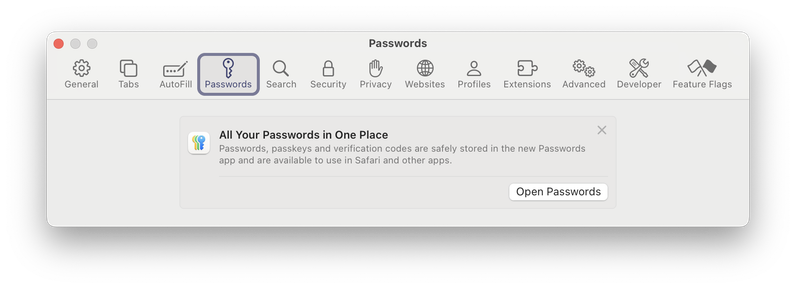
I disabled the "Automaticaly Create Passkeys" setting, because I want to control passkeys by myself.

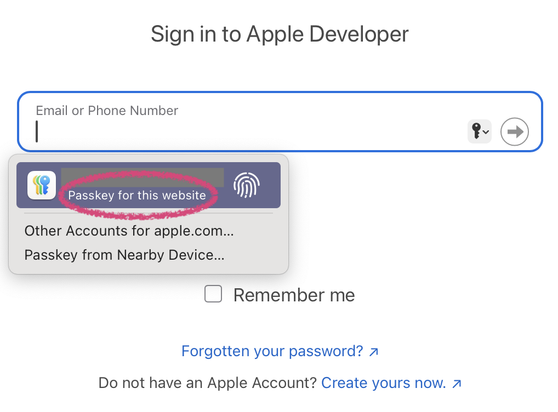
So imagine my surprise when I saw this in Safari.

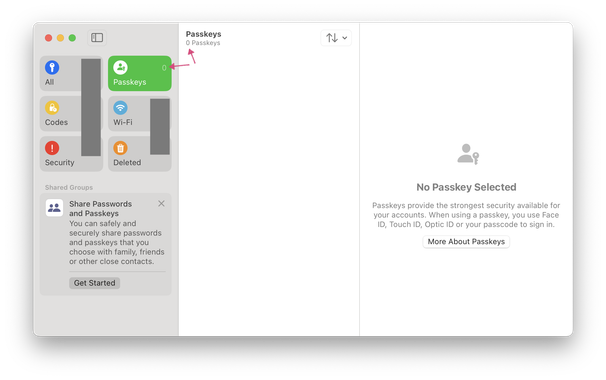
From what I see in Safari, I think I that have a passkey in my Apple ID, but from what I see in Passwords, I think that I don't have any passkeys (which would be correct).

@jornane @rmondello Apple automatically creates a passkey for your Apple Account
@faisal @rmondello That's the impression I got. But I don't see it in my list of Passkeys? Why is that?
@rmondello I just discovered this last week and I am digging it!
@rmondello
Hello Ricky, is there hope that iCloud.com could get a passwords section ? It can be life saving for someone traveling with a broken iPhone for instance (I lived this situation)
@rmondello @chetwisniewski I especially love how it is recognizing which app was in focus when clicking the menu bar icon and then pulling up recommendations for the correct account. Amazing stuff! Worked great in Sketch, Microsoft apps and several more
@rmondello thanks for this! I am slowly migrating my 1Password 7 data over.
@rmondello Are there any developer docs or APIs devs can use to interact with the Passwords app? Or is this still going through Keychain?