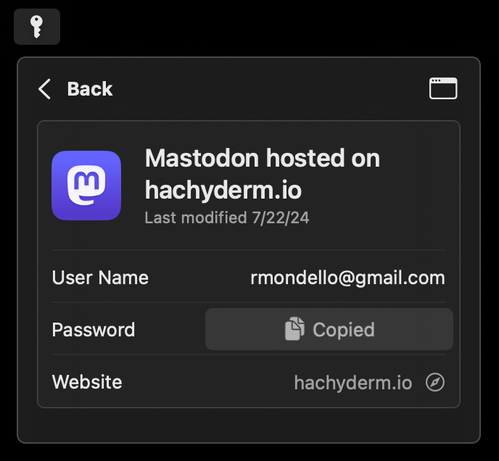
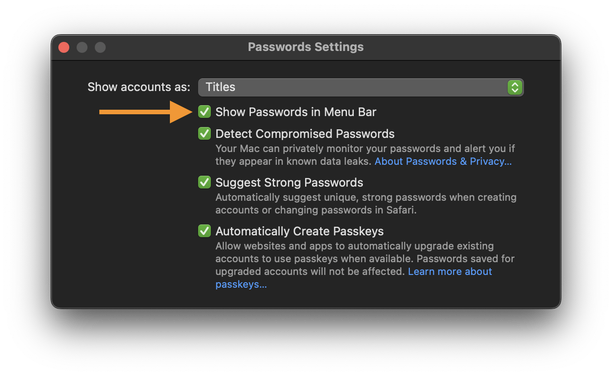
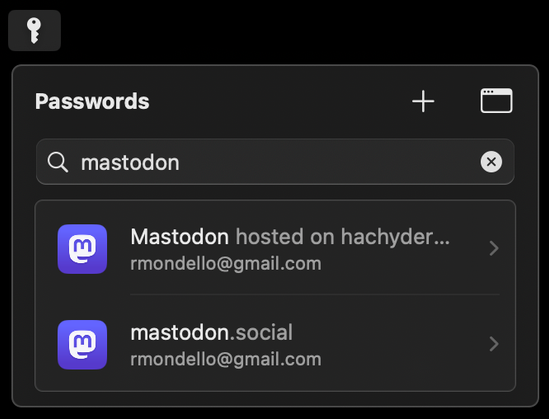
Passwords app for macOS: In the app’s settings, enable “Show Passwords in Menu Bar” to give yourself even easier access to your passwords.

It shows recently-created accounts by default with smart suggestions for the currently open app. Has search, + (New Password), and one-click copy for user names, passwords, and one-time codes.

(Please do spread the word about this! Write about it! And there’s no need to credit me; in fact, please don’t! 🙃)
@rmondello great tip, thank you!

I had decided not to use this during the beta period, but it seems there’s been a lot of improvements.

Any chance that mini window could open with a keyboard shortcut? That’s ingrained muscle memory from 1Password and my primary interaction method on macOS.

@rmondello actually, further than that, it would be nice to navigate it using the keyboard. For the moment, the keyboard seems to only interact with the search field.

Ideally the up/down arrows should go through the list and left/right should go in and out of items.

At the very basic level, tab doesn’t seem to work (unlike the main app) which doesn’t seem great for accessibility.

@lukesweeney We’re aware of these issues, and we’ll get to fixing them, but I appreciate you highlighting them for me anyway!

@rmondello ah okay - glad to hear. I’m liking it so far, really snappy.

It’d be nice to see the Hide My addresses in here too, it’s slow to load/interact with in the settings app and feels hidden away.