 Accidental Tech Podcast
New member-exclusive special!
ATP Insider: Roast My Home Screen
https://atp.fm/atp-insider-roast-my-home-screen
We judge each other's iPhone home screens Surely, we won't have strong opinions about that, or anything else on the way there…
New member-exclusive special!
ATP Insider: Roast My Home Screen
https://atp.fm/atp-insider-roast-my-home-screen
We judge each other's iPhone home screens Surely, we won't have strong opinions about that, or anything else on the way there…
@atpfm Everyone has their opinions like driving in that everyone who's driving faster than me or slower than me is an asshole, but there are 3 rules:
1. No one needs battery percentage on all the time. Low Power mode turns it on for the only time you will.
2. If a badge isn't something you are acting on today, just turn badges off.
3. Anyone concerned about getting the camera quickly should either use action button, or lock the phone and then swipe/hit the camera shortcut. Works every time.

Own your time with Calendars by Readdle across all your Apple devices – Mac, iPhone, iPad, and Apple Watch. Over 30 million people around the globe already use Calendars by Readdle on iOS, and now we’re launching the Mac version with a clear mission – we’ll help you become more organized. What mak…
@atpfm I'm a bit of an update addict - so quite often I'll open the App Store (via the App Library), and do this:
1) Tap the profile picture
2) Pull to refresh
3) Update all (or just the ones I want)
Much faster than searching for the app, @siracusa!
(I'll also add my home screen!
On my Mini phone, the icons are the easiest to reach.
I have one screen, which switches with Focus, which also switches to variants of the same BG.
Yes, MB is ruining the look... )


@havn You can also use a shortcut to directly go to the App Store's Updates page.
Shortcut's link: https://www.icloud.com/shortcuts/0c440395b11d4118a5b10a80ce590750
@caseyliss @siracusa Yeah, I remember that was mentioned - but I thought he then said he _didn't_ refer to that..?
(BTW, does it work in a way where you can do that to force "getting on the list"? So even though you aren't picked for the update yet, you'll get it if, and only if, you search like that?)
@siracusa @yertle @caseyliss "Seems" does a lot of heavy lifting in that last sentence, I think. 😛
Unrelated, another thing I like about checking updates regularly is the following: I feel like I'm getting a closer relationship to the apps I have installed. I get reminded that they exist, and can read some release notes if I want. A little blog of sorts!
But I only have _lots_ of apps - and it might be too many if you have _tons_. 🙂
@siracusa @caseyliss @havn I dont think this is a beta thing but if tiu have a bunch of updates downloading, you can press and hold on the Home Screen icon of one and set it to a high priority.
I think this is also available during an iCloud restore of a new device.
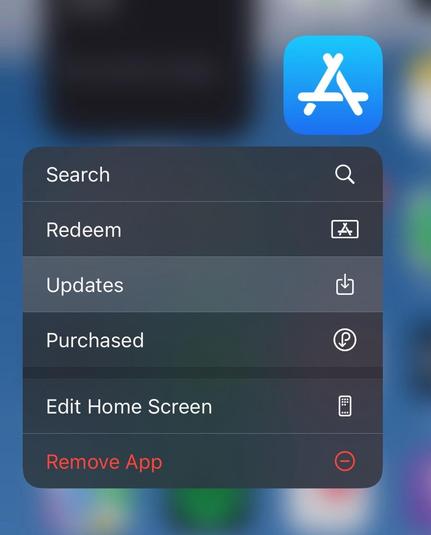
You don’t have to go to the app to jump the queue. Pulling to refresh on the update page will also pull in the apps that are on incremental release that haven’t come to you yet.
I personally love that there are multiple ways to accomplish the same goal, so that everyone can take the path that works best for them.
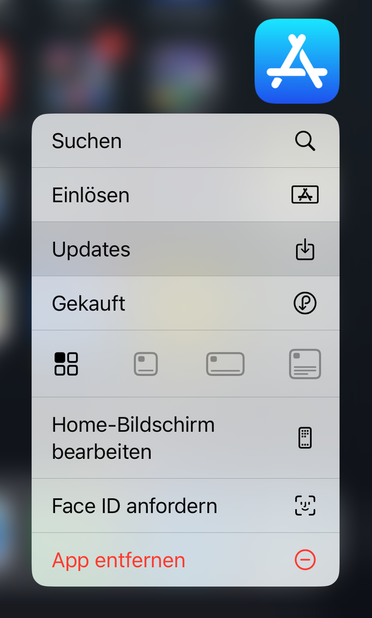
@atpfm @Siracusa Towards the end, you suggested that whatever eventually replaces Twitterrific would need a beautiful icon, considering it’s an unreachable spot.
How about moving the purely functional Apple Calendar “1×1 widget” icon down there, thus freeing up a slightly more functional spot up top?
@markgrambau Not much of a looker…
(And top left is also a really hard spot for me to reach.)

Never miss another important app update again! Update Me is your go-to solution for staying informed about the latest versions of your favorite apps on the App Store. With this intuitive app, you'll receive instant notifications whenever updates are available, ensuring you're always up-to-date with…
@atpfm My Home Screen doesn’t have any apps, technically (other than in the Dock). I have nothing but widgets.
On the subject of memorialised apps, Apollo is still on my second screen (my first screen of apps).
@caseyliss 1) The eight apps in the middle are actually the Siri Suggestions widget. I find it generally does a good job of surfacing regularly used apps at the time I normally use them.
2) I’ve been meaning to get round to sorting my emails but it’s never top of my list. I do skim my inbox daily for new emails so I rarely miss any I want to see, but I can see the argument that improvements could be made.
3) The badge is very useful for sharing in screenshots to get a reaction from people, even on occasions like this where that wasn’t my intention, but I’m blind to it and kinda forgot about it when taking the screenshot 😬

 Leon Cowle
 Cesar Cavazos
 charlesesmith
 Glenn
Glenn Florian Poeltl
 Arjan Bos
 Tomás Pita da Silva
 Reid
Reid Simon 🌻
 sayrer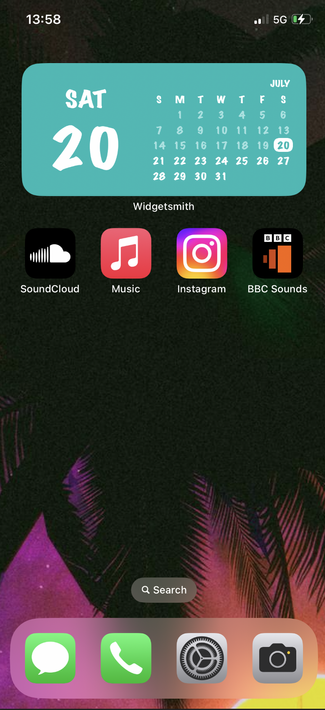
 Cai
Cai Steven McLintock
 alex
alex Trent Shell
 Ayo^
Ayo^ Erlend
 Chris Hunsanger
 Pranjay Sahu
 Tim Hale
 Casey Liss
 John Siracusa
 yertle
 Tara
Tara Adam Eccles
 Eric Roch
 Jackson
 Alexander Caley
 Mike Taffet
 Tom Myers
 Jeffrey
 Elliot Shank
 Kevin Glowacz
 𝚎𝚒𝚗 𝚖𝚊𝚕𝚒𝚔
 Mark Grambau
 Brad
Brad Alexander Steiner
 Rich
Rich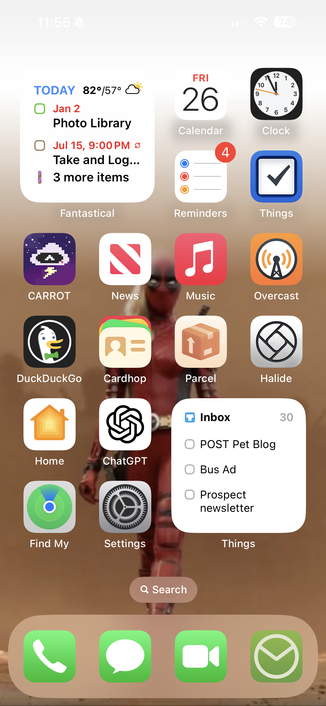
 Rob Howard