If someone you follow boosts too much stuff, you can hide just their boosts from your timeline by doing the following:

1. Go to the person's profile in Mastodon
2. Click the button with three dots (looks like ︙ or ⋯)
3. Click "Hide Boosts" or "Hide Reblogs" (they mean the same thing)

The person will not know you've done this, and it won't hide their own posts.

If you change your mind and want to see their boosts, repeat the same process but select "Show boosts".

#FediTips #Mastodon

@FediTips

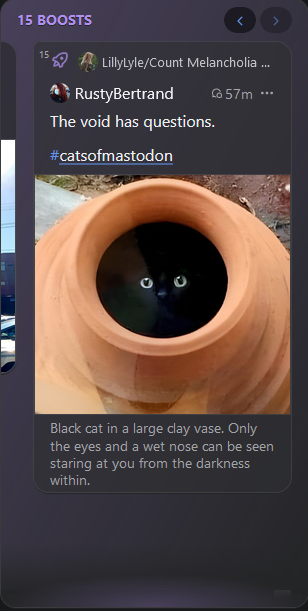
I've found that the panphy.social client handles boosts really well. The devs have implemented a "Boost Carousel" that will show up in the home timeline every so often with several of the recent boosts from folks I follow, with arrow buttons to scroll through 5, 10 or 20 boosts. It doesn't clutter the TL, and it saves the extra step of muting someone's boosts. #panphy

@helplessduck @TheAngelsCove @FediTips yeah, phanpy is awesome, but gods, that first boost 

@OctaviaConAmore @TheAngelsCove @FediTips

Yeah... it wasn't until after I posted it that I realized what I'd done. But it was done, so... 🤷‍♂️🤦‍♂️

@helplessduck @OctaviaConAmore @FediTips

Yeah, I boosted before the image had even properly loaded in on my end, but at least we're all on the same page with phanphy. Liking the updated image better, though. 😉