 Eugen Rochko
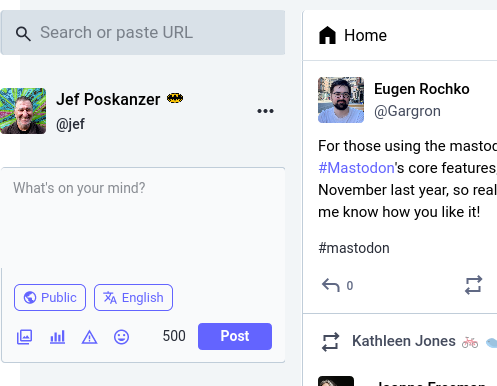
For those using the mastodon.social web app, there's been an update to one of #Mastodon's core features, the compose form! Been working on it since end of November last year, so really excited to finally bring it to light. More is to come. Let me know how you like it!
 Will Phoenix
@Gargron you know what's missing is a Gif button that opens Tenor or giphy gif with a search or something. Anyway I wait for it on Glitch my eyes can't take the white anymore with the pure dark theme on my 2000 nit TV. Keep up the good work
 Jef Poskanzer
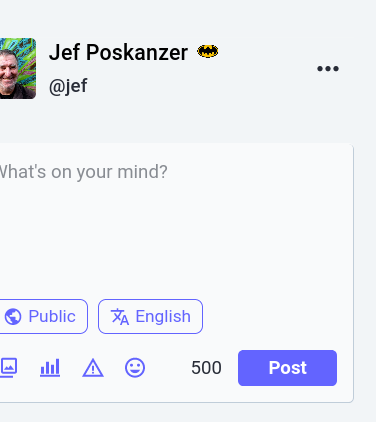
@Gargron Here's when I see. Looks like it's positioned -20 pixels from the left edge of the window. Yay CSS!
While I'm whining, the Notifications tab recently started updating asynchronously, ignoring the setting that says not to do that.
 Angel
Angel  ⁂
⁂@Gargron More info. It turns out I'm very unlucky - this layout bug depends on the window's width/height ratio, and mine just happens to be in a narrow range that shows the bug. A little bit wider and the post box shows up in full instead of partly off screen. Any narrower, and the post box disappears completely, which I guess is an even more serious problem.
 Austin
@Gargron yay!!!!
 James Britt
 Flit 🦊 ❄️
@jamesbritt @Gargron It’s “Unlisted”. The functionality hasn’t changed, just the name
@flit Thank you!
 Jack Yan (甄爵恩)
@Gargron Looking good, Eugen, quite pleasant looking on my phone.
 Thiago, Jedi
 Incorrigible Maker for HARRIS
@Gargron
How does one go about accessing the mastodon.social web app?
How does one go about accessing the mastodon.social web app?
@OlDude82 You will eventually see these updates when Mastodon 4.3 comes out and your provider mstdn.party updates to it.
 Adlangx
@Gargron I don't know what this means, but I appreciate the work. I will seek out this new functionally.
 starfox 64
@Gargron low-key excited
 AmiW Streetart ❄️
@Gargron What I'm really waiting for is the ability to read AltText with my smartphone in the browser. I always have to switch to an app. It works on the PC, it works in Tusky...when will it work in the browser? 🥺
 don Elías (como los buses) 🥨
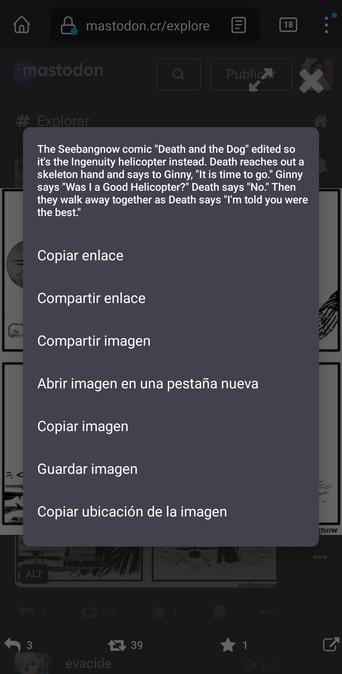
@AmiW how to read alt text on Mastodon mobile web, Firefox on Android:
1. Tap on an image.
2. Tap and hold so a menu appears
That menu has the alt text
3. Tap that text if it's long enough.

 Parker
@Gargron good stuff now we need some further rounded avatar borders like your official mobile app and maybe a darker dark mode option to further match without custom css pls 
 hajota
@Gargron 👍👍 Great 😀
 Rainer Zufall
@Gargron Looks really good
 L'égrégore André ꕭꕬ
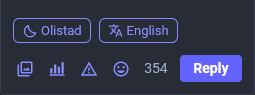
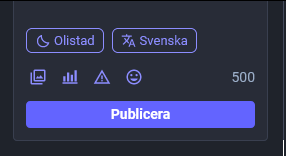
@Gargron Nice that the Publish button is full width, although as I started this reply I noticed the Reply button is not which is a strange UX. Also, good call to have the textarea follow the theme (it'll be annoying for a while cause it's "different", but I know it's better).
Just wanted to ask about the reasoning behind moving and labeling the privacy and language post settings?
(in the Publish UI there's space to have the language and privacy settings as icons in between the emoji and counter)
Just wanted to ask about the reasoning behind moving and labeling the privacy and language post settings?
(in the Publish UI there's space to have the language and privacy settings as icons in between the emoji and counter)
 Nebula
@Gargron I think the changes to the compose form look quite nice. More intuitive and better light/dark theme consistency. Keep up the good work 👍 .
 healyn
@Gargron I like it, and I think the search function has been improved?
Either way, "Post" should say "Toot". I will never waver on this
 3dcandy
@Gargron I noticed straight away and I like it!
 Fubaroque
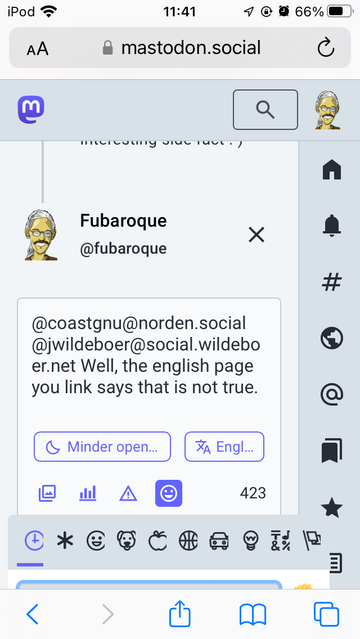
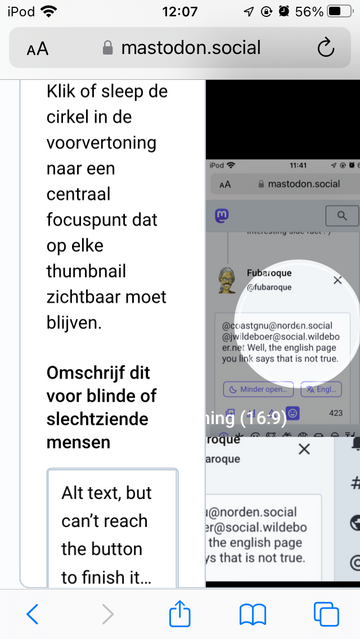
@Gargron Great! 😠 It was already impossible to add an alt-text on my iPod Touch but now I also can’t choose an emoticon anymore. #fail #pleasefixthis
 Dagnabbit, Pascaline! 💥
@fubaroque
I don't have this on my Android phone, what you have looks like what I have on the desktop browser version. So strange.
@pascaline @Gargron Your phone has a different screen size. This is just CSS that assumes too much.
 pancake
@Gargron a before-after screenshot would be helpful for those who don’t use that instance 🙏 but i think i’ve seen it in the comments and it looks quite good!