Me: I hate doing marketing.

<does a marketing, sales go up 750%>

Me: Oh no.

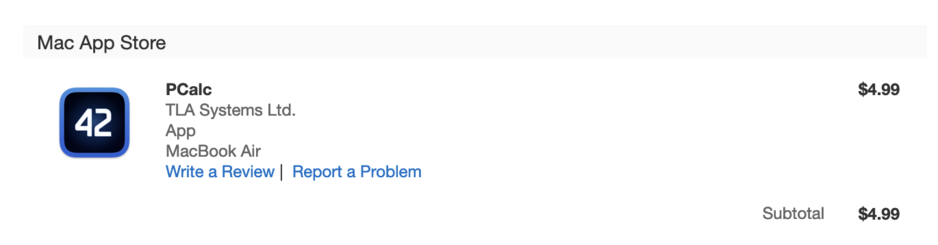
@jamesthomson Heck, it finally got me to buy PCalc for my Mac.
@jamesthomson think of it as unsolicited life coaching 😉
@jamesthomson what kind of marketing are you doing? I’m trying to learn it for an indie app I’d like to explode sales for.
@daveellis It was basically just the 50% off black friday sale I did, and getting it onto all the lists for that.
@jamesthomson Heck, I suddenly want to buy PCalc. 🤪
@jamesthomson I still need to learn how to do some cold emailing, because I don't know how to market at all
@david Oh, I absolutely hate that most of all!
@jamesthomson very fair! I am mainly trying to figure out how to find a few new clients when I am just used to doing word of mouth for so long
@david Yeah, that is pretty much where I am on app sales - I don't have anything beyond word of mouth really.
@jamesthomson Marketing is like exercising for your apps 😅
@jamesthomson The worst thing about using PCalc is not having it on my work PC, where I have to use Windows.
@the_other_jon @jamesthomson iTunes for Windows was built with an Apple-private Cocoa solution. Not public, unfortunately. The C++ interoperability project is slowly making progress towards bridging Objective-C/Objective-C++, Swift and ”pure C++” into one kind of practical Xcode project. Apple barely passed a 1.0 (v1) version in time for WWDC ’23 >>
@the_other_jon @jamesthomson >> Give it another 5 years and there is probably a production-ready Windows GUI framework for third-party Apple devs. The Browser Company is not only famous for the Arc browser, but also for an ambitious project to glue Win32 GUI code with Swift. That’s something which will inspire other devs to contribute and build their own bridging solutions. End goal: one app compiled for iPhone, iPad, Mac, etc + Windows … and presumably Linux.
@the_other_jon @jamesthomson So … my point is, if James really wants to, PCalc for Windows could be practically possible in the future maybe? 🤷‍♂️😇
@Arcticulate @the_other_jon I mean, possibly technically, but the business case may be trickier 🙂
@jamesthomson @the_other_jon I completely understand. There is so much baked into this hypothetical scenario. I’m not going to talk for other people’s plans because it’s *literally* ”your own business” 🙂. However, let’s say I start Example AB (aktiebolag = limited liability) and register an AppleID on App Store and a Microsoft account on Windows Store. The app is ready to go. >>
@jamesthomson @the_other_jon Support chat scenario: ”Press CMD+E to use that feature. Oh, it’s Windows? No, use CTRL+E. No, no … only ARM64 and AMD x86_64 CPUs are validated, not Intel’s x86_64. What, the About screen is glitchy with Nvidia RTX 4090? Don’t worry, I’ll sell the company car to afford one, I’ll fix this issue no matter what!” 🥹
@jamesthomson @the_other_jon Also, in regards to marketing: ”Act now, Example AB apps are on sale. Buy them on iOS, MacOS, Windows and Linux today! Android? Not supported, but everything else is, even desktop Linux!”. Hmm? 🤔 That won’t raise any questions from customers. Not at all!
@jamesthomson ‘Take one for the team’ I guess?
It’s my wife’s fav conversation calculator, I need to ‘buy you a coffee’ soon.

@jamesthomson

"I hate asking."

*asks*

*gets*

"What the..."

@jamesthomson I read this as “I just got nearly 8x my normal support load but this time it’s people susceptible to marketing”
@jamesthomson Just when I thought I was out, they pull me back in!
@jamesthomson Yesterday I took the opportunity to send someone Dice for iOS as a gift. Sorry about that. 😆
@daphnesak Oh no, what a hardship 🙂 Thanks!

@jamesthomson I just bought PCalc for mac and iOS.
Really great deal, I am really enjoying the apps. Thanks !

Two issues though :
- I could not get iCloud sync to work (I see the problem through an user constant, custom conversion to handle a custom currency, and a layout I created in iOS)
- on macOS, default separators for decimal and thousands do not respect system settings…

Any clue ?

@barijaona For the first, I am not sure - check the settings in the advanced section, to make sure syncing of user data via iCloud is on. And make sure PCalc is set in iCloud itself to sync. They should just automatically sync however.

Most standard separators should be supported, but not all - what do you have them set to?

@jamesthomson In System Settings -> General -> Language & Regions -> Number format, I have “1 234 567,89” selected in the pop up menu.

pCalc displays “4,480.42” when preferred Language is set to French, which is wrong.
It displays ”4.4480,42” when preferred Language is set to English (US), which is better but a bit unexpected.
Ideally, it should display “4 480,42”

I am running macOS Sonoma 14.4.1

@jamesthomson For the record, pCalc on iOS also displays “4.480,42” when language is set to French.
@barijaona So this should be picking up the system settings, and is for me, but you can override the separators in the Advanced section of the settings on iOS and Mac. I will look into why it's not working automatically. You might need to quit the app for any system changes to show up.
@jamesthomson Regarding iCloud : all settings are activated on the iOS side, but when I look into “manage iCloud storage”, I don’t see any storage used by pCalc… is it normal ?
@barijaona That's possible, because it's not stored as files, so may not show up. Try switch the setting off and on in the settings, that may kick it to update.
@jamesthomson I exported all settings and user data, erased all settings and user data from iCloud, then reimported settings.
This did the trick! Synchronisation fits my specific needs.
@barijaona How weird! But iCloud is sometimes bad at syncing like this. Glad it is working now!