 Hylke Bons 🥜
changed to a Sonic-style ball jump. makes it easier to add all kinds of mechanics. ⚪💨
it looks better too in my opinion. what do you think?
#GameBoy #GameDev #PixelArt #RetroGaming #Nintendo #ProjectWhiskers
changed to a Sonic-style ball jump. makes it easier to add all kinds of mechanics. ⚪💨
it looks better too in my opinion. what do you think?
#GameBoy #GameDev #PixelArt #RetroGaming #Nintendo #ProjectWhiskers
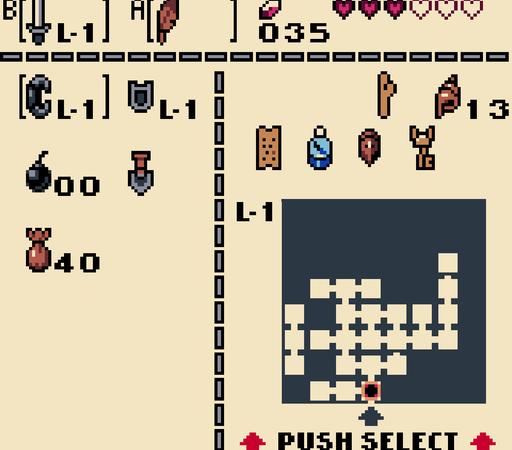
new map screen. gives a good sense of what the size of the world will be. 🗺️
the unvisited tile looks a bit like Tetris blocks. may change it later...
#GameBoy #GameDev #PixelArt #RetroGaming #Nintendo #ProjectWhiskers
the minimap now shows room exits. so you can see the path you've traced. only for visited rooms, so it doesn't give away any secret exits. :)
this was a lot of work... the room exit directions are generated into some spare bits of the world data at compile time.
it's still very slow, but haven't looked at optimisations yet. maybe I'll keep it this way and create a scroll unroll effect instead? 📜
#GameBoy #GameDev #PixelArt #RetroGaming #Nintendo #ProjectWhiskers
let’s get PHYSICAL.
#GameBoy #GameDev #PixelArt #RetroGaming #Nintendo #ProjectWhiskers
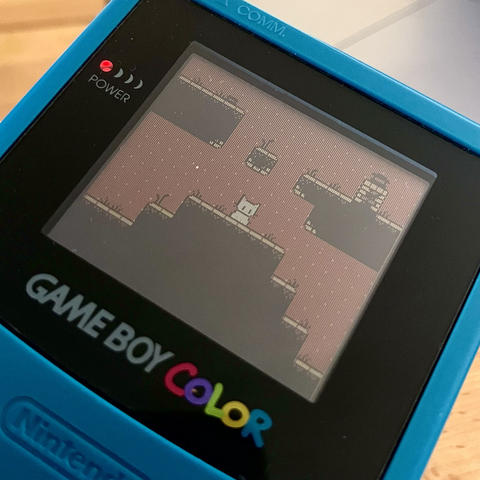
2-bit sparkle. ✨
#GameBoy #GameDev #PixelArt #8Bit #Retro #RetroComputing #RetroGaming #Gaming #Nintendo #ProjectWhiskers
got a bit carried away with this one... 🍃🐱✨📜
toggling the leaves at certain y-values makes it seem like they go behind the popup. the animation adds to the effect. :)
#GameBoy #GameDev #IndieDev #PixelArt #8Bit #Retro #RetroComputing #RetroGaming #Gaming #Nintendo #ProjectWhiskers
I want to improve the room draw time.
because of the limited ROM size only the bump map is stored and the room is decorated when switching rooms.
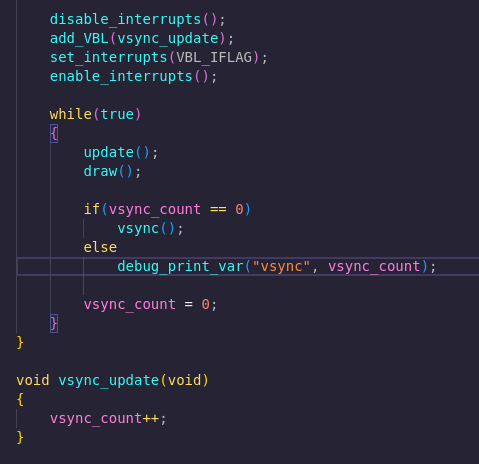
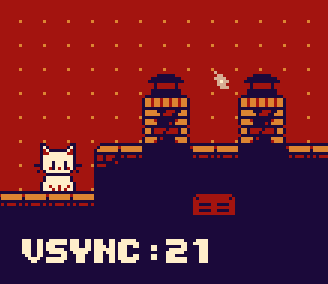
however this has a noticable delay (~20 frames). found this interrupt snippet so I can print how many frames were dropped and I can measure progress. 👍
#GameBoy #GameDev #IndieDev #PixelArt #8Bit #Retro #RetroComputing #RetroGaming #Gaming #Nintendo #ProjectWhiskers
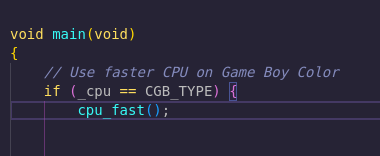
also... did you know that the #GameBoyColor has a CPU that's twice as fast? ⚡
you can make use of it like this:
#GameBoy #GameDev #IndieDev #PixelArt #8Bit #Retro #RetroComputing #RetroGaming #Gaming #Nintendo #ProjectWhiskers
alright! got about 25% speed improvement! 💪
there's a small bug, but too tired to fix that now...
the screen transition already feels better. need to iterate over 360 tiles, so I would be happy to get it close to 10 frames...
then I might load the next room in chunks in the leftover processing time as you're walking towards it and make it feel instant. 🤯
#GameBoy #GameDev #IndieDev #PixelArt #8Bit #Retro #RetroComputing #RetroGaming #Gaming #Nintendo #ProjectWhiskers
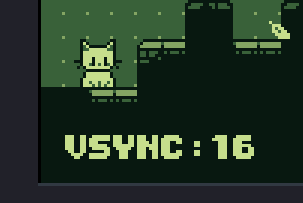
11! 🥳
it's very smooth now, will post a before/after recording later. :)
lessons: was using a modulo-% somewhere. removed many function calls inline and simplified the calculations. moved stuff out of loops that didn't have to be recalculated.
#GameBoy #GameDev #IndieDev #PixelArt #8Bit #Retro #RetroComputing #RetroGaming #Gaming #Nintendo #ProjectWhiskers
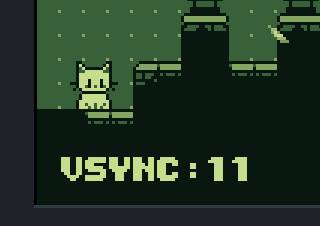
7! 🙃
had some redundant index/row/col calculations, and removed their reliance on non-powers-of-2 multiplications.
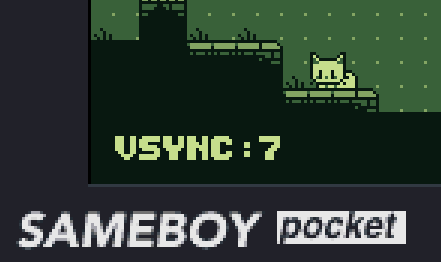
didn't think I could get it below 10. :D
#GameBoy #GameDev #IndieDev #PixelArt #8Bit #Retro #RetroComputing #RetroGaming #Gaming #Nintendo #ProjectWhiskers
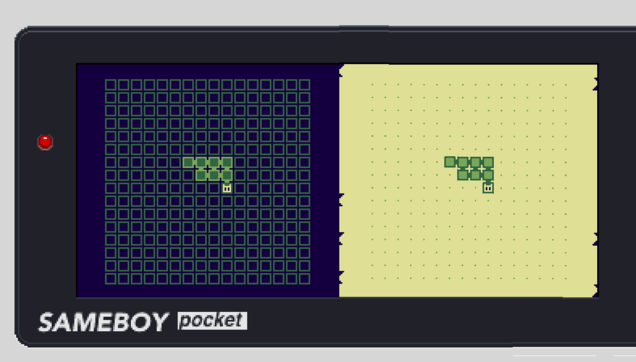
I can't decide which map style to use. which do you prefer? 🗺️ (poll in the reply)
#ProjectWhiskers #GameBoy #GameDev #IndieDev #PixelArt #8Bit #Retro #RetroComputing #RetroGaming #Gaming #Nintendo
@hbons You can always swap the item to be a GPS display or something, if the setting allows it :)
Ultimately I'd prioritize readability over skeuomorphism every time... but also, I still think different ways to play a GB game will interact differently with either option, so if you don't want to do both you may as well pick the one you like.
@hbons While I totally can understand why the majority voted for the right design I think the left one suits the other screenshot you’ve posted here much better.
It might be on purpose but I would be irritated by the notable difference in brightness compared to the stage design
@lontrachen yes, already got it running on real hardware. :)
back then it was done in assembly, but I think they also used C at the end.
I'm using C, but you need to be really careful about how it translates to assembly to not make it too slow. it's kind of fun!
 Bernie Wick
 ISSOtm
 Game Boy Camera
 Marco van den Hout
 Studio 8502
 MudMan
 Sushi Libre
 matt
matt Vesa Piittinen
 Hasko 🇪🇺🦄🌻
 Sir David Nielsen