 Arnaud Joubay
 Sarah Perez 💙
Really curious to see who’s building Interactive widgets in #iOS17
 Filip Němeček
@Sarahp Finished this like a 15 minutes ago. 😀 Still quite early, though we hope to have it available when iOS 17 releases
@nemecek_f @Sarahp lol that’s great
 Marcos Tanaka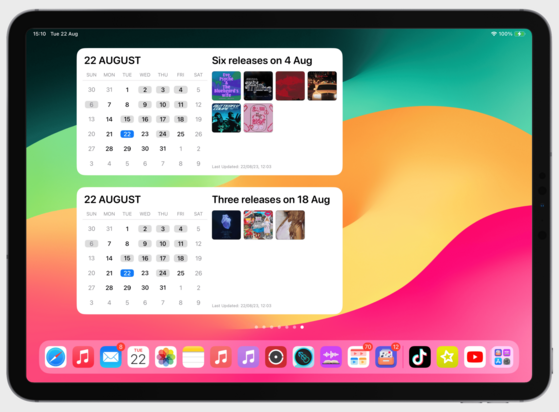
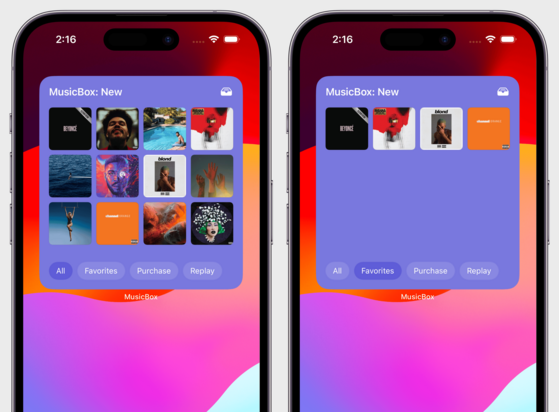
 Jack Regan
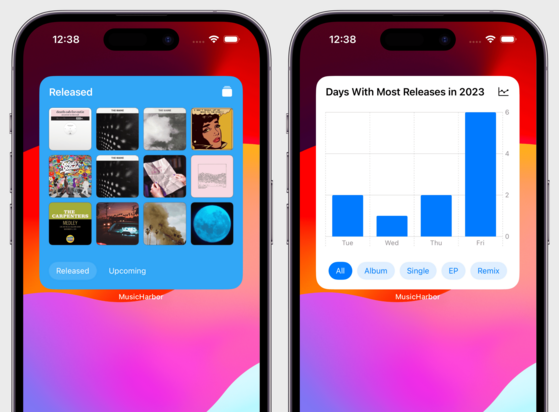
@mactanaka Is there any way to squeeze artist or album names into the upcoming releases widget? The reason I don’t use the current version is because the album art alone doesn’t really give me a good sense of what’s coming
@jack_regan I haven't planned a layout that can accommodate both album artwork and text for the new version, but I'm thinking about some possible alternatives.
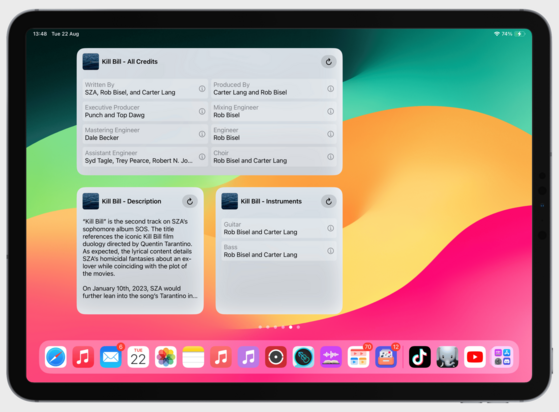
@mactanaka Gotcha gotcha. I was imagining something like this... Just a thought!
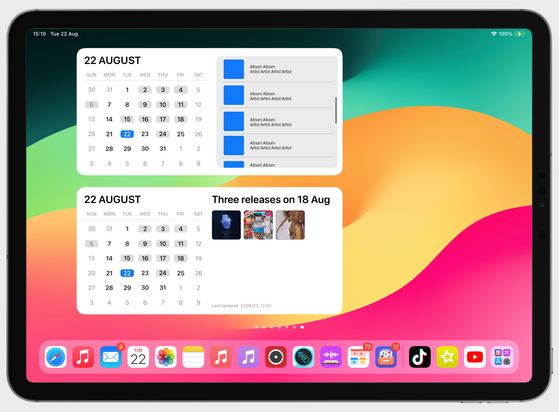
@jack_regan Yeah; I think it could work except for the scrollable list. But I could think of other ways to paginate it if it didn’t fit in one screen, like adding buttons to navigate
 Sofia
Sofia Valter Hemmi
@Sarahp Liftin' have both interactive widgets and live activity. You can try it out in TestFlight 💪 https://testflight.apple.com/join/WTXiGTTA

 SmileyJo
Hi,
I am a computer science student and I would like you to participate in filling a survey about Fitness Mobile Apps. Your participation will really help in my project 🙏
https://docs.google.com/forms/d/e/1FAIpQLSeGBL88femJz02sVbT9ecSc5P9AjF48bC_OpB7mls8nHvC5Ew/viewform

 Manuel Kehl
@Sarahp I started working on interactive widgets for @zenitizer 🧘
Happy to send you a TestFlight once I have a working prototype, if you’re interested 😉
 Matt Corey
@Sarahp Bills to Budget has an all new set of interactive widgets!
 Klemens 🥳
@Sarahp Me - The interactive widget for Study with Subwords teaches you vocabulary throughout the day!
 Jordan Hipwell
@Sarahp mee 🙋🏻♂️ my Plant Daddy and Music Info apps ✨
https://testflight.apple.com/join/RPvavENk
https://testflight.apple.com/join/PF51tNuK
https://testflight.apple.com/join/RPvavENk
https://testflight.apple.com/join/PF51tNuK

 Germán Buela
@Sarahp on Vinyl Fetish you can turn the record over and play a side.

 Chris Wu 🪐
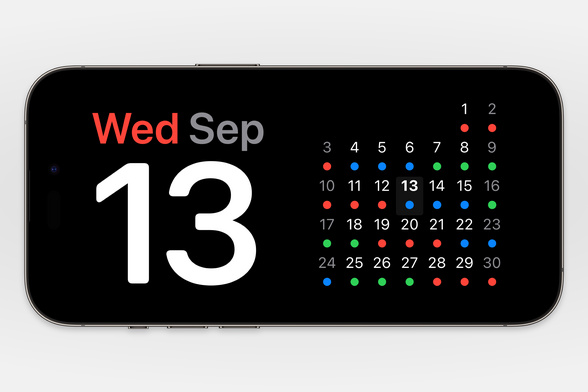
@Sarahp can I interest you in some Standby widgets? 😬
@Sarahp i’ll try to send you something tomorrow!
 Emmanuel Crouvisier
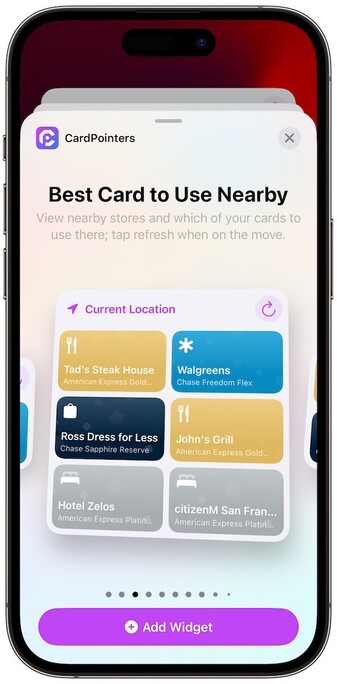
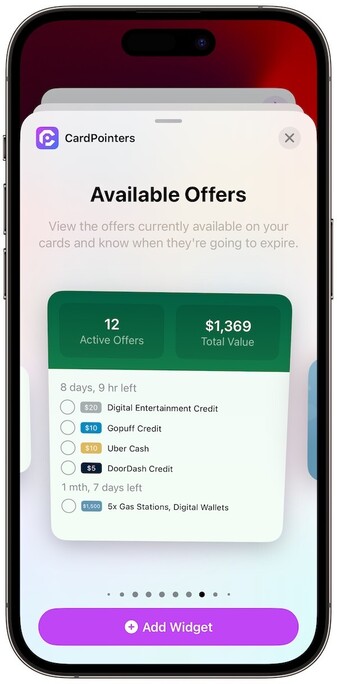
@Sarahp I added 3 new interactive widgets to CardPointers:
* Offers Widget allows users to redeem offers from their homescreen
* Nearby Stores has a refresh button and automatically updates stores around them without having to open the app
* Nearby Offers has a refresh button to update the list of stores nearby where you have free money from your cards
Suoer excited about the new feature!
 Lukas Petr
@emcro looking great! Are these widgets available only on iOS 17? And are you supporting iOS 16 for the rest? In my experience using the #available(iOS 17, *) in the WidgetBundle causes widgets to stop working on iOS 16.
@luksape thanks! Yep supporting back to 15. If supporting pre-17 still need to do the widget bundle trick:
https://www.avanderlee.com/swiftui/variable-widgetbundle-configuration/

@emcro thank you! That looks super promising. But I'm getting slapped with "Function declares an opaque return type 'some Widget', but the return statements in its body do not have matching underlying types" Any tips how I could fix it? 😬
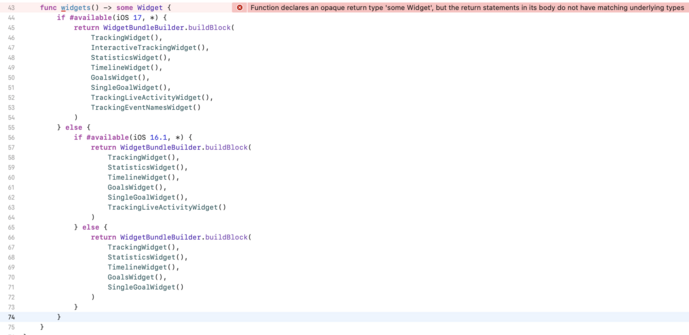
@luksape move your if available checks into the functions. Not at computer now but that’ll do the trick
@luksape ahh I see yeah you do one in each function. Have lots of functions instead :)
@emcro I see. I just tried moving the second if/else block into a new function and.. it works! Thank you so much!! I was literally worrying about this for days.
 Ryan Ashcraft
@ryanashcraft happy to hear it’ll help FoodNoms get on more people’s home screens!
@Sarahp I am ✋ . It's a great fit for starting and stopping timers in my time tracking app. (screenshots & TestFlight here: https://timelines.app/version-3.7 )

 Zach
Zach@Sarahp The interactive widgets in @glucomate are coming along!
They allow for quick-entry of glucose data into HealthKit, which then appears in the main Glucomate app (and any other app that uses the same HealthKit data). https://mastodon.social/@zachsimone/110960399954911416
 Denis Andrašec
@Sarahp Not an interactive widget, but i've updated the widgets to look great in sand by mode!
https://impresskit.net/press-release/ce4d03bf-698a-46cb-97c0-c33b2cc7f41a
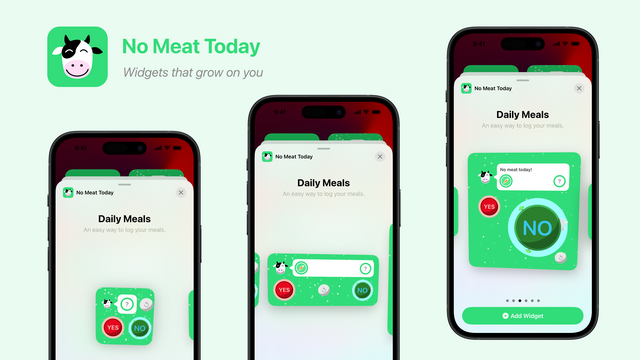
@Sarahp I did build some Interactive Widgets for @nomeat_today ☺️
The PR about this and the other novelties is here: https://impresskit.net/press-release/6572245e-a84e-4fbf-b357-5e295d16738c