🤯

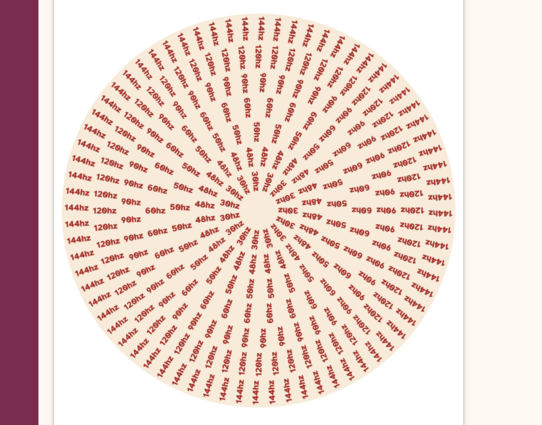
"a fascinating way to show users the refresh rate of their screen by spinning a specially designed zoetrope-like disc graphic at speed. As it spins, the numbers representing the viewer’s refresh rate should remain visually stable unlike surrounding numbers."

https://cohost.org/lunasorcery/post/2465593-testing-your-animati
@i_am_fabs that’s… wow.
Luna (@[email protected])

I made a zoetrope that shows your browser's animation refresh rate (which is *usually* the same as the display's refresh rate) https://cohost.org/lunasorcery/post/2465593-testing-your-animati

LGBTQIA+ Tech Mastodon
@i_am_fabs My monitor shows 60Hz and my phone 120Hz for a few seconds and then 60Hz. (My phone is set to "dynamic". So with user interaction, scrolling, etc. is smooth, but then drops down to save energy.)
iPhone 13 Pro seems to be stable at 120 Hz even during scrolling.
@i_am_fabs

@i_am_fabs It behaves oddly on multi-monitor setups that use different refresh rates. 144Hz is stable, while 60 Hz flickers back and forth between two positions.

Otherwise, a neat trick.

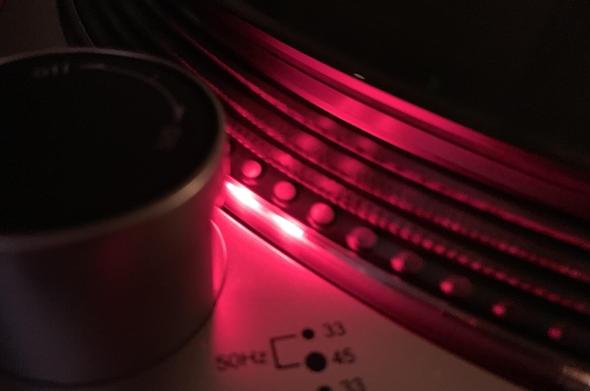
@i_am_fabs huh super cool! Reminds me of the dots on the side of the Audio Technica record player. The dots that look stationary when it’s playing show you the speed.
@i_am_fabs @siracusa really cool specially on a variable refresh rate display. Scrolling up and down in an iPhone Max shows how the screen adjusts its refresh rate
@i_am_fabs My iMac shows both 120Hz and 60Hz as being still and not flickering, but the 2019 iMac 5k has only a 60Hz screen.

@i_am_fabs The principle is similar to what record players have done since a while back: https://youtu.be/1YtXz2XGUUo.

It's still a cool idea to use it for this purpose though!

What should the dots do on a Technics SL1200 t table?

YouTube
@i_am_fabs
The stroboscopic effect in practical use
@i_am_fabs Like using a timing light when working on an older car!
@i_am_fabs
I'm okay with dark arts and sorcery, yet I draw the line at CSS⸮
@i_am_fabs This is the second link to cohost that's supposed to have something animated, where I just see a static picture.
@jernej__s @i_am_fabs I had this same problem. @luna pointed out I likely had "reduced motion" enabled in my OS settings. For Windows 11 it's under Settings Accessibility > Visual Effects > Animation effects. Toggling that on and off made it animate or not.
@bgolus Ah, that explains it – I've got that enabled both in the OS and in Vivaldi, because I dislike most UI animations (and some of Windows animations actually made me dizzy).
@i_am_fabs I don't really care what my refresh rate is, but I could watch this all day.
@i_am_fabs This is how we adjust the speed of turntables, using the flickering rate of lightbulbs (or, if available, more accurate stroboscopes).
@i_am_fabs Something funny going on with the images on multi monitor setup for me, with xorg I get 60hz on all monitors as expected due to xorg limitations, but with wayland I get 75hz on all monitors even though one monitor does not support that.
@i_am_fabs this is unreasonable stupid fun
@i_am_fabs isn't working in Edge :(
@i_am_fabs Works on the phone though, neat!