Partially blind guy here with an #a11y PSA:

I'm seing a trend away from "Text Size" sliders or old fashioned font dialogs and towards a few set choices "Default", "Large","Larger", etc.

This is a HUGE step backwards. Your 'larger' is *never* large enough for my crazy busted eyeballs when I'm using my 34" monitor.

If you must do this, please be sure to add "Largest" and even "ZOMG ARE YOU SERIOUS LARGE" options. Some of us REALLY need them, even if it seems insane to you.

@feoh From your perspective, do these buttons or sliders have any advantage over the standard builtin function of browsers to zoom into a page (and designing a website so that this zooming in does not break the layout)?

@lilo I guess I don't understand the question.

I'm talking about native apps, not web pages, so maybe you're saying everything should be an Electron app or something so we can web zoom on anything?

Most operating systems also offer the option to zoom part of the screen, but have you ever tried LIVING like that? It's a misery.

@feoh No. I was refering to websites having extra zoom buttons to enlarge the font size which never made sense to me (since there is the browser zoom function).
@lilo @feoh As a person without vision issues, I use this feature often when connecting my laptop to a projector while making a presentation. Being able to enlarge just the font size without breaking the layout of, say, a wikipedia page, can make it easily readable to an entire auditorium. More flexibility/granularity and CLARITY with font size outputs is good because as a web dev one never has any idea what kind of a display someone is connecting or broadcasting to.
@lilo @feoh
The browser zoom function, 90% of the time, doesn't work well. Either you end up with unreadable breaks with headers or images running over the top, or the site "helps" by resizing it back...
@deirdrebeth @lilo @feoh
Yep second that not work well and doesn't allow pages to re-format and now you have another problem of trying to scroll around the page with invisible controls.

@feoh @lilo Do you know how to do that on android? I've not worked it out for native apps, and haven't found a way online. Is there some magic thing with seven fingers or something everyone knows about except me?

I've a terrible native app from tp-link where an important number is tiny in pale grey on a white in a diddy bubble of a different shade of grey and I have to screenshot it and zoom in an image viewer to see the number. (and my eyes are ok-ish: I wear reading glasses but that's it).

@chiffchaff @feoh @lilo On my Motorola Android phone, it's under Settings > Accessibility > Magnification. Once enabled, swiping up from the bottom of the screen with two fingers activates the screen magnifier. You can scroll around the screen with two fingers and pinch-zoom, and interact with UI elements in the magnified screen.

I don't know if this is specific to Moto or if it's in stock Android too?

@johnchivall @feoh @lilo Brilliant, thank you, that works on my Moto phone as well! That's saved me lots of faff and frustration! 😀
@chiffchaff @feoh @lilo you're very welcome, glad it worked for you!
@johnchivall @chiffchaff @feoh @lilo It's present on my Google Pixel phone but I have to press both volumebuttons or have an on-screen zoom button.
@green_bens @chiffchaff @feoh @lilo The two-finger swipe gesture might be a Motorola thing. Annoying that a11y functionality isn't standardised across android
@johnchivall @green_bens @feoh @lilo It's weird you have to turn it on. That's the thing which didn't occur to me! I felt very silly when you showed me how to do it, but it just seemed so strange that it isn't just normal. I had tried no end of things to get it to zoom, but I didn't expect it to be hidden away in a setting. Loads and loads of people have vision that needs a helping hand. I guess just not among mobile developers!
@chiffchaff @johnchivall @feoh @lilo FYI: On my phone you can do Settings then Display then Display size which might be useful if you need everything a bit bigger or smaller.
@chiffchaff @green_bens @feoh @lilo That too! It should be on by default and the very first "welcome to your new phone" screen should show that user how to do it (and that very first screen should be narrated too, explicitly asking if screen reader should be enabled from that point). Most users will just tap "next", some will go "oh cool, I didn't know it could do that and I like it" and everyone who really needs the feature has a usable device from the start
@feoh @lilo
does resolution/dpi change feels sufficient?
i had a 30" set to 200% on the OS level, to test several things,
but im afraid even 1024px width is not enough of a viewport for some apps and many websites today
@feoh @lilo For native apps, can you use the OS DPI settings? I don't know if you use Windows, but Windows 10 made high DPI support much better, including for old programs that normally didn't work well with anything other than 100% (right-click such program icon, go to Properties → Compatibility tab and in High DPI Settings try the [nonsensically-named] "System (Enhanced)" option if the program has trouble running when you set anything higher than 100% DPI).

@lilo I realize this got lost in the shuffle of the original thread, in part because I was very specifically talking about native apps.

However, to answer your question, buttons and sliders are fine so long as they respond to keyboard navigation, and in the case of buttons, that their captions don't break or truncate when the fonts are enlarged by zooming. That happens A LOT.

@feoh

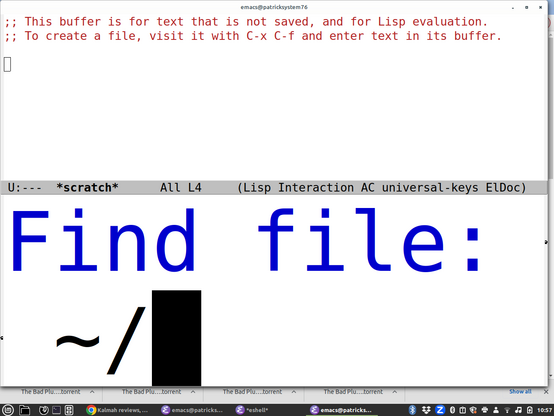
Yeah I just set my Emacs minibuffer font to be like 140 point. I realized I couldn't see it and was just doing things by memory, even if things get cut off now I'll see something. It looks even more ridiculous in person because my monitor is huge.

@smyth It's like as graphical interfaces become more entrenched and 'mature' they move further and further away from actually being able to accommodate people with non normative interface needs.

It's frustrating. I'd say I'd just go back to 100% text mode all the time, but the web and everything else is so inherently image oriented these days that could get pretty rough pretty quick.

@feoh @smyth

One of the things I really like about running my own web services is that I get to control the damn CSS.

So I guarantee high contrast, decent colors, no minuscule type, and white space where I want it instead of where a "UX designer" who has never taken an accessibility class has decided it should be.

Oh, and one of the things I like about running XFCE on X11 is that writing a window manager theme is easy. So the focus window has a big cyan border, and unfocus windows have narrow but distinct black.white.black borders and high contrast titlebars. Because it should be bloody obvious which window has focus, and easy to find the new window that you want next.

@dashdsrdash @feoh

Yeah, it's really amazing the difference a decent focus border makes. Loves websites that just turn focus borders off :/

@smyth @dashdsrdash @feoh My vision is 20/20 and I still can't tell which window is focused on Mac OS most of the time.

@jeremy_list @smyth @feoh

On Mac laptops, I have taken to the paradigm of making every application use one virtual desktop and be full-screen if at all possible.

I basically don't use Mac desktops/large screens except while fixing things for a desktop user.

@dashdsrdash @jeremy_list @smyth I do much the same but I tend to avoid the native MacOS full screen mode because it fforces the paradigm of whole screen app switching rather than window swapping which I find much less visually jarring and thus preferable.

So I use Rectangle - https://rectangleapp.com/ and simply hit

Rectangle

Move and resize windows in macOS using keyboard shortcuts or snap areas. The official page for Rectangle.

@dashdsrdash @jeremy_list @smyth I do much the same but I tend to avoid the native MacOS full screen mode because it fforces the paradigm of whole screen app switching rather than window swapping which I find much less visually jarring and thus preferable.

So I use Rectangle - https://rectangleapp.com/ and simply hit Cmd+Opt+Enter to make each window fill the screen.

Rectangle

Move and resize windows in macOS using keyboard shortcuts or snap areas. The official page for Rectangle.

@feoh @jeremy_list @smyth

Feoh, have you turned on "reduce motion" in A11Y => Display ? Full screen swapping via hot corner is as fast as I can move the cursor and click.

@dashdsrdash @jeremy_list @smyth I haven't but I'll look at that. Thanks!

@dashdsrdash @jeremy_list @smyth Just wanna say this works GREAT!

I'd never taken the time to register how distracting the wierd screen wipe effect they do when switching full screen apps was, but it is indeed a big distraction for me. Turning on reduce motion eliminated it completely.

@dashdsrdash Thanks for this. Your solution TOTALLY doesn't work for me, but you lead me down a rabbit hole that forced me to update my workflow and examine available tools built into MacOS, and the solution leapt out at me.

As previously mentioned the hot corners thing is a SUPER non starter for me. Touching the mouse is screaming evil productivity death when you're fine & gross motor impaired. Imagine your mouse being posessed like some kind of deranged 90s Schwabbie desktop hack where the pointer runs AWAY from where you're trying to make it go and escapes your vision entirely :) (And I'm not even exaggerating.)

However, turning on Stage Manager was the big win I needed.

If you do this, all your apps become windows in stage manager. The one that currently has focus (whether full screen or windowed

@dashdsrdash So, your original solution ended up not working for me (I still got the transitions, and I can't use hot corners - see 900 previous posts about fine/gross motor impairment and mice. I hate meeces to pieces! :)

But I found relief in an odd place - Stage Manager. It will let you herd your app windows in arbitrary ways, and then either Cmd+Tab between them individually or between groups if you set it up that way.

Thanks for the inspiration to dig :)

@dashdsrdash @smyth
<kidding>
Oh, so theming your desktop is GOOD, but theming your editor is BAD?

A strange breed, these old school sysadmins are :)
</kidding>

I'm rather enjoying a similar level of customization capability in KDE, but mostly I don't need to write my own theme per-se, as I can tweak existing ones with a fair bit of precision, and KDE is super strict about things like text size being adjustable all the way down.

Because this conversation has delightfully meandered all over the map, I was originally posting about my frustration on installing the Office365 Outlook client, because I'm struggling a bit to find the right notification mechanism for meetings.

I fell back to the web version, but that has problems too.

Note that the problem here is calendaring, which can't be readily solved with 'read yer mail with mutt, brush your teeth, etc." :)

@feoh @smyth

I didn't say that theming your editor was bad. I said that, for me, becoming used to excess editor configs is a problem because I am frequently on some new machine where I do not have the time to set up a new config, nor is it appropriate -- so I would get more annoyed at not having my tools than learning to live with what I've got.

I suppose I could always cut-n-paste to my local, edit, then cut-n-paste back, but... no.

Calendaring: gaaah.

@dashdsrdash @feoh

Is this a good time to say that I do at least some of my calendering in Emacs? Probably not.

I've gone all the way to the other side of the spectrum, but then again, I'm visually imapired, and basically can't use a computer unless I've SSHed into it and messed around, or I've installed a screen reader, so it makes sense to go all the way and customize everything. I try to have a few working machines at any time so I don't get stuck and I can use one to bootstrap another.

@smyth @feoh

Yup, yup.

Which is why we need all the tools, not one tool that does everything.

@dashdsrdash @feoh

I do somewhat similar things (making backups to GitHub of my config files, which are quite portable). And I try to make other computers come to me, by using SSH, Tramp in Emacs, etc. Still, of course you sometimes need to whip out vi or ed (I actually prefer ed on totally bare systems as its pretty visually impaired friendly, the one line interface is kind of how screen readers work).

@smyth @dashdsrdash Glad to hear you can do some calendaring in emacs. The choice to use Outlook/Exchange wasn't mine, and we do the best we can to live within the systems we've forced upon us sometimes, right? :)

@feoh @dashdsrdash

Yeah, and it's pretty hard to keep things within Emacs. Calendering is one of those things that tends to be forced on you. Sorry you have to use Outlook, I'm really not a fan, though at least the accessibility for screen readers is pretty good.

@dashdsrdash @smyth For sure that's a challenge, I have things along those lines optimized about as much as they can be for durable systems I spend any time on. My $HOME is a got repo which has proven to be a life changer - patterned after this article: https://www.atlassian.com/git/tutorials/dotfiles

But I get it. If you're working on say, production environments where dragging your dot files around isn't an option, or dispoable EC2 instances and the like, that's just not gonna fly.

For me there's very little cognitive load imposed because my heavily ornamented editor is Neovim, so dropping back to stock Vim in those environments is hardly a pennance.

How to Store Dotfiles - A Bare Git Repository | Atlassian Git Tutorial

It's time to find a better way to store your dotfiles. Learn why you should start using a bare Git repository instead.

Atlassian
@feoh @smyth because most designers and devs are uneducated about accessibility, and product makers don’t give a shit unless they get sued.

@feoh

THIS

Also, please, please don't lock us into crazy UI colour schemes - certain combinations are impossible for me to read for longer than 30 seconds and then I have to invert the screen to see if it's better and *then* all the grafs are inverted and arghh.

Please, please let us adjust font sizes and colour palettes. It makes a huge difference, it really does.

When I have to give up on a new app because I physically can't use it, it's always a kick in the nads.

@Jyoti @feoh
100%

Whoever thought that medium gray text on a light gray background was super fashionable should be locked in a dimly lit basement with a fading 1992 monitor.

@geobeck @feoh

Honestly, I don't mind designers doing crazy colours / fonts / graphics but just give us the option of something actually boring and legible.

@geobeck @Jyoti @feoh No, they need the same monitor but with a bright window behind them.
@Jyoti @feoh one of the reasons I’ve stuck with Ice Cubes. Anything any color. It makes a huge difference for me

@Jyoti @feoh

Amen! As a low-vision user, I need to tune colors, contrast, brightness, and text size to work on a computer. Many standalone apps offer completely inadequate tuning options. Many web apps actively subvert the browser settings and a11y plugins I use. It's all profoundly dispiriting. It would be so easy to make life vastly better for people like us. 🙁

@isomeme @feoh

THIS - when apps override OS-level accessibilty, WHY?

Why won't you let me have large text, you utter dicks??

Example: the iOS Twitch app won't let you have larger text than standard. But on Android, you can make the system text massive *and* the Twitch app text matches.

Why this disparity?

Why do developers have against large text? If it breaks your UI, then your UI needs to be cured of its ableism.

#Accessibility #Ableism

@Jyoti @isomeme @feoh I always wonder if some of this is the sandbox nature of iOS and apps not even being able to "see" the OS settings.

@dhamlinmusic @isomeme @feoh

This is higher than my geek level but maybe @mdm can answer your question, if they have time?

@Jyoti @dhamlinmusic @isomeme @feoh I'm not an iOS developer by trade, but typically the teams who make the Android and iOS versions of an app aren't even the same team at a company -- often the creation of these apps is contracted to other companies entirely.

If the iOS Twitch app isn't matching the iOS accessbility settings, apparently the contractor/team who works on the Twitch Android app has more of a care for accessibility. This is something Twitch needs to fix.

@mdm @dhamlinmusic @isomeme @feoh

It's a right pain - in the end, I gave up and bought a whole new Honor Android tablet even though I have a perfectly (otherwise) usable iPad!

But you cannot increase the text size and it's impossible for me to read people's live comments, unless I pick up the iPad and hold it in front of my face.

*sigh*

@feoh and some of us like to make things tinier than the dev ever imagined possible, too, so yeah, the minimum should be 0, and the max probably barely fit a word in the screen, if a maximum is really needed.
@feoh Also why not even allow a custom font-size to be set, quite like how it's done for zoom in most software out there. (And you know, follow browser or system settings…)
@feoh I'm not even vision impaired but I do have a powerful trifocal prescription, so that even "regular" size font a serious annoyance. Sites that don't make proper use of tech to publish to different devices are defacto inaccessible.
@hmoulding @feoh
I feel that. When I'm at an unfamiliar desk I have to find the precise head-tilt angle to read the screen.
@feoh do you have an example for a site that does it perfectly for you? Currently redesigning a project of mine and want to make that aspect right.
@feoh this is important, we need to be more accesible in our development