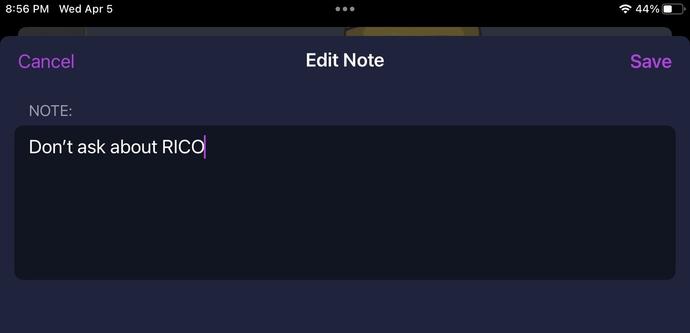
Reminder, on Mastodon, you can save notes on people you interact with... so the next time you interact with them you can be reminded of what you thought of them last time.
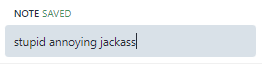
@mmasnick lol! here’s hoping those can be edited for redemption’s sake
@barbarakb @mmasnick Sure, they’re basically like mini-notepads on everyone’s bio that’re visible only to you. You can edit them anytime you want.
@joemcken @mmasnick thx Joe. the question was actually whether Mike would edit... :)
@mmasnick
It's nice you remember me. 😁
@mmasnick omfg mike i just got there give me a grace period i am serious
@darth now show us your note on ;) @mmasnick
@Brandon @mmasnick i just learnt about the whole notes thing from mikes note on me brandon!
@Brandon @darth look, I once added a dog to a game just to make @darth happy... so I deserve at least a little slack before I get noted...
@mmasnick @Brandon that was a good game and a good dog tbh mike u should do one for mastodon too
@darth @Brandon literally working on two new games, and 15 seconds ago said to the team "we need to add a dog easter egg for darth"
@mmasnick waiting for that day someone discovers it is just saved to public metadata, just alike the old days with MS Word; something like Path=‘C:\users\me\documents\assholes\fiery_letter.doc’. Fun times!
@mmasnick
Great, now I'm worried about what notes people have on me.
@mmasnick Ok I will be that idiot: how do you save a note on someone please?
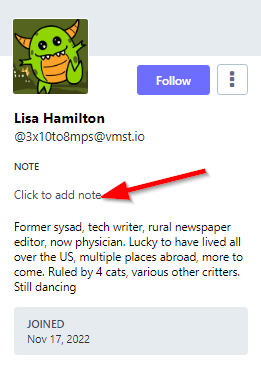
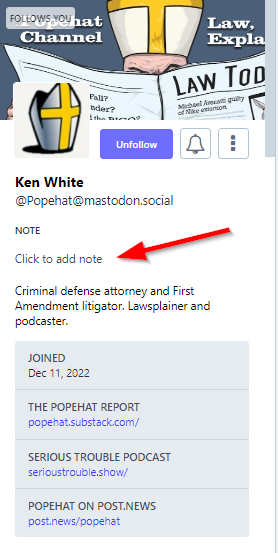
@3x10to8mps if you click on someone's profile there should be a "Click to add note" line beneath their name:

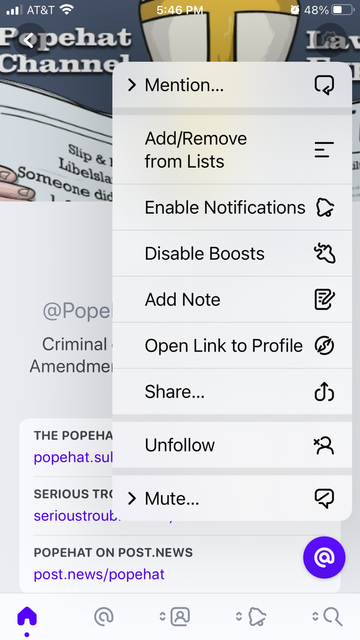
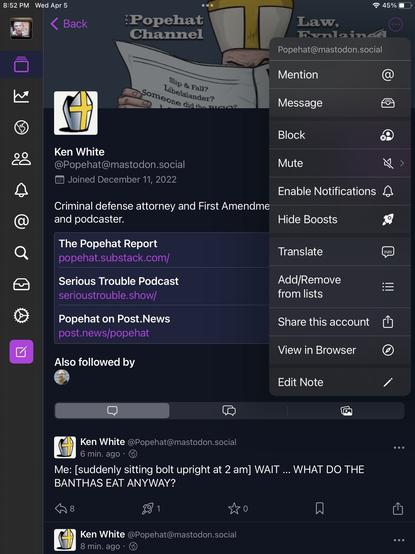
@mmasnick Aha it's app specific! I don't see it under their name but if I click on the ellipsis, I can edit a note. Of course no such option is available in my favorite app, Metatext. (Yes I stubbornly cling to the fast, minimalist app no longer being updated.)

Thank you!

@mmasnick It's the written version of "people talking about you behind your back".

Kind of makes you all wonder now, doesn't it? 🤪
@mmasnick wait, so if my stalker pops up here, I can leave a note on their account saying they’re an annoying freak show who should be in prison for stalking people, and then promptly block them?
@mmasnick Tell the truth, you double check after using it to make sure you didn’t accidentally post! Or at least I would have to.
@mmasnick What a useful feature! For those wondering how to do this, check out the profile of the person you want make note of.
@MeasureMeasure ha! now you can change it to what you REALLY think
@mmasnick hey, I resemble that remark.

@mmasnick
@shayz0rz

It's one of the most useful features that for some reason I have never used even once. I need to work on that.

@mmasnick this is relevant to my interests.
@Popehat you cannot believe how handy it is for certain use cases.........
@mmasnick How do you do it
@Popehat if you go to someone's profile page, it's literally right there under their name:
@mmasnick difficult client doesn't listen
@mmasnick weird i can't seem to make it work
@Popehat @mmasnick not in my client either
@Popehat @mmasnick
I don’t see that here
@mcnulla @Popehat @mmasnick It's in the web interface. I just posted a note to @Popehat's page reminding me he can't figure out how to make Notes work.
@Popehat @mmasnick
I found it in Ice Cubes.
Had to expand the menu in the top right on the profile page.
@rjcassara @Popehat @mmasnick It's a joke, Rich. "difficult client doesn't listen" is the note he was 'trying to add' to Mike's page.
@denysbeecher @rjcassara @Popehat what makes you think it was a joke? I am a difficult client who doesn't listen. 😂
@mmasnick Oh, I have confidence in the truth of that one. I mean the can't make it work bit was a joke
@denysbeecher @mmasnick the phone app is ALSO a difficult client who won't listen
@Popehat @mmasnick it seems to be not widely implemented
@Popehat @mmasnick
It does work in the standard web interface, at least with Advanced Interface enabled it does.
@Popehat @mmasnick It’s in Ivory, which is my client. Hopefully I can attach an image…here you go.

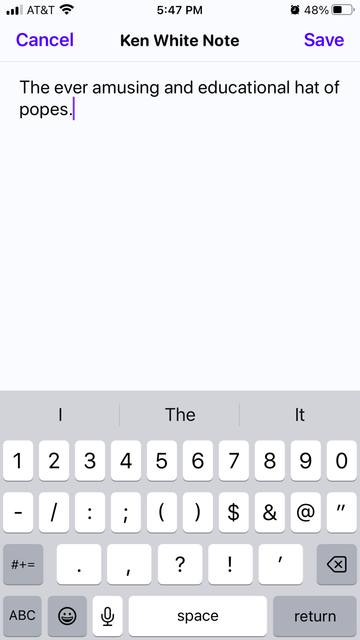
@Popehat @mmasnick In order to add it, you have to open their full profile first, click the gear icon, select add note.

To see it afterwards just long press on someone’s profile picture.

@Popehat @mmasnick Worked for me in Chrome, using the standard web client

@Popehat @mmasnick

In IceCubes I get to the notes by clicking on the three dots in the corner.