Happy new year! Please enjoy these new features and enhancements in the latest version of Mona:
- Notifications, Messages, and Trending tabs are now fully functional;
- Favorites, reblogs, new follower notifications are automatically grouped;
- Mastodon List features are now fully supported: you can view/create/edit/delete lists, pin lists to tab bar, add people to lists, and remove people from lists.
Push notifications will be supported in the next Mona Beta update.
Mona push notification is now available. Enjoy~
Upcoming new features of Mona Beta: Home Screen widgets and Siri Shortcuts.
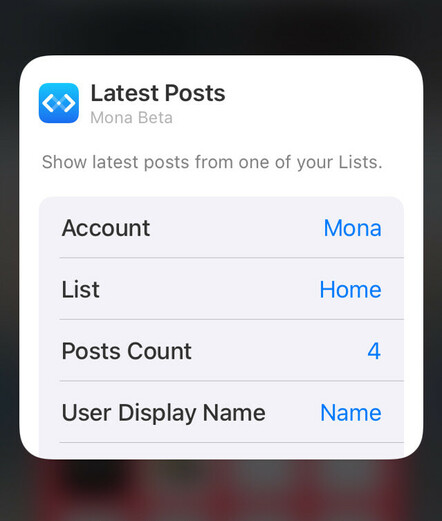
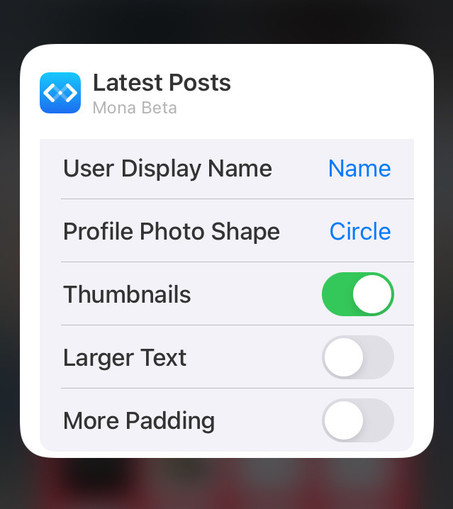
Home Screen widgets and Siri Shortcuts are now available.
Today’s Mona Beta update includes new features, improvements, and bug fixes.
• Adds share extension to the system share sheet
• Supports rich notification previewing (requires iOS/iPadOS 13+, macOS 11+)
• Supports showing profile metadata
• Improves compatibility with Pixelfed instances
• Optimizes sign in process
Today’s Mona Beta update includes new features, improvements, and bug fixes.
• Adds an alternative sign in method
• Speeds up user profile loading
• Adds preliminary supports for displaying Mastodon emojis on usernames and posts
• Adds keyboard shortcuts for scrolling one page up/down. You can optionally enable Space Bar Scroll in Advanced Settings
• Supports push notification customizations: badges, sounds, deliver methods
• Supports customizing text color of “verified links“
Today’s Mona Beta update includes improvements and bug fixes.
• Supports viewing edited posts and their edit histories
• Duplicated content warnings on post detail view are now auto expanded
• “Find on Page” is now supported on Notifications and Messages tabs
• Mastodon emojis are now animatable (you can also opt to disable emoji animations in Accessibility Settings)
Upcoming new feature: Edit Post.
Today’s Mona Beta update includes improvements to the post composer:
• Supports “Edit Post”
• Supports manually marking your post as sensitive (or not sensitive)
• Supports poll customization (allow multiple choices, or hide vote number)
• Supports attaching audio file to your post
• Mona’s Share extension now accepts audio files
• Optimizes username autocomplete on post composer
Latest update of Mona Beta:
• Speeds up user profile loading
• Downloads more posts per request
• Adds color customization options in app theme editor, for reading progress, threads, and focus ring
• Adds display settings for hiding number of posts on the reading progress indicator
• Adds a new keyboard shortcut: View > Accounts > Show All Accounts
• Fixes an issue where some posts may be displayed on the wrong position on timeline
• Fixes an issue where earlier notifications may not show up
Latest update of Mona Beta:
• Redesigns link preview card, with faster load time
• Supports follow/unfollow hashtags
• Optimizes the Column View on iPad and Mac
• You can now follow people using a non-current account
• You can now remove user posts from Home timeline, while keeping them on your lists
• Turning on/off notifications for certain users
• Adds a display settings for auto expanding all content warnings
• Adds in-app localization/translation editor
Coming soon in the next update: cross-instance public timeline browsing.
A new version of Mona Beta is now available:
• Introduces Communities tab: browse and interact with posts on public timelines of other Mastodon instances. You can also pin timelines to your Tab Bar
• Supports editing name, bio, and profile metadata (more “Edit Profile” functions will be available later)
• User action “Remove from Home” is now available on all user action menus
• Follow confirmation menu will no longer be displayed if you added just one account in Mona
Today’s Mona Beta update:
• Supports updating profile photo and banner in the app
• Adds more options on the Edit Profile page
• The post composer now respects your account’s preset of post privacy level
• Adds indicators for bot accounts (you could also opt to hide those indicators in Settings > General > User Badges)
• On the user action menu, adds a button for adding people back to Home timeline, if you previously removed them from Home
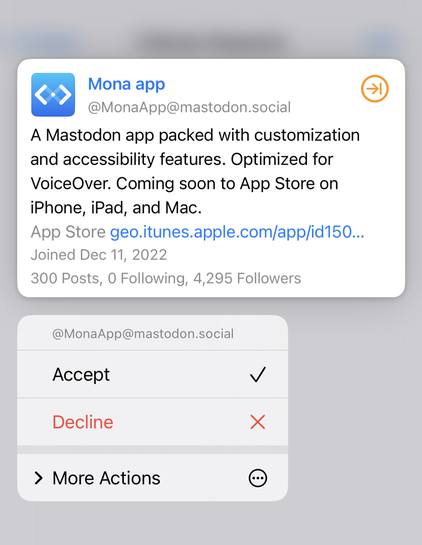
Upcoming feature: accepting follower requests. Also, public beta will be opened later today.
Public Beta of Mona is available now!
TestFlight link for iPhone and iPad: https://testflight.apple.com/join/xNdgUbh6
Download link for Mac: https://github.com/JunyuKuang/Spring-for-Twitter/releases/download/MonaBeta/MonaBeta.zip
System requirements: iOS/iPadOS 13 or newer, macOS 10.15 or newer

TestFlight - Apple
Using TestFlight is a great way to help developers test beta versions of their apps.
Today’s Mona Beta update:
• Supports Mastodon servers that come with special characters in their domain names, such as
https://loðfíll.is• Always shows sidebar instead of bottom tab bar on Mac, if the Divide View feature is disabled
• Resolves a “crash on launch” issue

Loðfíll.is
loðfíll.is, íslenski mastodon vefþjónninn. Öll velkomin!
Today’s Mona Beta update:
• Applies filters that you configured on your Mastodon server
• Theme editor: customize color for post action buttons
• Adds an Advanced setting: Invert Scroll Direction (for Space Bar Scroll)
• Adds an Accessibility setting: Hide “Quote Post” Action (turn on “Separate reblog and quote post actions” first)
• Fixes an issue where turning on Compact Layout on Mac has no effect
• Fixes an issue where sending reply or quote post from system Notification Center may not work
Today’s Mona Beta update:
• Supports iCloud sync for custom themes and accent colors
• Shorten sharing links for app themes, allowing you to share your themes more easily by posting links instead of QR codes
• Supports showing trending posts on your server, and other servers you added on the Communities tab
• You can pin trending pages to your tab bar
• Adds new actions on post and user profile pages: Load from Remote Server: allowing you to browse the complete reply list and user profile posts
Today’s Mona Beta update:
• Adds new customization options in app theme editor for iPhone and iPad: top bar background, sidebar background, unselected tab on sidebar, and status bar text color
• The post action “open in new window“ now opens post from remote server
• Adds user relationship indicator on post view
• Adds an Accessibility option on iPhone and iPad, that moves Send button to the top bar. Enabled by default for VoiceOver users
Available now in Mona Beta:
• De-duplicates reblogs on timeline
• Truncates long posts on timeline
• Shows indicator for media description (alt text)
• Improves follower request handling
• Adds “open in browser“ action to user action menu
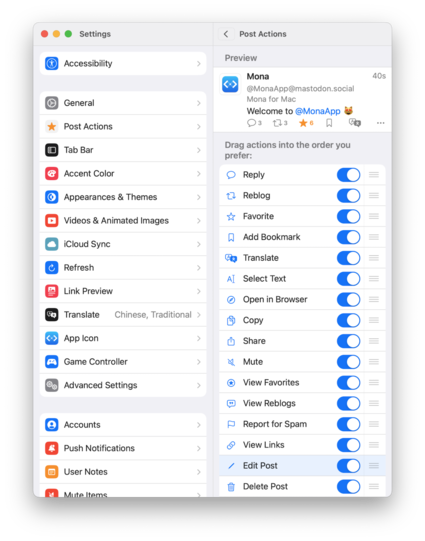
• Supports setting alternate lists for multiple accounts on your pinned lists on tab bar
• Makes timeline filters (a bit) smarter
• Adds timeline filter options for mentions, sensitive content, and long posts
 Mona app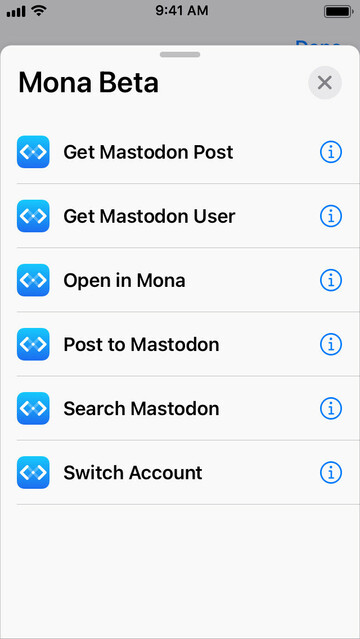
 James Brown
 Phil
Phil 🇬🇧Daron Brewood
 theBurn
 Jason Rak
 Jordan Kay
 Otto Schmilinsky
 Max von Webel
 Roger Sheen
 Bryan Wu
 Riccardo Mori
 Norz Tekh
 randolph34
 Andrew
 Phil
Phil Krit
Krit Andy Chan
 logienick
 Dean, Steven
 The Peter Pan of Nerdery™️
 Lauren Wu (Kayna on TFT)
 Becky 🇬🇧
 David Nelson
 Der Zarte Kulturträger
 heavyboots
 charon 🦙
 Jenny
Jenny paul
paul elle mundy
 叨特咪
叨特咪 Jeremy